How to post a Reel or a Story to Instagram or Facebook
Start a video post and pick Instagram or Facebook. Choose Reel or Story in that network's tab, add a cover, and schedule it.
Before you start
- Instagram connected to the workspace, as a Business or Creator account. The Instagram page says how to connect it.
- The video, as an MP4 or MOV file of up to 1 GB.
-
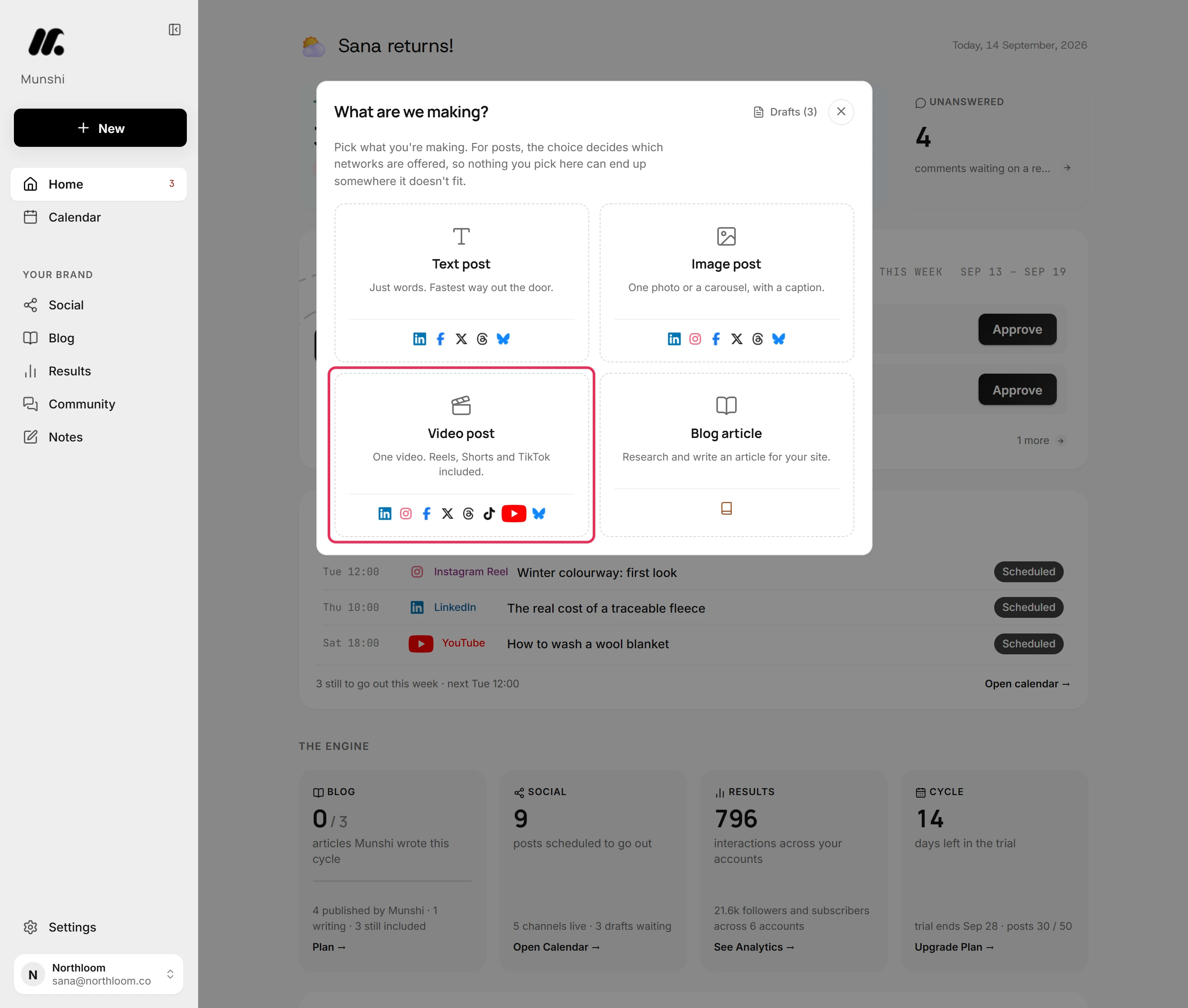
Click New at the top of the sidebar, then pick Video post. A Reel is always a video, so it starts here.
-
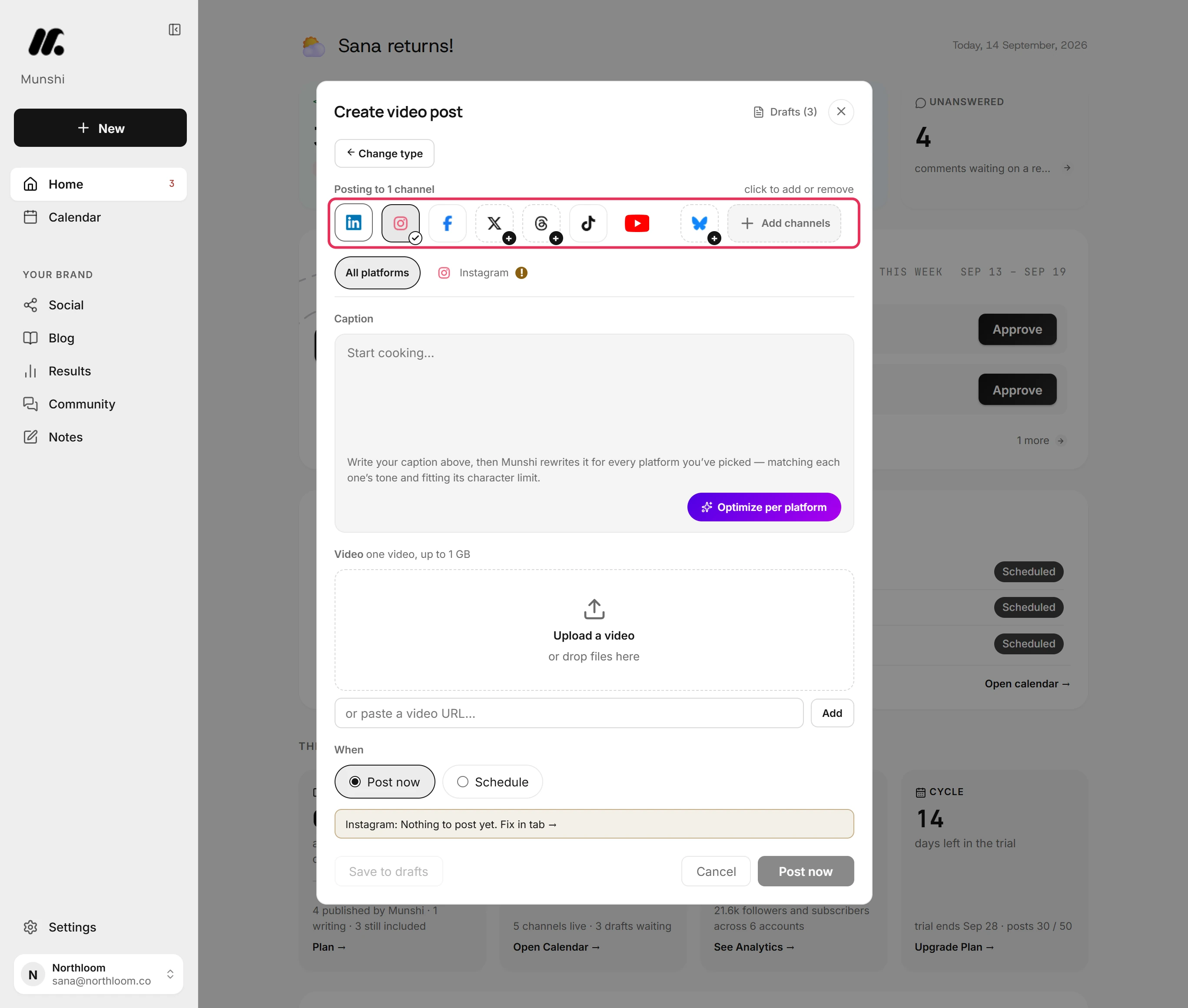
Click Instagram to add it. A new post starts with one network already picked. If the video is only for Instagram, click that one to take it off.
-
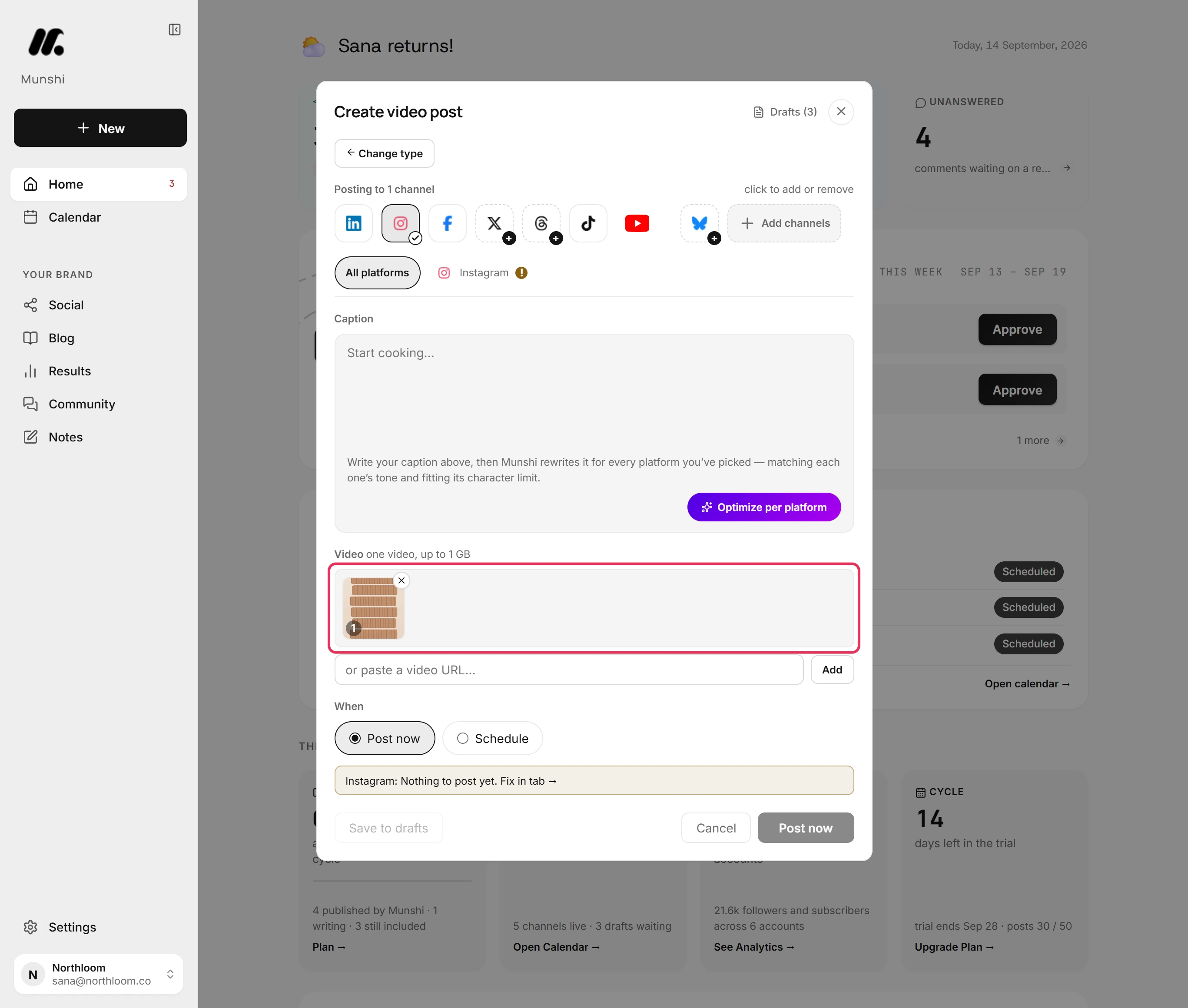
Click Upload a video and pick the file, or drop it on the box. A video post carries one video of up to 1 GB.
-
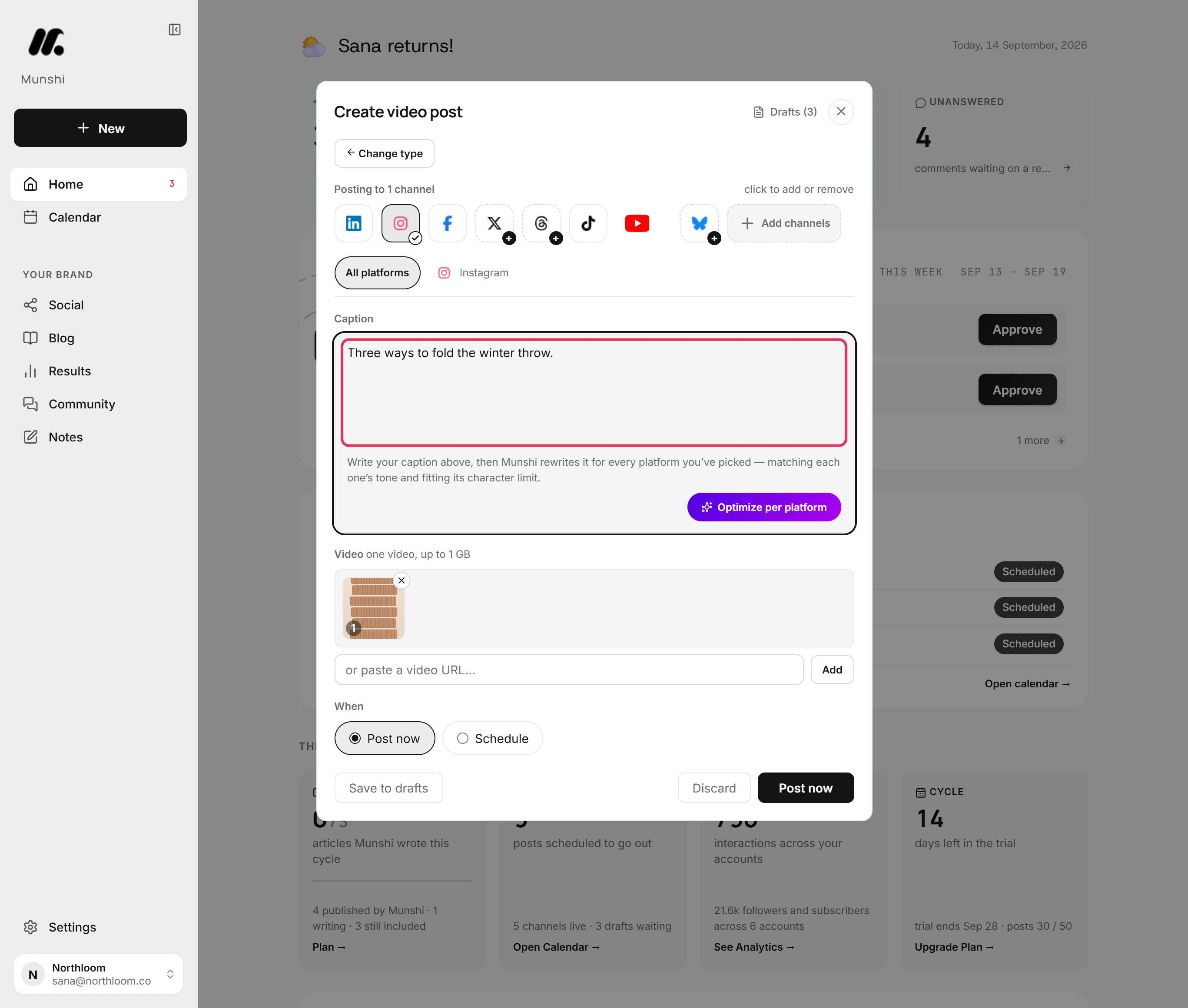
Type the caption in the Caption box. Instagram takes up to 2,200 characters. A Reel carries the caption, but a Story goes out without it.
-
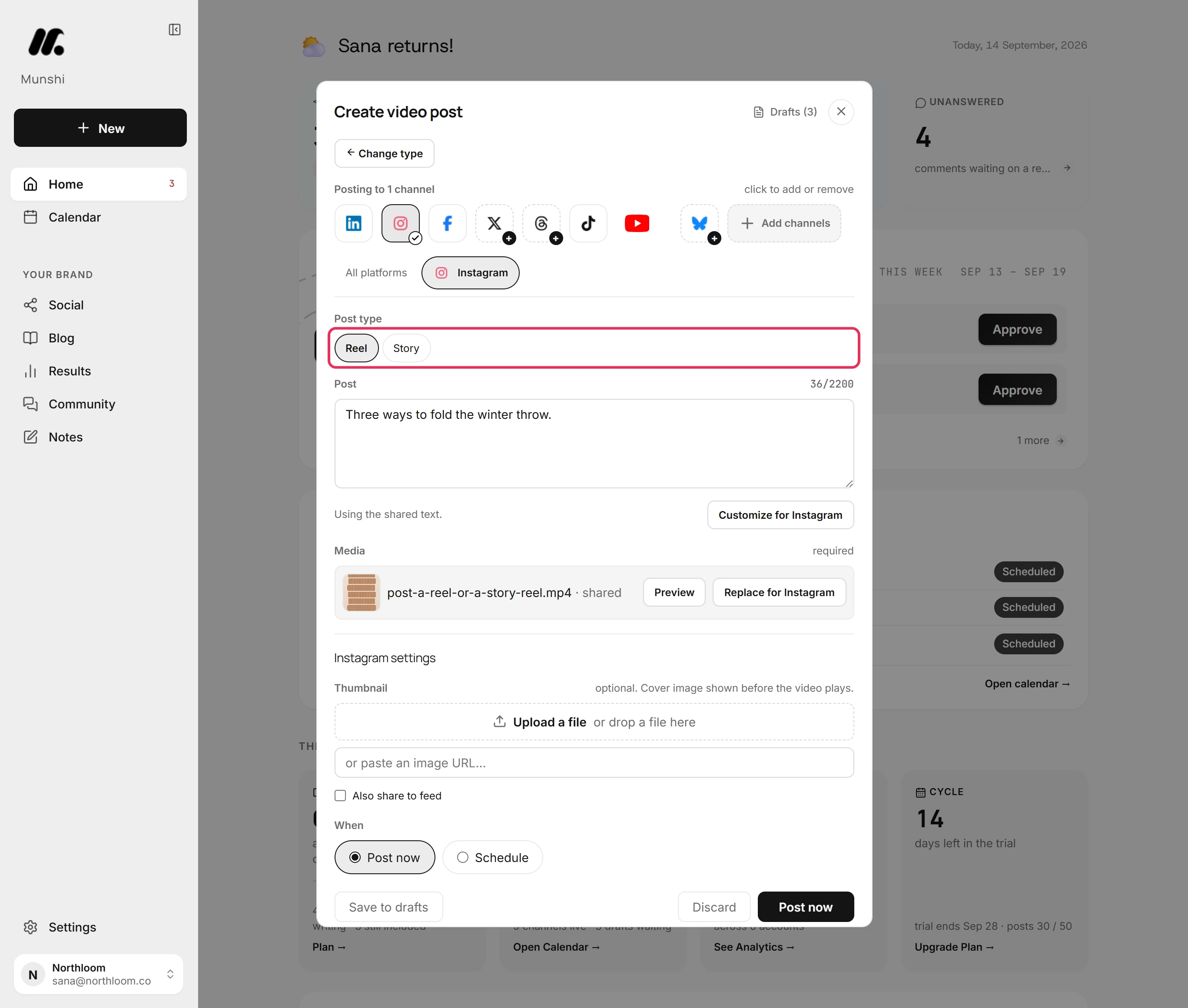
Open the Instagram tab. For a video, Post type starts on Reel. Pick Story to send it as a Story instead. Facebook's tab offers the same choice.
-
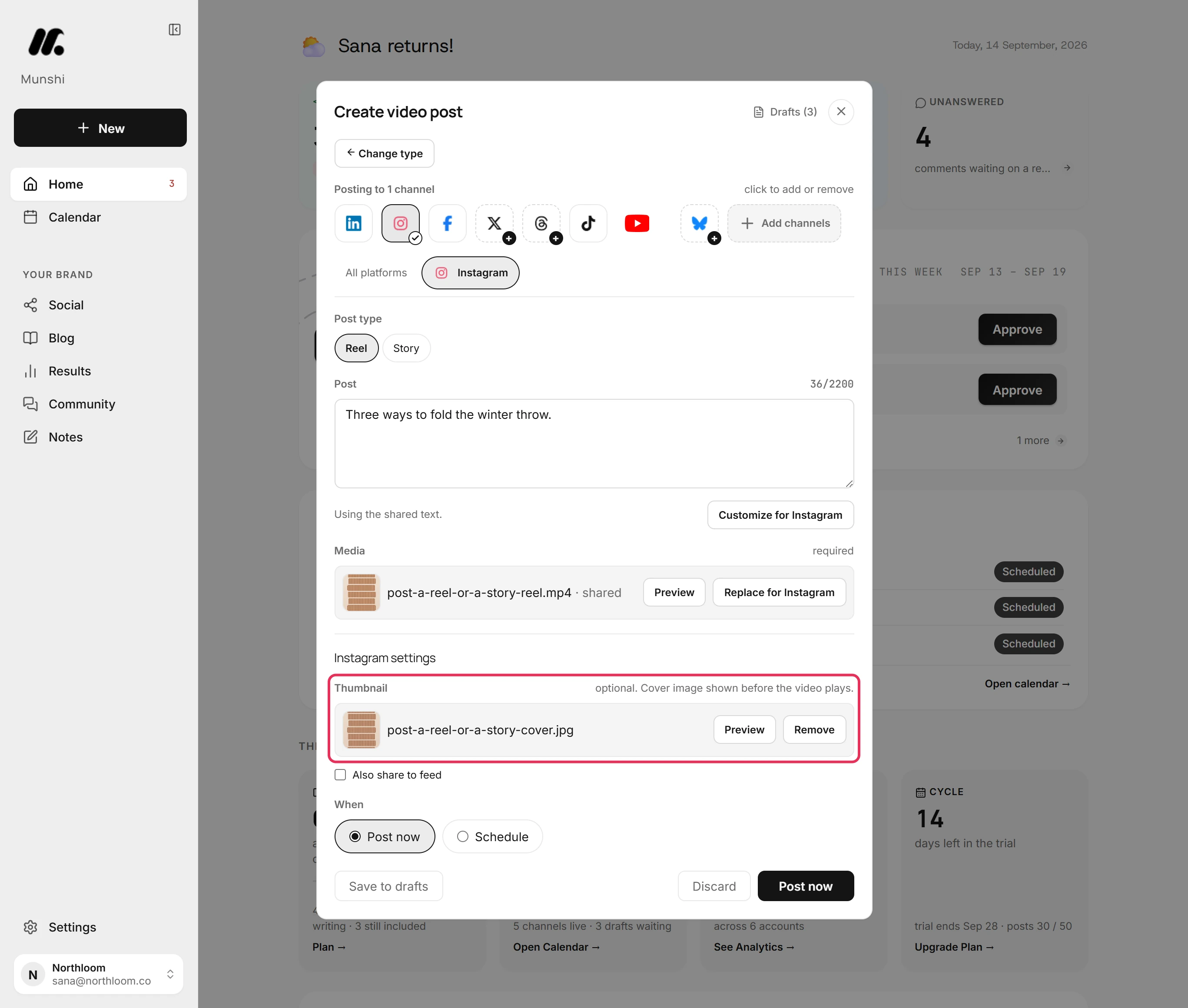
Further down the same tab, find Thumbnail under Instagram settings. Click Upload a file and pick a picture. It is the cover shown before the Reel plays.
-
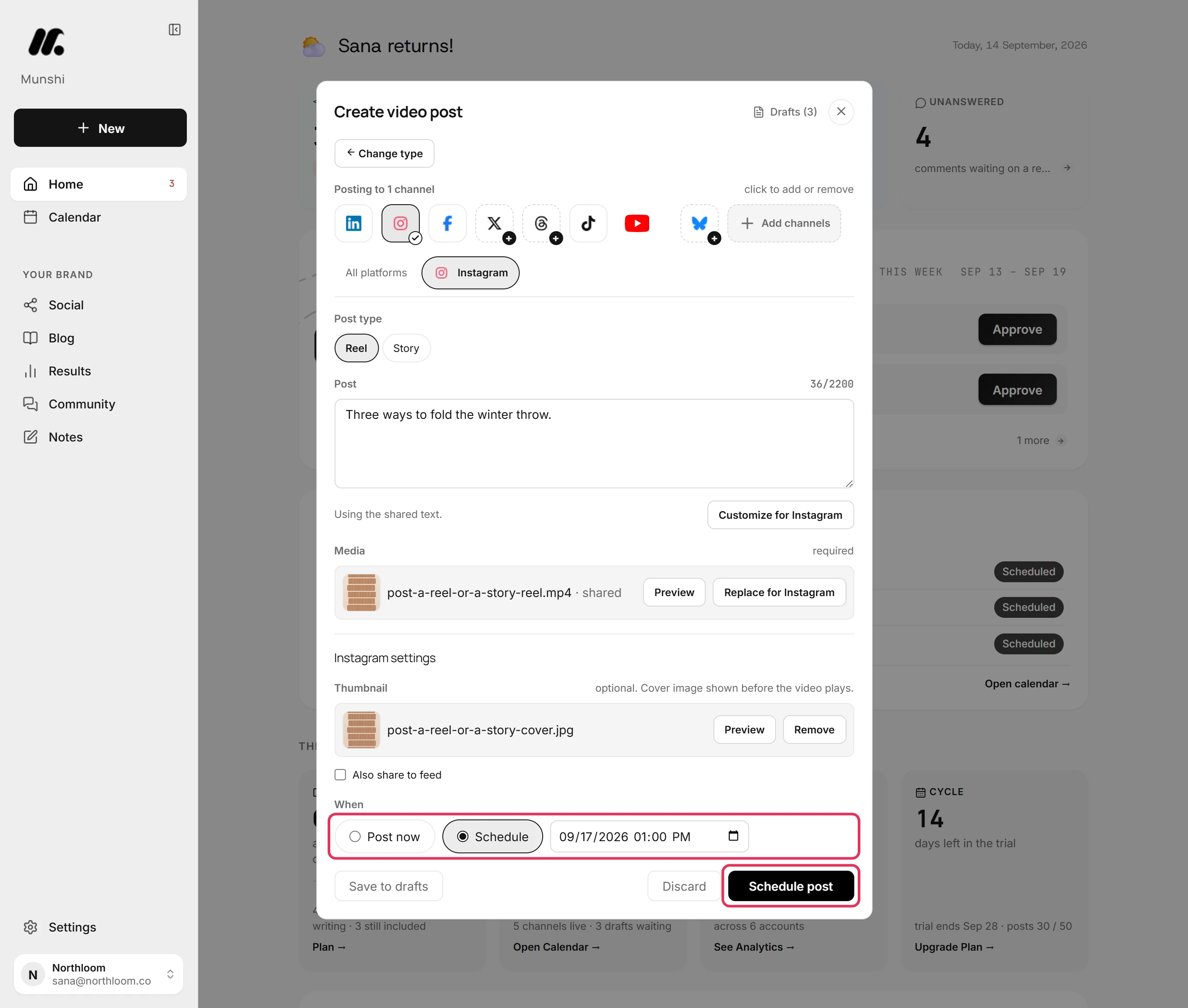
Under When, pick Schedule and set the date and time. Then click Schedule post. To send it straight away, pick Post now instead.
-
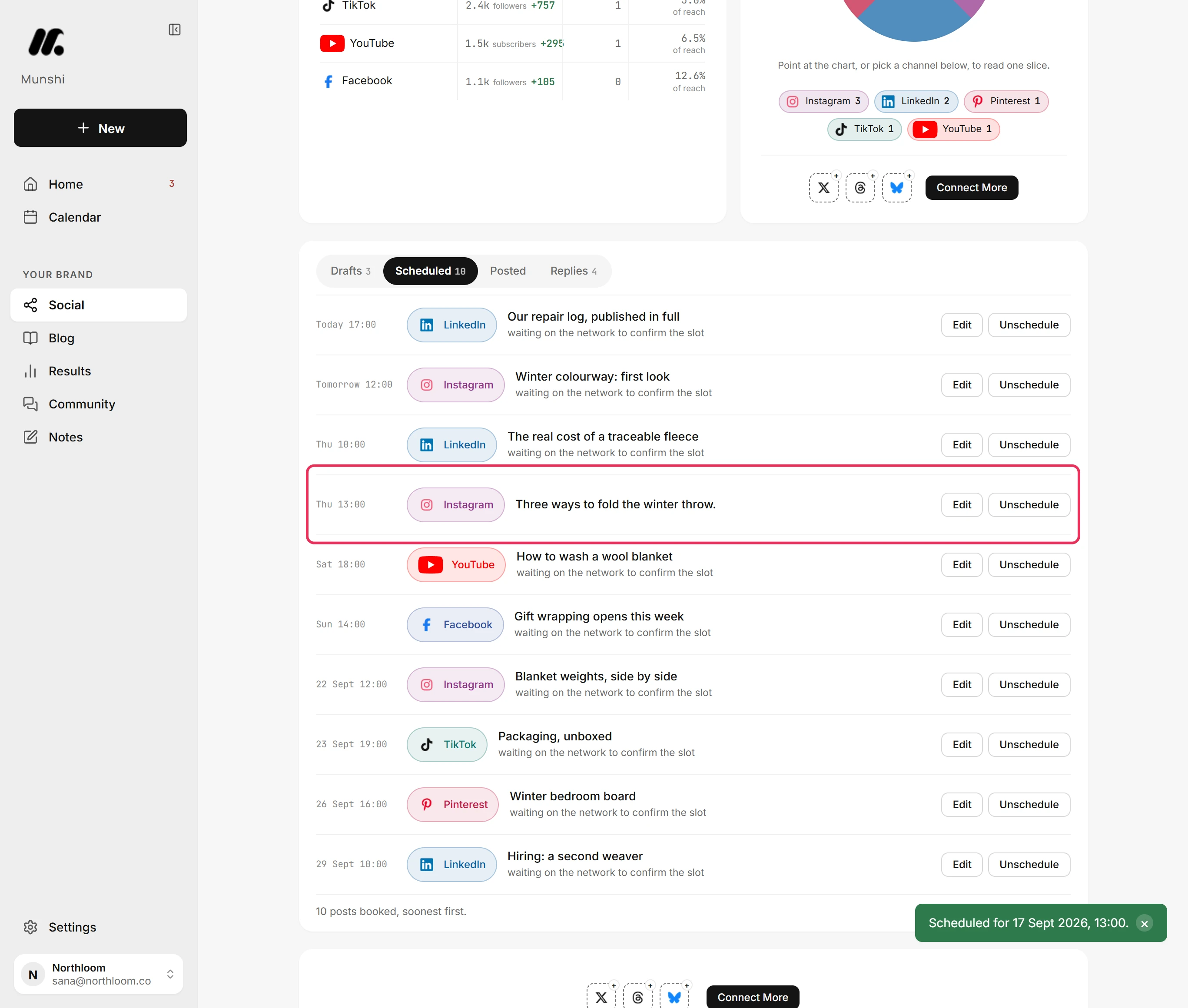
Munshi takes you to Social. Open Scheduled to see the Reel with its time. Edit opens it again, with its post type still set in the Instagram tab.
Where you are now
The video is booked for Instagram as the post type you picked. It waits in the Scheduled queue and on the Calendar until its time, then goes out on its own.
If something goes wrong
Reel is not offered in the Instagram tab
Click Change type at the top of the composer and pick Video post. The post was started as an image post, which offers only Post and Story.
The Story went out without its caption
Put the words in the video itself, or pick Reel to keep the caption. Instagram shows a Story without a caption.
“One file is the limit here, so only the first was taken.”
Make a separate post for each of the other videos. A video post carries one video.
A file is refused with “a video post takes an MP4, MOV or WebM video.”
Export the file as MP4 and upload it again. The composer cannot take it as a video.
Try it on your own brand this week.
Munshi Social, the AI content marketing engine for small teams, plans, writes, publishes, and tracks your blog and socials. The guide above shows the real app, not a mock-up.
Start your workspace