How to connect Threads
Threads connects the account signed in at threads.com. Check that account first, then click Connect Threads in Integrations and approve access.
Before you start
- The Threads account you want to connect, signed in at threads.com in the browser you use for Munshi.
-
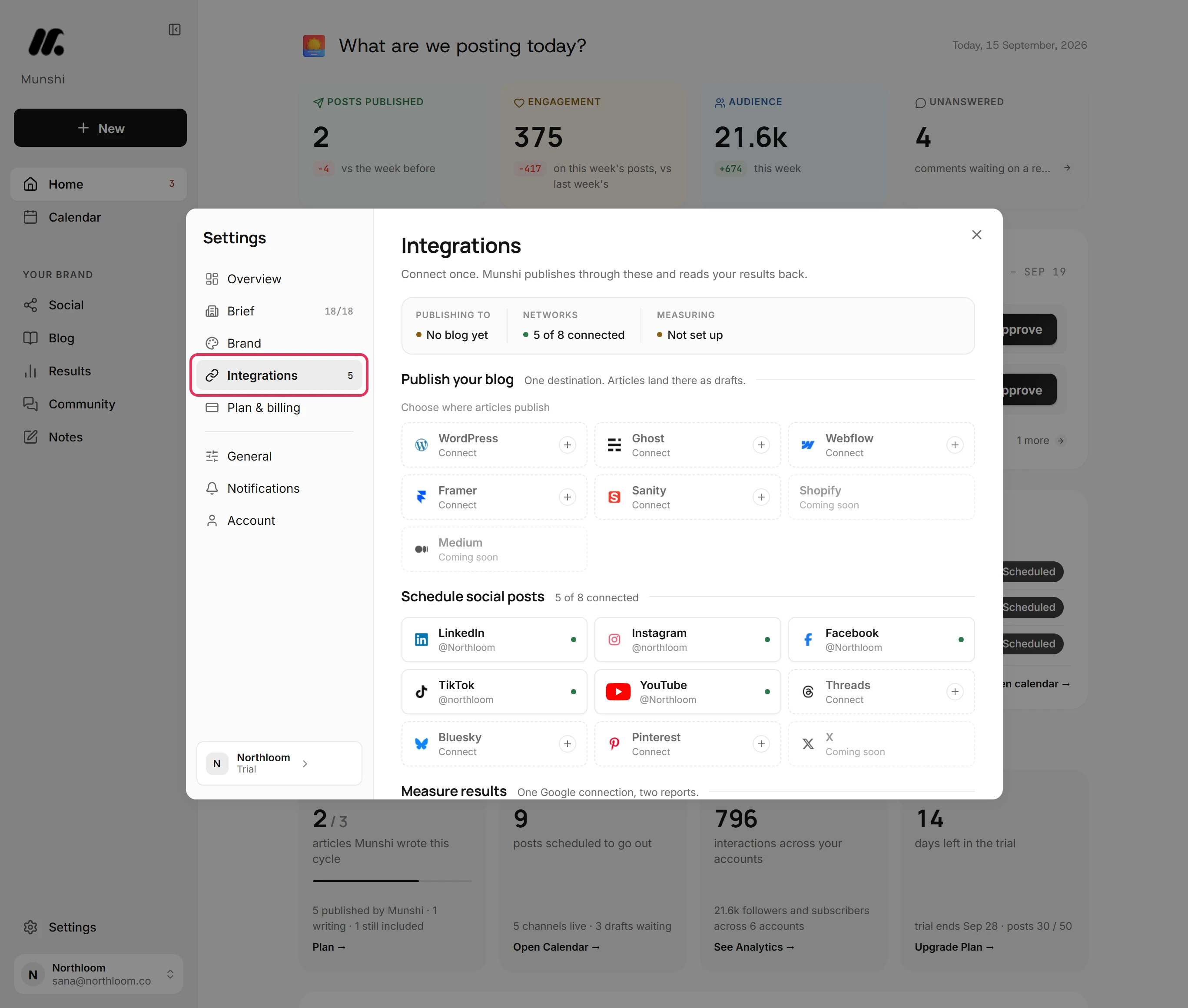
Click Settings at the bottom of the sidebar, then Integrations. The networks you can connect are listed under Schedule social posts.
-
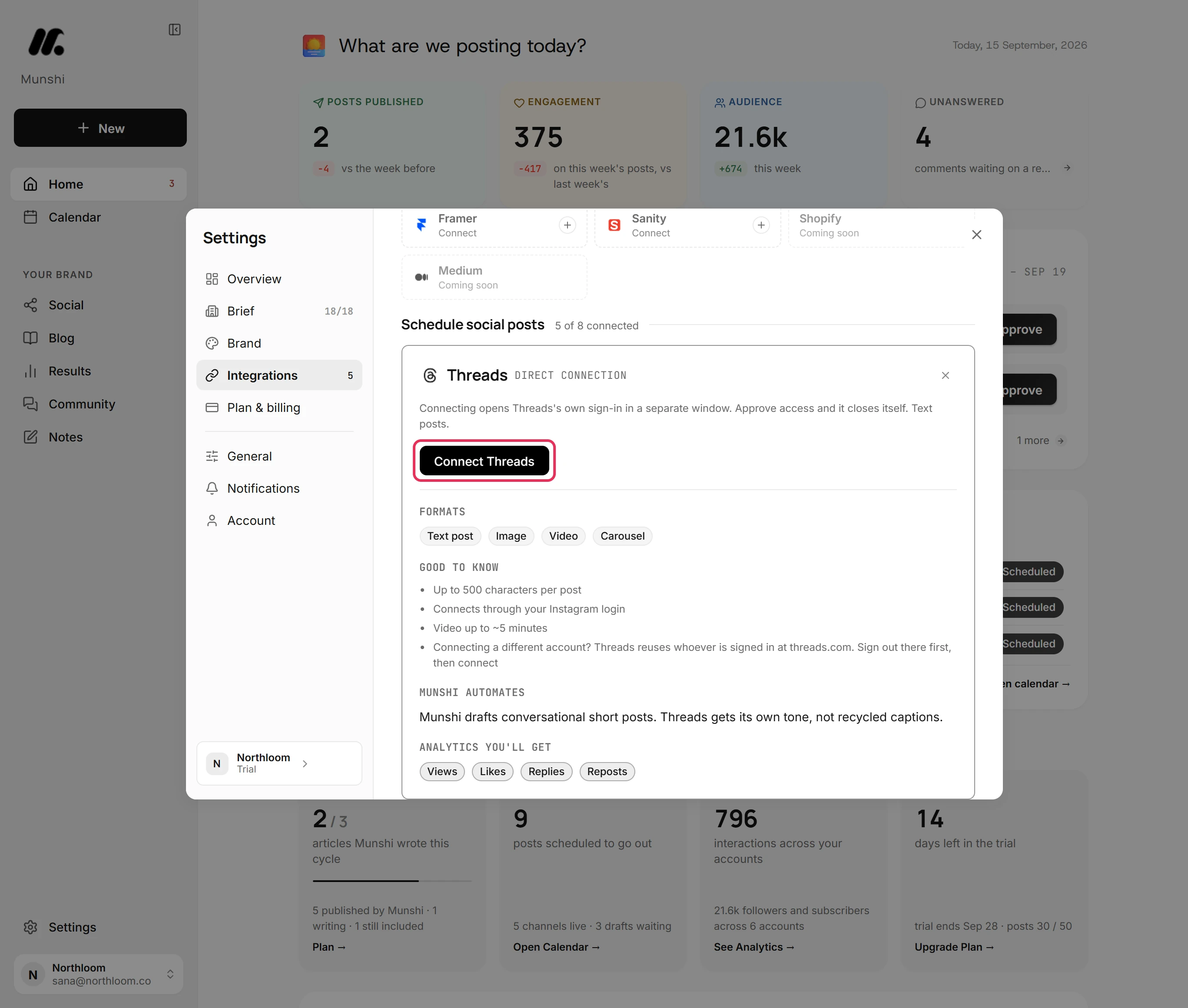
Click the Threads tile, which reads Connect. Its card says Threads' own sign-in opens in a separate window. The window closes itself once you approve access.
-
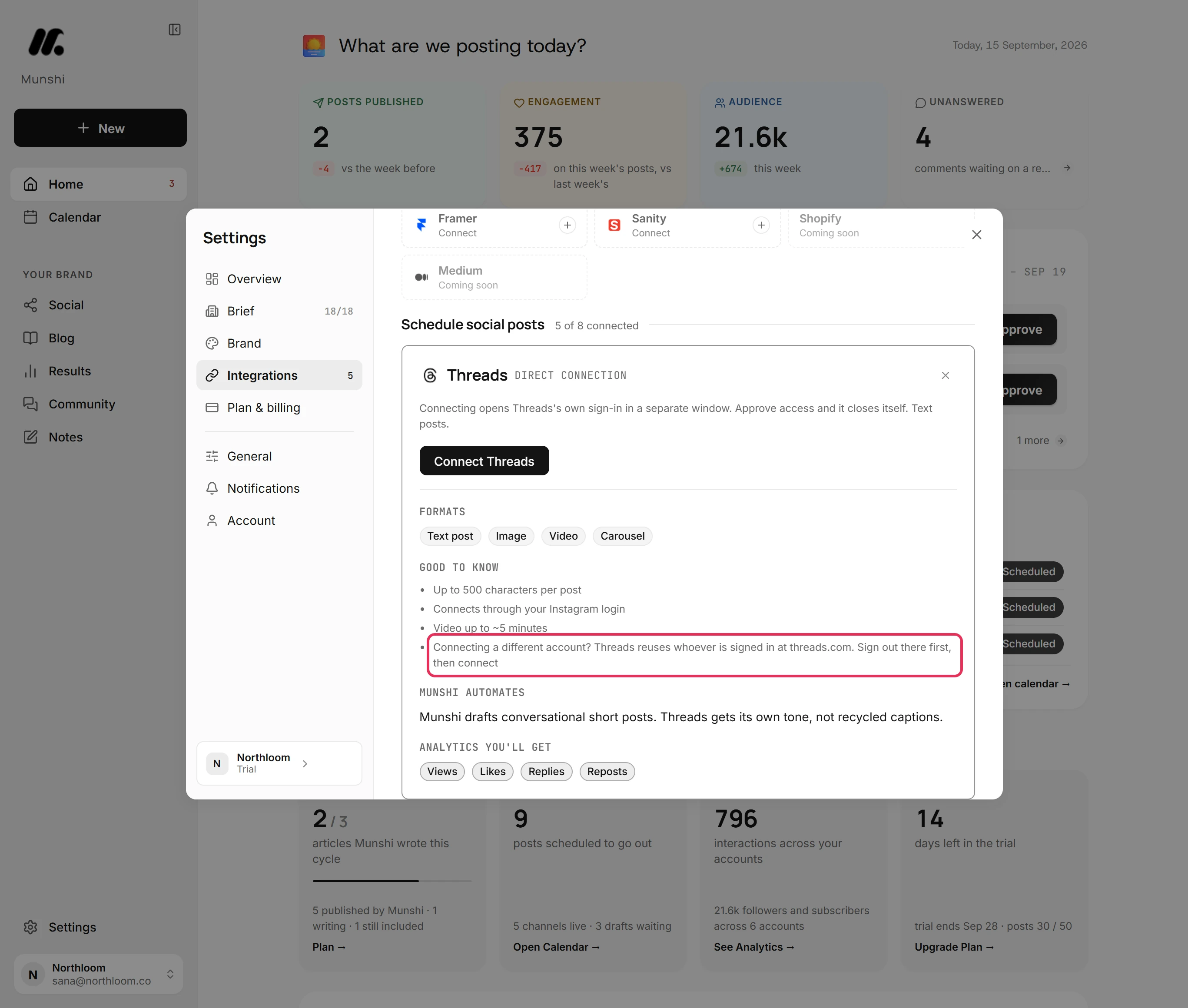
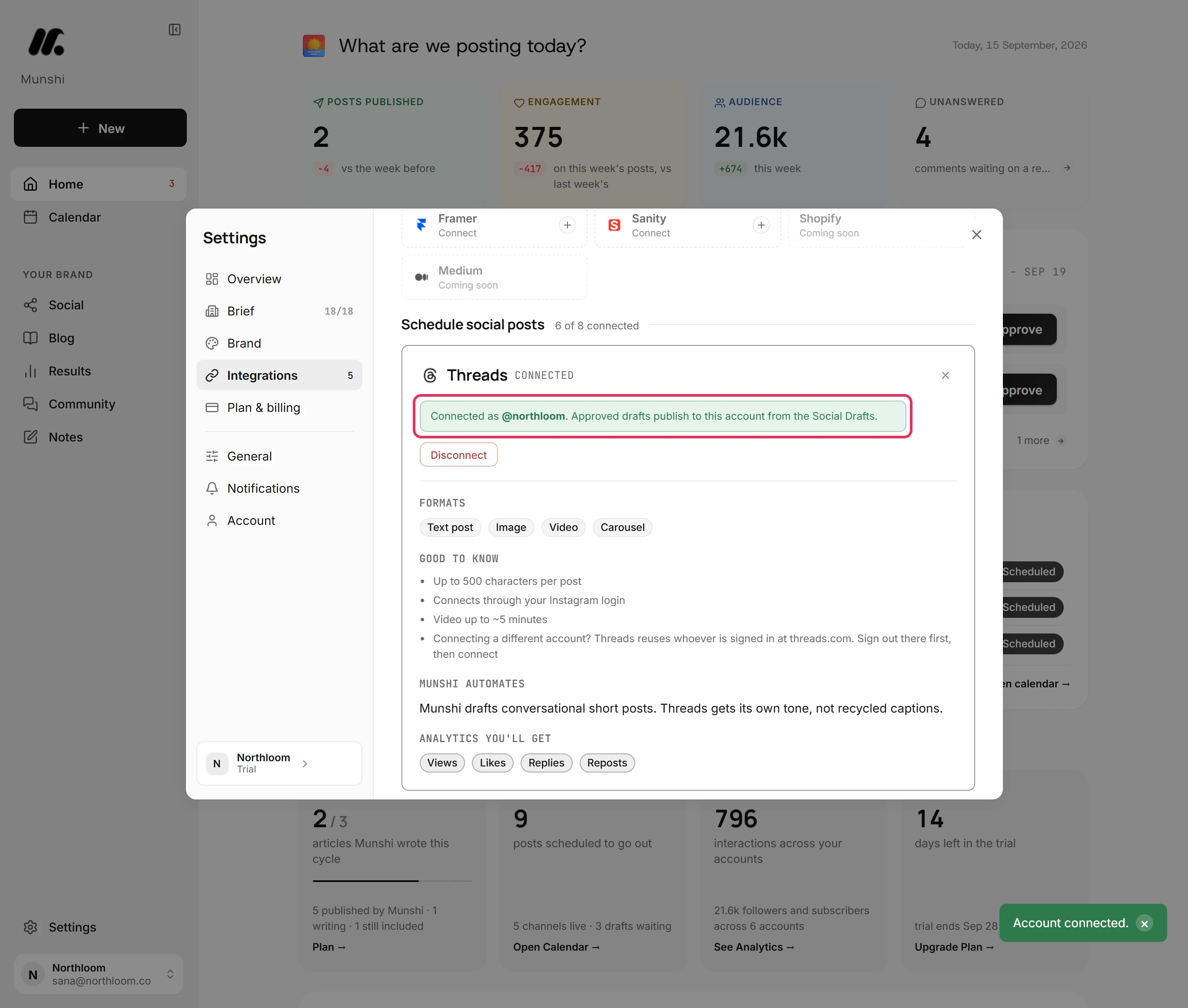
Threads connects whichever account is signed in at threads.com, and its window offers no way to switch. The card says so under Good to know. To connect a different account, sign out at threads.com first and sign in as that one.
-
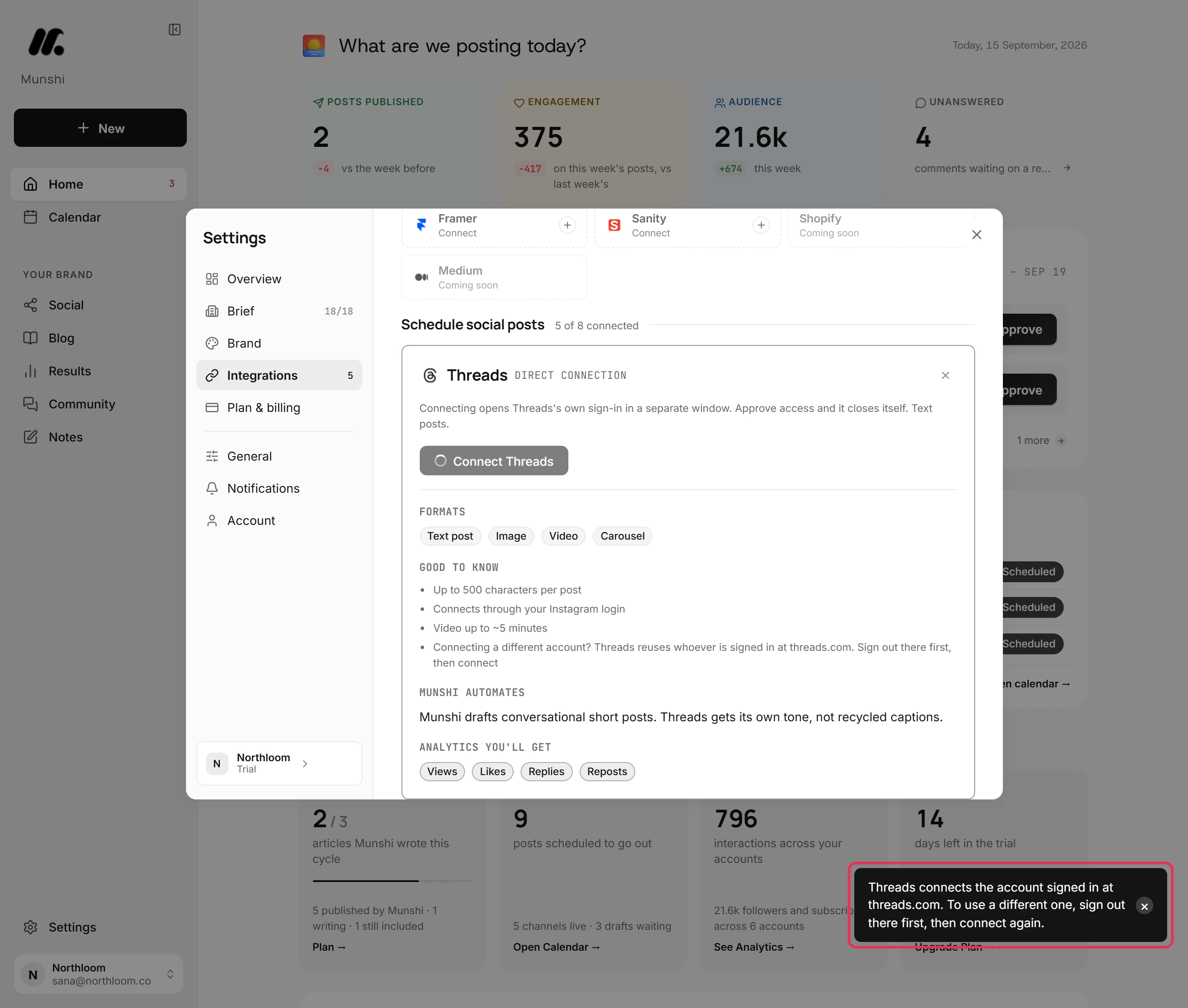
Scroll back up and click Connect Threads. As Threads' window opens, Munshi reminds you: “Threads connects the account signed in at threads.com. To use a different one, sign out there first, then connect again.”
-
In Threads' window, approve access for Munshi. The window closes itself and Munshi says Account connected. The card now reads Connected as the Threads handle.
-
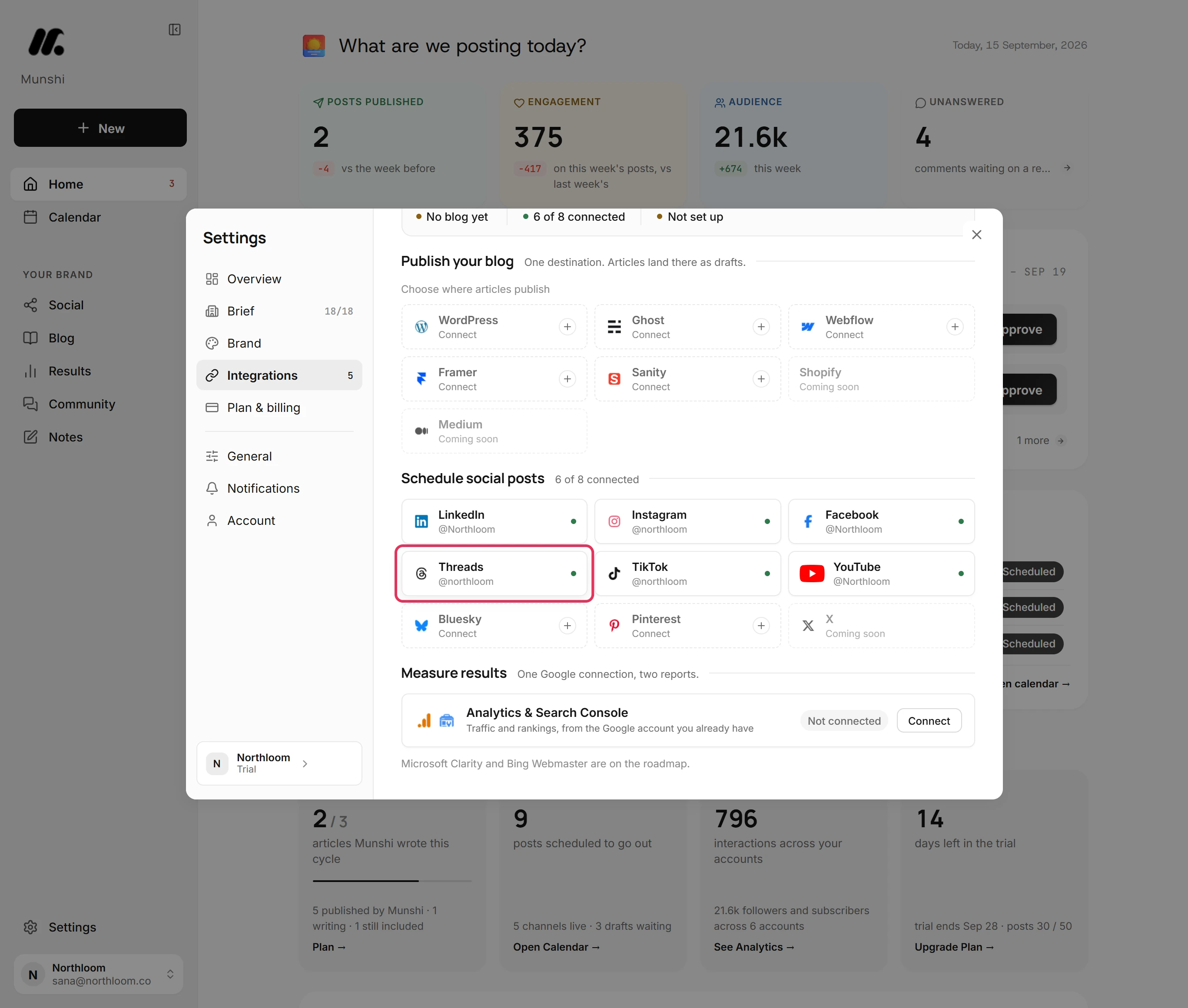
Close the card. The Threads tile shows your handle with a green dot. The count beside Schedule social posts goes up by one.
Where you are now
Threads is connected with the account you chose. Drafts you approve can publish to it. Munshi starts bringing in the account's past posts in the background.
If something goes wrong
Threads connected the wrong account
The workspace owner clicks Disconnect on the Threads card. Then sign out at threads.com, sign in as the account you want and connect again. Threads connects whichever account is signed in at threads.com.
“Your browser blocked the popup. Allow popups for Munshi and try again.”
Allow popups for Munshi in your browser, then click Connect Threads again. Threads' window could not open.
“That account is already connected to another workspace.”
Disconnect it in the workspace that has it, then connect it here. A Threads account belongs to one workspace at a time, including your own other workspaces.
The window closed and Threads did not connect
Nothing was saved, so connect again. The connect window did not finish explains each message the window can give.
Try it on your own brand this week.
Munshi Social, the AI content marketing engine for small teams, plans, writes, publishes, and tracks your blog and socials. The guide above shows the real app, not a mock-up.
Start your workspace