How to upgrade to Founding or Studio
Move from the trial to a paid plan. Compare Founding and Studio, pick Monthly or Yearly, pay with Paddle, and come back to your new plan in Munshi.
Before you start
- The workspace is on the trial, or its trial has ended. A workspace that already pays for a plan changes it without a new checkout.
-
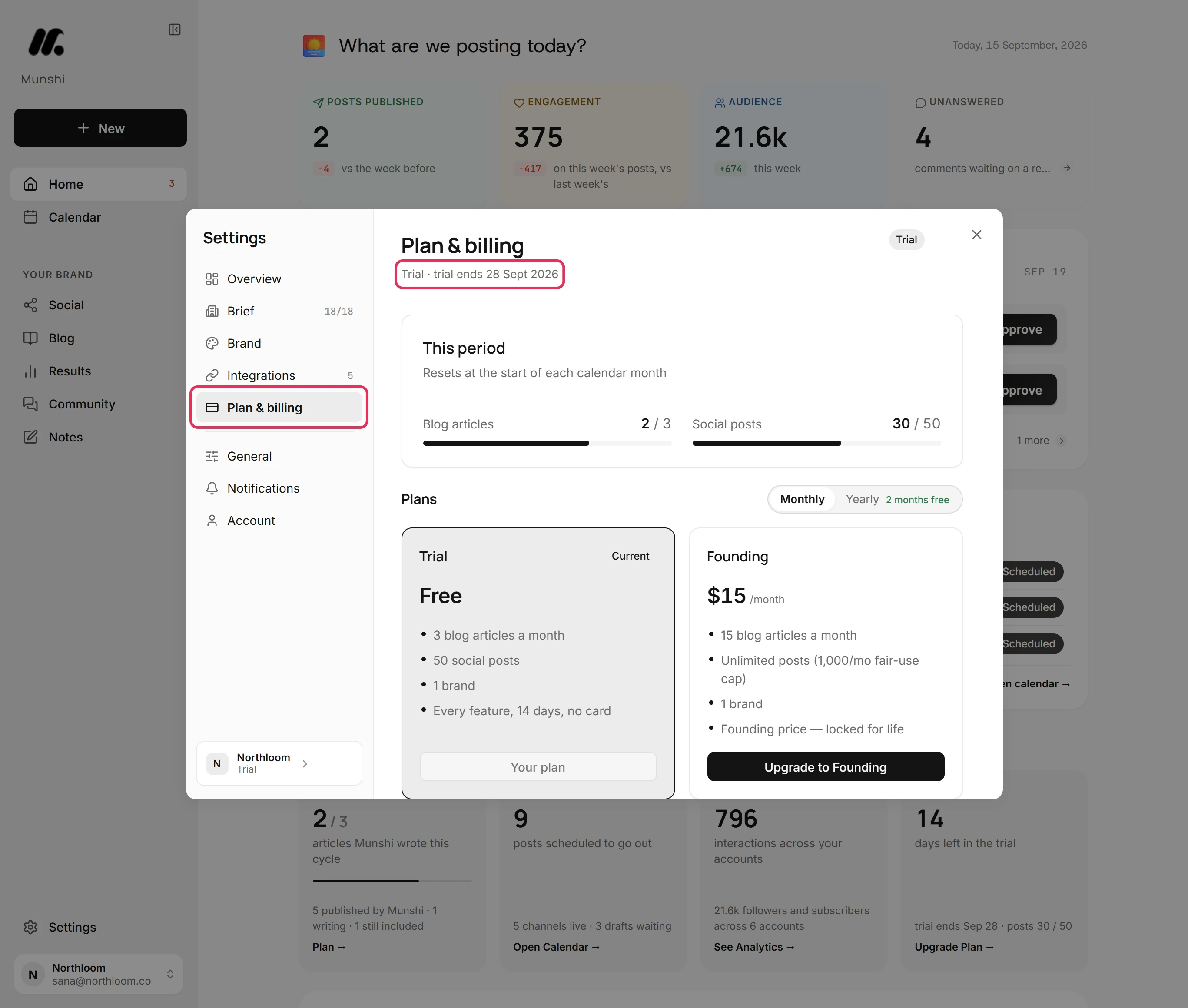
Click Settings at the bottom of the sidebar, then Plan & billing. The line under the title names your plan, Trial, and the day the trial ends.
-
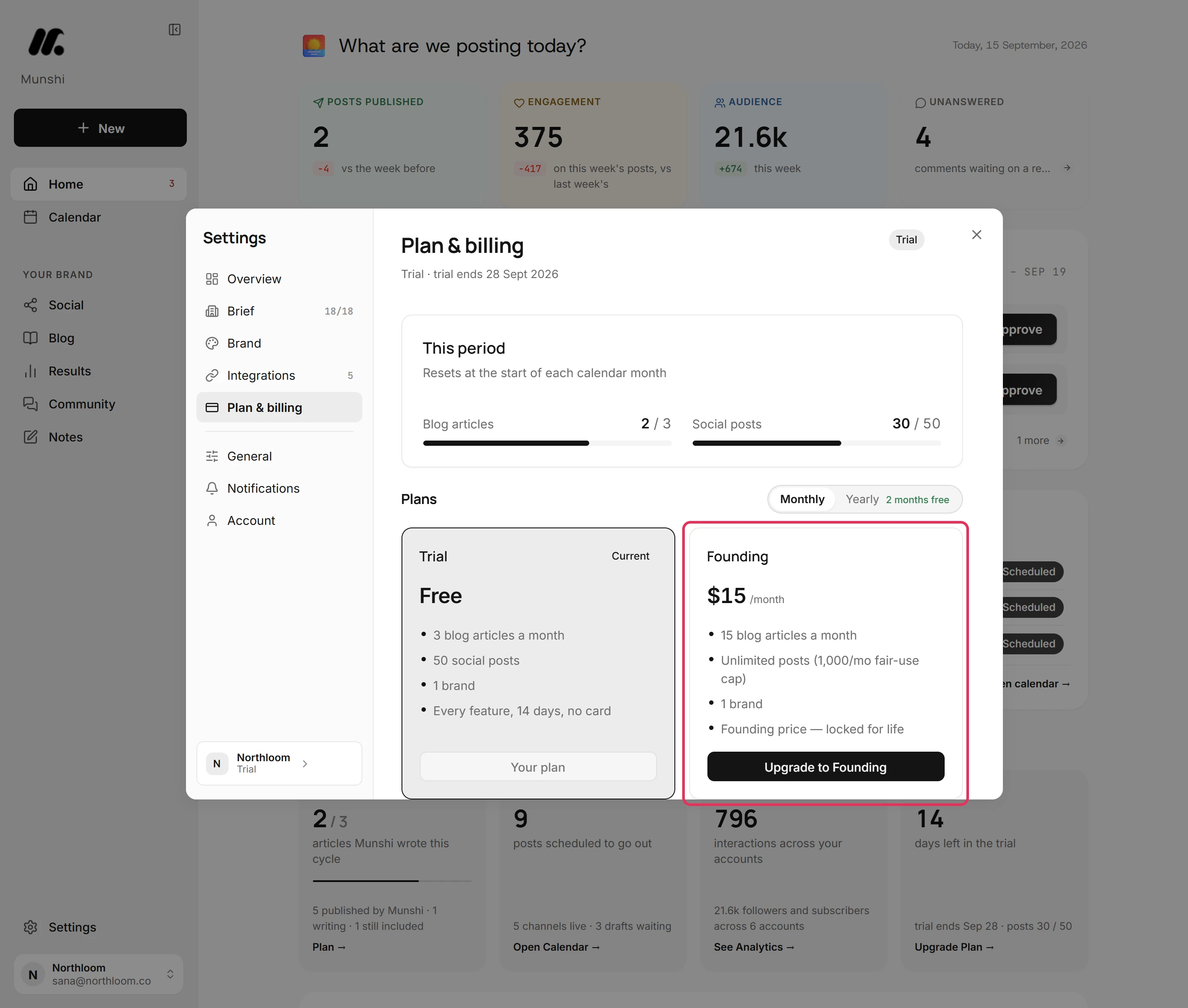
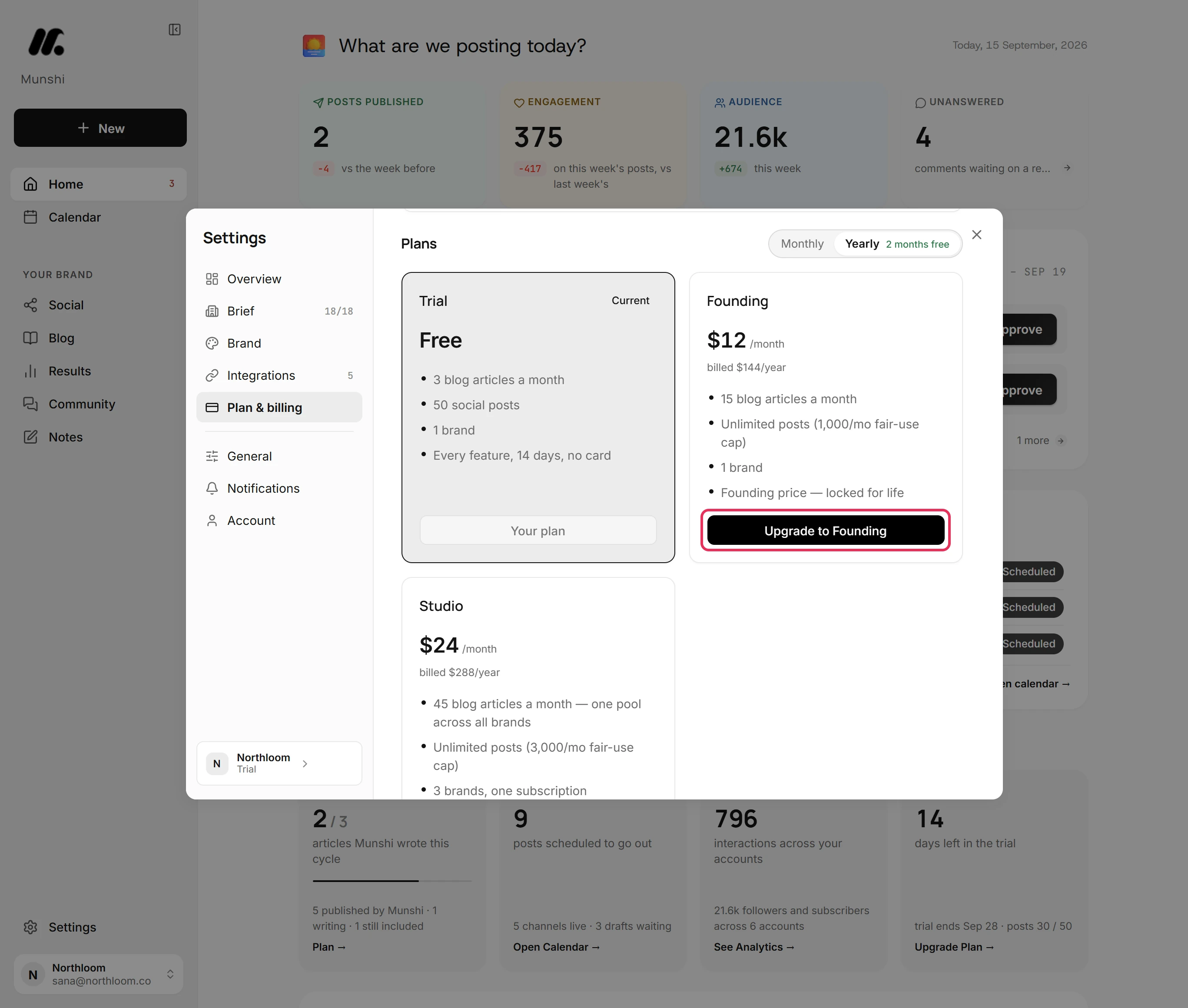
Under Plans, the Founding card covers one brand. It includes 15 blog articles a month, and posts up to a fair-use cap of 1,000 a month.
-
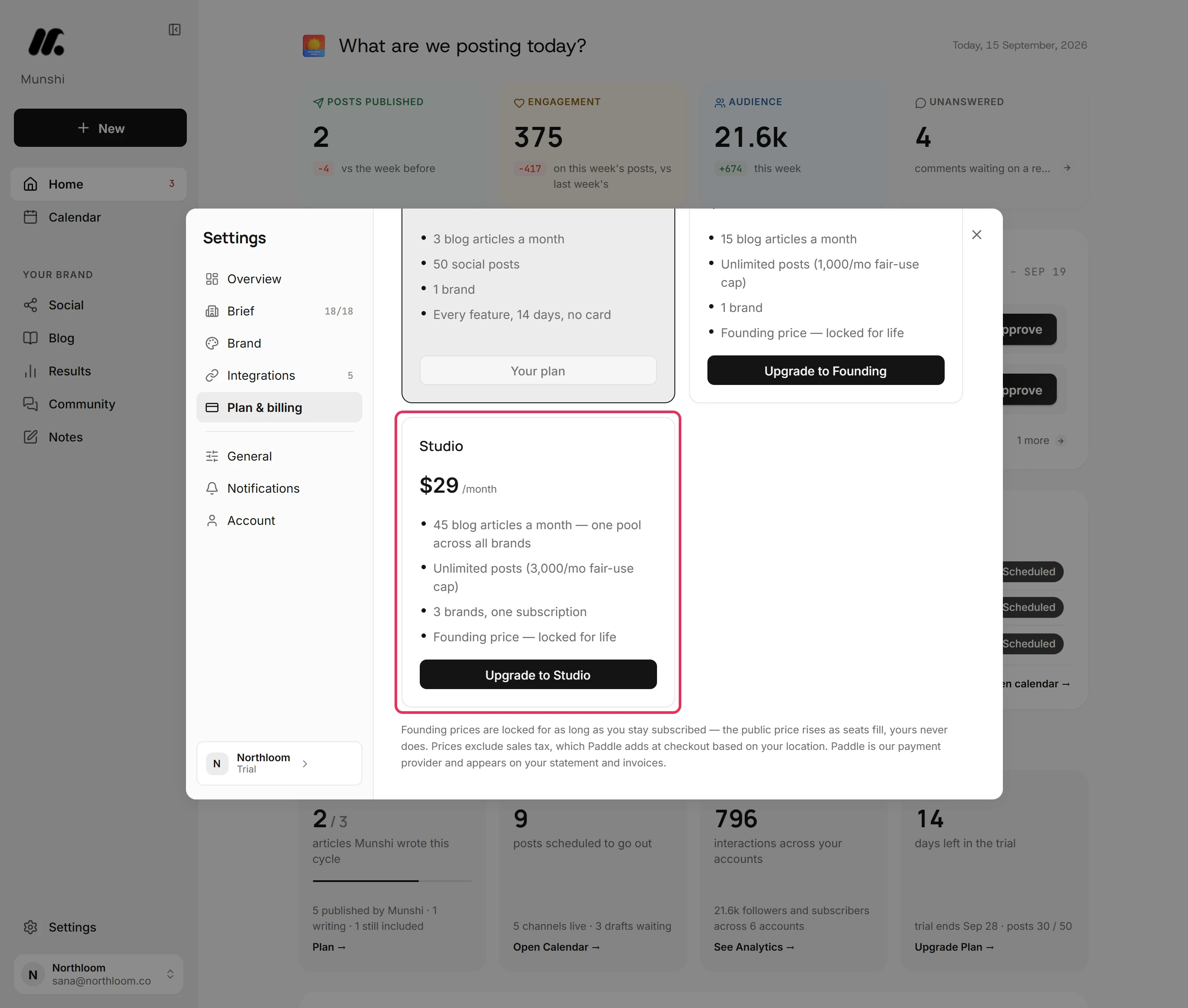
The Studio card covers three brands on one subscription. They share one pool of 45 blog articles a month, with posts up to a fair-use cap of 3,000 a month.
-
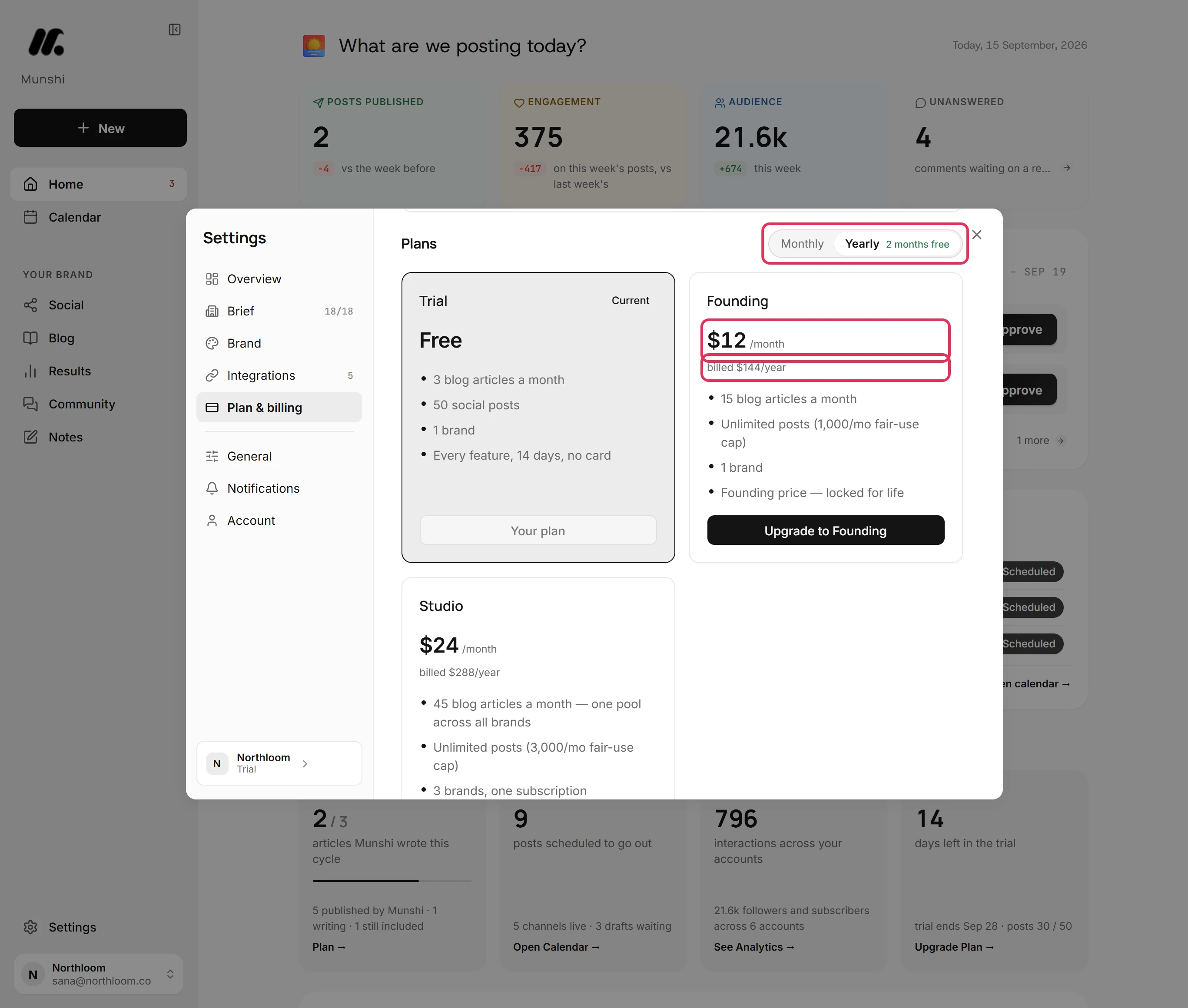
Use the switch above the cards. Yearly gives 2 months free. Each card then shows its price a month, with the total billed once a year under it.
-
Click Upgrade to Founding or Upgrade to Studio. Checkout opens on the Munshi website. Paddle takes the payment there and adds any sales tax for your location.
-
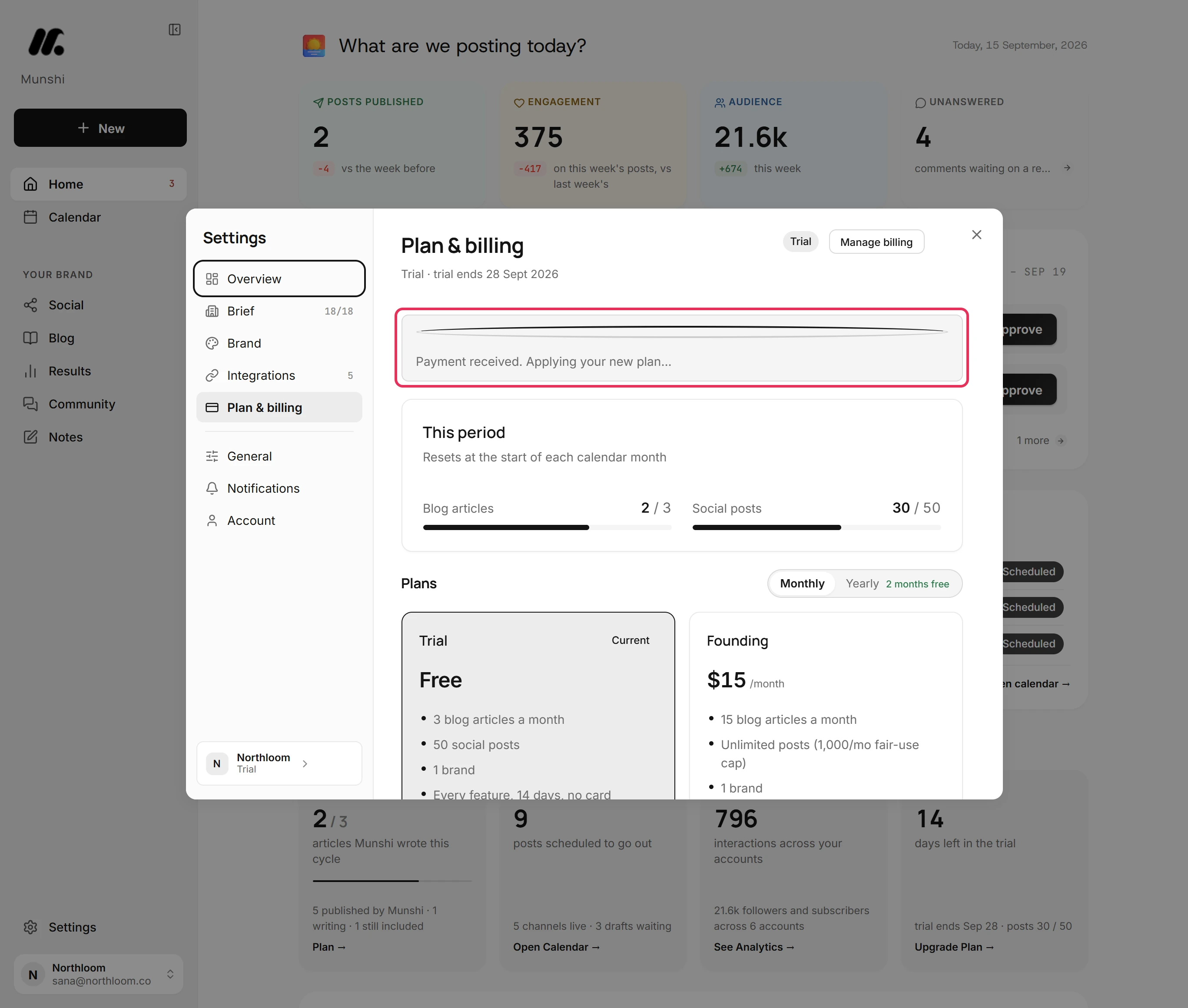
When the payment goes through, the checkout page says Payment received. Taking you back to Munshi… It then returns you to Plan & billing. Until Paddle confirms the plan, that page says Payment received. Applying your new plan…
-
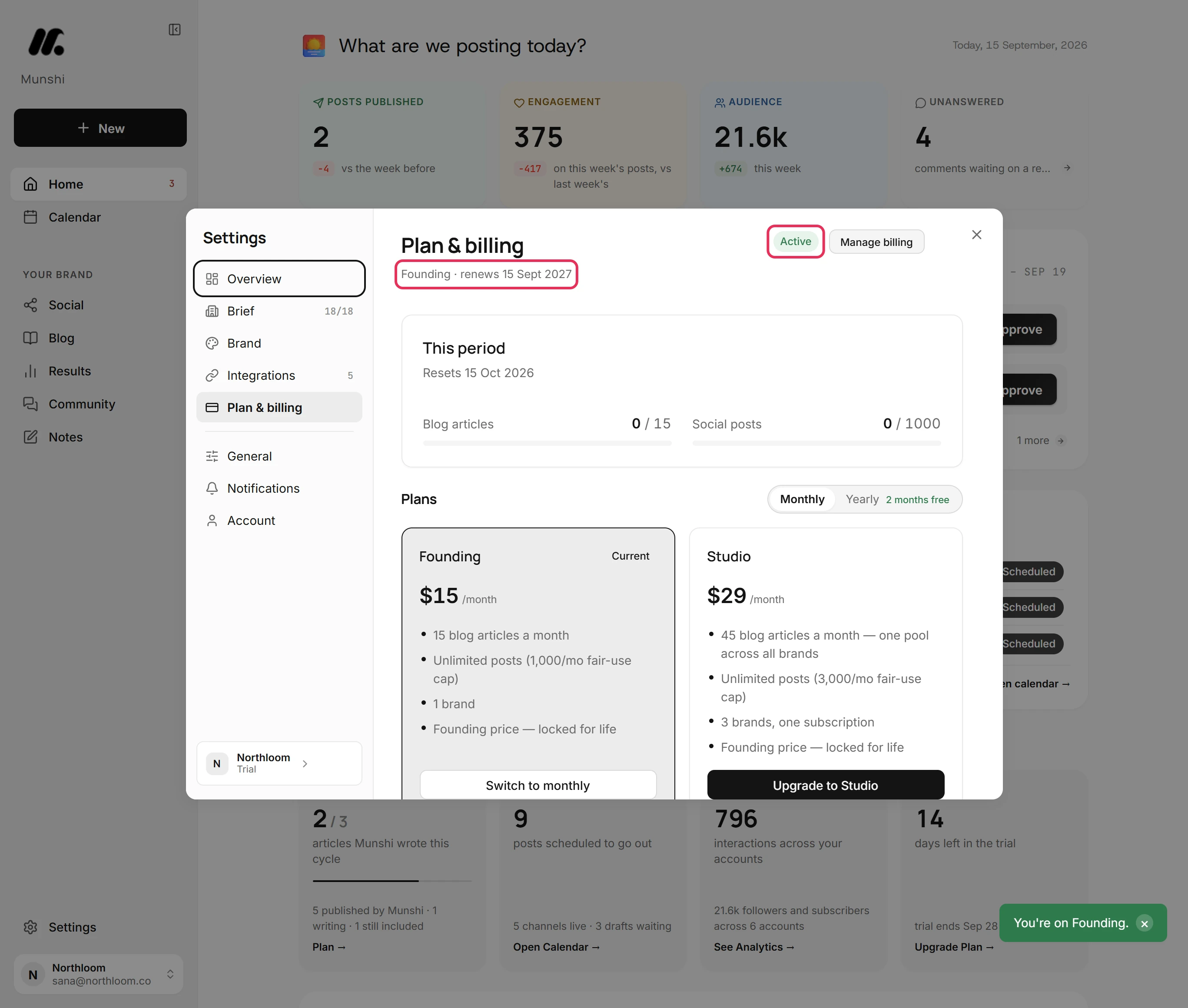
As soon as Paddle confirms, Munshi says You're on Founding. The line under the title names the plan and the day it renews. The badge reads Active, with Manage billing beside it for your card and invoices.
-
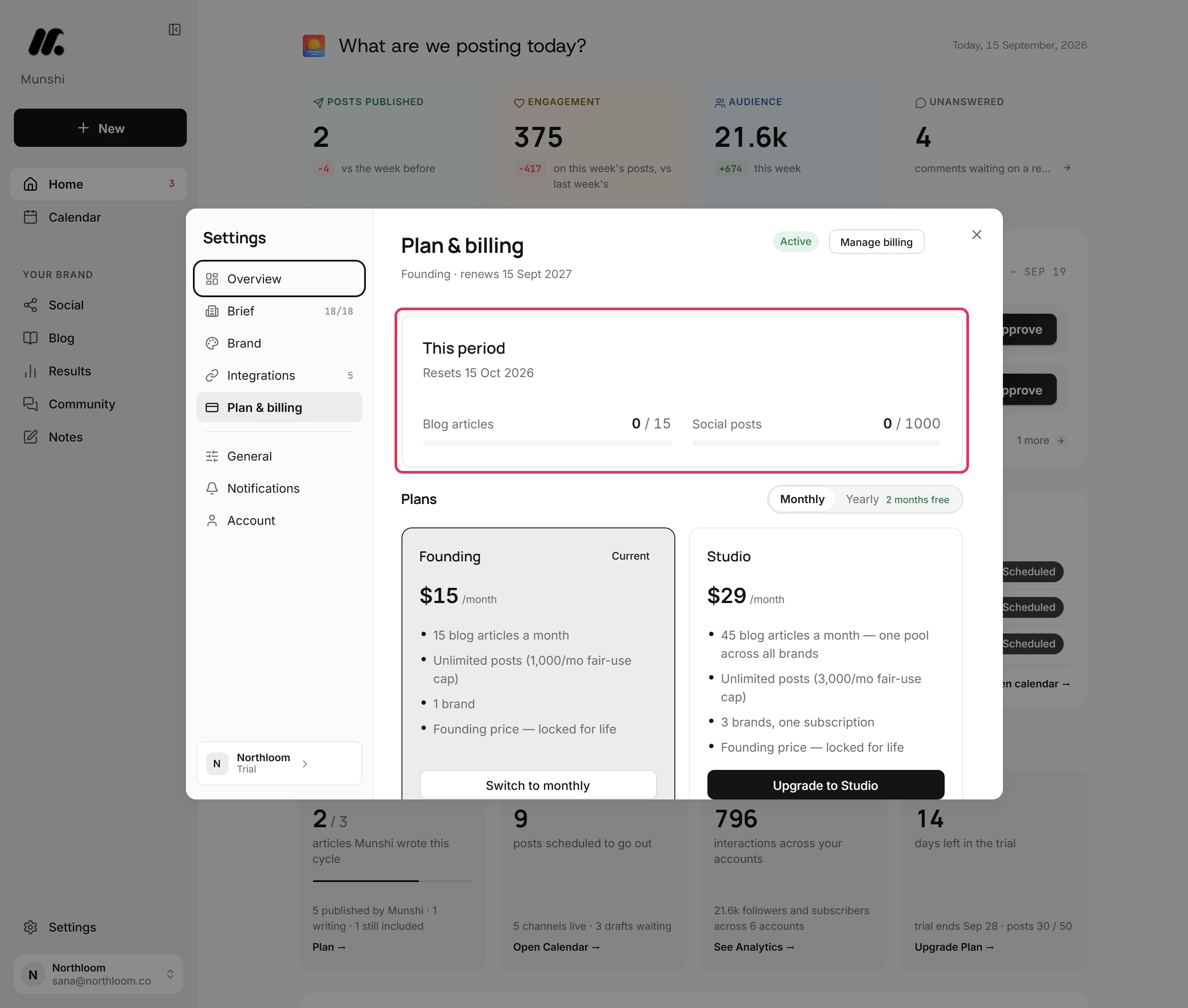
This period now counts toward your new plan from the day it started. On Founding, that is 15 blog articles and 1,000 social posts. Nothing used on the trial counts, and the count starts again on that day each month, on Yearly too.
Where you are now
The workspace is on Founding or Studio, with that plan's allowance. Everything you made on the trial is still there. If the trial had ended, writing and publishing start again.
If something goes wrong
“Payment received. Your plan will update in a moment.”
Reload Plan & billing in a moment, and your new plan shows there. The payment went through, but Paddle's confirmation had not reached Munshi after 40 seconds. Nothing is lost.
“This page opens Munshi's payment window and needs to be reached from the app.”
Go back to Plan & billing and click Upgrade again. The checkout page opened without a plan to pay for, or your browser blocked Paddle's checkout. If it happens again, allow munshi.social and Paddle in your ad blocker.
There are no Upgrade buttons
Change the plan from the workspace that carries it, or detach this workspace there first. This workspace is covered by another workspace's Studio plan, so Plan & billing offers no plans here.
The trial banner still shows after I paid
Reload Munshi once Plan & billing shows your new plan. The banner reads your plan when Munshi loads.
Try it on your own brand this week.
Munshi Social, the AI content marketing engine for small teams, plans, writes, publishes, and tracks your blog and socials. The guide above shows the real app, not a mock-up.
Start your workspace