Company profile once
Describe your business and ideal customer one time. Every keyword, pillar and draft is built from that profile. Change the profile, and the drafts follow it.
Schedulers post what you write. Munshi Social, the AI content marketing engine for small teams, writes what it posts, then publishes it and tells you how it did. Here is the machine, stage by stage.
14-day free trial · No card required · 7-day money-back
Describe your business and ideal customer one time. Every keyword, pillar and draft is built from that profile. Change the profile, and the drafts follow it.
Munshi maps the terms your customers actually search onto content pillars you approve. You need no separate SEO tool and no exported spreadsheets.
Each week Munshi proposes what to write and where to post it. You review the plan in one sitting, approve, swap or reject each item, and get back to work.
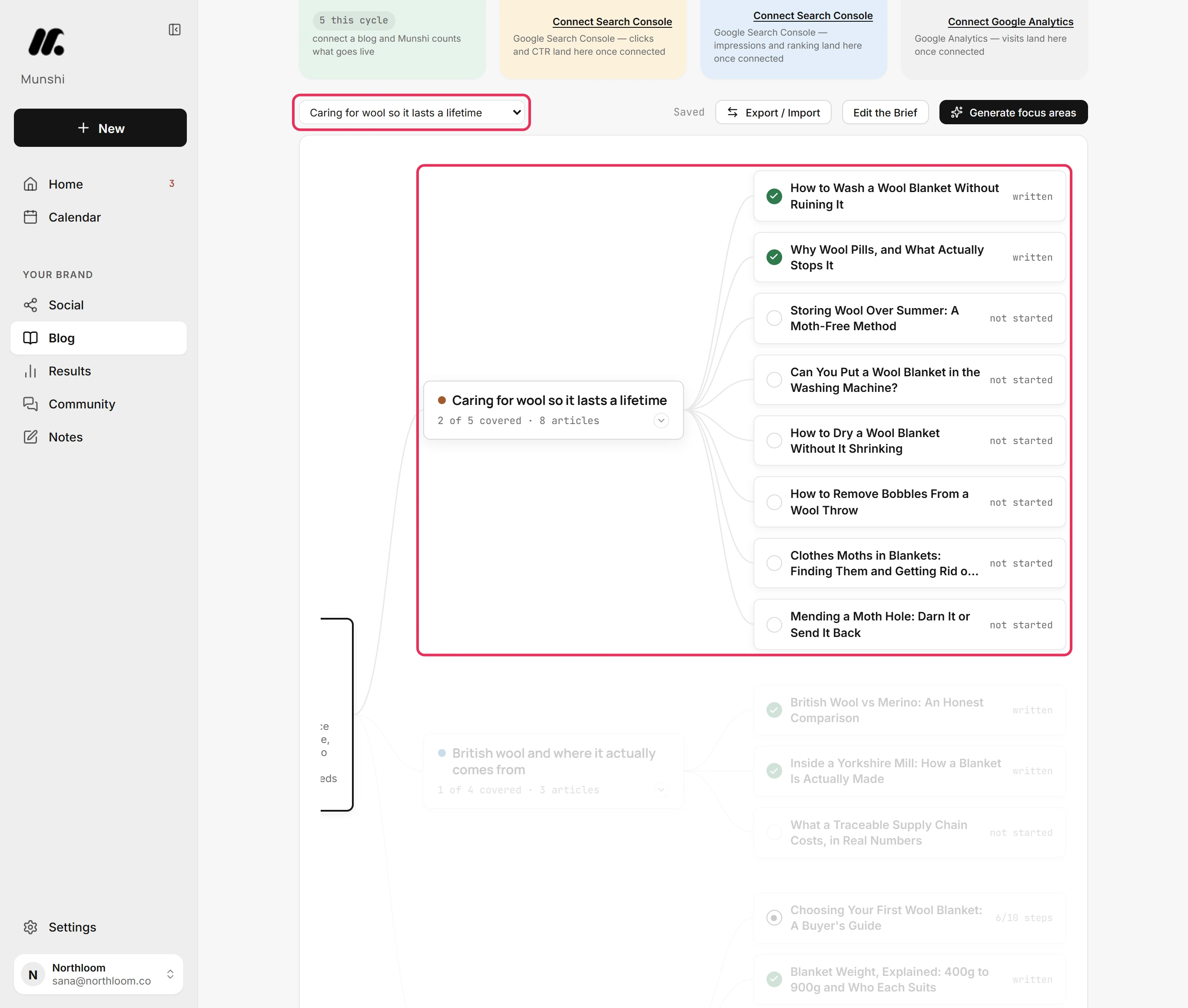
Long-form articles are drafted against your keywords. They are graded for Google and for AI answer engines before you see them. You get 15 a month on Founding, or 45 across three brands on Studio.
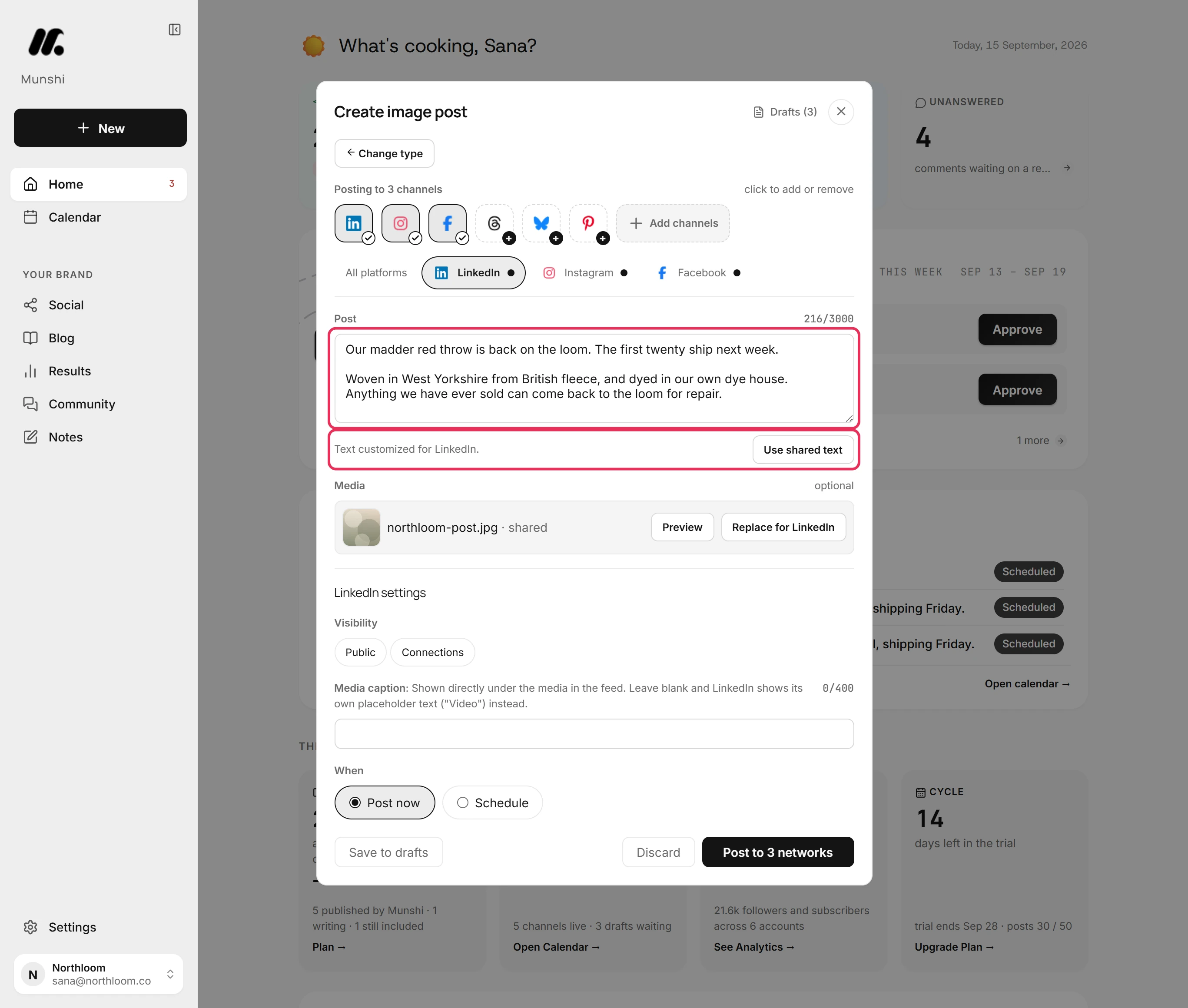
One idea becomes a LinkedIn post, a Threads post and an Instagram caption. Optimize per platform rewrites the caption for each network within its character limit. Every version traces back to the same source.
Drafts carry the positioning and facts in your profile, so ten posts by Munshi still sound like one company.
Munshi writes each article into your CMS, formatted for that platform. Ghost, Webflow, and Framer receive it as a draft you publish from your own dashboard. WordPress receives a draft too, but a scheduled article goes live at its set time. Sanity articles go live on schedule.
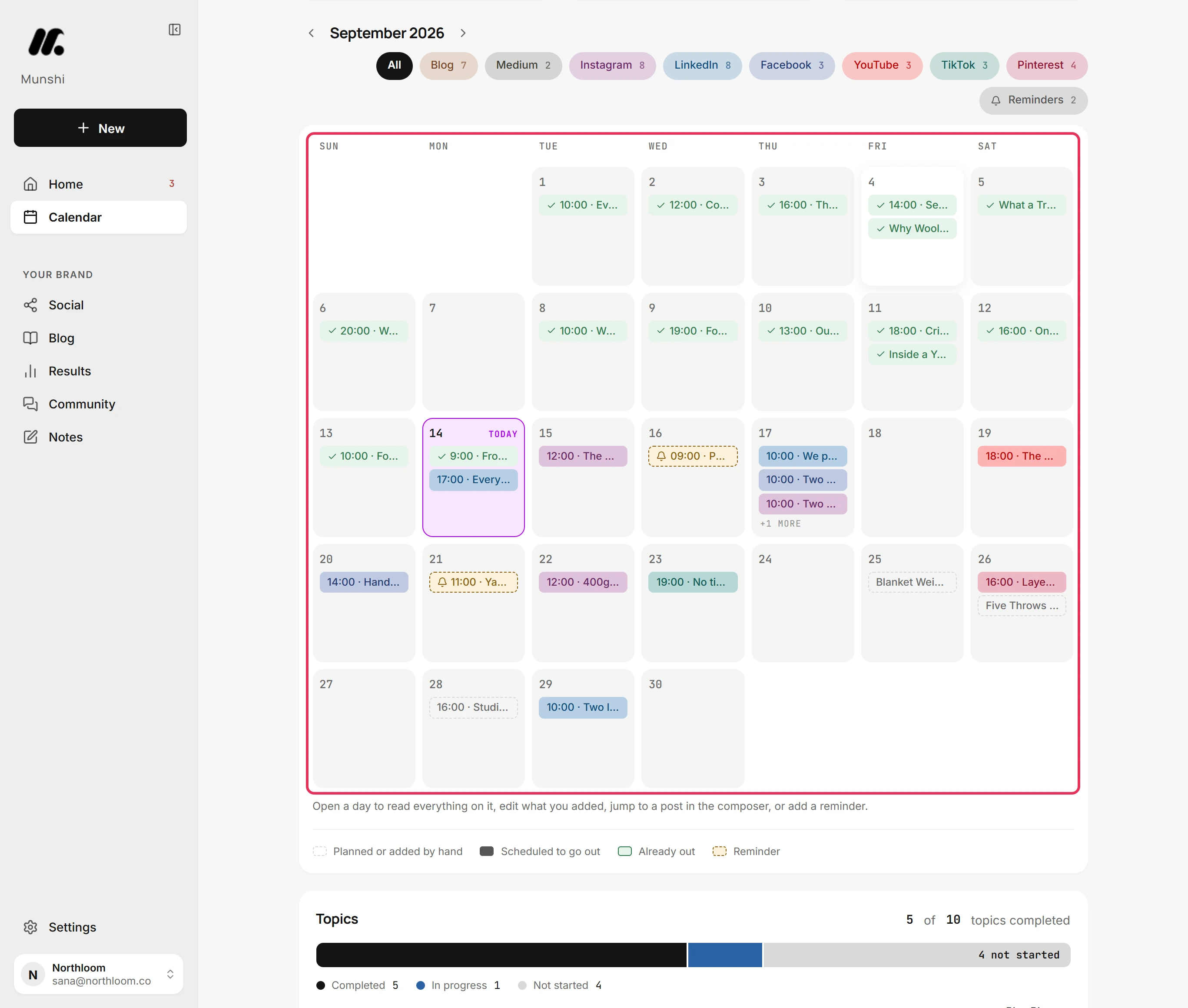
Munshi publishes to Instagram, TikTok, LinkedIn, Facebook, Pinterest, Threads, YouTube, and Bluesky. Every channel sits on one calendar, and you can fill a month ahead in one sitting. X is coming soon.
Approved items go out on schedule without you touching them. Nothing unapproved ever ships.
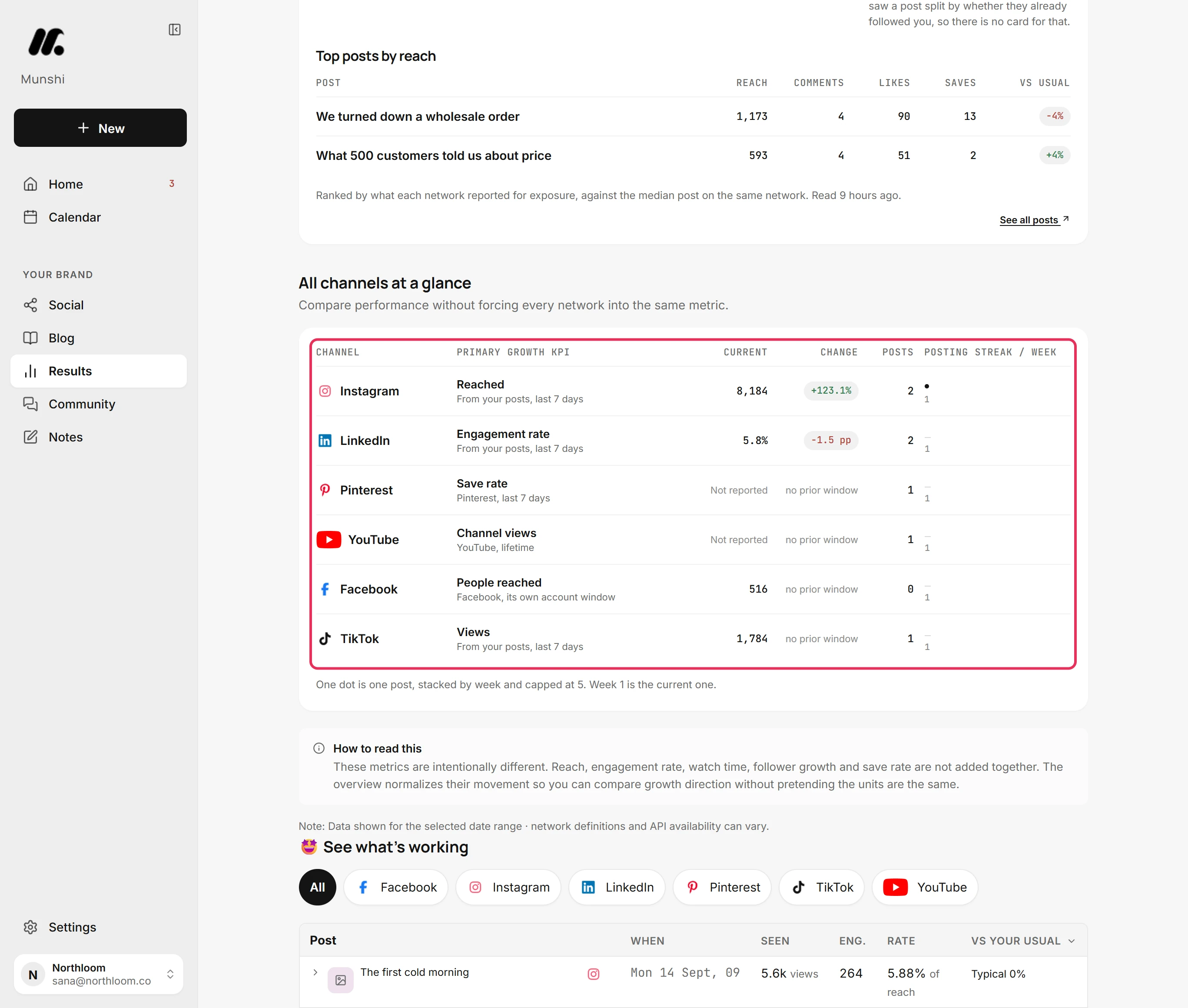
See reach, growth and what worked across every connected channel. The numbers are captured daily.
Where a number cannot be read, Results writes the reason in its place: Collecting, Not reported, or Reconnect to read. A missing number is never shown as 0.
You see what performed while you review the next batch, so you decide what changes. Feeding results into new drafts automatically is still being built.
Each row is one thing you can do in Munshi today. The right-hand column links to the page or step-by-step guide that shows it in the real app.
| Feature | What it does | Where to read more |
|---|---|---|
| Your brief | Describe the business and its customer once. Every keyword, article and post is written from it. | Fill in your brief |
| Blog strategy map | Focus areas, the keywords under each one, and the articles planned against them, all editable by hand. | AI blog writer · Build your strategy |
| Keyword demand check | Asks Google's autocomplete about your keywords and ticks the ones people really type. Costs nothing from your plan. | Check demand |
| Ten-step article writer | Each article is written in ten steps you can read, regenerate, edit or run in the background. | Write an article |
| SEO and GEO scores | Two scores out of 100, one for search engines and one for AI assistants, with every check listed under it. | AI blog writer |
| Cover images | A cover drawn from your brand kit, or your own upload, travels with the article to your CMS. | Choose a cover |
| Publishing to your blog | Approved articles are written into WordPress, Ghost, Webflow, Framer, or Sanity, in that platform's own format. Ghost, Webflow, and Framer receive them as drafts you publish yourself. | Integrations · How each CMS receives it |
| One post, every network | Write the caption once and Munshi adapts it per platform. Open a network's tab to give it its own text, media or settings. | Cross-posting · Optimize per platform |
| Article into posts | Pick an article, pick the channels, and get a draft post for each one ready to finish. | Turn an article into posts |
| The calendar | Your blog and every network on one month, week or day view, filtered by channel, with reminders on days you want to act. | Read the calendar |
| Scheduled publishing | Scheduled posts go out at their slot on their own, and the entry turns green once the network confirms it. | Create and schedule a post · What happens when a post goes out |
| Results | Reach, engagement and growth per network, plus Search Console and Google Analytics numbers once those are connected. | Analytics · Results overview |
| Health flags | Where a number cannot be shown, Results writes the reason: Collecting, Not reported, or Reconnect to read. It never shows a false 0. | Read the health flags |
| Community inbox | Comments come into Community from Instagram, Facebook, Threads, YouTube, Bluesky and a LinkedIn Page. You can reply from Munshi on Facebook, Instagram, LinkedIn and Threads. YouTube and Bluesky comments come in to read. | Reply to comments · Which networks bring comments in |
| Import past posts | Pull in what you published before Munshi, on the networks that allow it, so Results measures those too. | Import your past posts |
| Three brands on one plan | Studio puts up to three workspaces on one subscription, sharing a single pool of articles and posts. | Run several brands |
| The weekly sitting | Clear what needs your yes, check the blog, fill the social week, answer comments and read the results. | How it works · The routine |
Connecting each network and each blog is covered on integrations, and how it works walks one full week. Every guide lives in the docs.
Articles built on your keywords, graded for Google and AI search, and written into your CMS.
Read →One idea shaped for every network and published from one calendar.
Read →Every network on its own measure, Google Search and Analytics numbers, health flags instead of zeros.
Read →Munshi proposes what to write and where to post it, writes the articles and posts, and holds them for your approval. You clear that queue in one weekly sitting, which also covers the blog, the social week, comments and results. Approved items then publish on their own at the times you set.
Blog articles go to WordPress, Ghost, Webflow, Framer, or Sanity, and social posts go to Instagram, TikTok, LinkedIn, Facebook, Pinterest, Threads, YouTube, and Bluesky. X is coming soon. Munshi writes each article into your CMS, formatted for that platform. Ghost, Webflow, and Framer receive it as a draft you publish from your own dashboard. WordPress receives a draft too, but a scheduled article goes live at its set time. Sanity articles go live on schedule. Each workspace connects one account per network.
No. Articles and posts wait for you. An article is approved on the Blog before it can be published, and a post is approved before it is scheduled. Once you approve and schedule something, it goes out at its slot without you being online.
The 14-day free trial covers 3 articles and 50 posts, with no card. Founding gives one brand 15 articles and 1,000 posts a month for $15. Studio gives three brands 45 articles and 3,000 posts a month for $29. A daily fair-use cap on generation also applies per workspace and resets at 00:00 UTC.
Not for what Munshi covers. Keyword research, planning, writing, scoring, publishing and analytics all sit in one place. You still need your own accounts: your CMS (the tool your blog runs on) and your social profiles. For search numbers, you also need Google Search Console or Google Analytics.
Yes. You can regenerate any article step, restore its previous version or edit it by hand, and you can edit the finished article before approving it. In the composer, you can rewrite a post. You can also give any network its own caption, media or settings without touching the others.