How to run several brands on one Studio plan
Put up to three workspaces on one Studio subscription. Attach a brand, share one pool of articles and posts, and detach it again from Plan & billing.
Before you start
- The workspace that pays for the subscription is on the Studio plan.
- You own every workspace you want to put on the plan.
-
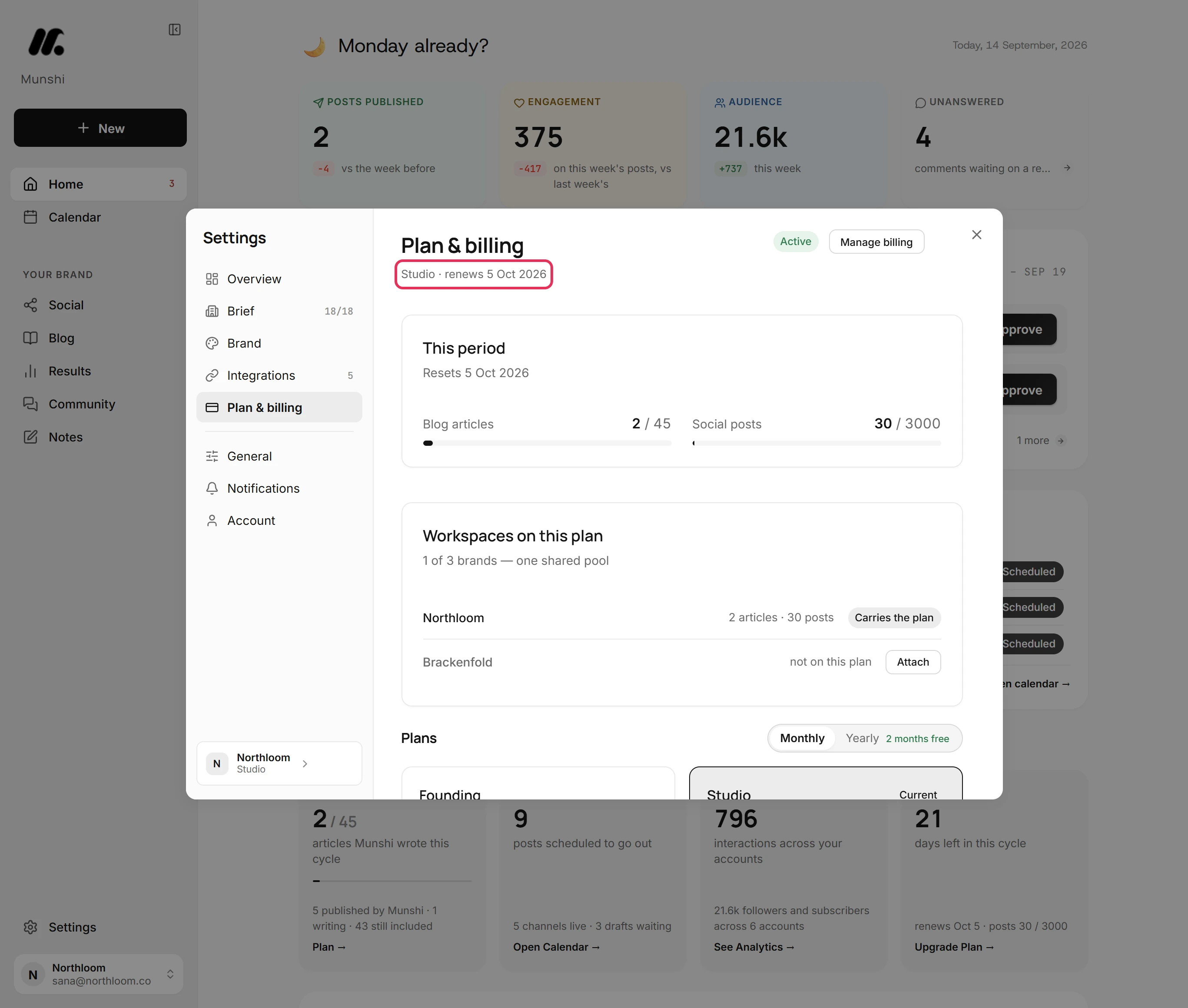
In the workspace that pays for Studio, open Settings and choose Plan & billing. The line under the title reads Studio and the renewal date.
-
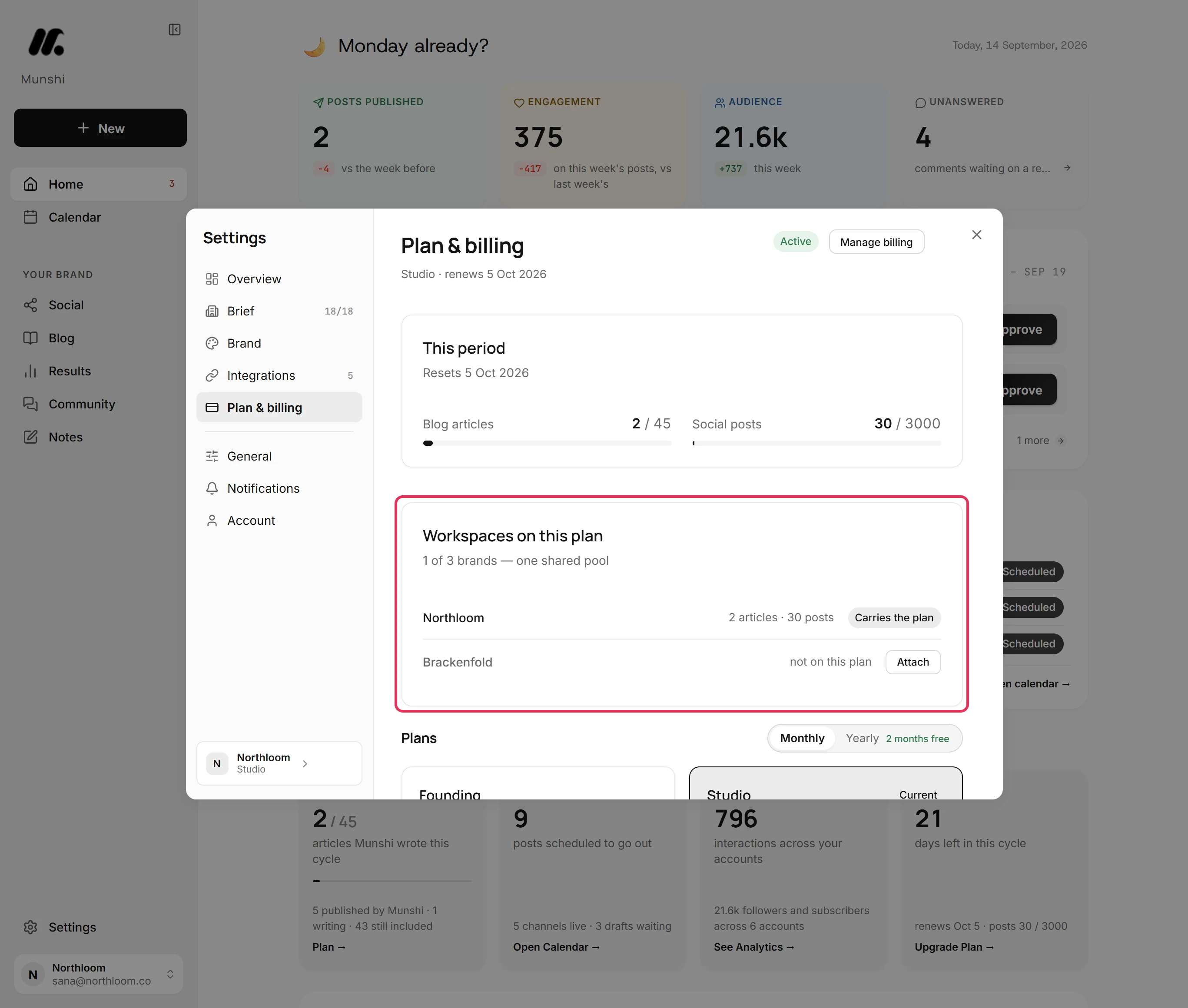
Workspaces on this plan lists the brands the plan covers and how many of its three are in use. It also shows what each used this period. The workspace that pays is marked Carries the plan.
-
Workspaces you own that are not on the plan yet show an Attach button. Click it, and the workspace joins the plan at once.
-
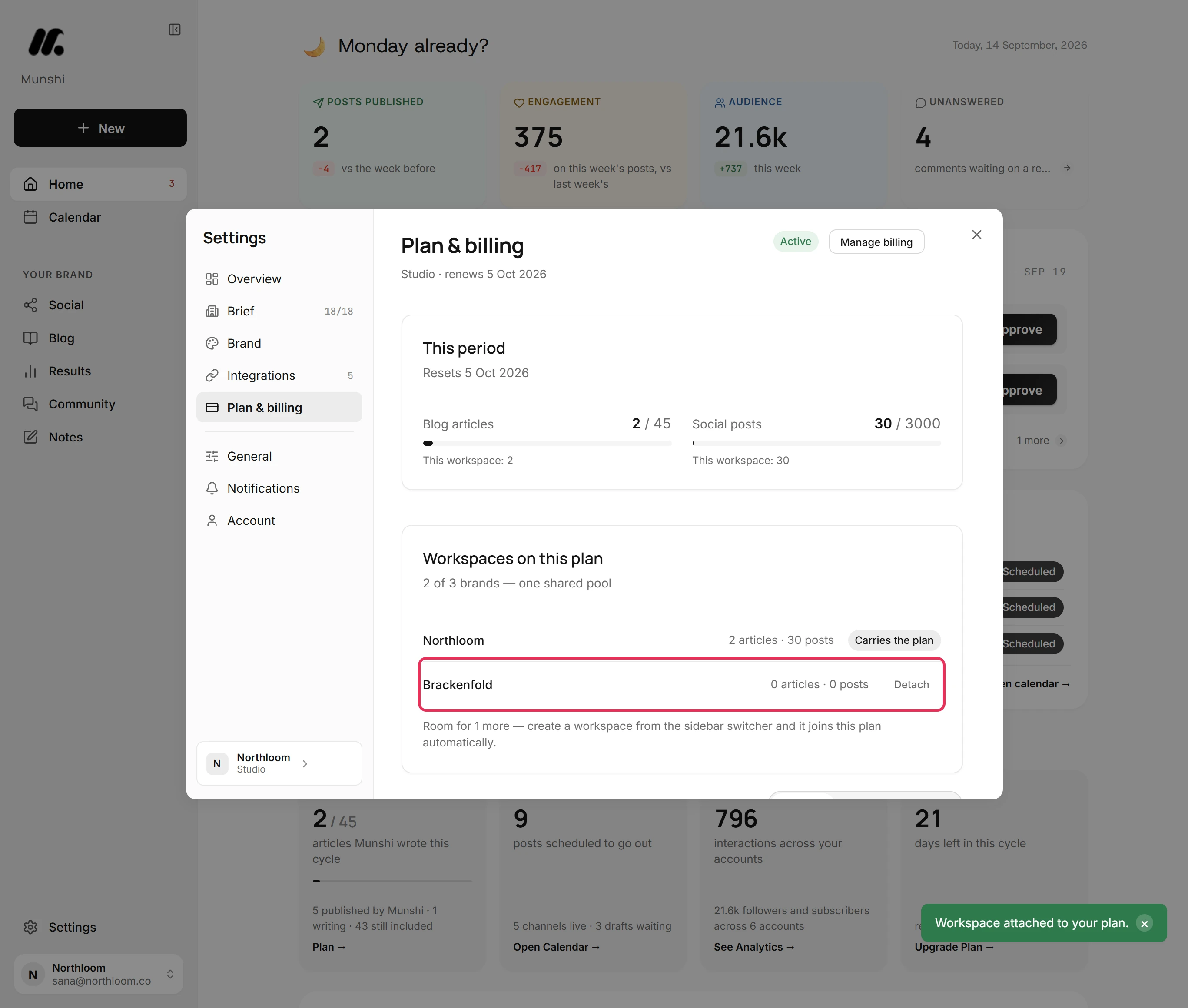
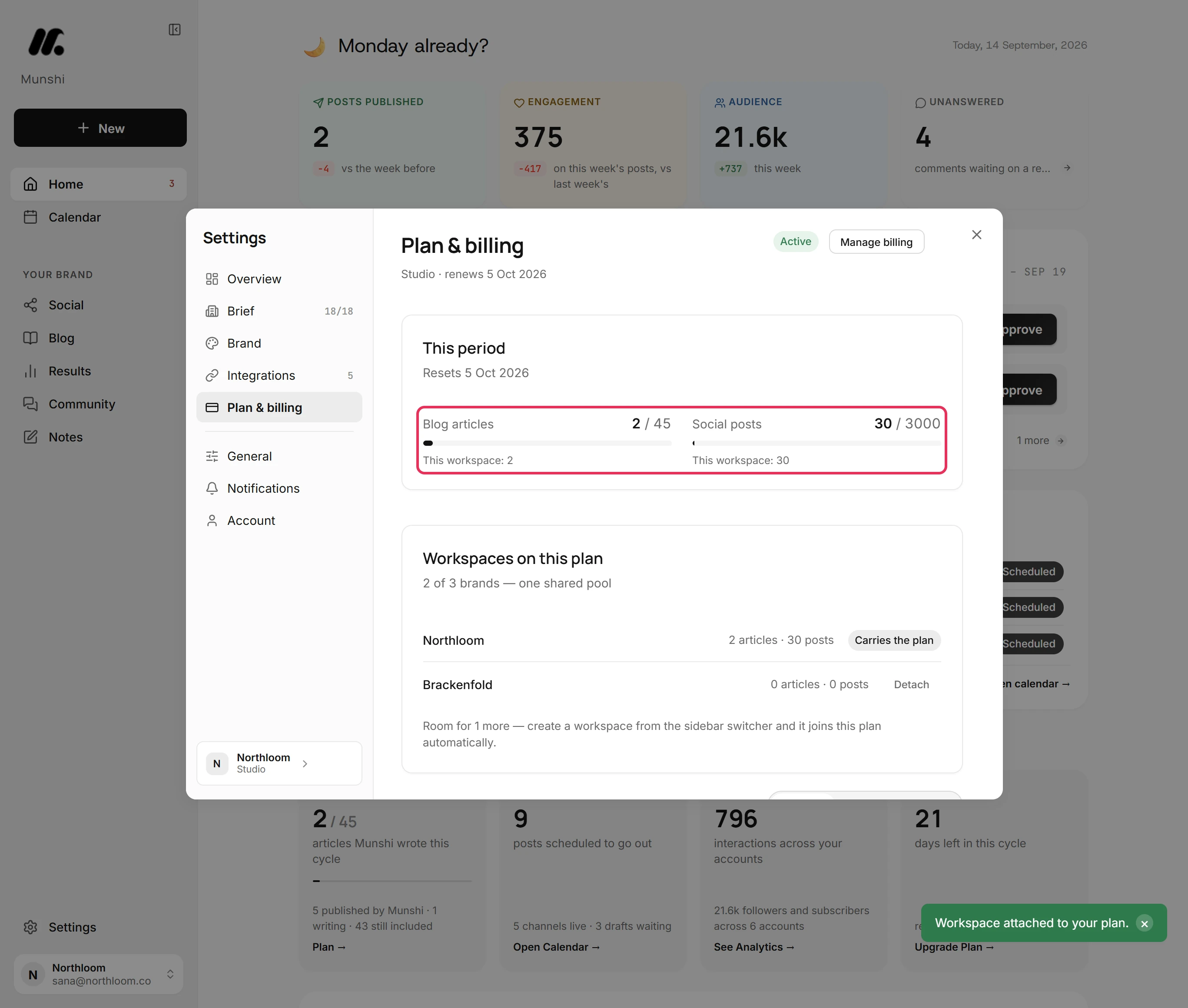
Every brand on the plan draws on one allowance of 45 articles and 3,000 posts a month. Each meter under This period shows the whole pool. The line under it shows what this workspace used.
-
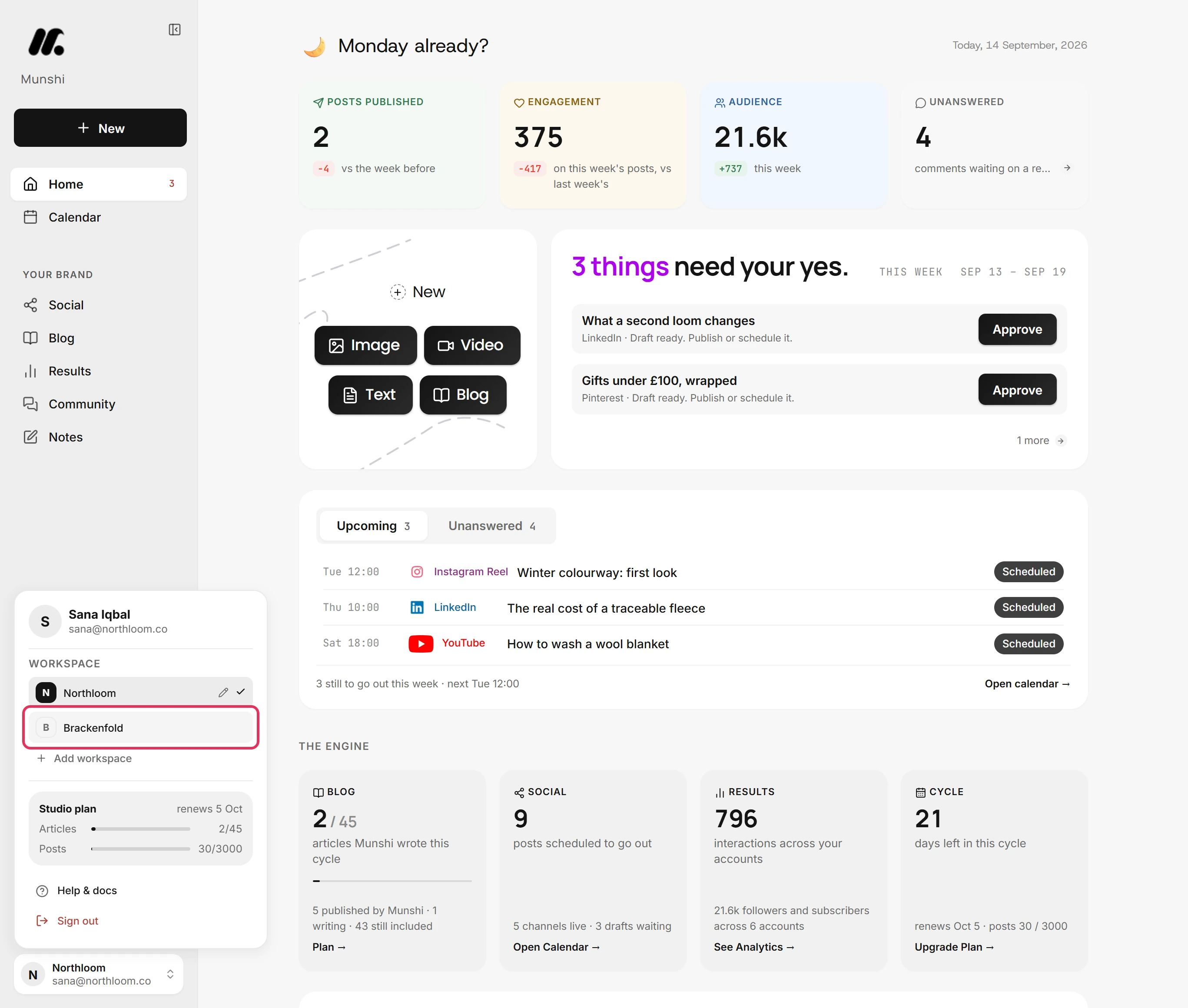
Close Settings and click the workspace name at the bottom of the sidebar. Choose the brand, and Munshi reloads in that workspace.
-
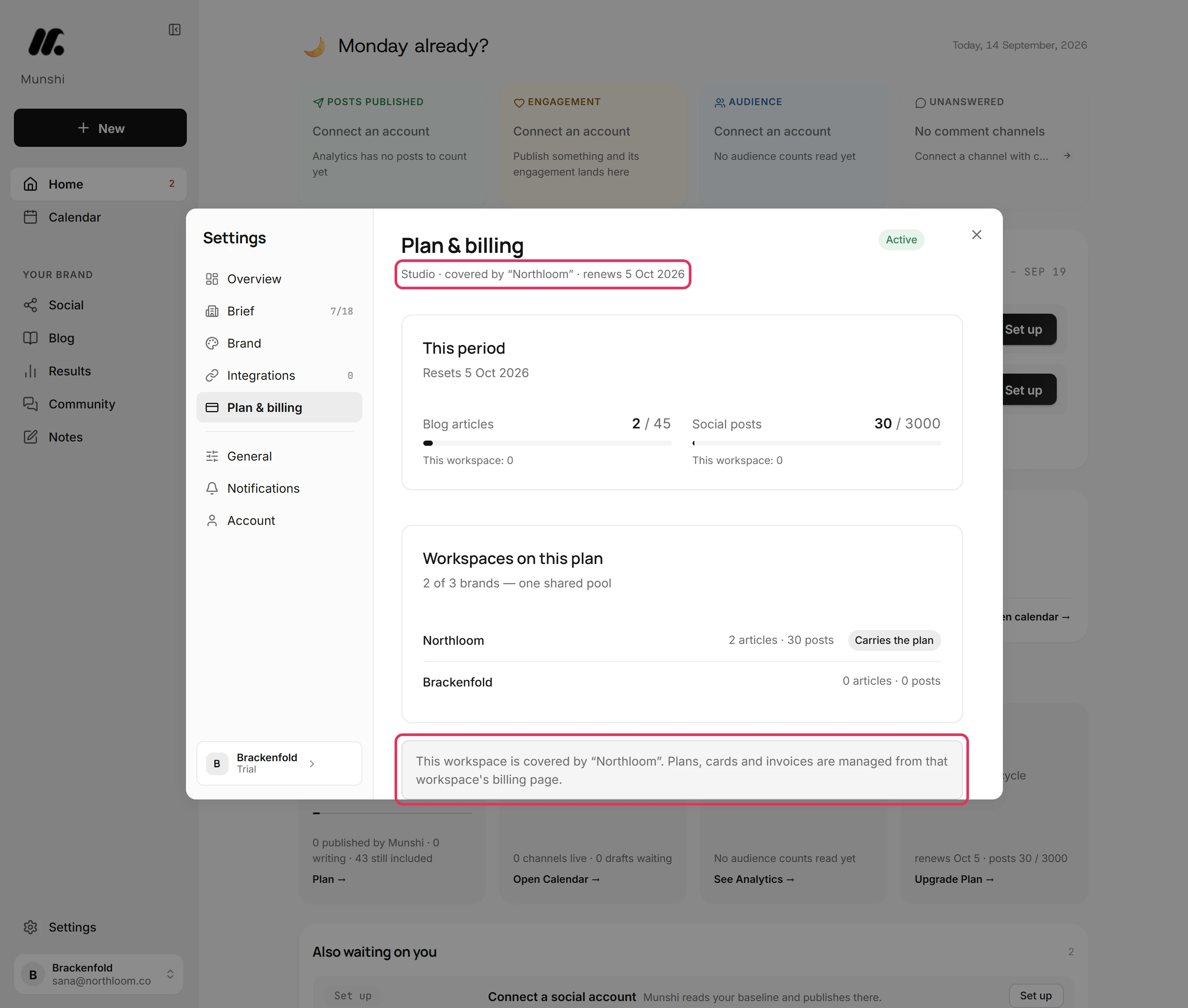
In the attached workspace, Plan & billing says it is covered by the workspace that carries the plan. This workspace offers no plan choices, because plans, cards and invoices are managed there.
-
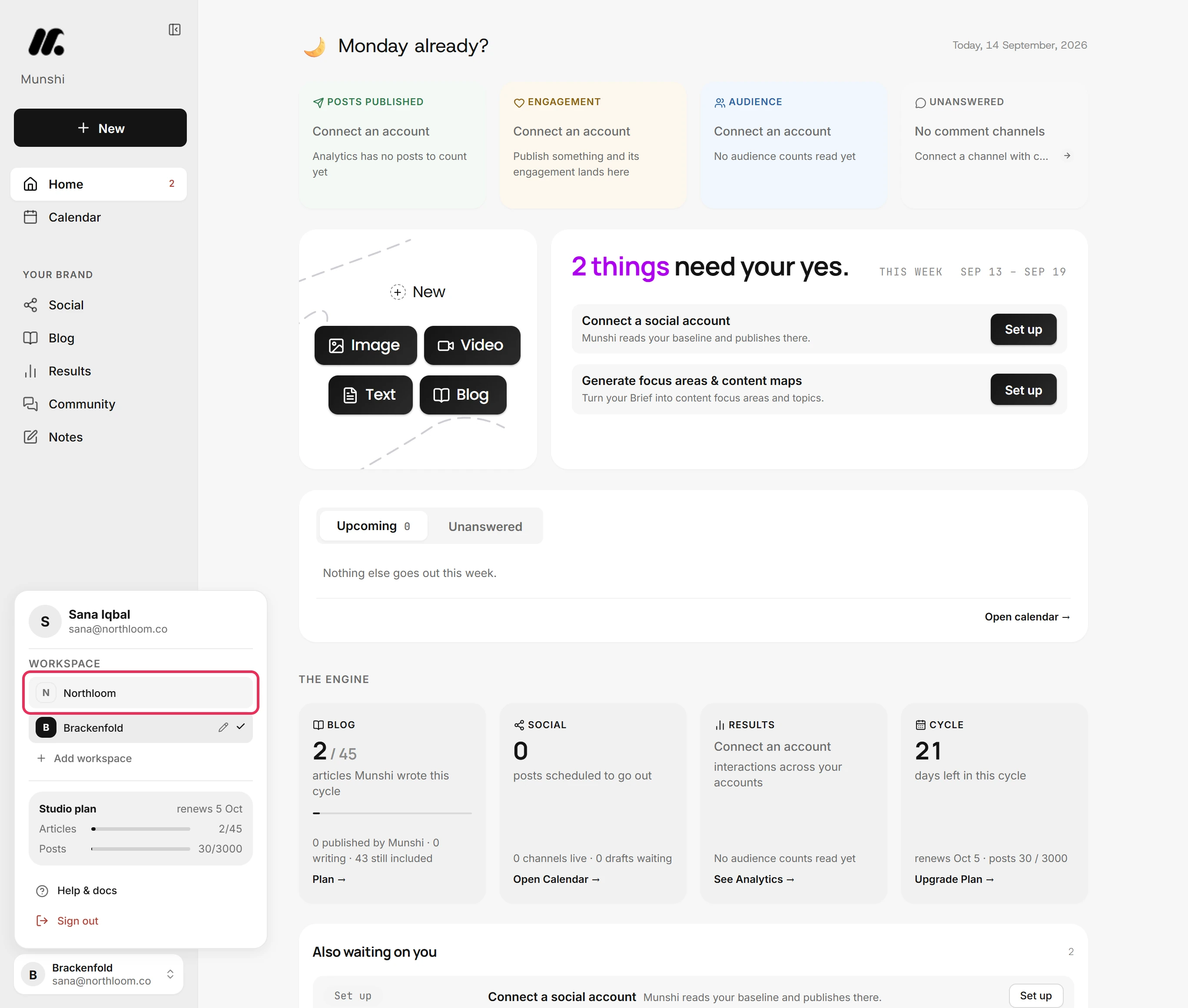
Open the workspace menu again and choose the workspace that carries the plan.
-
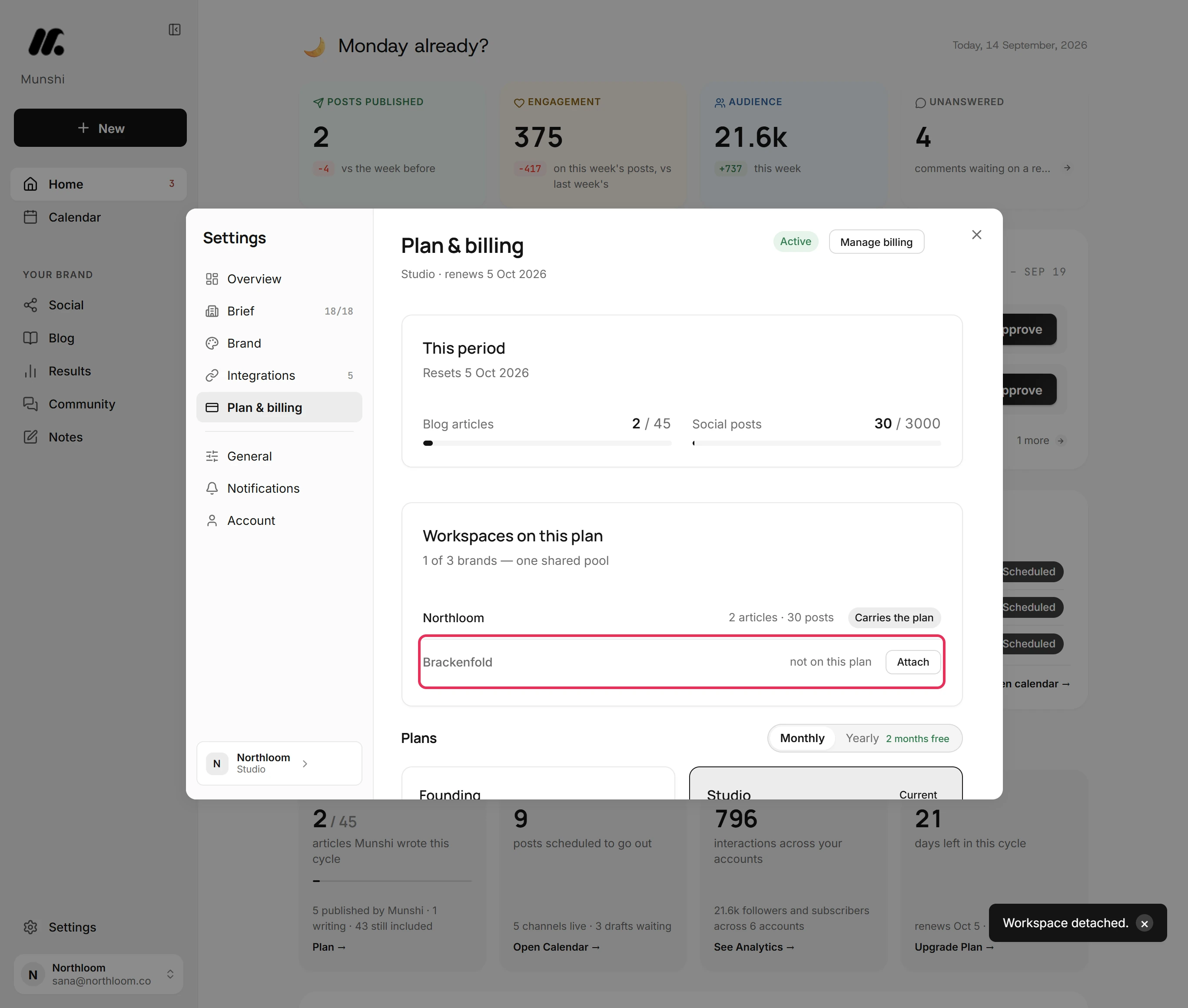
In Workspaces on this plan, click Detach next to the brand. It leaves the pool and goes back to its own plan. If its own trial has already ended, it stays read-only until it has a plan again.
Where you are now
Your brands share one Studio subscription and one pool of articles and posts. You can attach or detach a brand at any time from Plan & billing, in the workspace that carries the plan.
If something goes wrong
“That workspace has its own subscription. Cancel it from that workspace's billing page first, then attach it here.”
Cancel that subscription from the brand's own Plan & billing, then attach it. The brand still pays for a plan of its own, and this way nothing is billed twice.
“Your plan covers 3 workspaces and they are all in use.”
Detach one brand before you attach another. Studio covers three brands, and all three are on it.
“Only an owner of both workspaces can attach them.”
You need to own both workspaces: the one that carries the plan and the one you attach.
The workspace that carries the plan will not delete
Detach the other brands first, then delete it. Munshi does not delete it while other brands bill through it. It says “That workspace was not deleted. Nothing has changed.”
Try it on your own brand this week.
Munshi Social, the AI content marketing engine for small teams, plans, writes, publishes, and tracks your blog and socials. The guide above shows the real app, not a mock-up.
Start your workspace