Home: what needs your yes
Home shows your week in four numbers, what needs your yes, what goes out next, and one queue of everything waiting on you. It takes a minute to read.
-
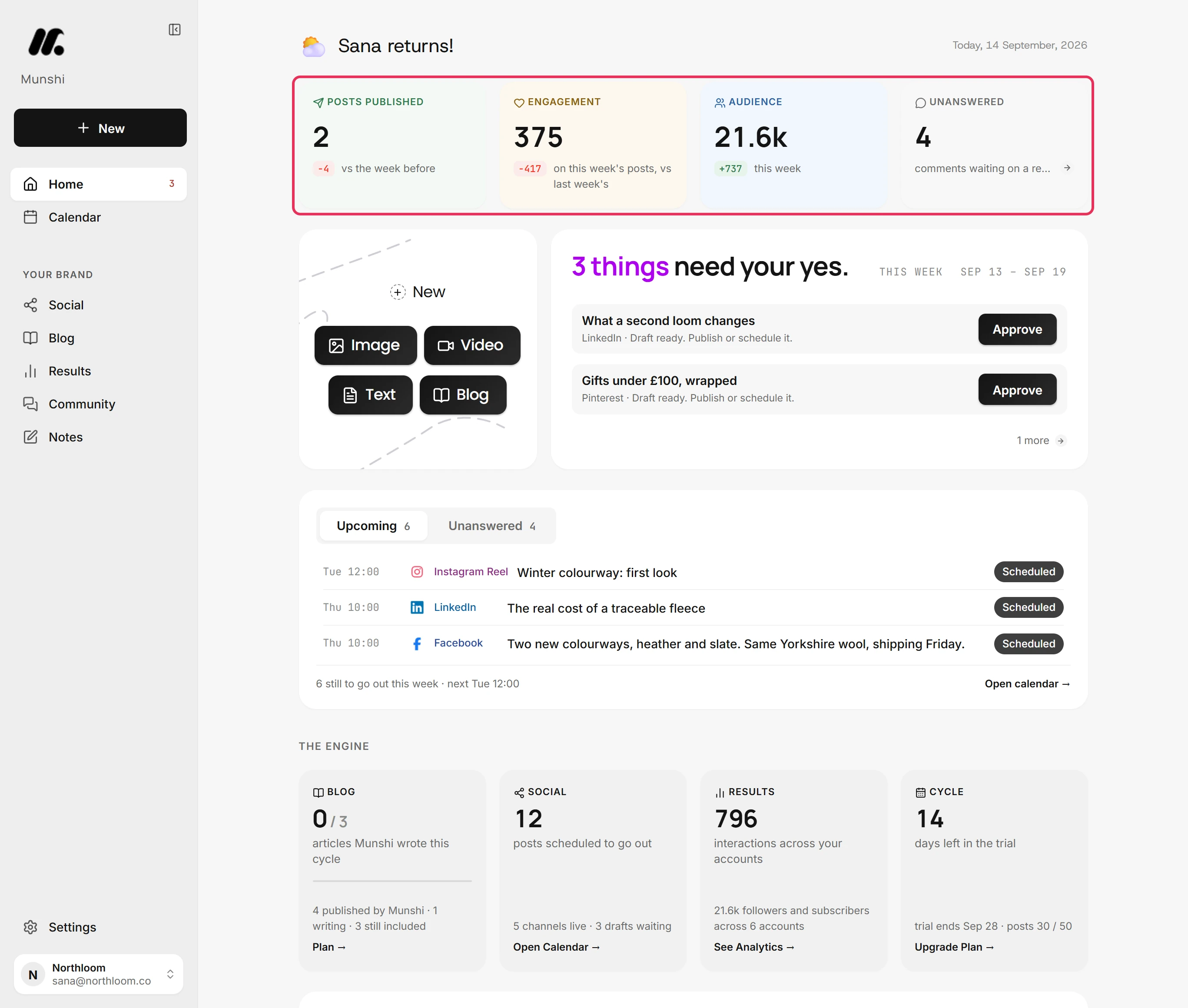
The tiles at the top count this week, Sunday to Saturday: Posts published, Engagement, Audience and Unanswered comments. The line under each number says what it counts or what it is compared with. Click a tile to open the screen behind it.
-
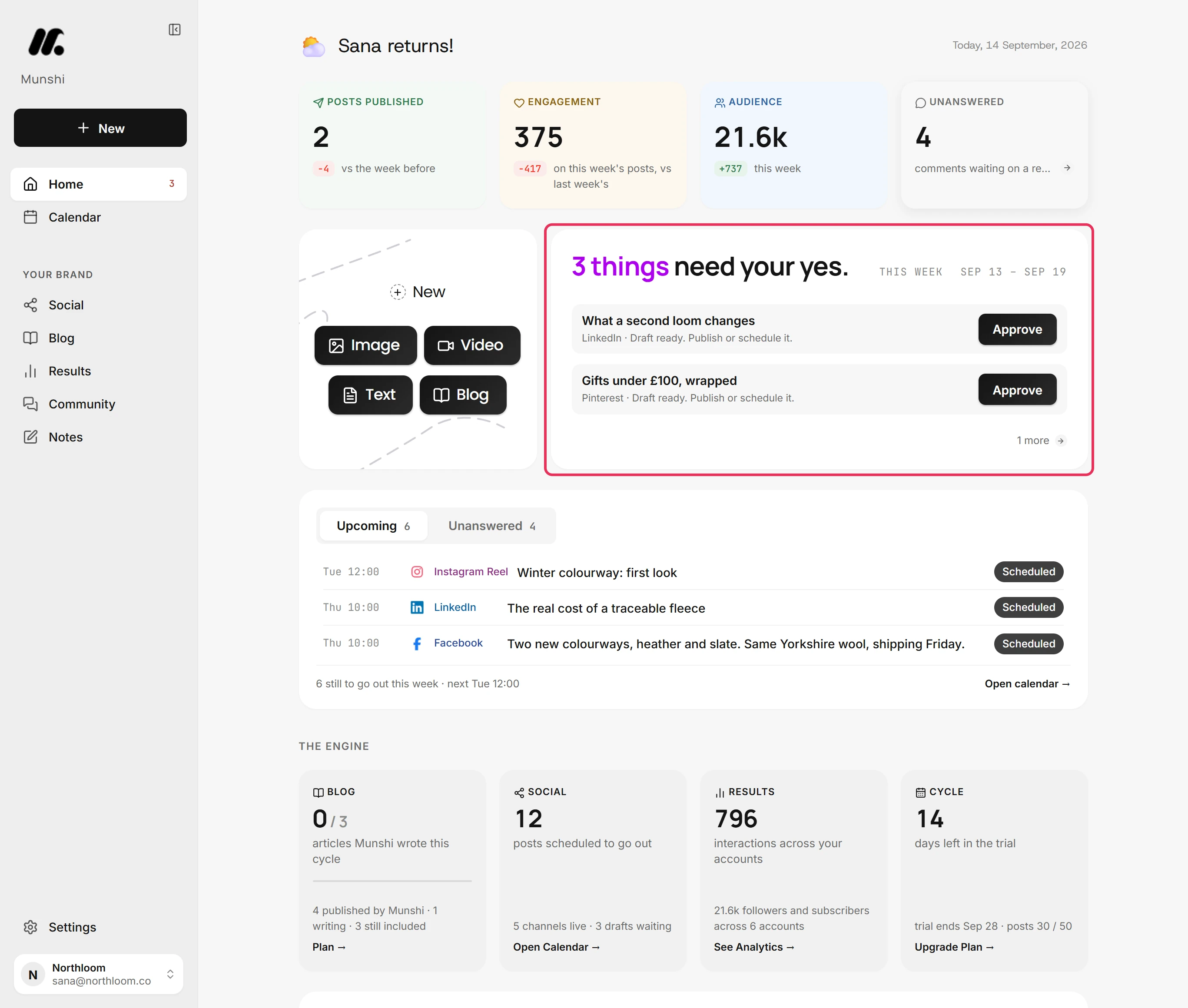
The sentence at the top of this card counts everything waiting on you. The This week chip names the seven days the page reads. The first two items sit under it, each with the one button that deals with it. The link below them jumps to the rest.
-
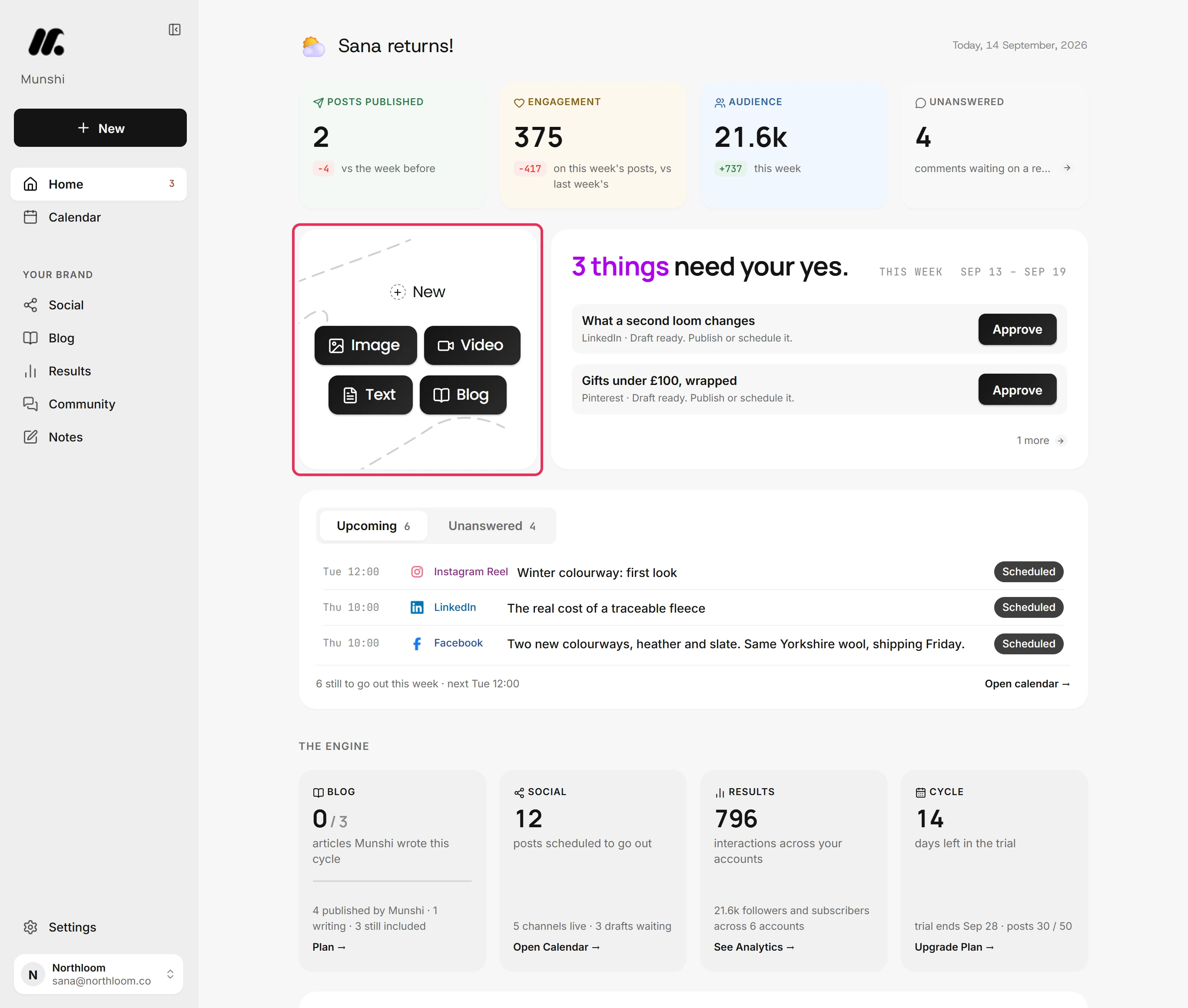
The New card opens the composer. Image, Video and Text all open it, and there you pick what you are making. Blog opens your blog strategy instead.
-
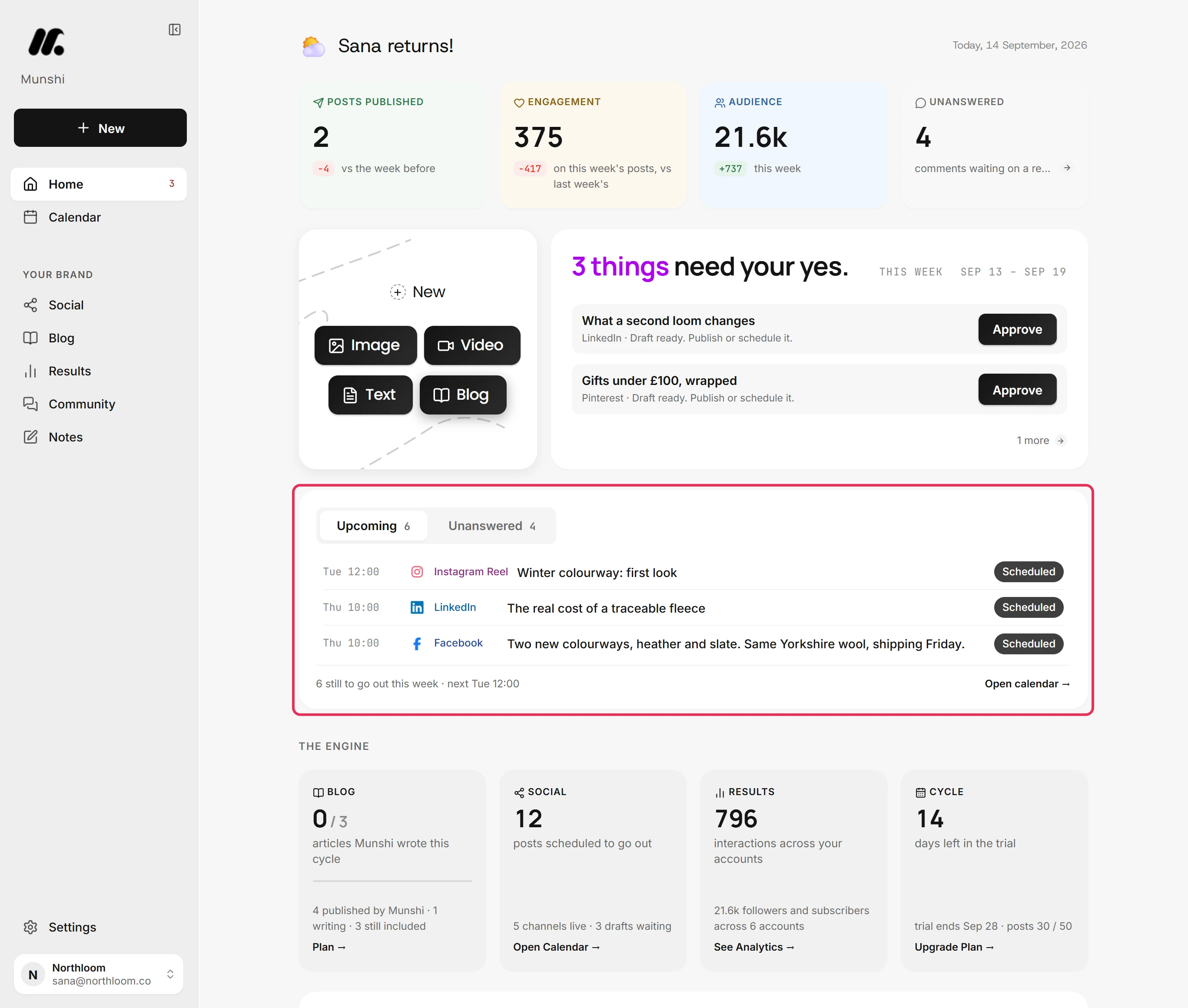
Upcoming lists the next three posts and articles still to go out this week, each with its day, time and network. The line under the list counts the rest and names the next slot. Open calendar shows everything.
-
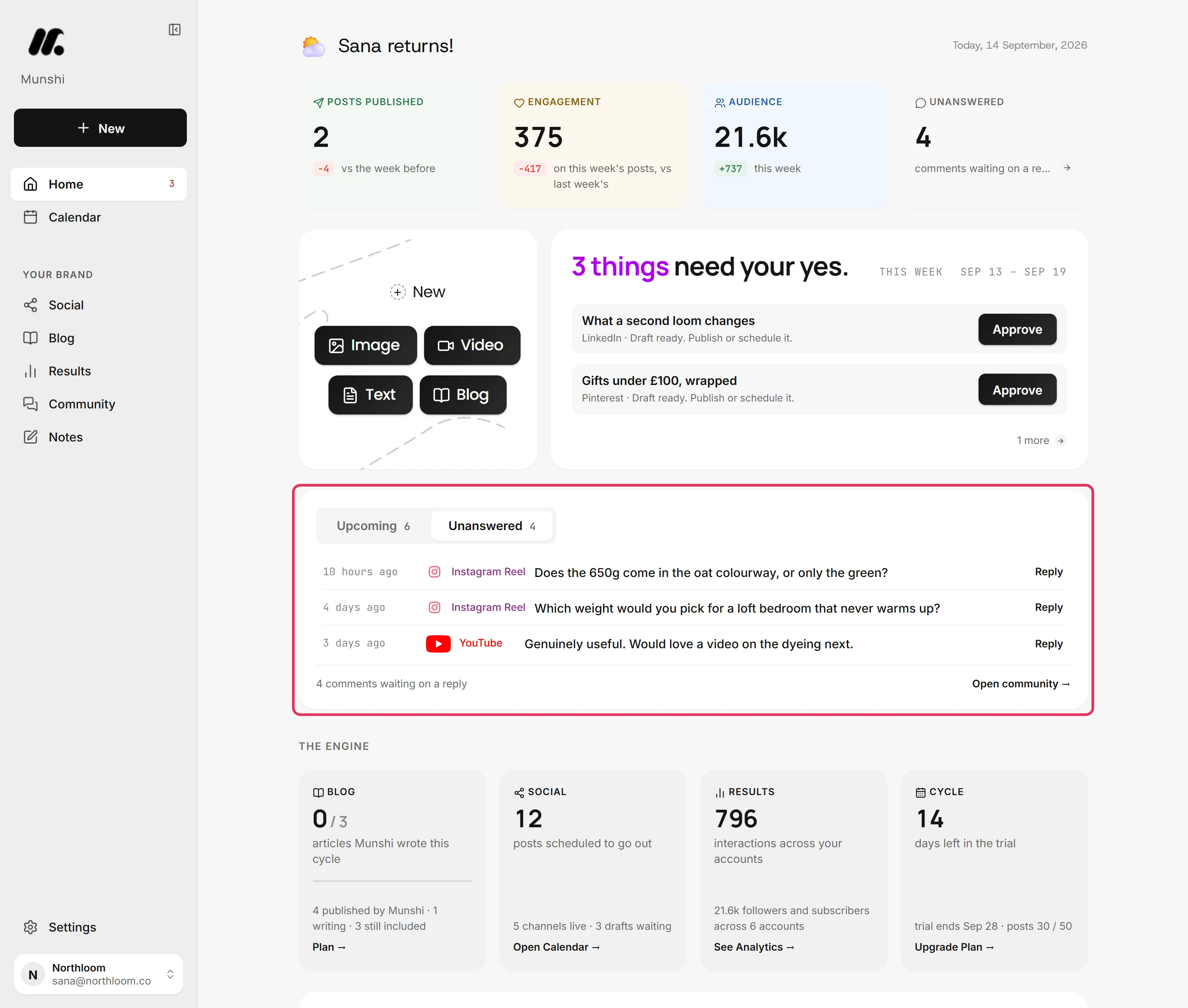
Switch to Unanswered to see comments still waiting on a reply, and how long each has waited. Click a row to answer it in Community. Open community lists them all.
-
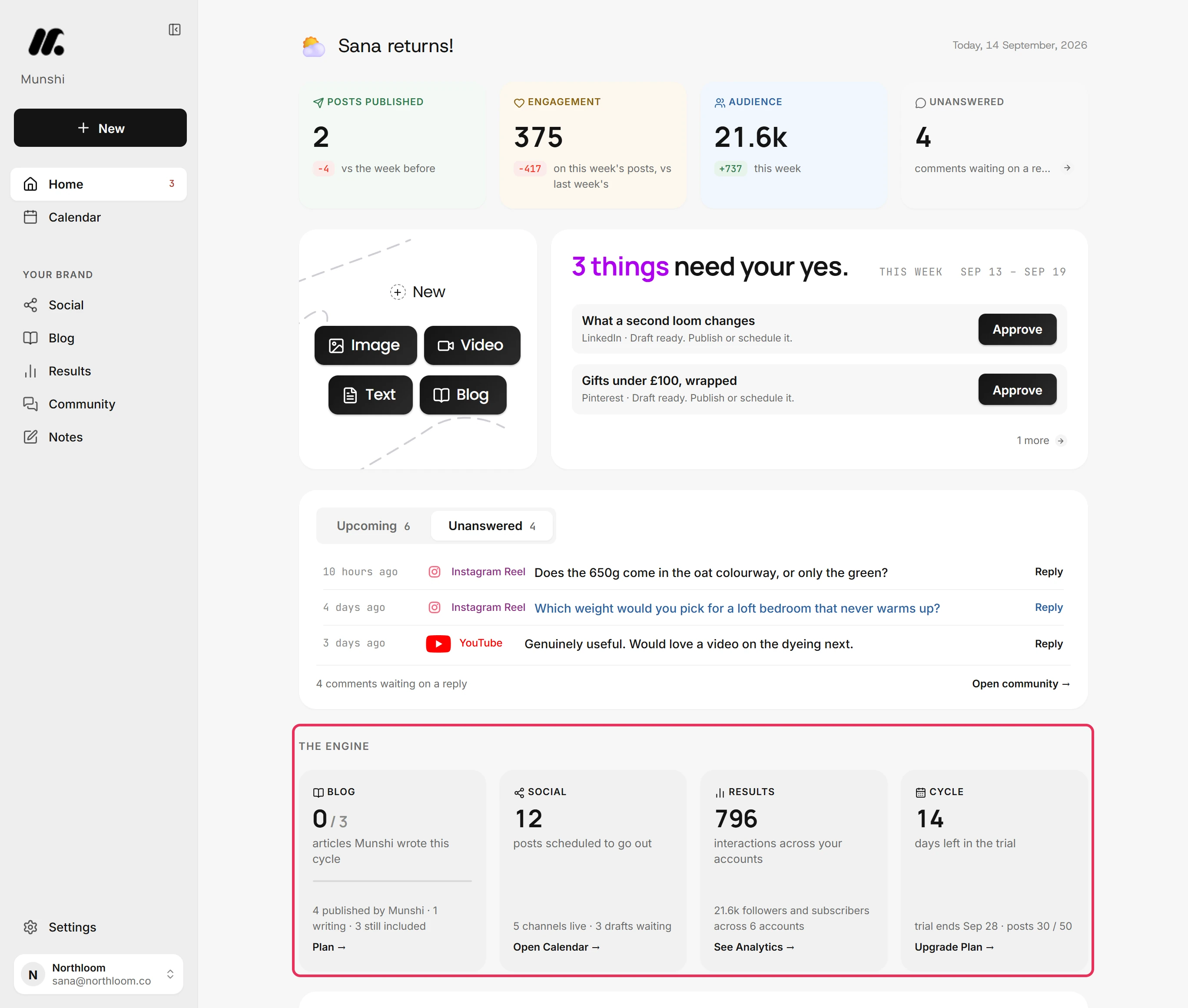
The Engine sums up the four parts of Munshi, and each tile opens its screen. Blog counts the articles Munshi wrote this cycle against your plan's allowance. Social counts the posts scheduled to go out, and Results the interactions across your accounts. Cycle counts the days left in your trial or billing cycle.
-
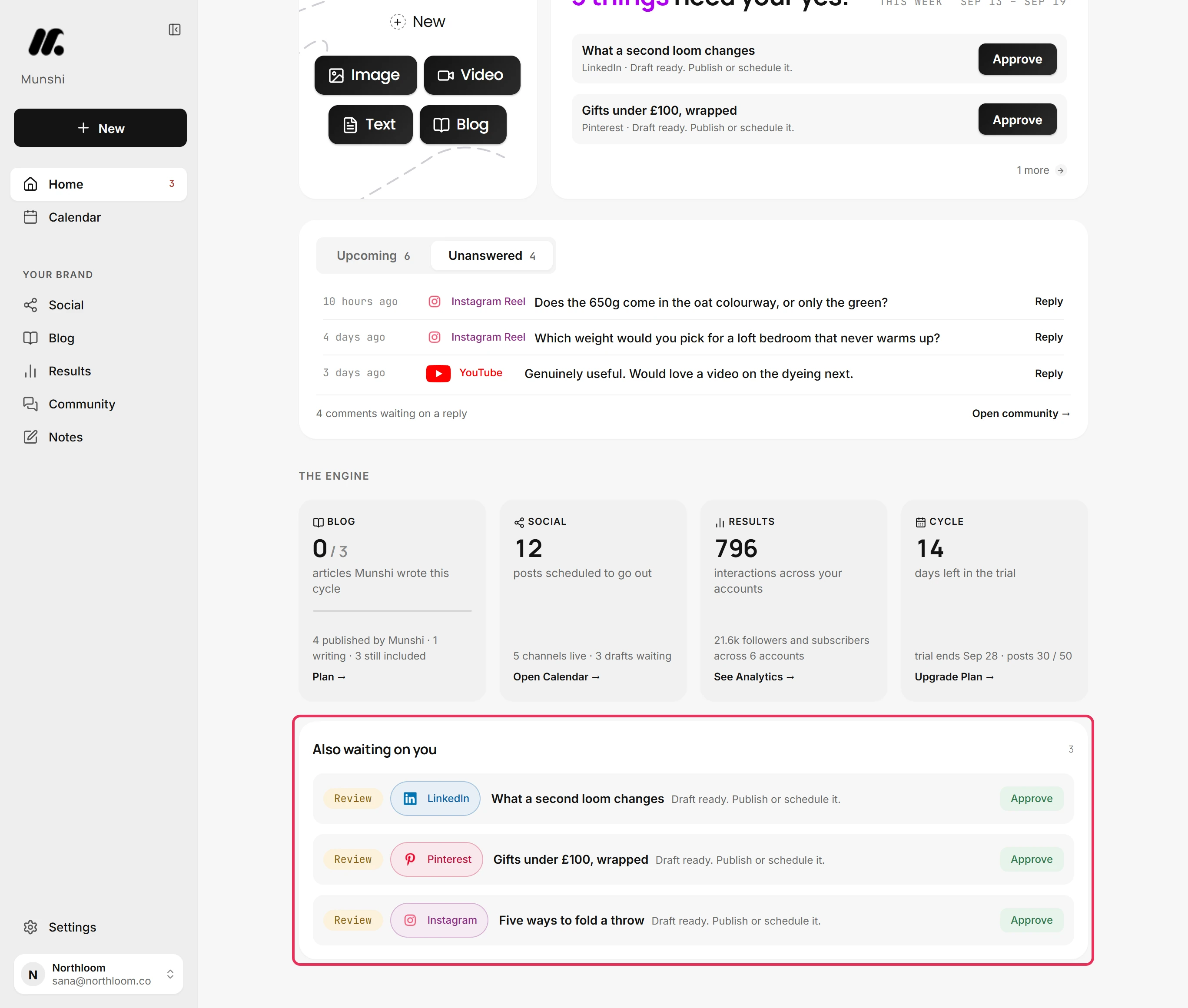
Also waiting on you lists everything behind the count, with broken things first. Each row names its network and has one action: Retry a failed post, Fix an article that did not publish, or Reconnect an expired network. The others are Approve a draft, Review an article, Set up a missing step, or Upgrade when an allowance runs out.
-
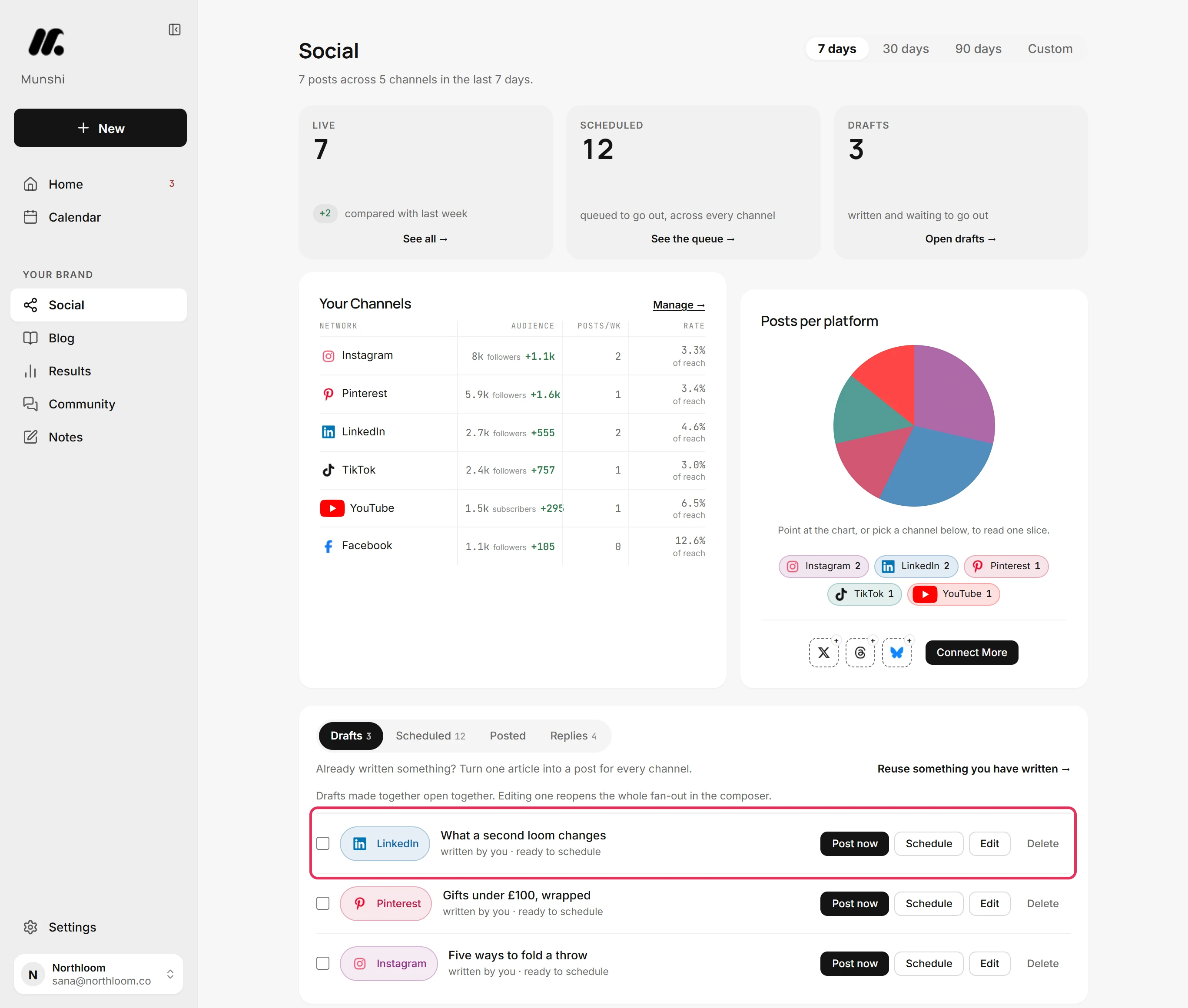
Approve opens the Drafts tab on Social, where the draft is waiting. Post now sends it straight away, and Schedule gives it a time. Nothing goes out until you pick one.
Where you are now
You know what this week holds and what is waiting on you. Work down the queue. Once it is clear, the card reads Nothing needs you.
If something goes wrong
“We couldn't check everything that needs you.”
Reload Home in a moment to check again. One of the sources behind the count did not answer, so more may be waiting than the card shows.
“Your numbers didn't load.”
Click Try again in the bar. Munshi could not read your accounts just now, but everything else on Home is up to date.
A tile says Collecting instead of a number
Wait for the first readings to arrive, and the number appears. There is no reading for that figure yet, usually because the account was connected recently.
Approve did not publish the post
Pick Post now or Schedule on the Drafts tab. Approve opens the draft rather than sending it, so nothing goes out by accident.
Try it on your own brand this week.
Munshi Social, the AI content marketing engine for small teams, plans, writes, publishes, and tracks your blog and socials. The guide above shows the real app, not a mock-up.
Start your workspace