Found through AI assistants: the panel explained
The Found through AI assistants panel on Results counts visits to your site from ChatGPT, Perplexity, Gemini, Copilot, Claude and Bing, page by page.
Before you start
- Google Analytics connected, with its tag verified. How to install and verify the Google Analytics tag shows how.
-
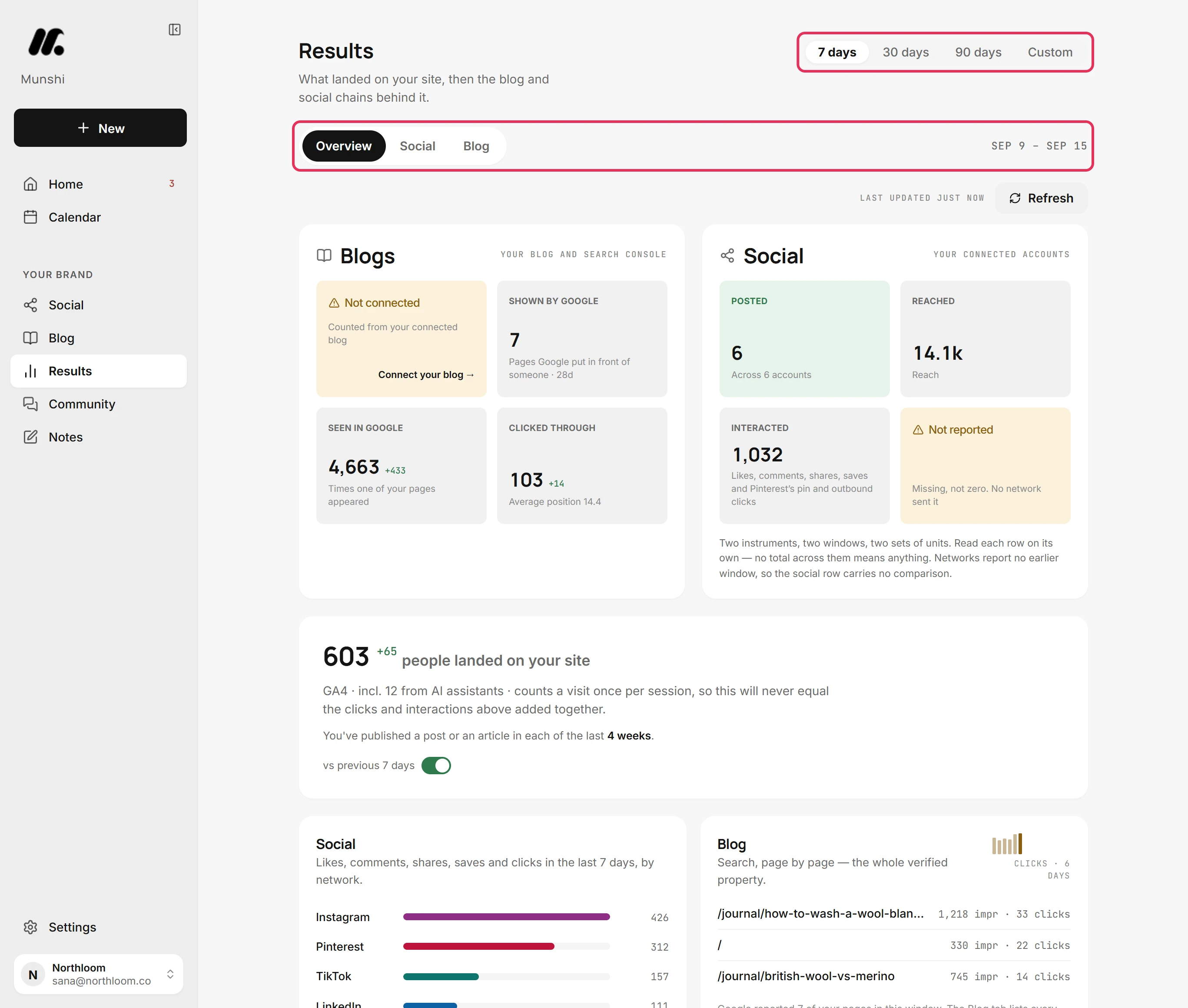
Click Results in the sidebar. It opens on Overview. The panel reads the window picked at the top, which starts at 7 days.
-
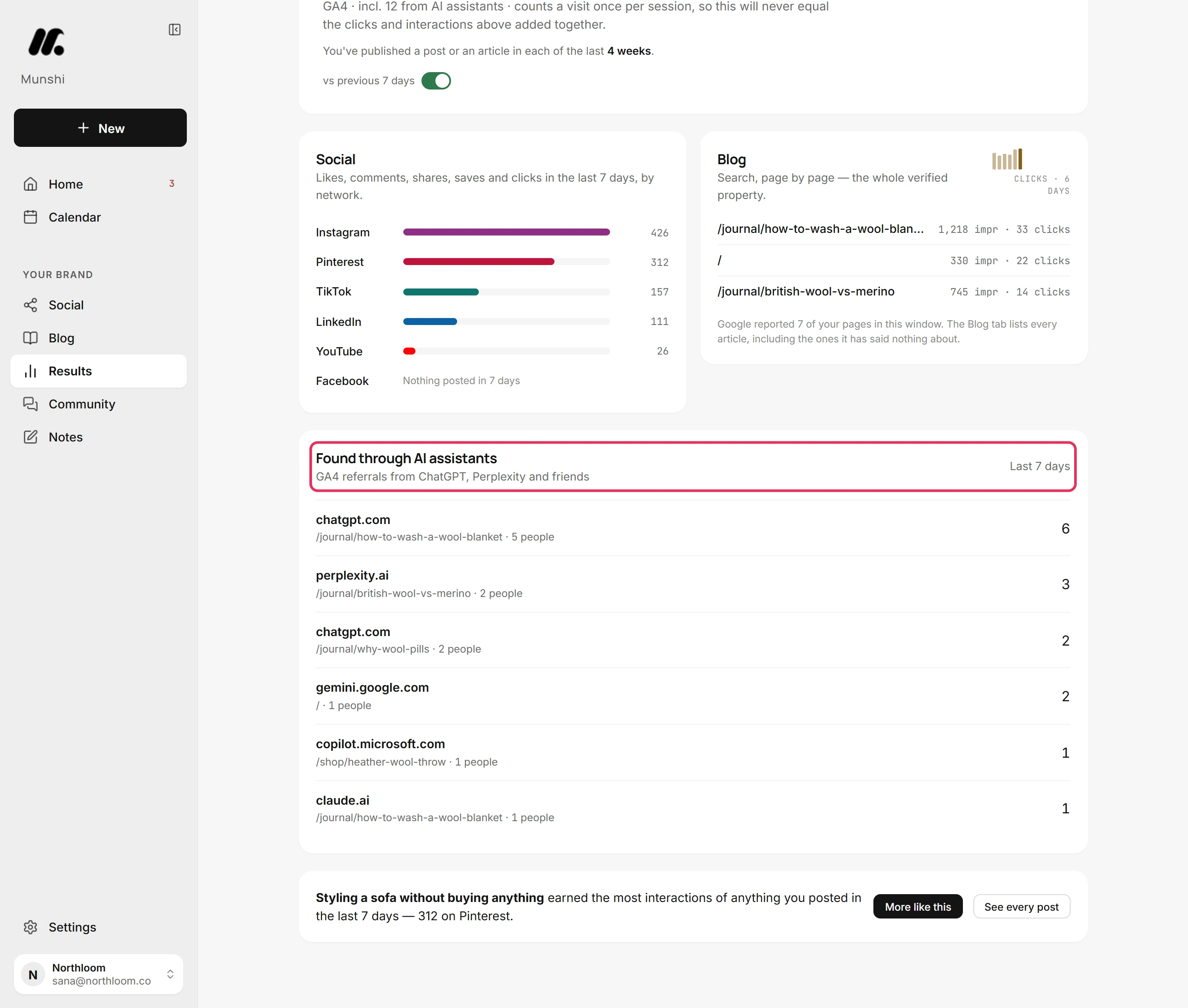
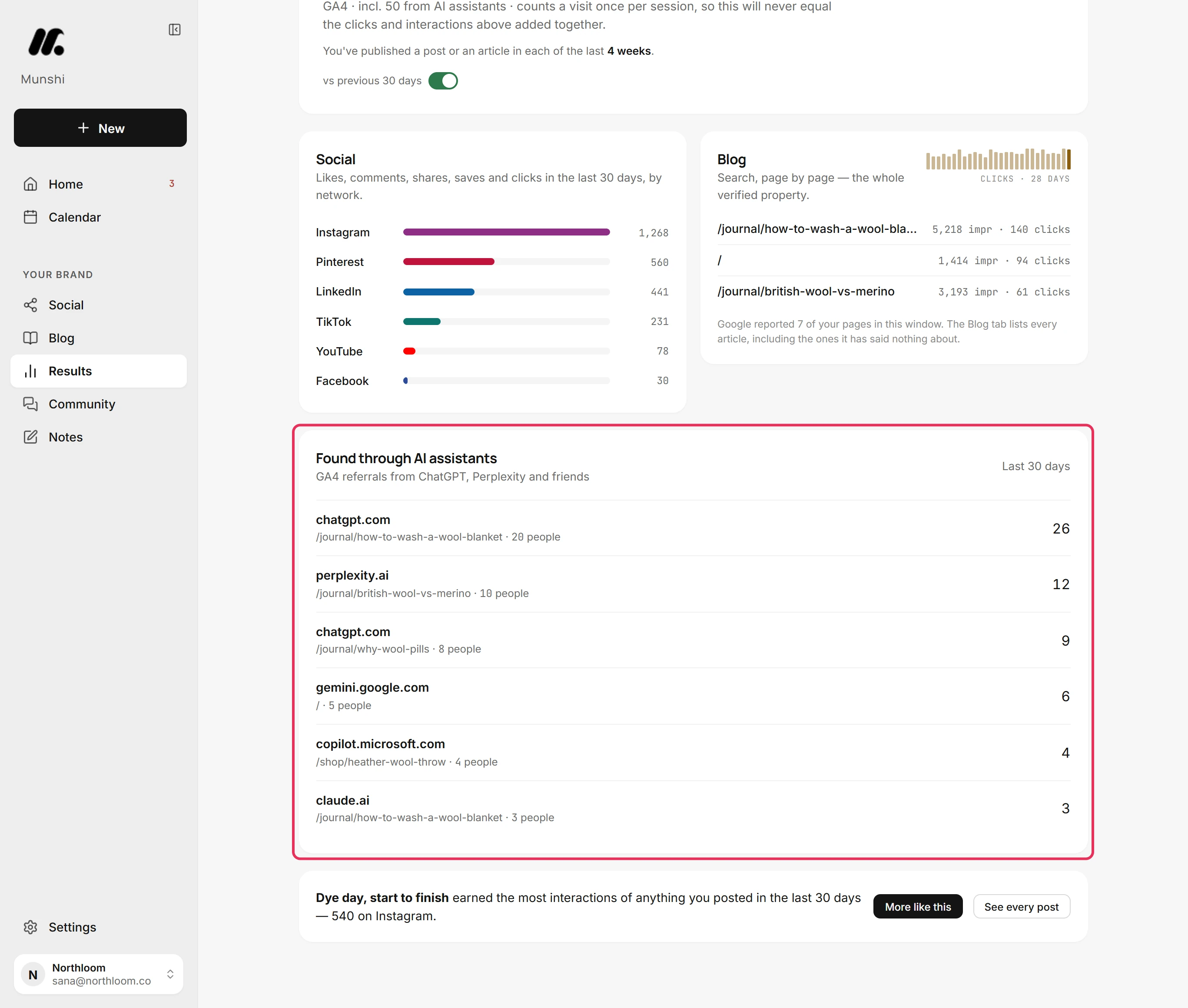
Scroll down to Found through AI assistants. It lists the visits to your site that Google Analytics traced to an AI assistant. The window it covers is named on its right, such as Last 7 days.
-
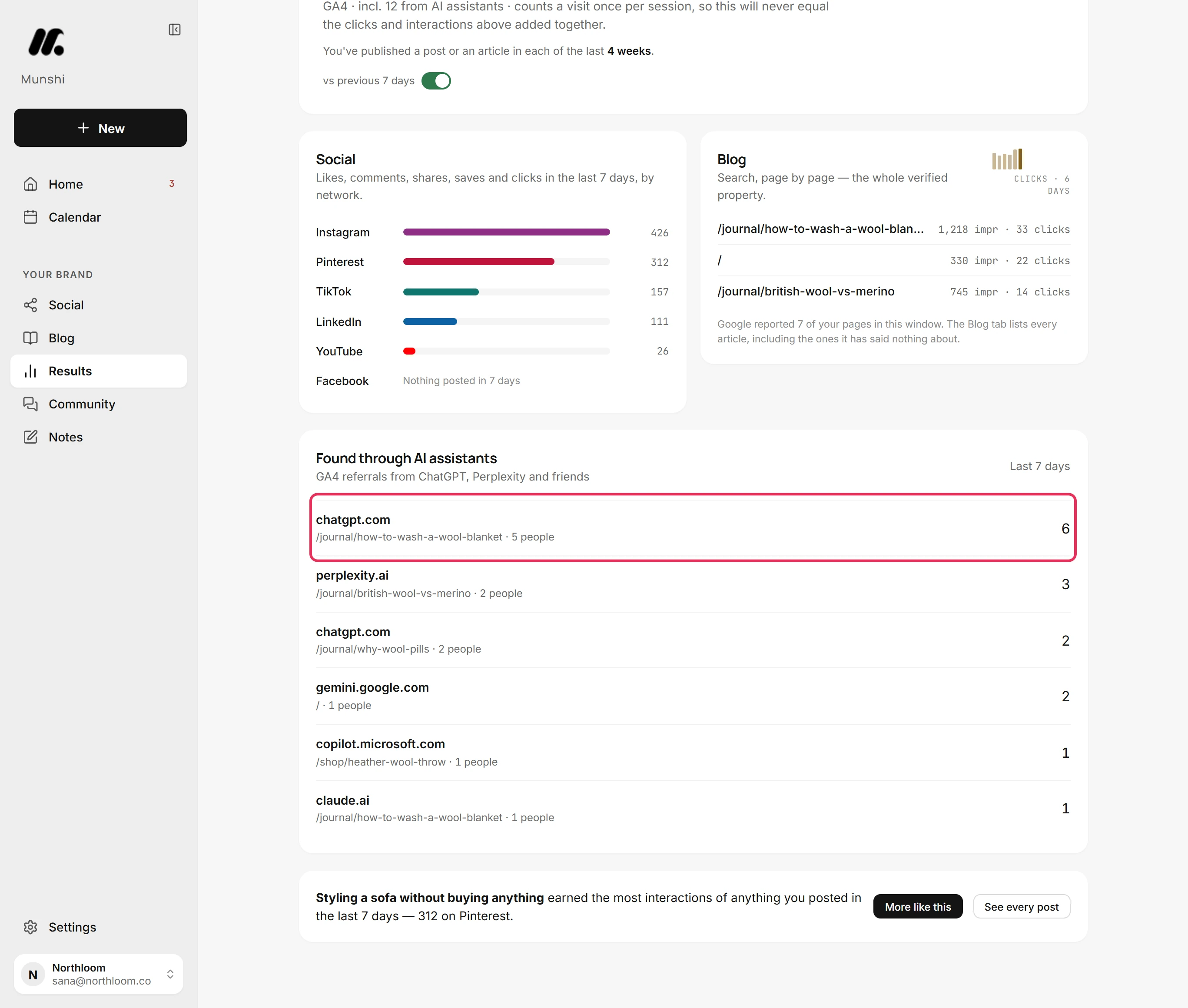
Each row is one assistant and one page. It shows the assistant's address, the page its visitors landed on and how many people came. The number on the right counts their visits, so it can be higher than the people.
-
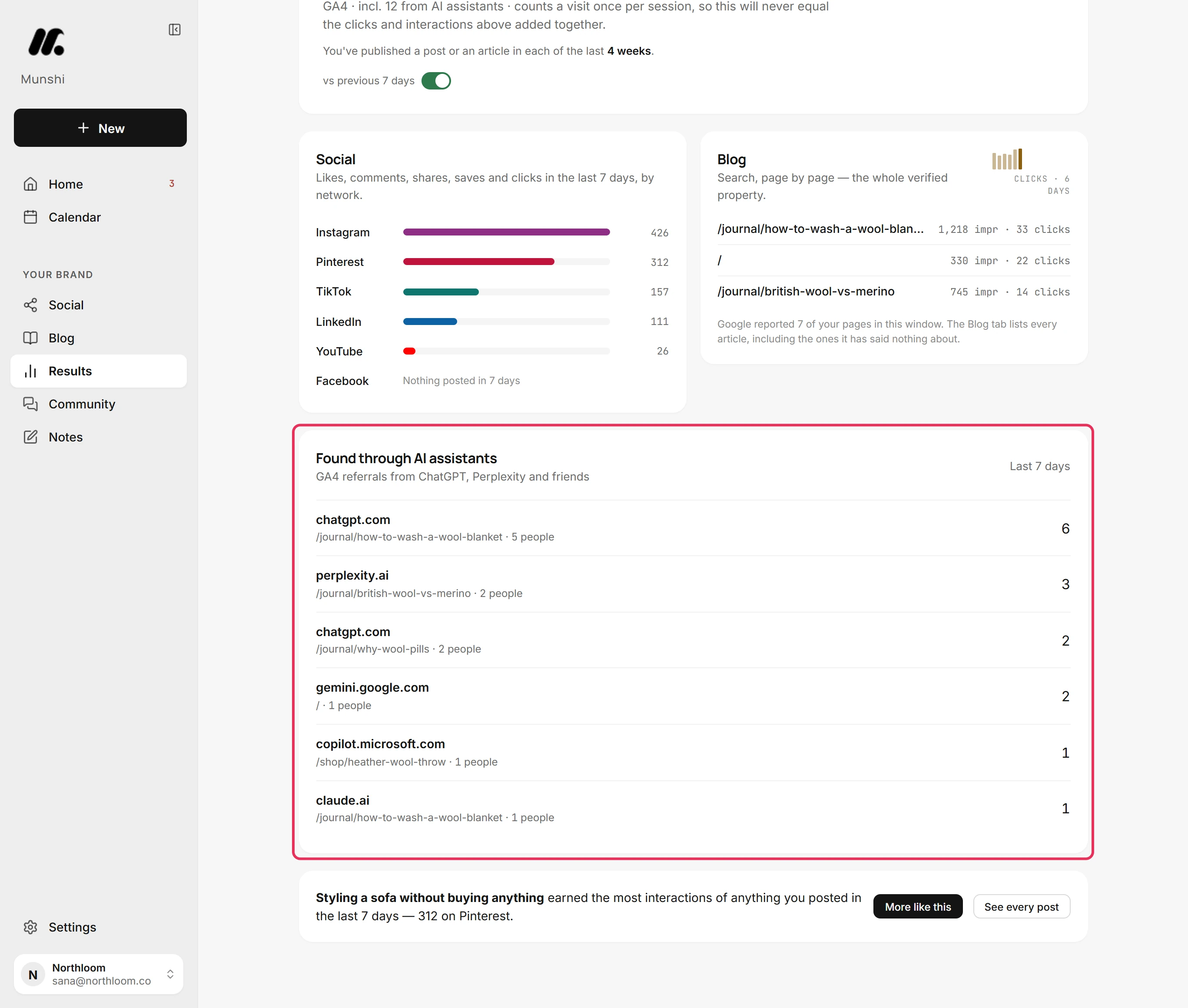
A visit counts when its source in Google Analytics is exactly one of chatgpt.com, chat.openai.com, perplexity.ai, gemini.google.com, copilot.microsoft.com, claude.ai or bing.com. An assistant gets a second row when its visitors land on another page. The panel shows the six rows with the most visits.
-
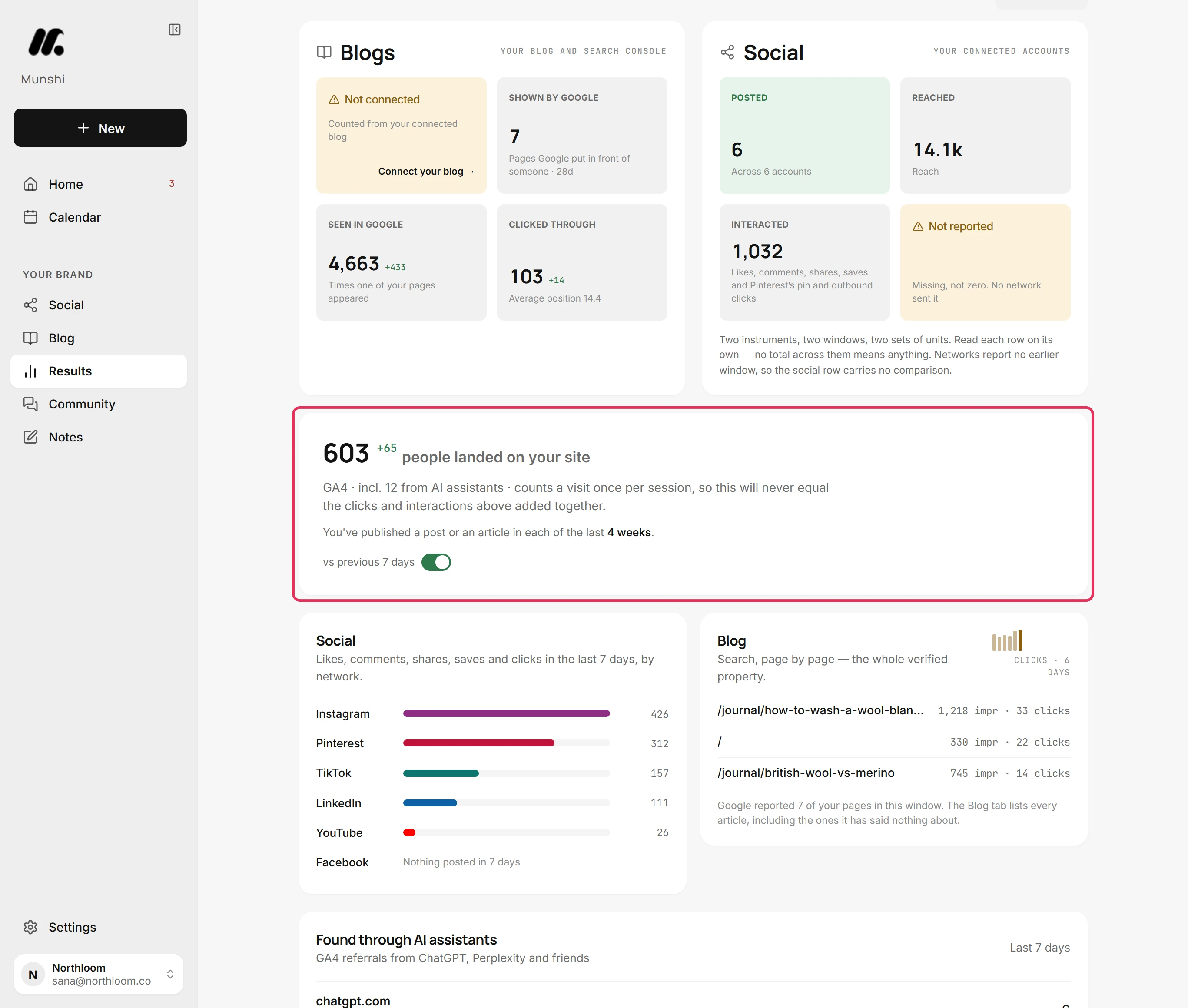
The card near the top of Overview counts the people who landed on your site. It adds how many came from AI assistants, such as incl. 12 from AI assistants.
-
Assistant visits are rare, so a longer window shows more. Click 30 days or 90 days at the top. The panel reads that window and says so, such as Last 30 days.
Where you are now
You know which AI assistants sent people to your site and which pages they landed on. You also know which assistants the panel recognises.
If something goes wrong
“No assistant referrals in this window. They are rare enough that a single one is a signal worth reading.”
Try 30 days or 90 days. Google Analytics reported no visits from the listed assistants in that window.
“This is the only place assistant referrals are visible, and it needs GA4.”
Click Connect Google Analytics and finish the tag test. Google Analytics is not connected, or its tag is not verified yet.
“Collecting. Assistant referrals appear here once GA4 has reported this window.”
Nothing to do. Munshi is reading Google Analytics for that window for the first time, and the panel fills in on its own.
“Your Google numbers are unreachable right now.”
Click Try again. Google did not answer the last reading.
Try it on your own brand this week.
Munshi Social, the AI content marketing engine for small teams, plans, writes, publishes, and tracks your blog and socials. The guide above shows the real app, not a mock-up.
Start your workspace