How to connect Sanity with a project, dataset and token
Enter your Sanity project ID, dataset and an API token in Integrations. Munshi runs a real query on the dataset before it counts Sanity as connected.
Before you start
- A Sanity project with a dataset for your blog. A dataset is the part of a Sanity project that holds your documents. You also need permission to create an API token for it in Sanity.
- You own the Munshi workspace. Only an owner can save a blog connection.
-
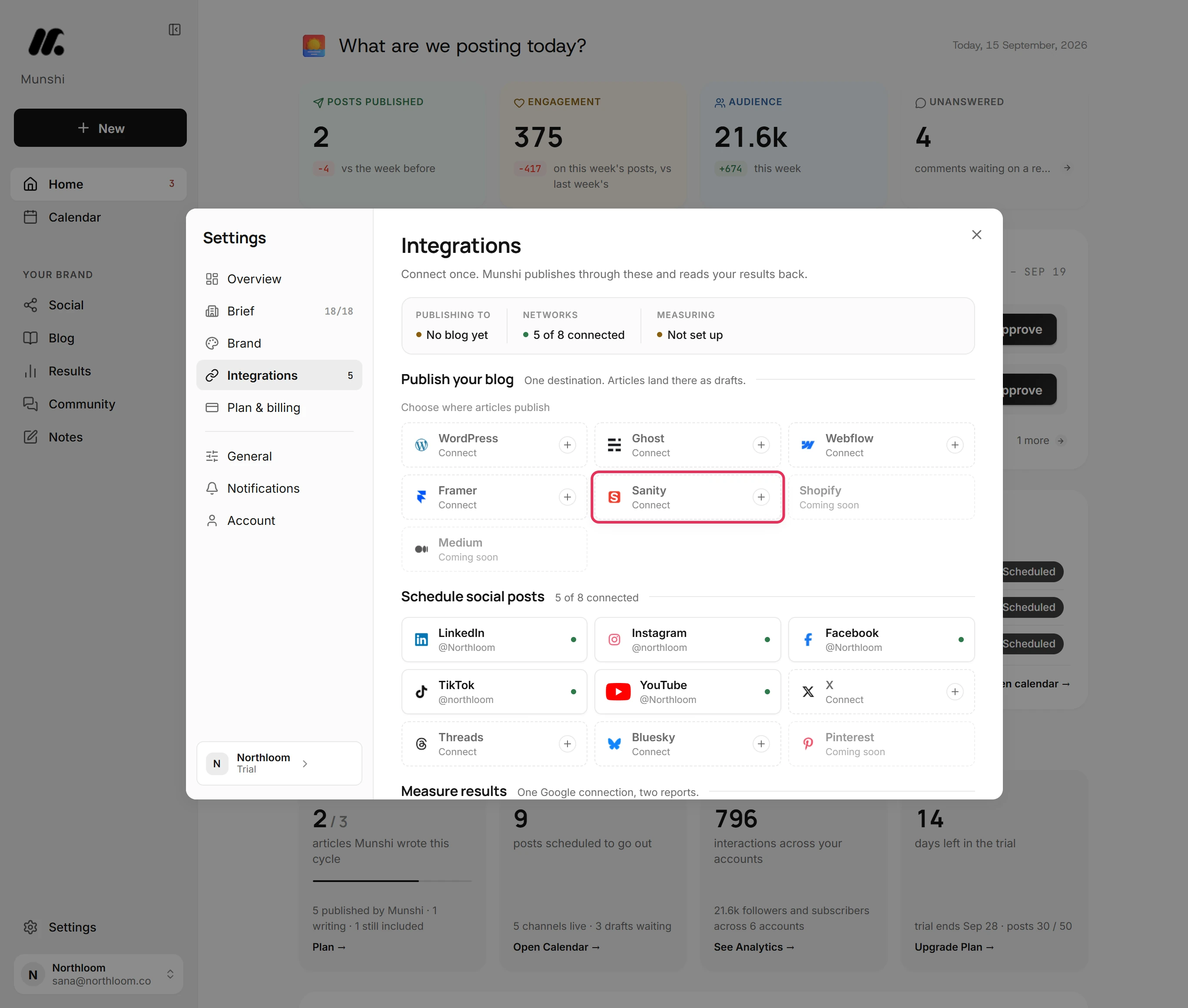
Click Settings at the bottom of the sidebar, then Integrations. Sanity is one of the blogs under Publish your blog.
-
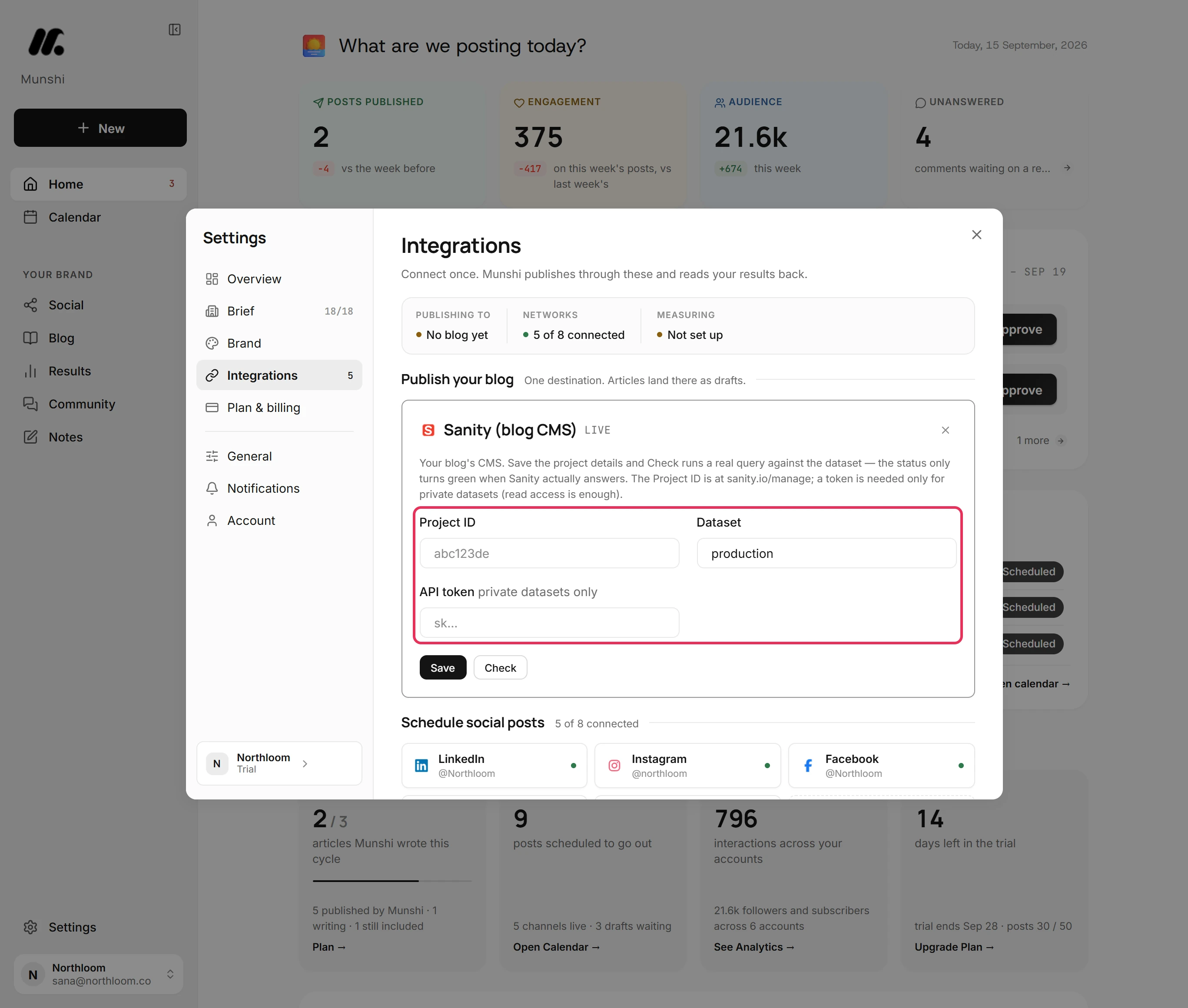
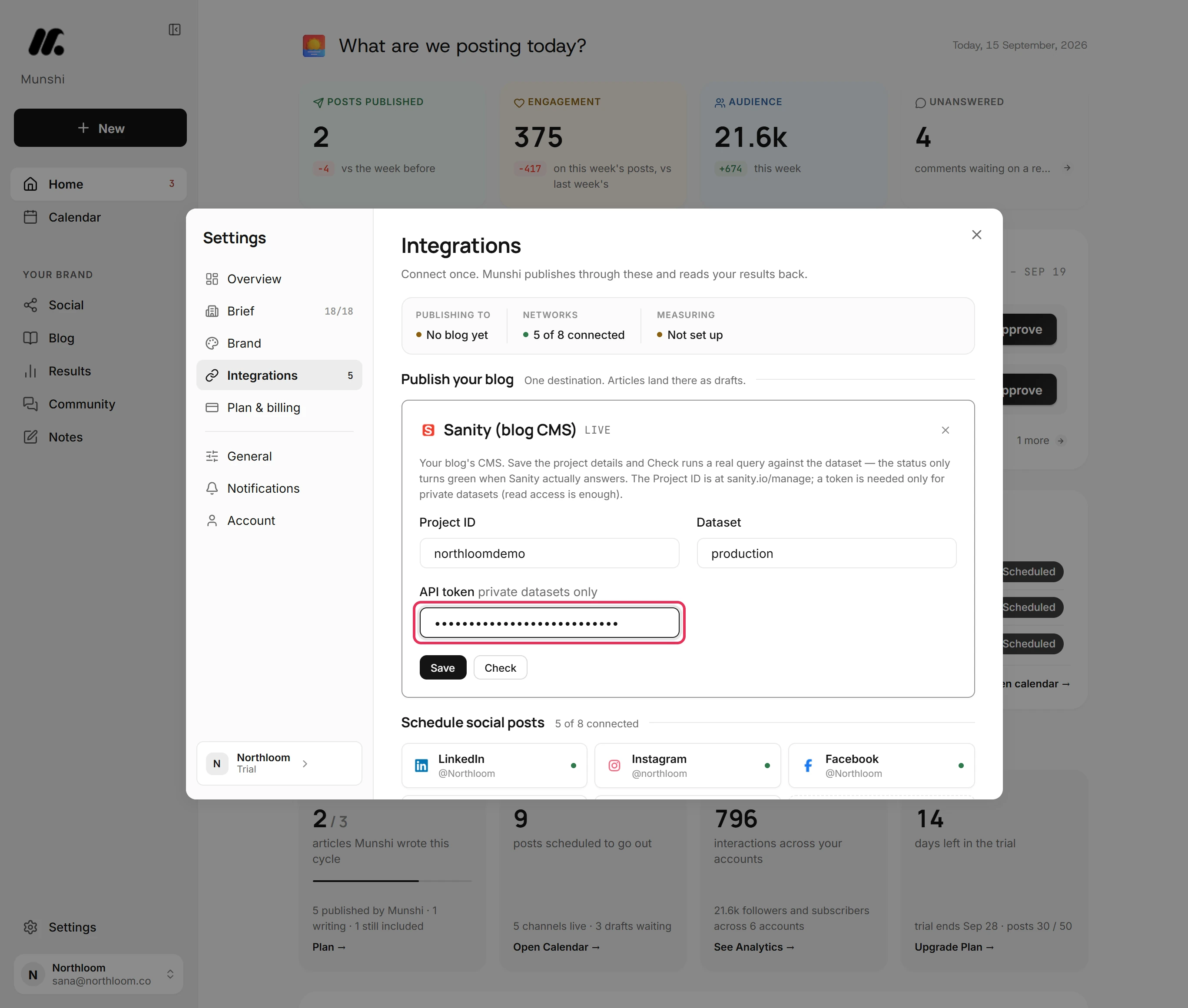
Click Sanity. Its card asks for a Project ID, a Dataset and an API token.
-
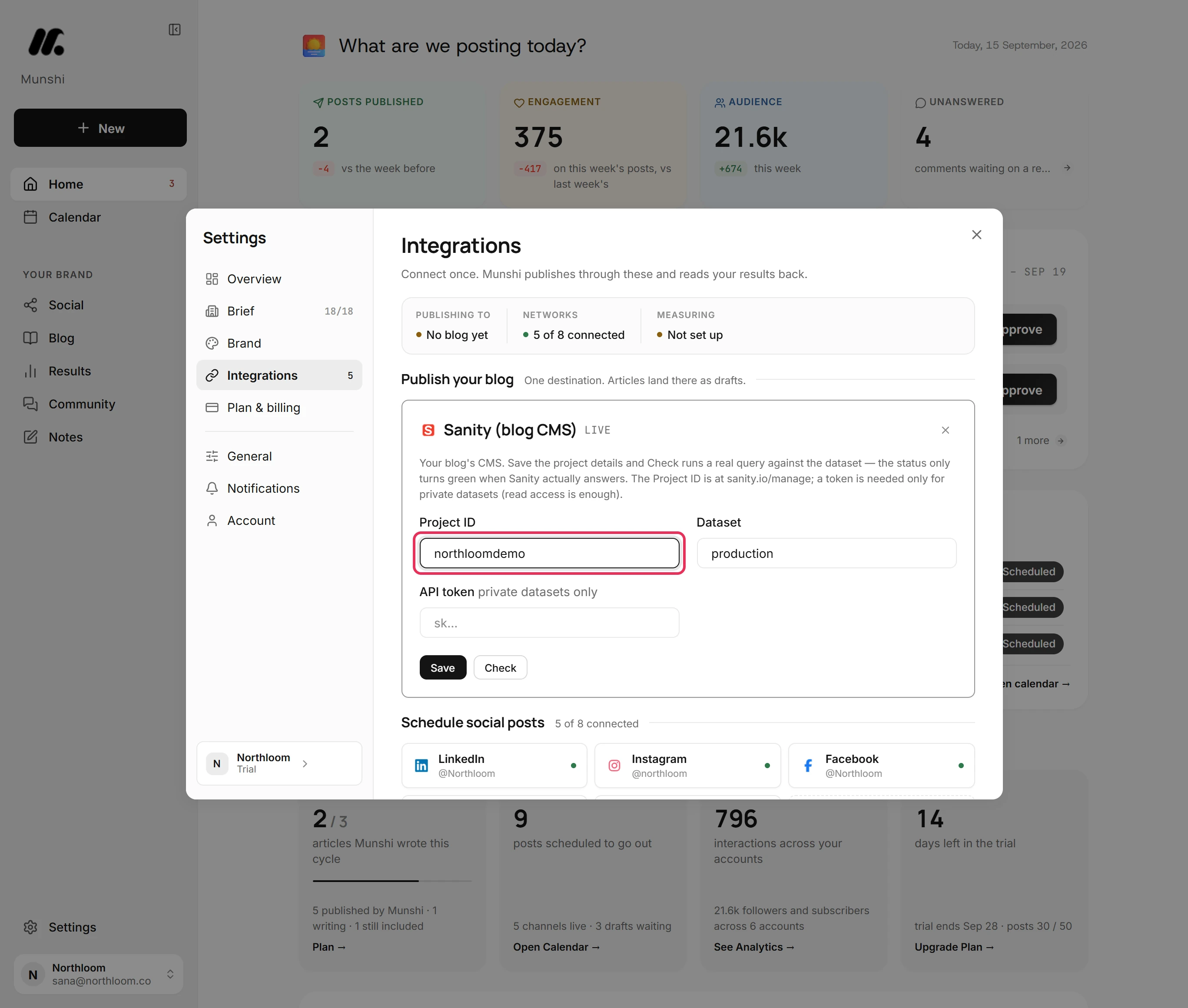
Open your project in Sanity's manage console, at sanity.io/manage. Copy the project ID and paste it into Project ID.
-
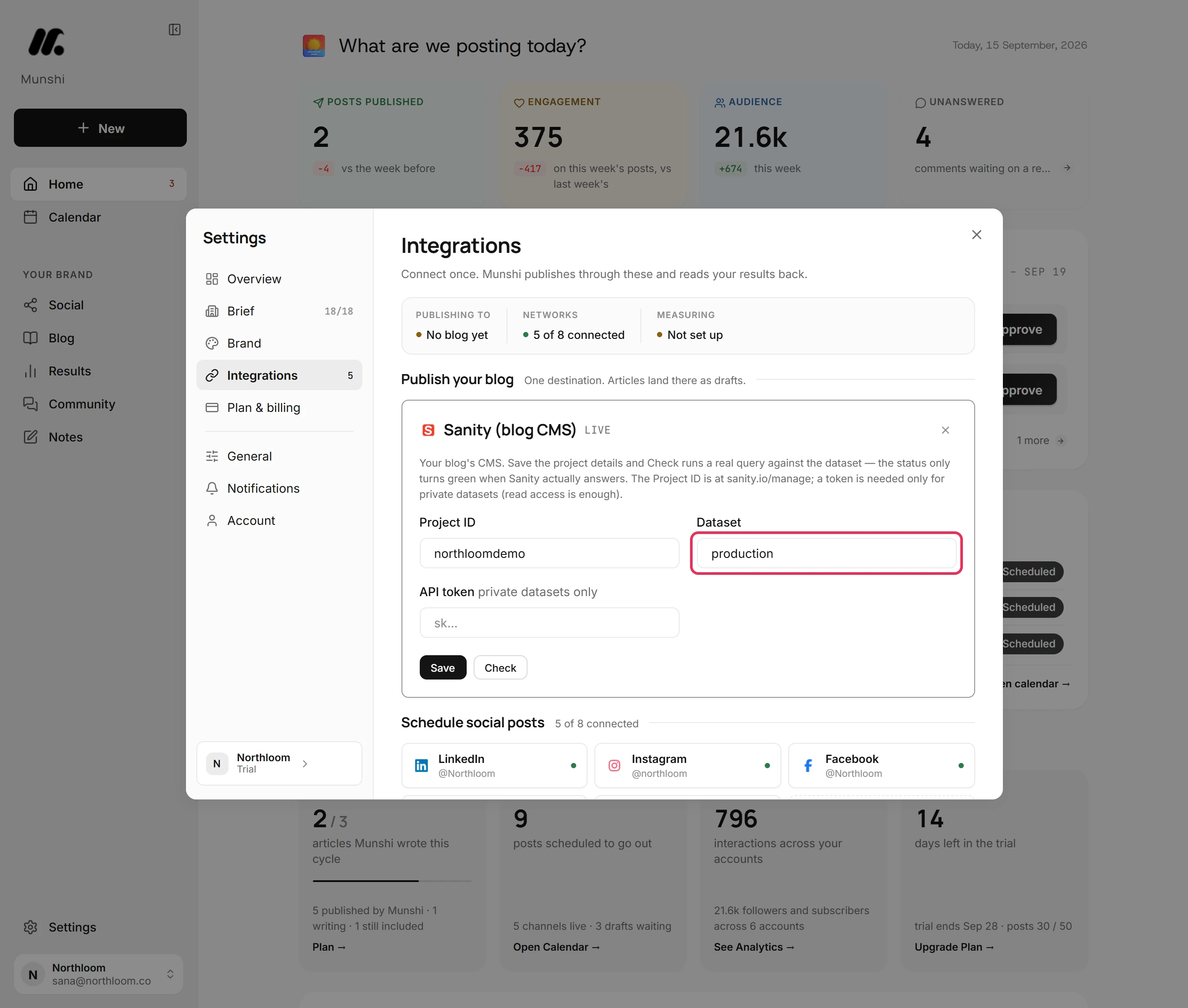
Dataset starts as production. If your blog's documents live in another dataset, type its name instead.
-
An API token is a secret code that lets Munshi read the dataset and write your articles into it. Create the token with write access. Paste it into API token, where it shows as dots.
-
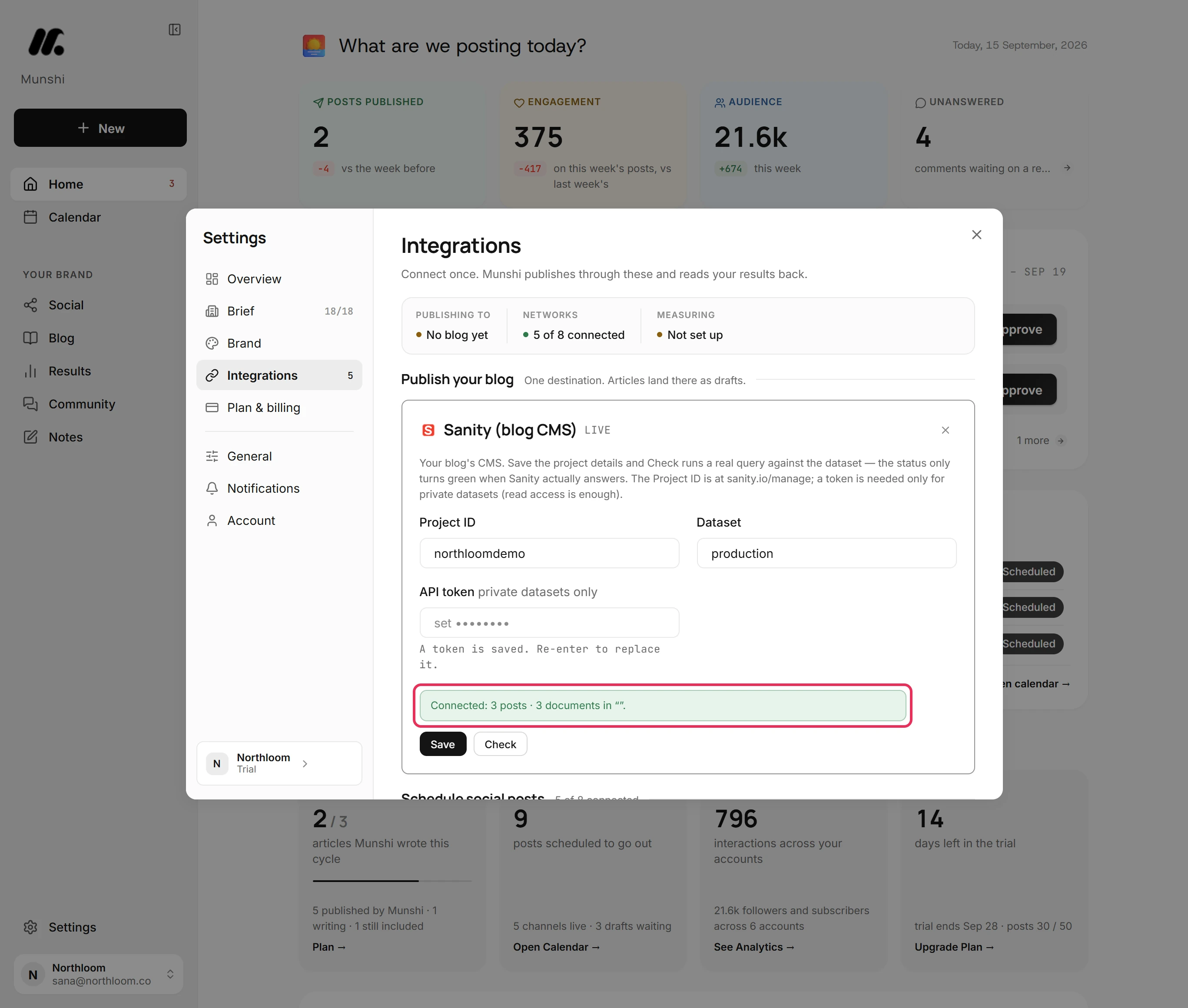
Click Save. Munshi saves the details and runs a query on the dataset. When Sanity answers, the card says Connected with the number of posts it found.
-
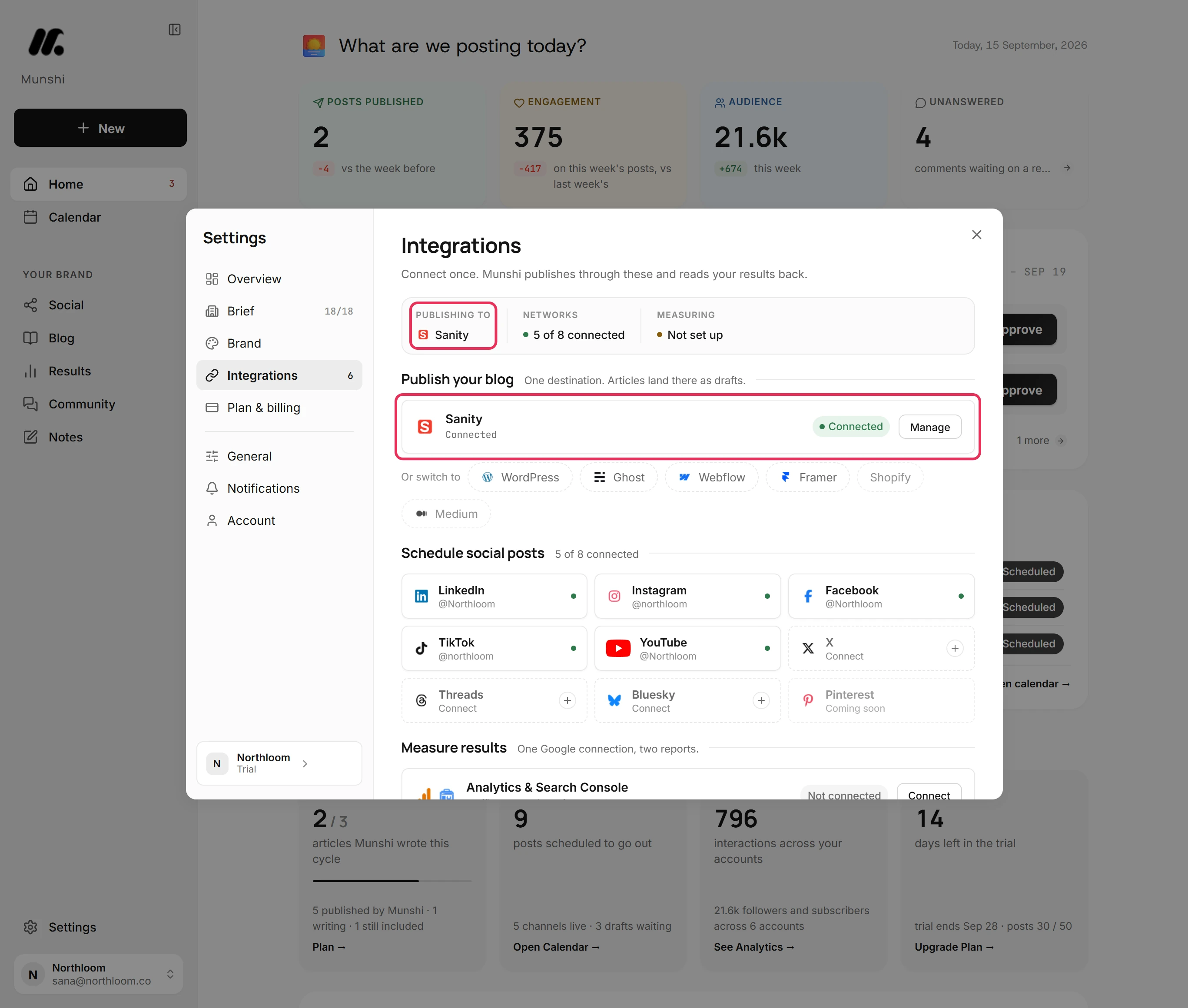
Close Settings. Next time you open Integrations, Munshi checks Sanity again. Sanity is the destination under Publish your blog, with a Connected badge.
Where you are now
Sanity is connected. Articles you publish go into your dataset as live post documents. Scheduled ones wait there as drafts until their slot.
If something goes wrong
“That doesn't look like a Sanity project ID.”
Copy the ID again from your project at sanity.io/manage and click Save. A project ID is at least six lowercase letters and digits.
“That doesn't look like a Sanity dataset name.”
Check the name in Sanity and type it again. A dataset name starts with a letter or a digit. It uses only lowercase letters, digits, hyphens and underscores, up to 64 characters.
“Sanity: check failed”
Check the project ID, the dataset name and the token, then click Save again. Sanity did not answer the query with those details.
“Enter the Project ID and dataset”
Fill in Project ID and Dataset, then click Save. Save needs both.
Try it on your own brand this week.
Munshi Social, the AI content marketing engine for small teams, plans, writes, publishes, and tracks your blog and socials. The guide above shows the real app, not a mock-up.
Start your workspace