How to turn an article into posts for every channel
Pick a blog article in Munshi and choose the channels. Munshi makes a draft post for each channel, ready for you to finish and schedule.
Before you start
- A blog article written or started in Munshi. How to build your blog strategy shows where articles come from.
- The channels you want to post to, connected. The integrations pages say how to connect each one.
-
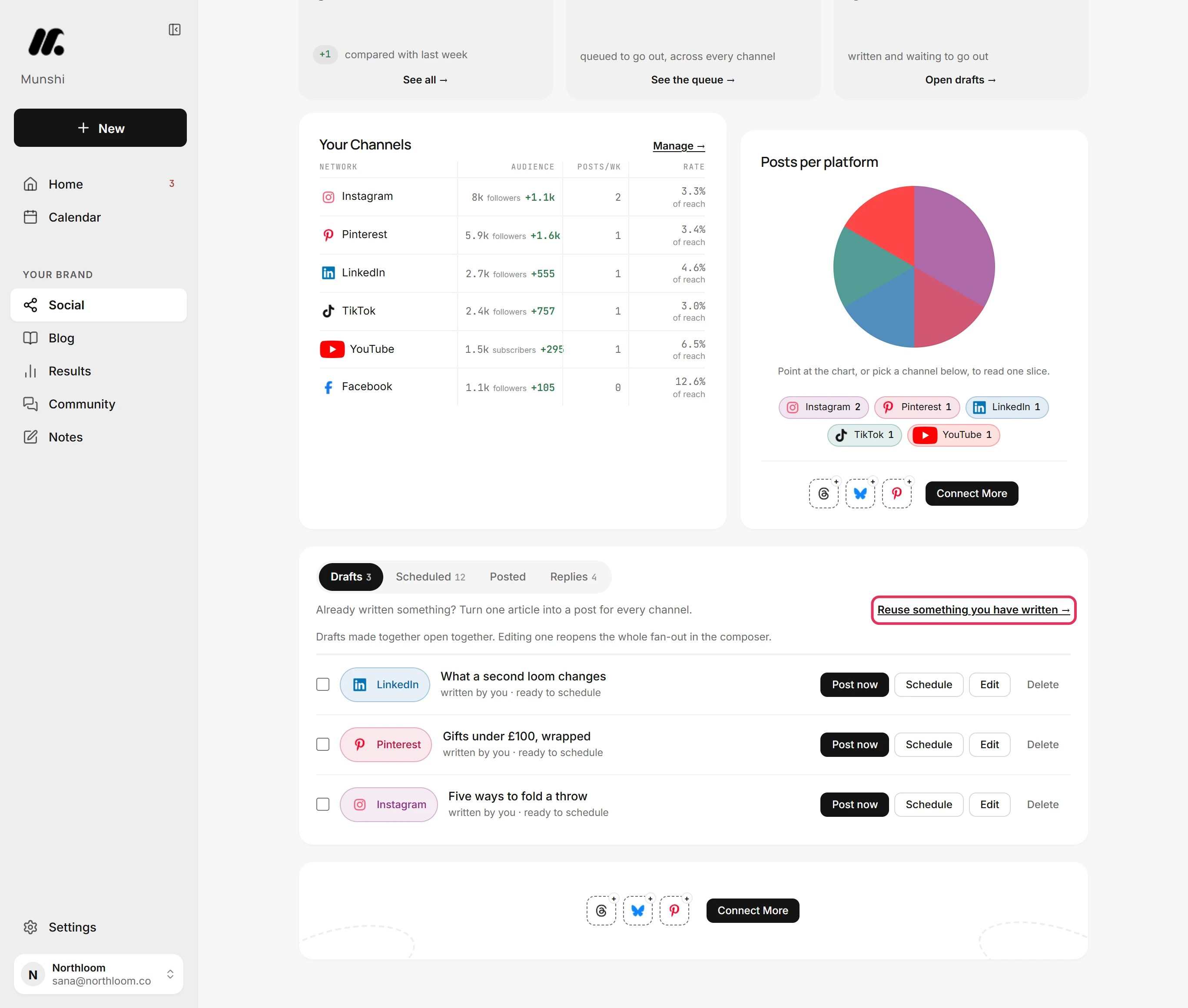
On Social, open the Drafts tab. Click Reuse something you have written at the top of it.
-
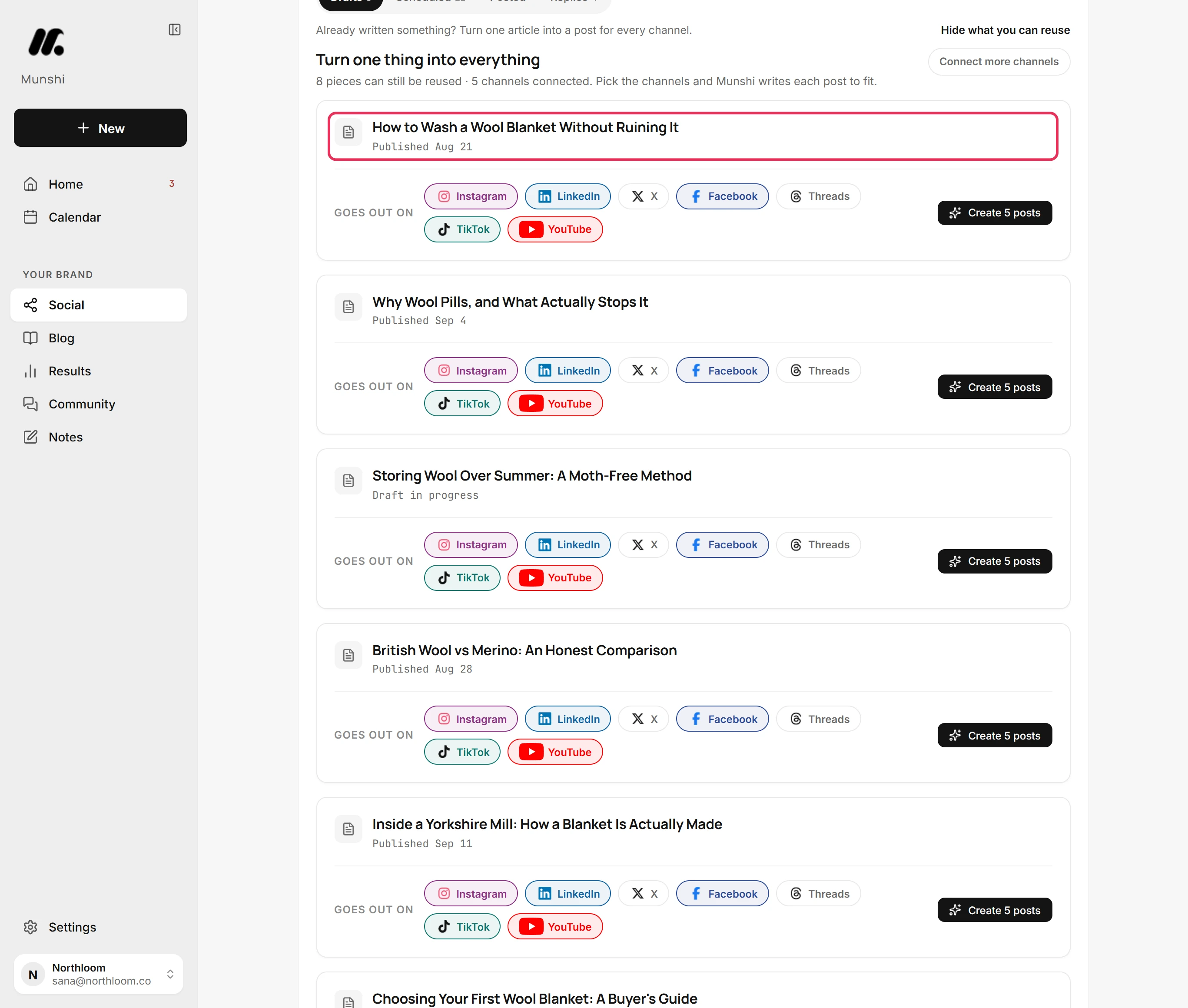
Every blog article you have started or published has a card. Each is marked Published or Draft in progress. Find the one you want to turn into posts.
-
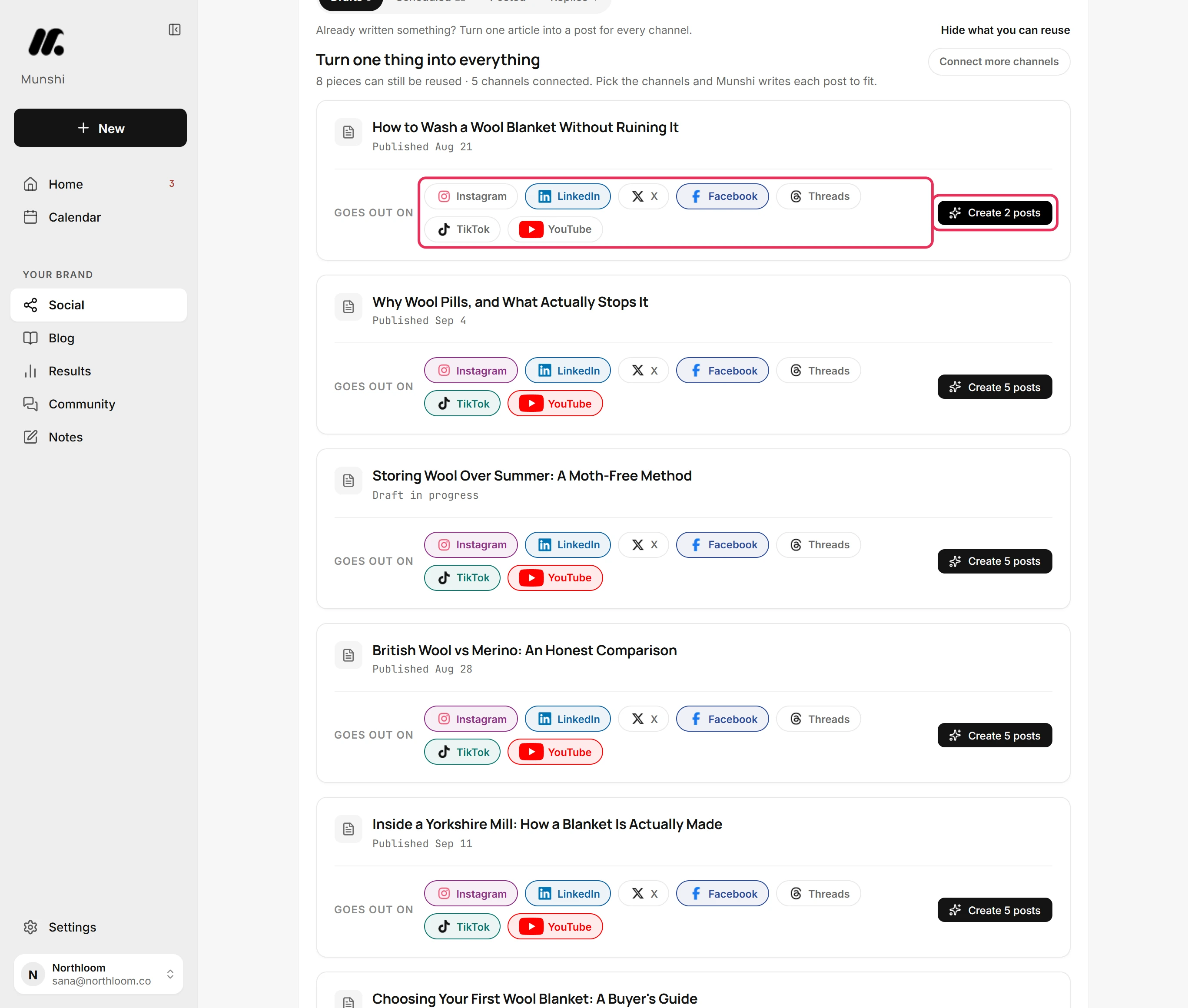
Under Goes out on, Munshi picks every connected channel the article has not gone to yet. Click a channel to take it off or put it back. Here Instagram, TikTok and YouTube come off, because they need a video.
-
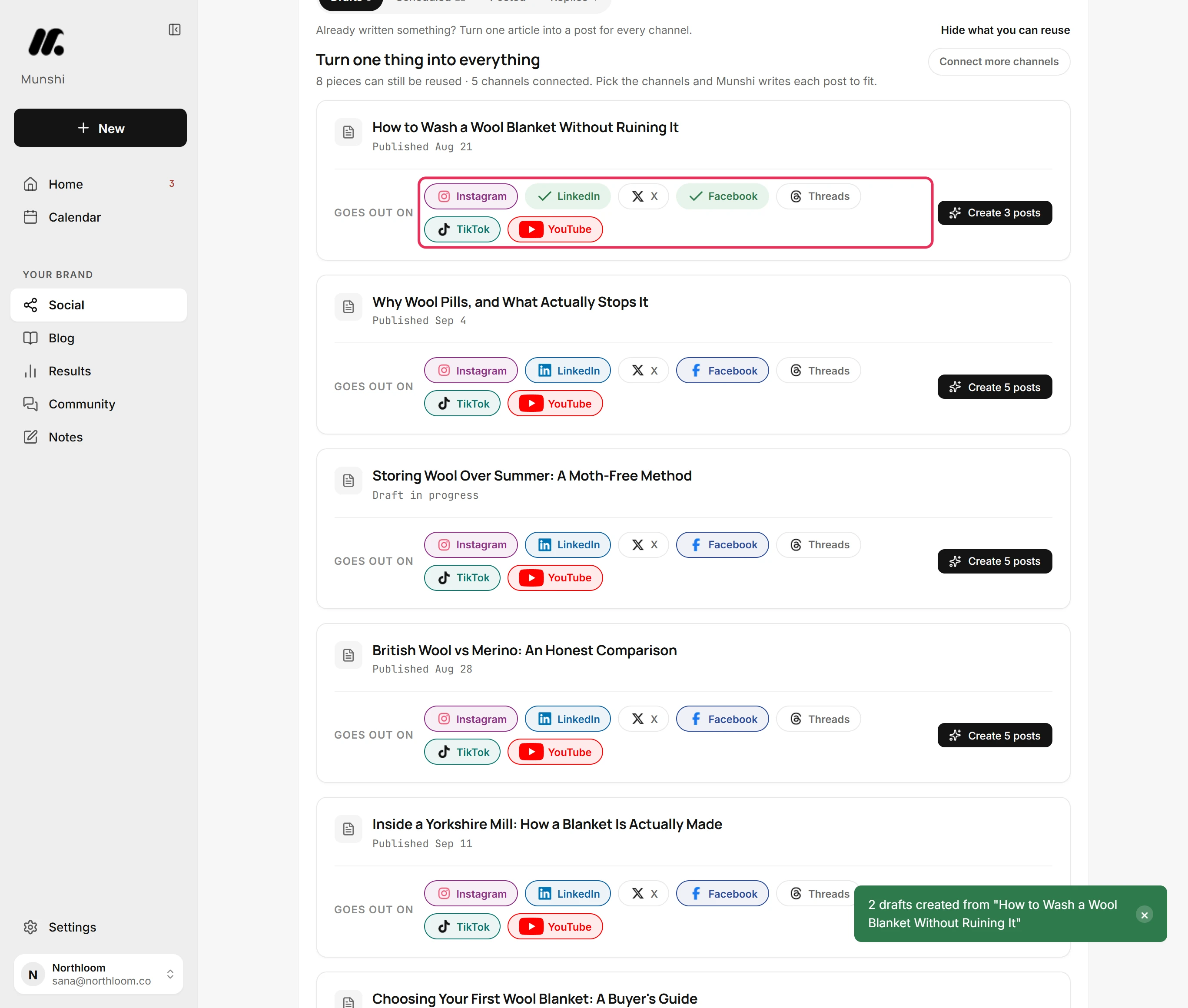
Click Create 2 posts. The number follows the channels you picked. Munshi makes a draft for each channel, and those channels get a tick on the card. Nothing is posted or scheduled.
-
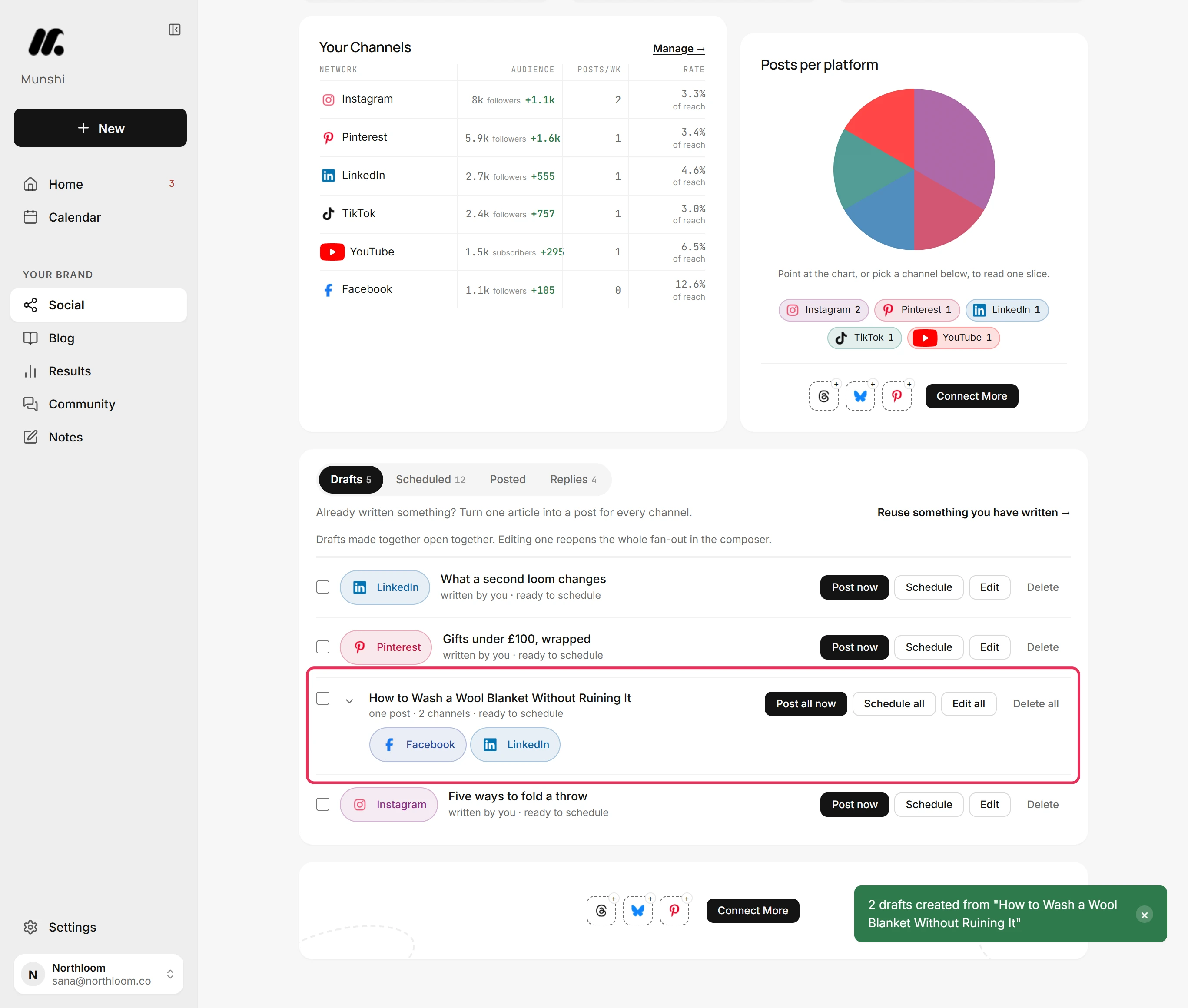
Click Hide what you can reuse. The drafts wait on the board as one post under the article's title. It has a pill for each channel, with one post · 2 channels beneath.
-
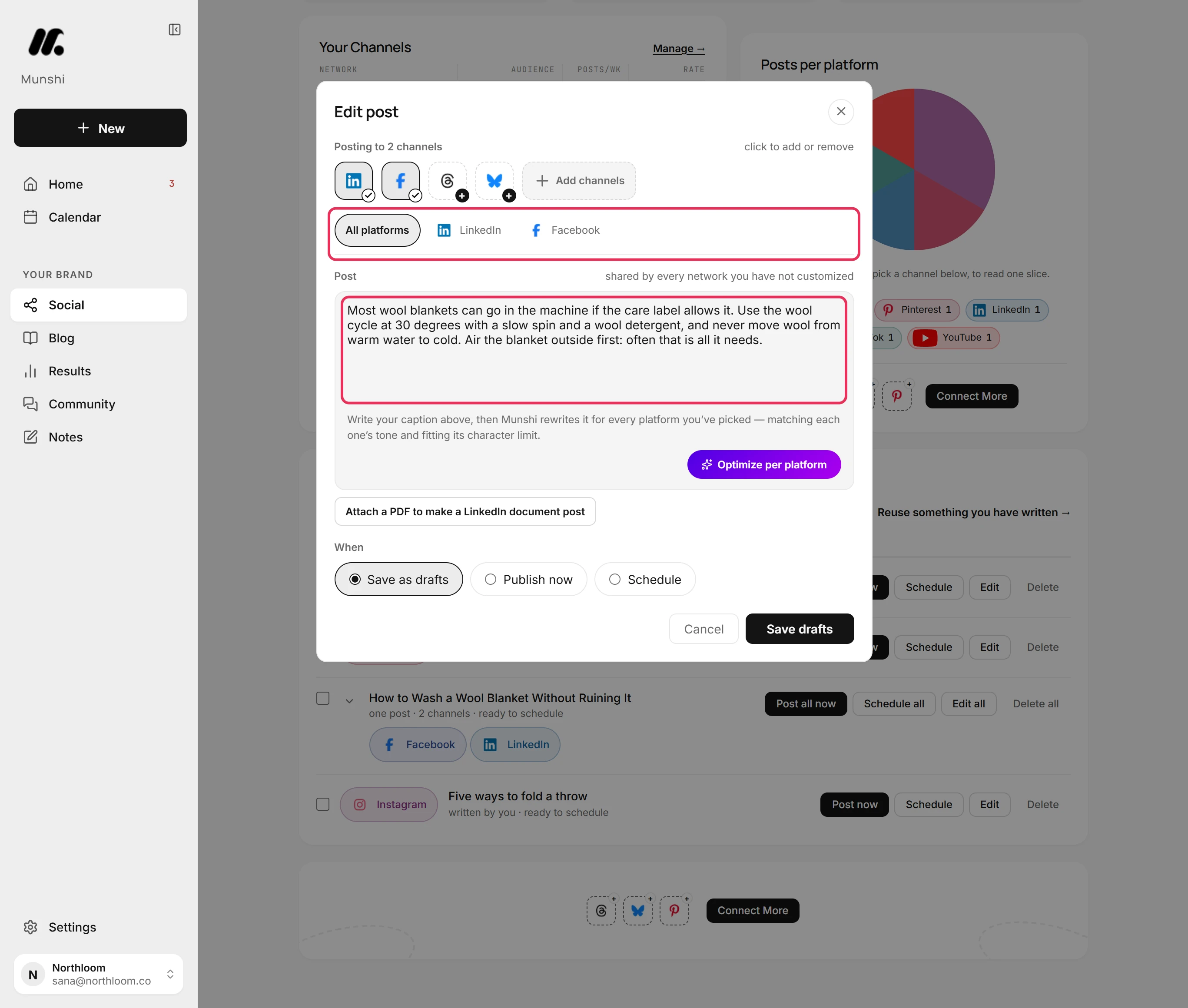
Click Edit all. The composer opens as Edit post, with both channels picked. The text is the article's answer capsule.
-
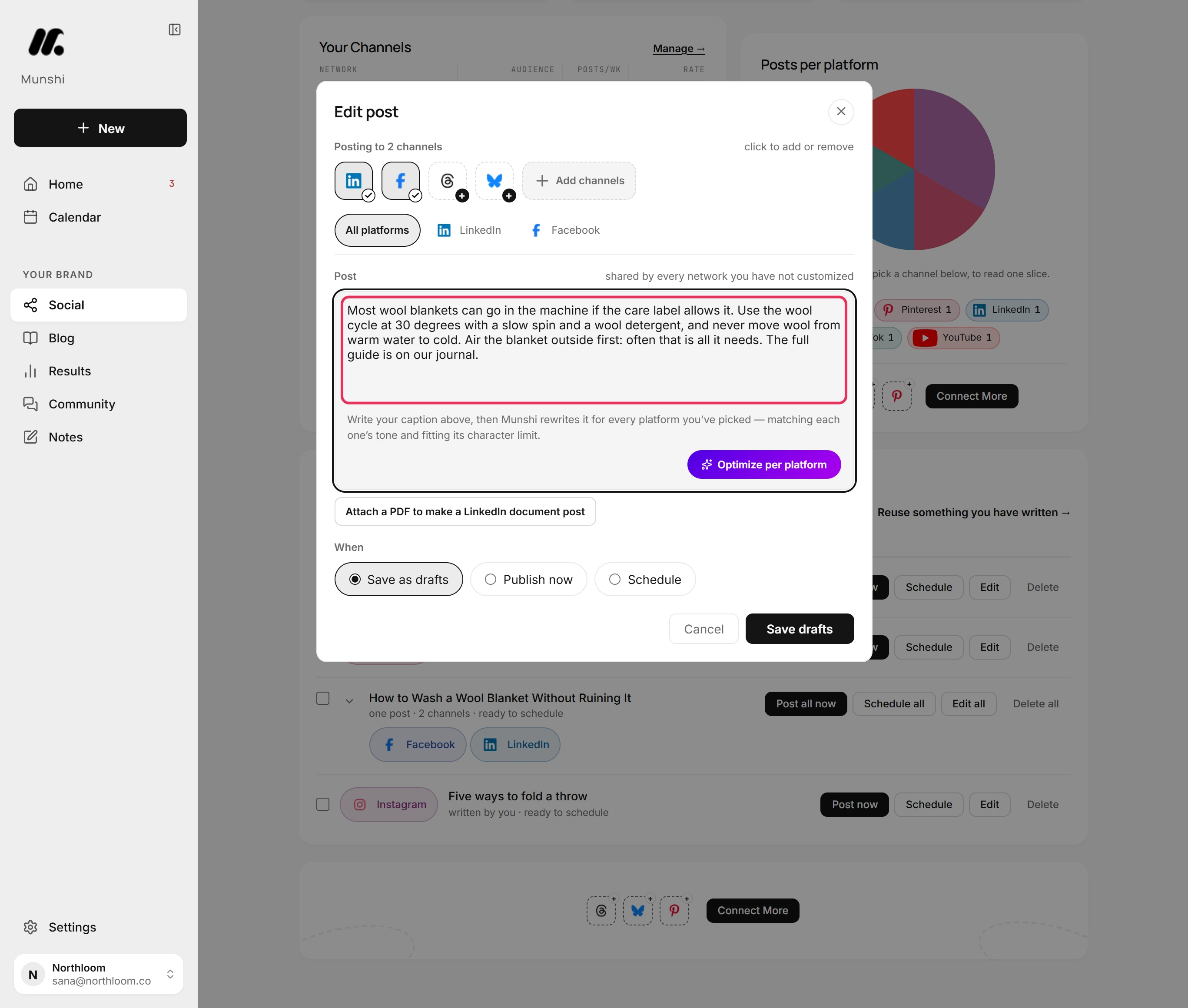
Add what the post still needs, such as a line that sends readers to the article. Text in All platforms goes to every channel that does not have its own text.
-
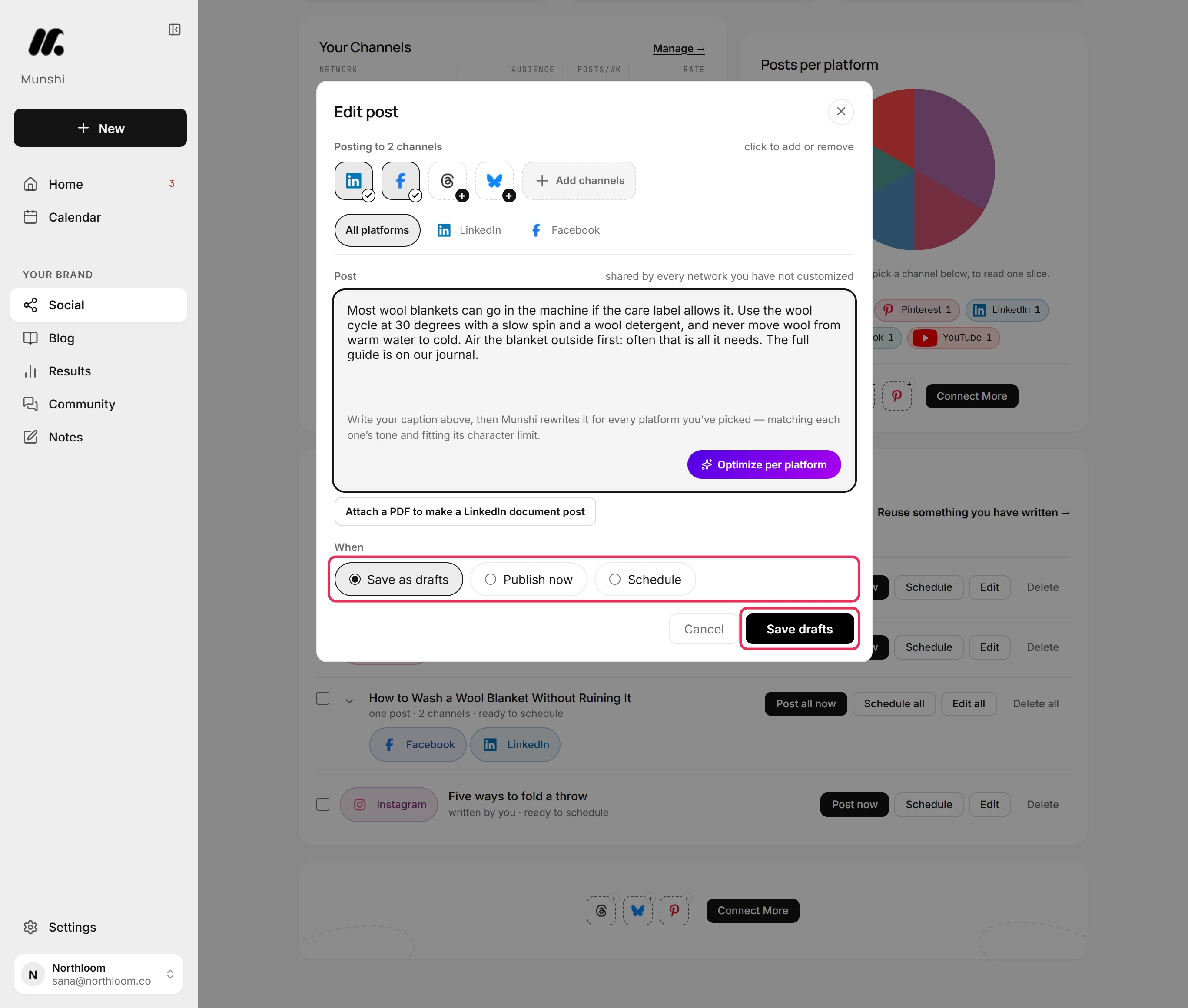
Leave Save as drafts picked and click Save drafts. Munshi keeps your changes and takes you back to Social. Nothing is sent.
Where you are now
The article is now a post for LinkedIn and Facebook, waiting in Drafts until you schedule it. Its card under Reuse shows a tick for both channels, so Munshi does not offer them a second time.
If something goes wrong
“Nothing to reuse yet”
Click Go to the blog plan and write an article. Its card then appears here. No blog article has been started in this workspace yet.
“A reel on Instagram needs a video.”
In the composer, click that channel's tile to take it off, then save. Post to it from New with the video instead. A post made from an article has no video.
A channel has a tick, but nothing went out there
Delete that channel's draft on the Drafts tab, and you can pick the channel again. A tick means the article already has a post for that channel, sent or still a draft.
“Some of what you can reuse did not load, so this list is incomplete. Everything already written is safe.”
Click Try again. Munshi could not read part of the list. Your articles and drafts are untouched.
Try it on your own brand this week.
Munshi Social, the AI content marketing engine for small teams, plans, writes, publishes, and tracks your blog and socials. The guide above shows the real app, not a mock-up.
Start your workspace