How to post to Pinterest from Munshi
Pick Pinterest, add a picture and a description, and choose a board. Then schedule the pin. A video pin also needs a cover image.
Before you start
- Pinterest connected to the workspace. How to connect Pinterest shows how.
- A picture or a video for the pin. Pinterest does not take a pin without one.
-
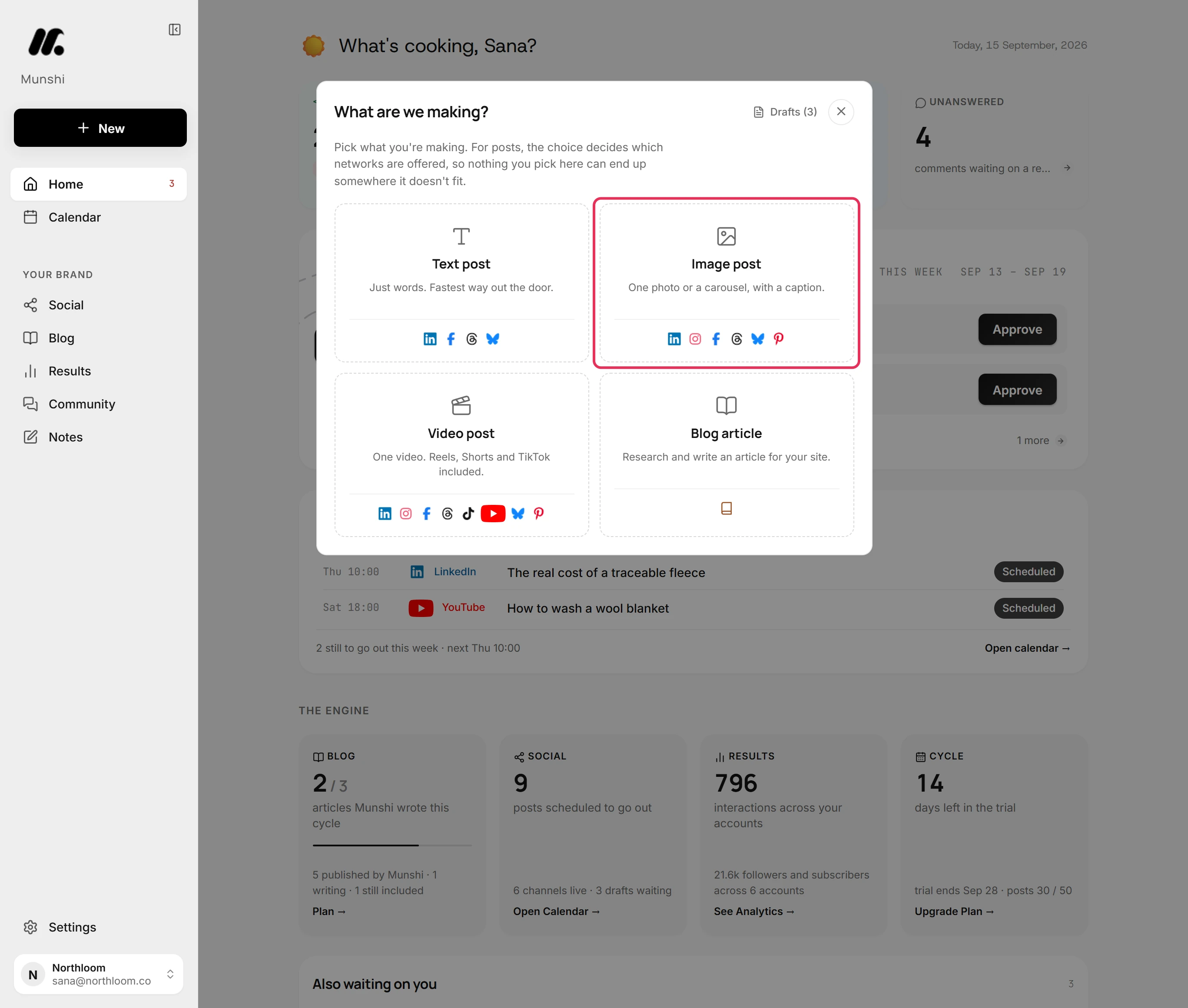
Click New at the top of the sidebar, then pick Image post. Every pin needs a picture or a video, so a Text post does not offer Pinterest. For a video pin, pick Video post.
-
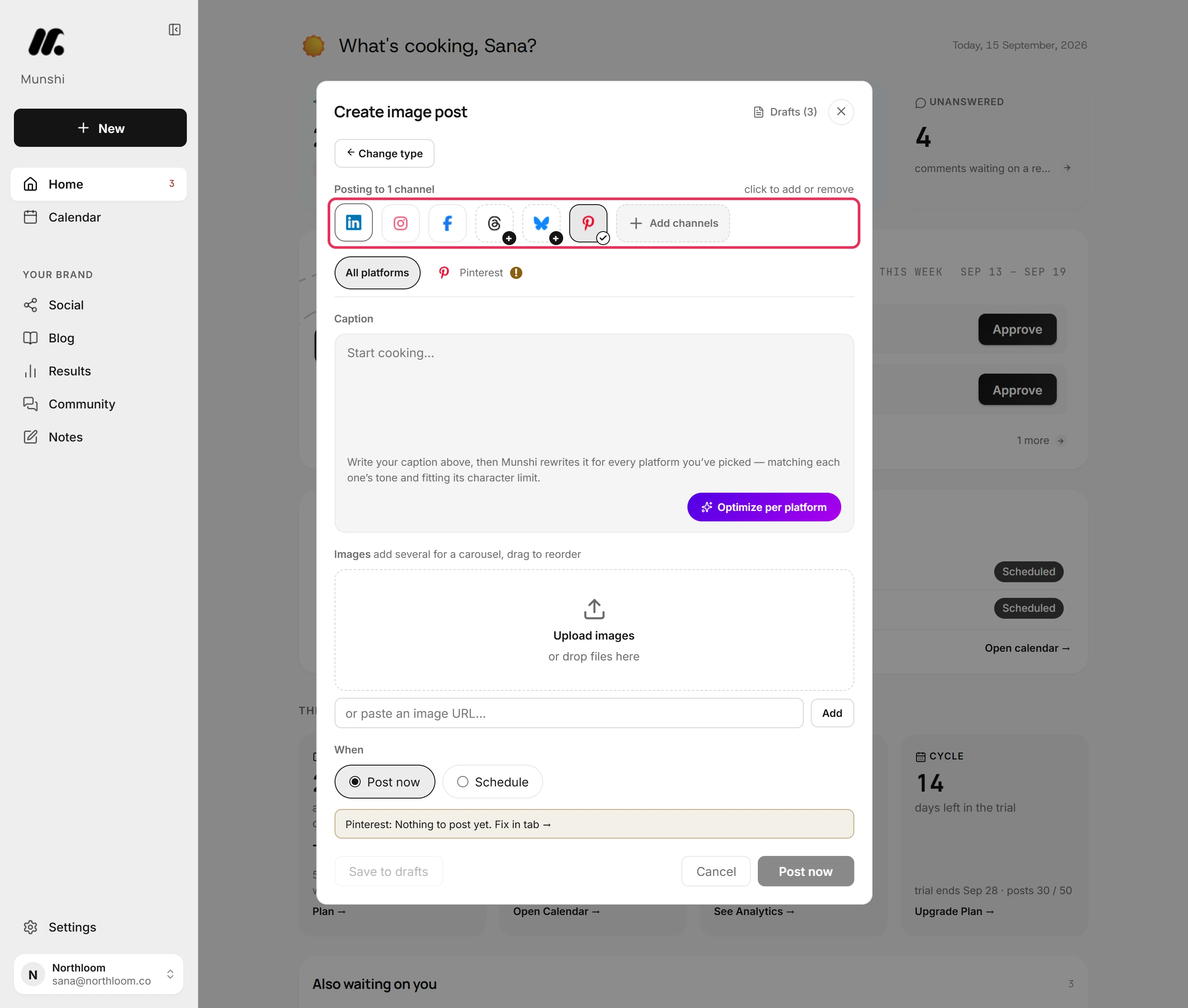
Click Pinterest to add it. A new post starts with one network already picked. If the post is only for Pinterest, click that one to take it off.
-
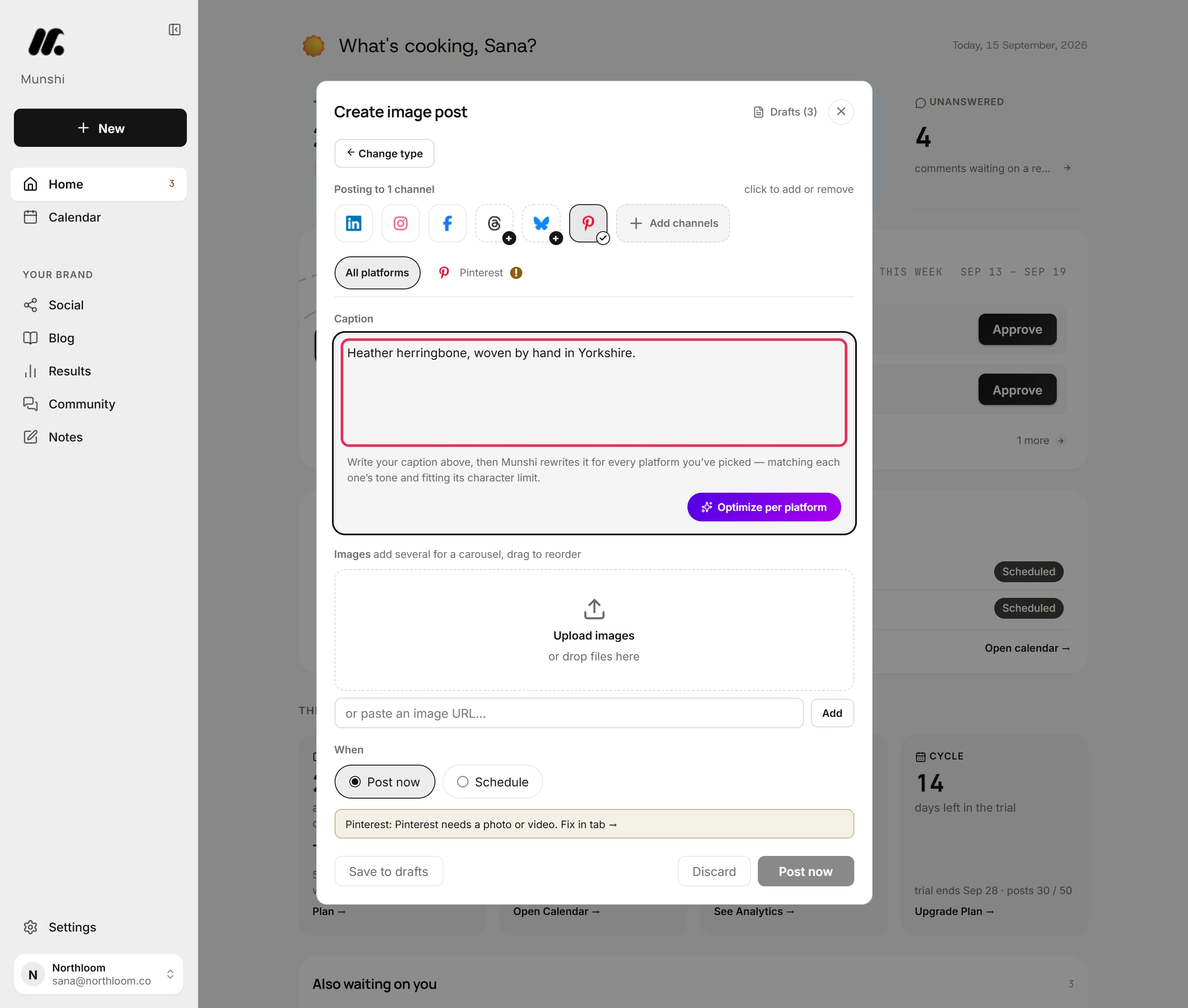
Type the pin's description in the Caption box. Pinterest takes up to 500 characters, and its tab counts them.
-
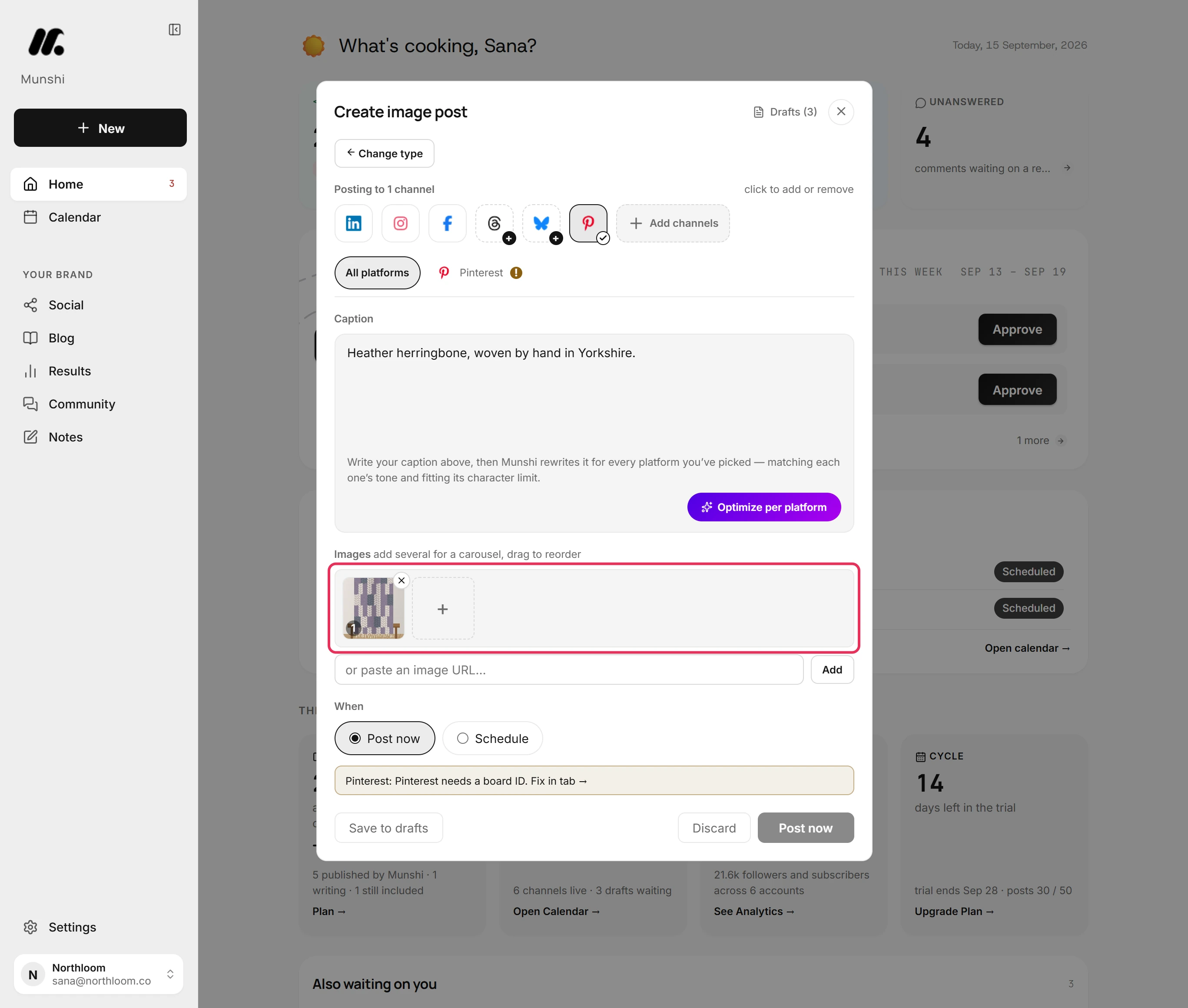
Click Upload images and pick the picture, or drop it on the box. A pin carries one picture or one video.
-
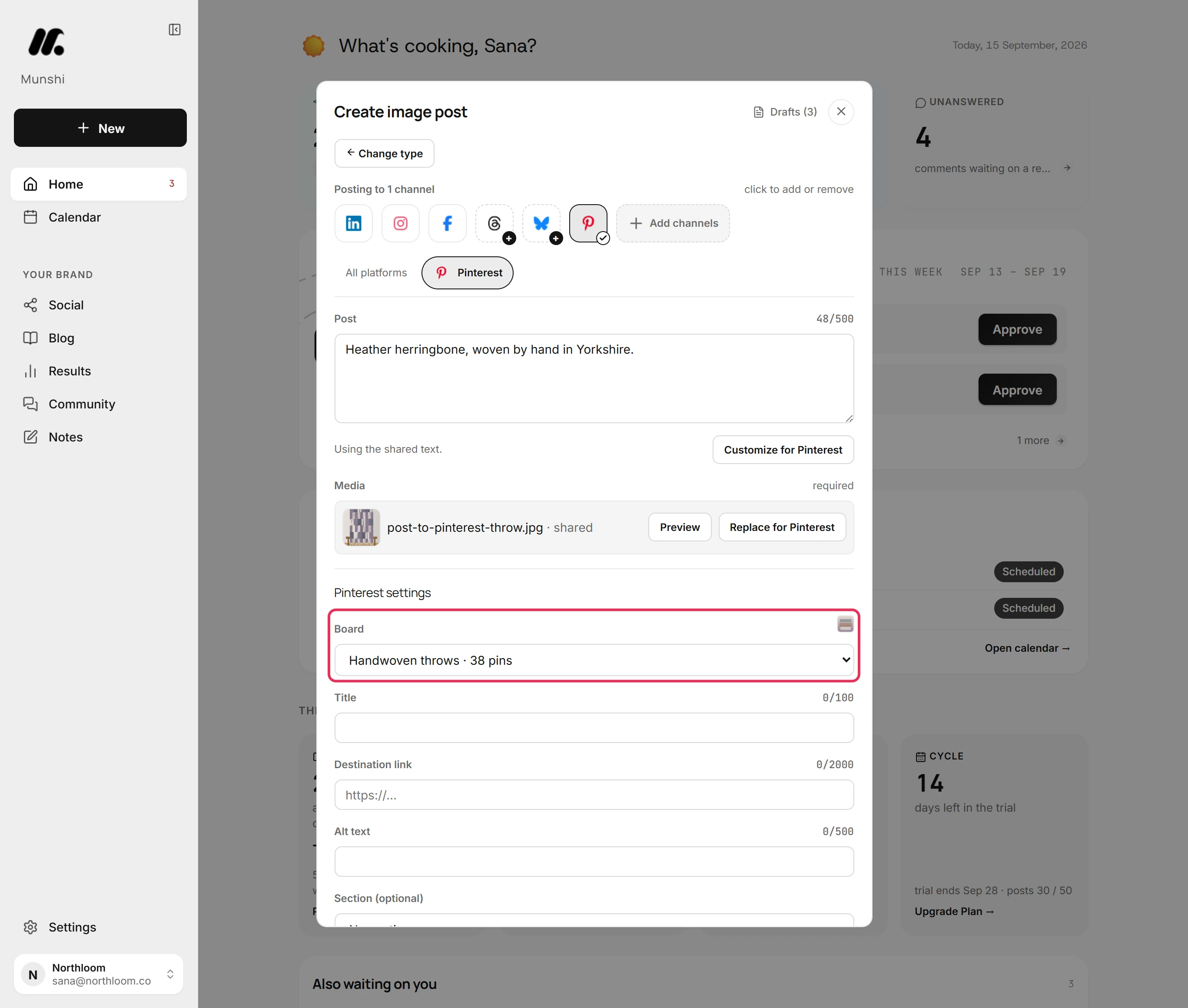
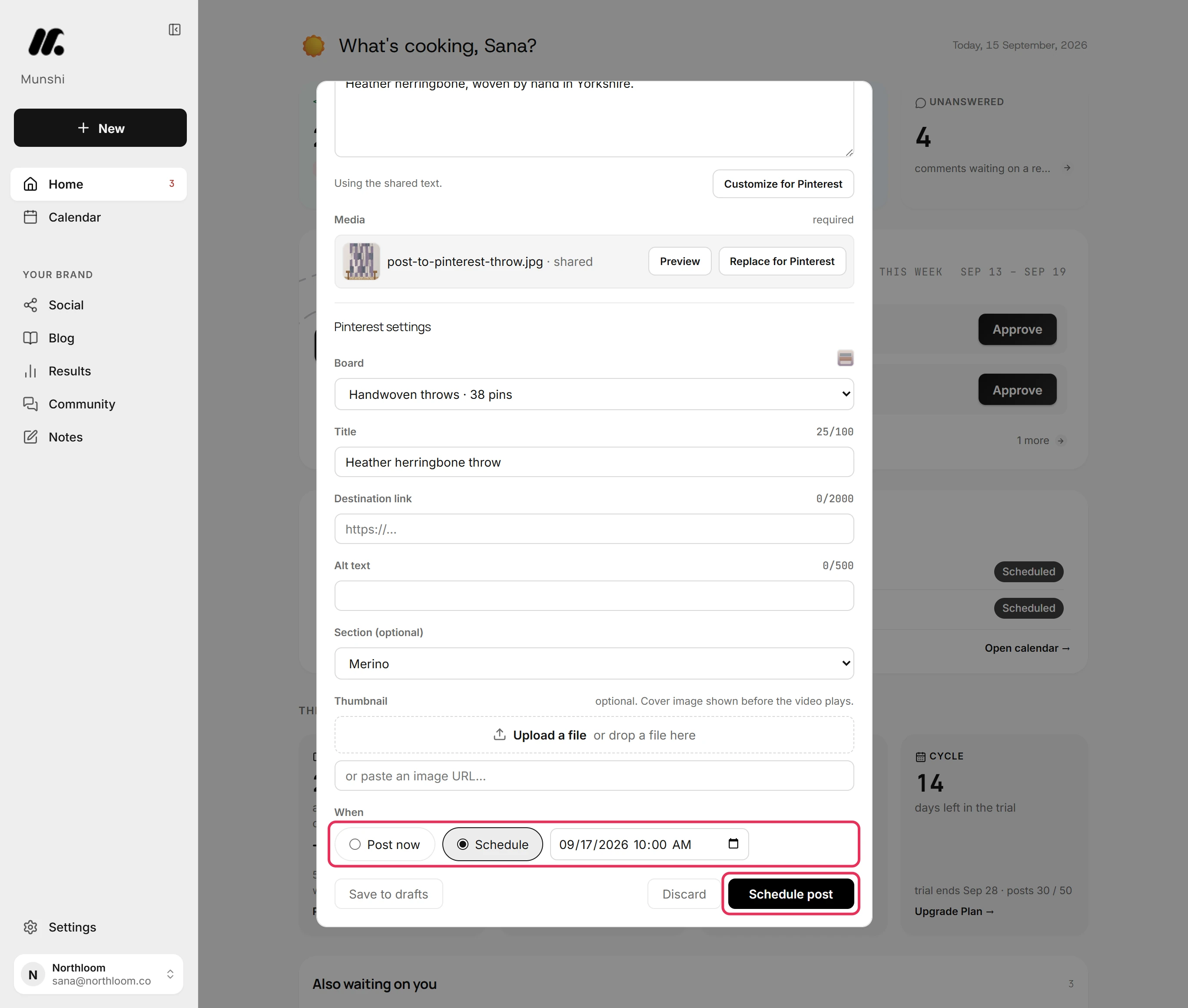
Open the Pinterest tab. Until a board is set, it says Pinterest needs a board ID. Under Pinterest settings, choose the board from Board. Each board shows its name and how many pins it holds.
-
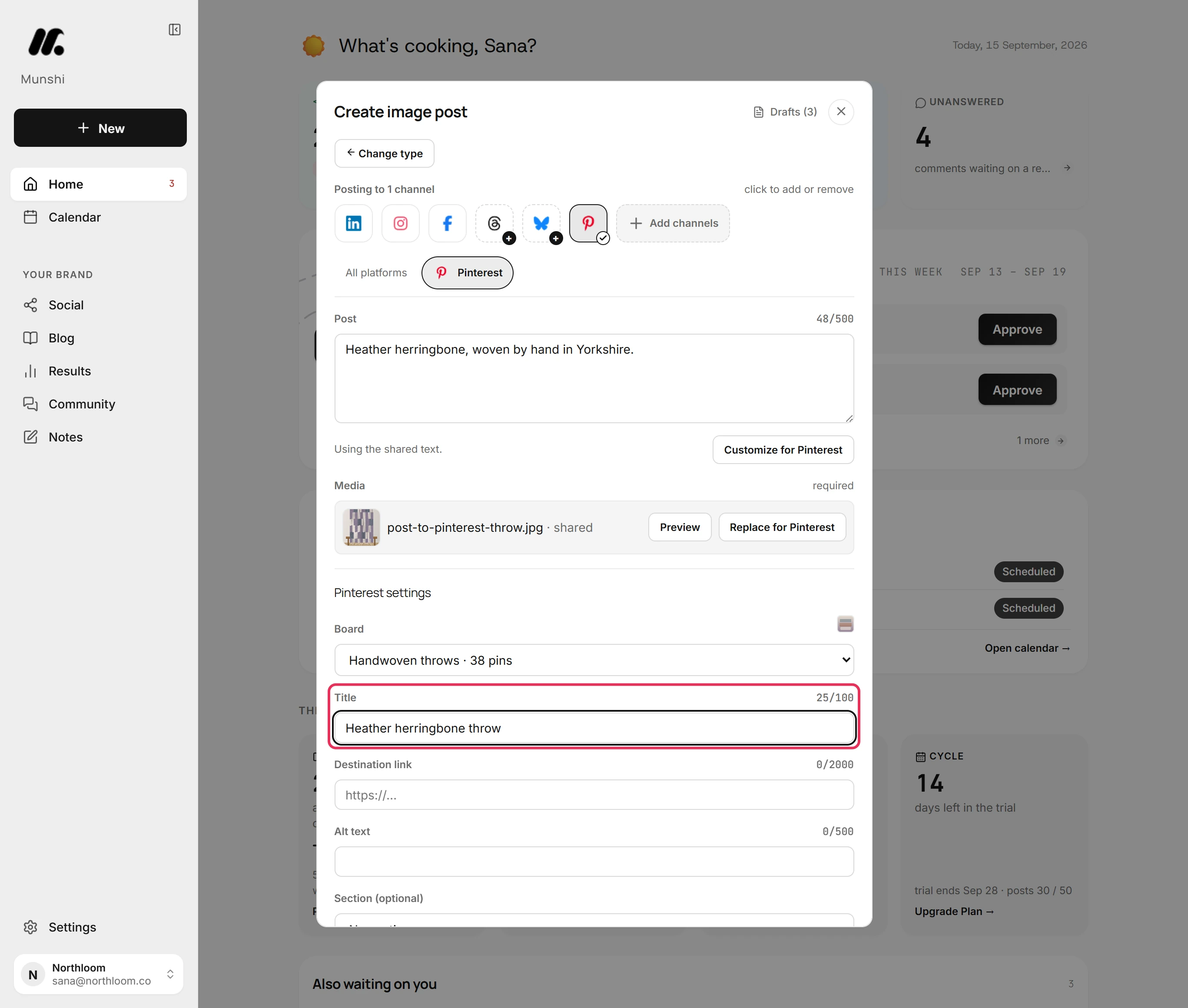
Type the pin's title in Title. It takes up to 100 characters.
-
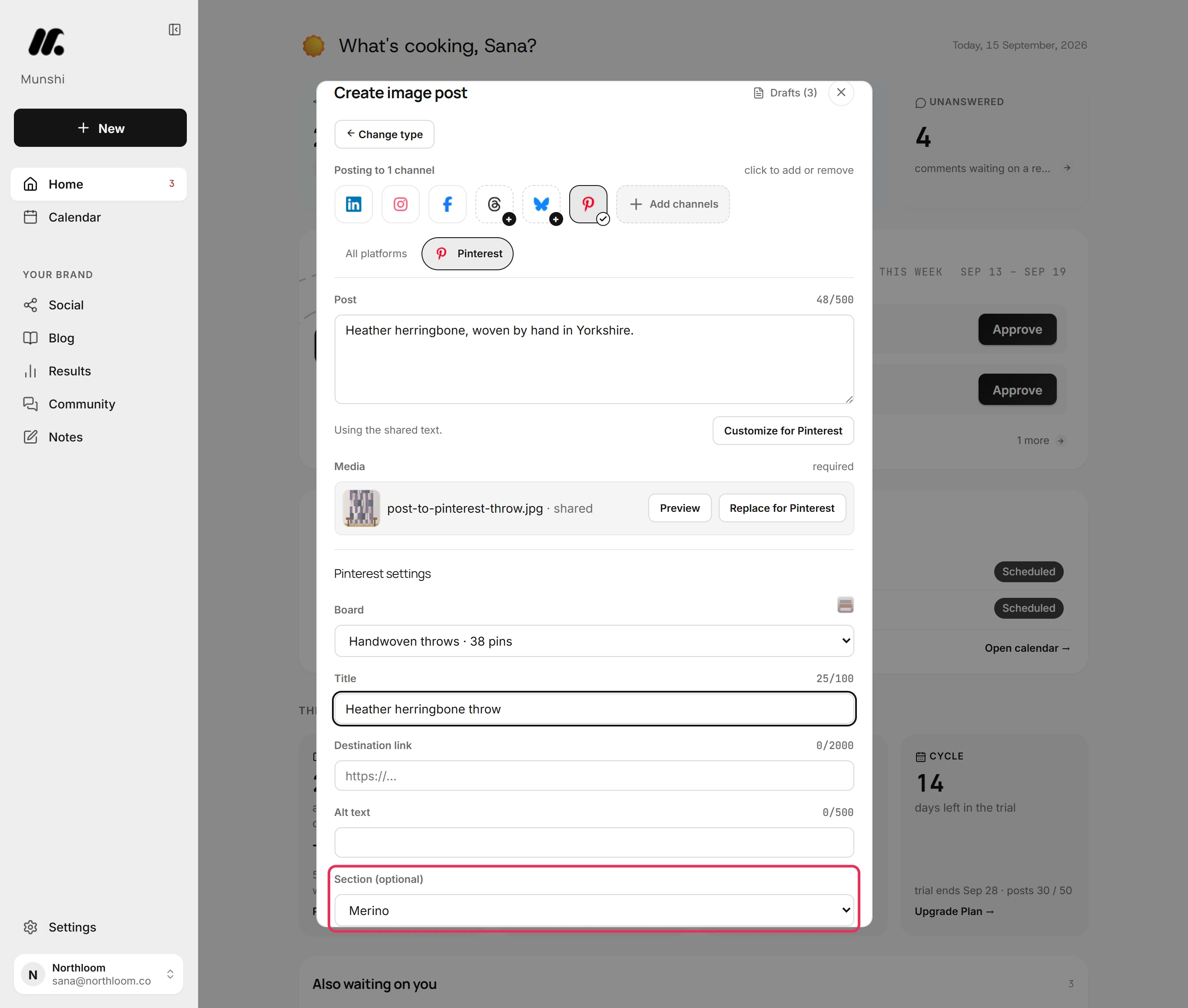
Once you choose a board, Section (optional) lists that board's sections. Pick one to file the pin there, or leave it on No section.
-
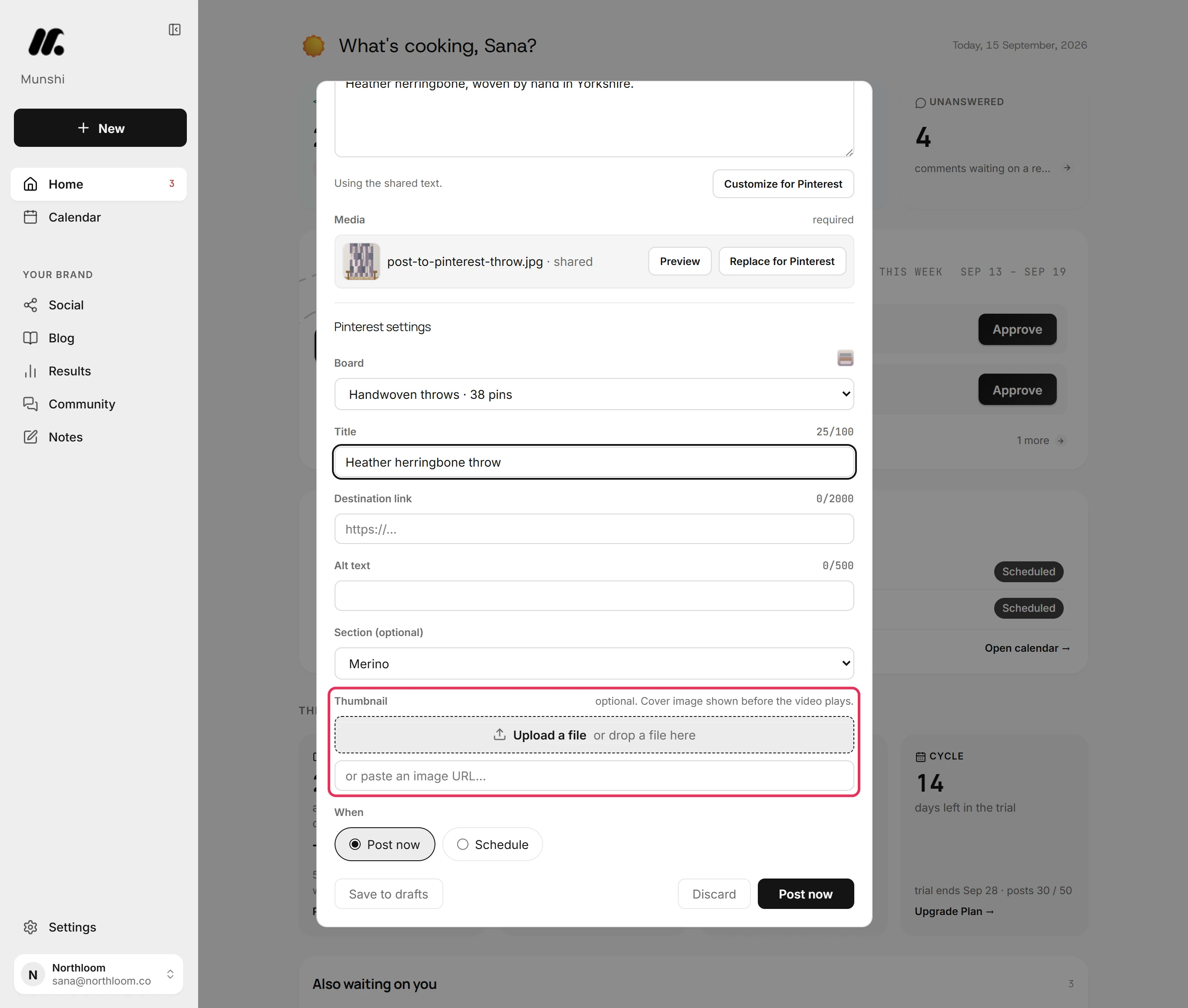
For a video pin, add a cover image under Thumbnail. The field says optional because an image pin does not use it. A video pin without a cover is refused with “Pinterest needs a cover image for a video pin.”
-
Under When, pick Schedule and set the date and time. Then click Schedule post. Munshi confirms the time and takes you to Social.
-
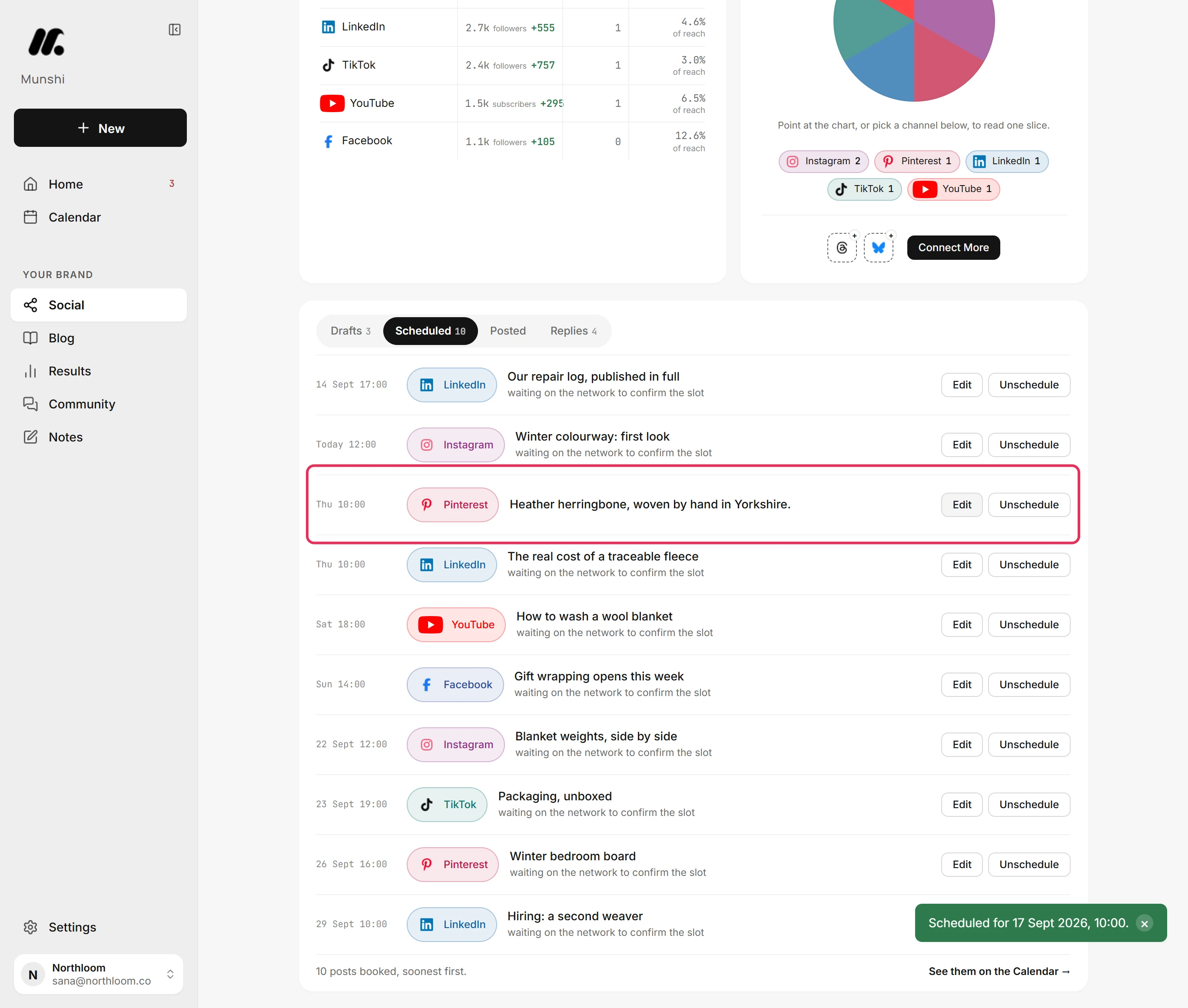
Open Scheduled. The pin is listed with its day and time. Edit reopens it, and Unschedule moves it back to Drafts.
Where you are now
The pin is scheduled for its board. It waits under Scheduled until its time, then goes to Pinterest.
If something goes wrong
“Pinterest needs a board ID.”
Open the Pinterest tab and choose a board under Board, or create one there. Pinterest needs a board also covers ads-only and deleted boards.
“Pinterest needs a cover image for a video pin.”
Add an image under Thumbnail in the Pinterest tab, then schedule the pin again. A video pin needs a cover.
“A Pinterest post carries one media item. Remove 1.”
Remove the extra pictures, because a pin carries one. Or click Replace for Pinterest in the Pinterest tab to give Pinterest its own picture. The other networks keep theirs.
“Pinterest isn’t connected yet.”
Click Connect Pinterest in the Pinterest tab. The workspace has no Pinterest account yet. Your post stays in the composer while you connect.
Try it on your own brand this week.
Munshi Social, the AI content marketing engine for small teams, plans, writes, publishes, and tracks your blog and socials. The guide above shows the real app, not a mock-up.
Start your workspace