How to add a topic of your own to the plan
Click + Topic on the Write tab, type a title and pick a focus area. Your article idea then waits in the blog plan, ready to write.
Before you start
- A blog strategy with the focus area the topic belongs to. You can also add a topic with no focus area. It then lists under Unassigned.
-
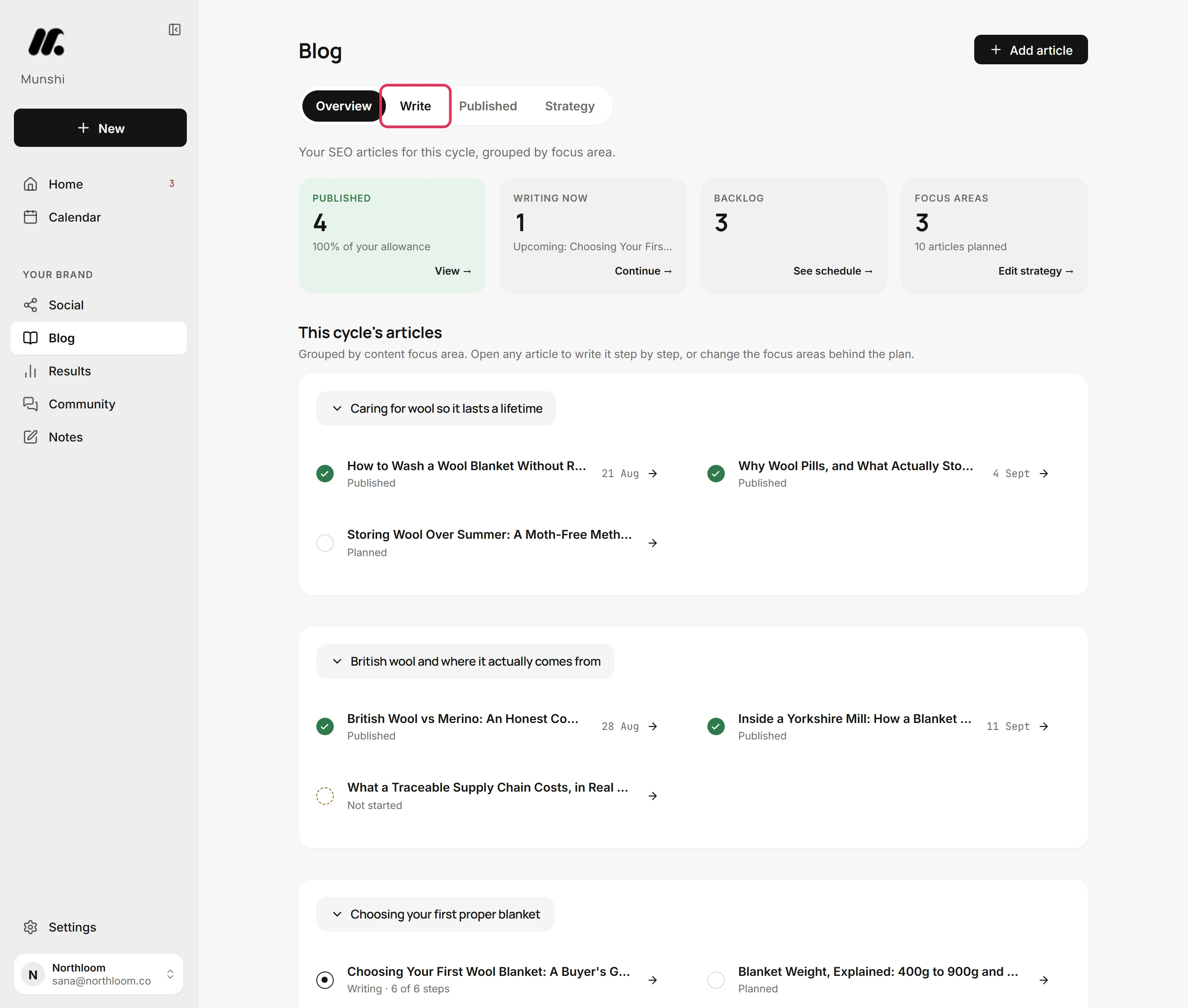
In Blog, click the Write tab. It opens on the Coverage Matrix. This grid shows every topic in the plan against each channel it can be written for.
-
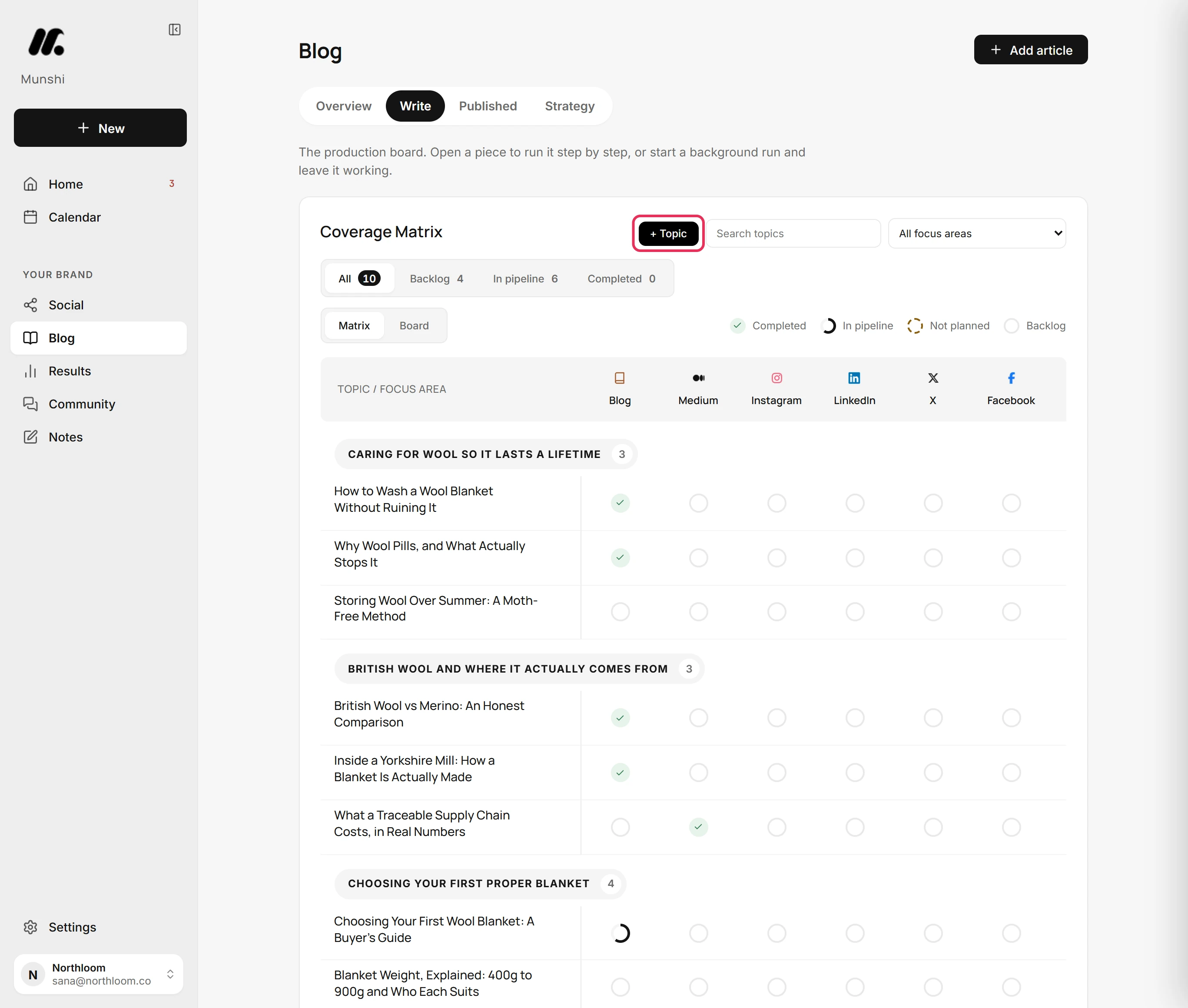
+ Topic sits at the top of the Coverage Matrix, beside the search box. Click it to open a short form above the matrix.
-
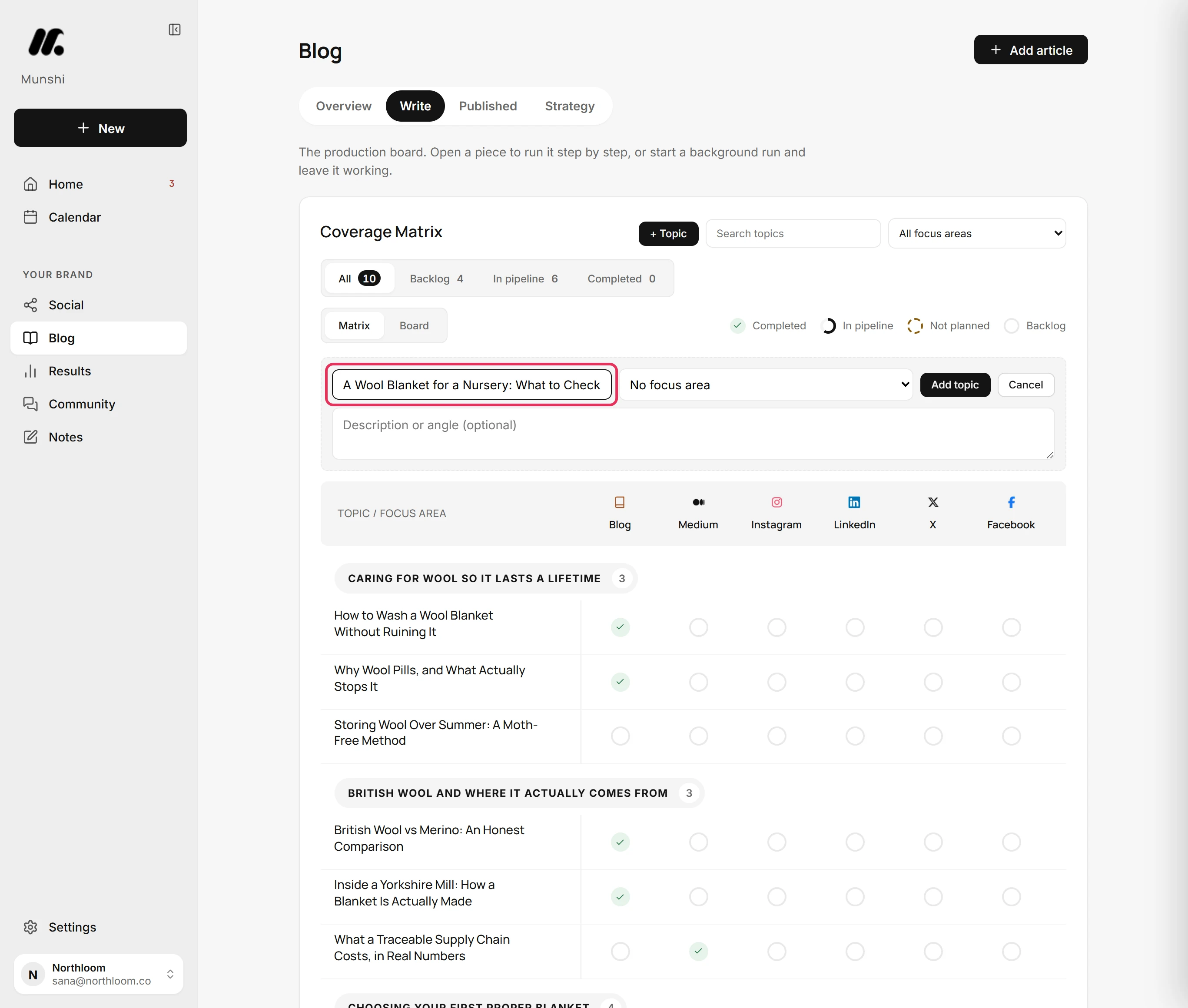
Type the article's working title in Topic title. The writer starts from this title. Write it the way a reader would search for it.
-
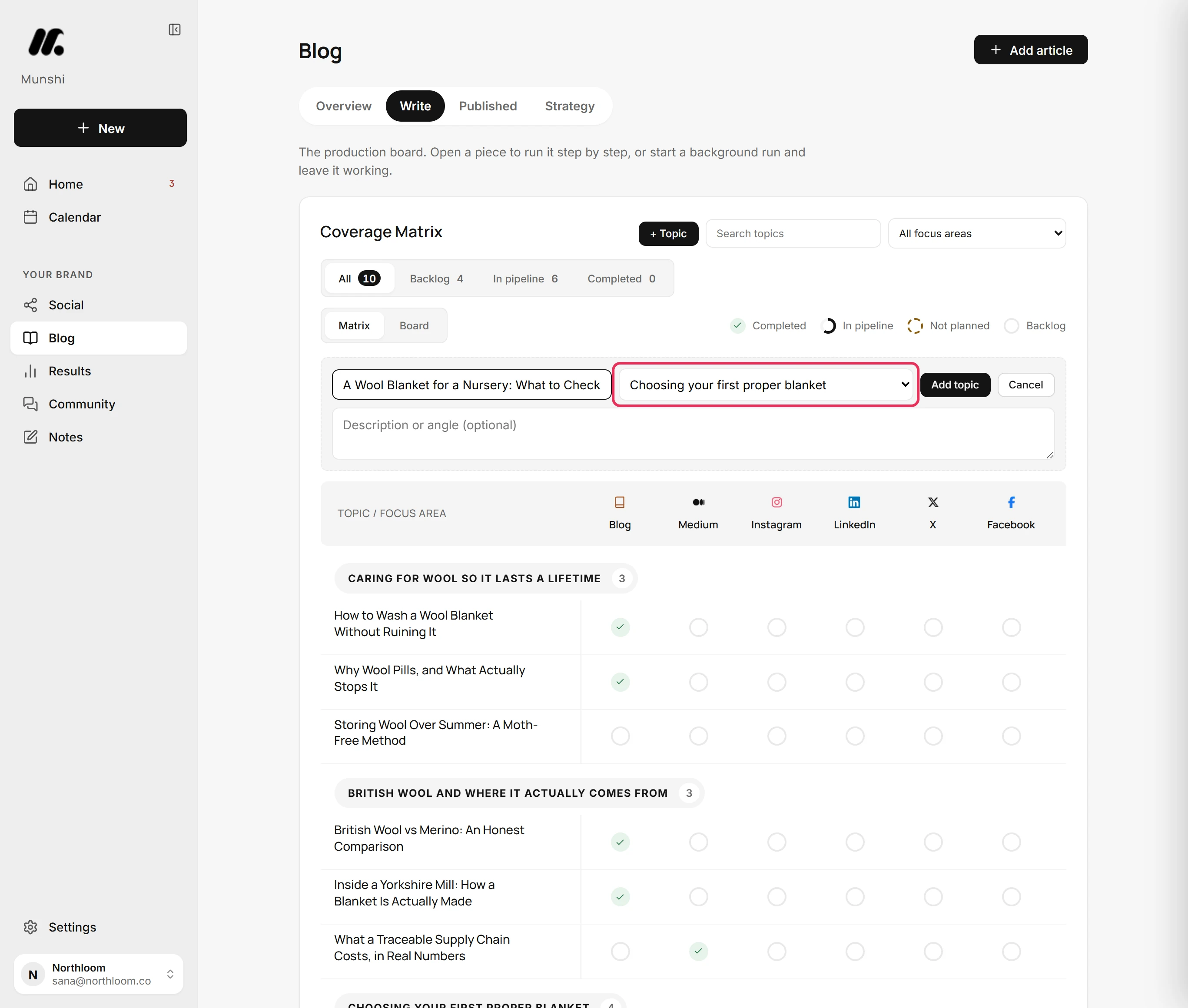
Choose its focus area from the list beside the title. If you leave it on No focus area, the topic lists under Unassigned.
-
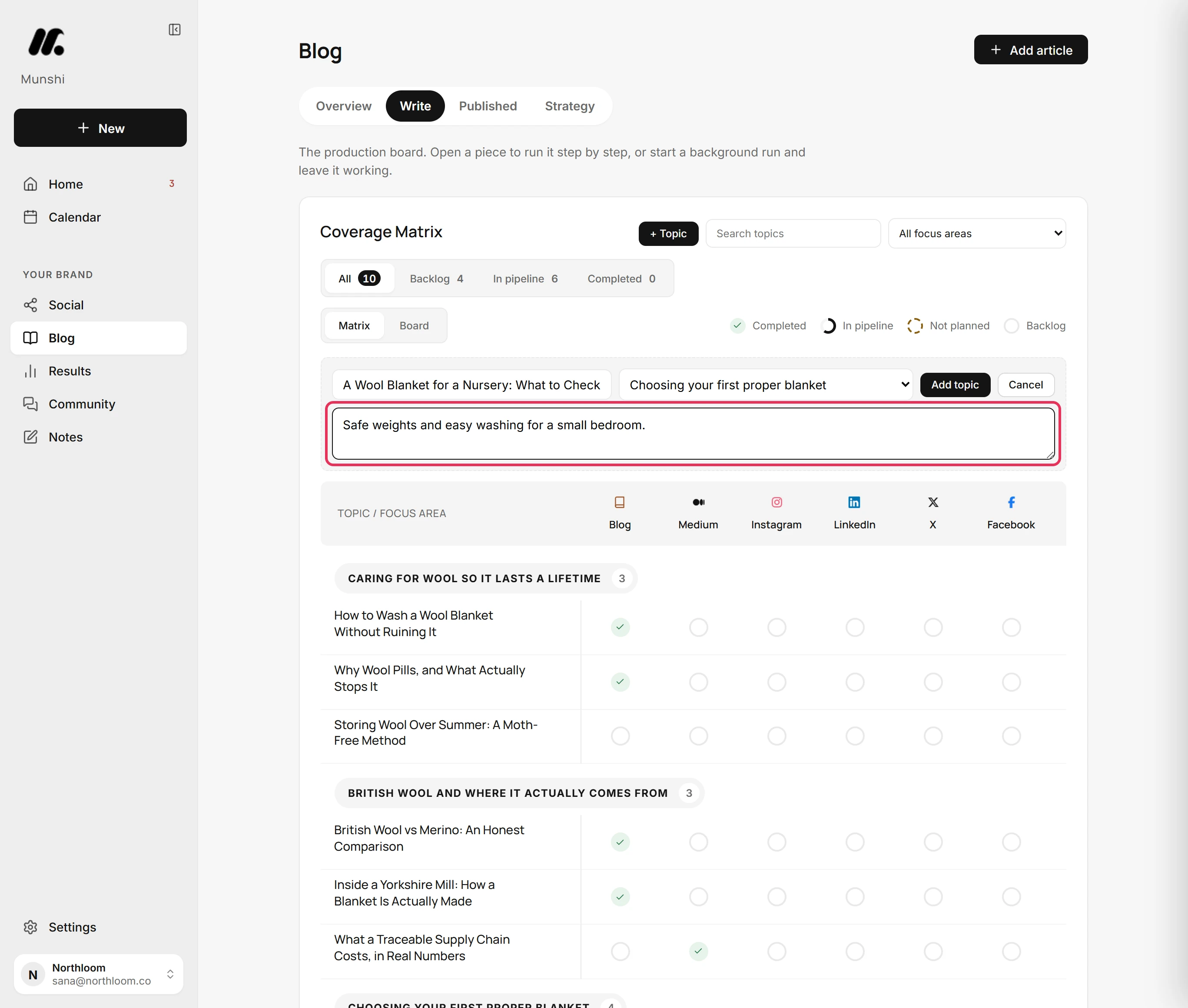
In Description or angle (optional), write a line on what the article should cover or argue. The writer uses it as the brief for the piece.
-
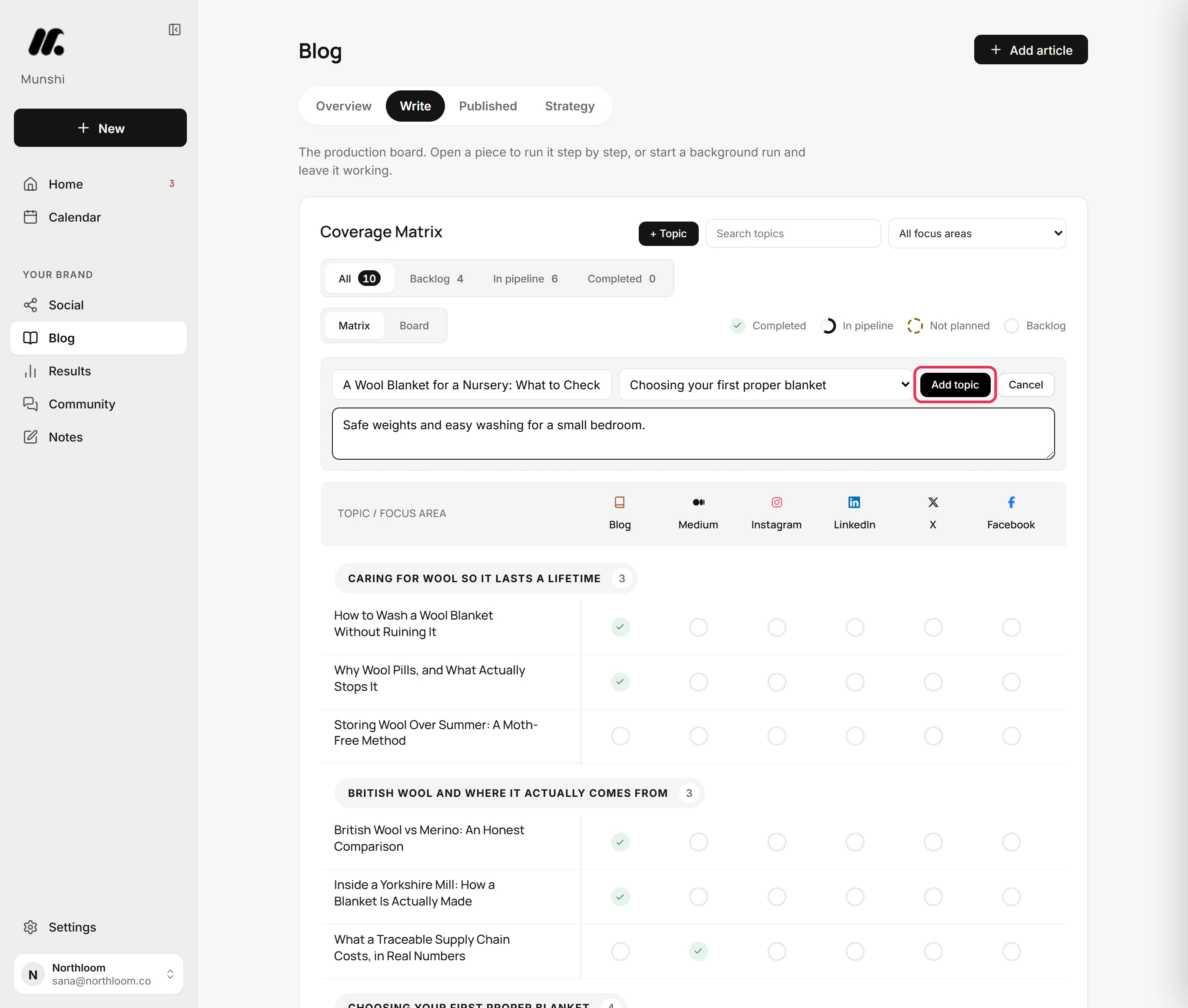
Click Add topic. Munshi shows Topic added and the form closes.
-
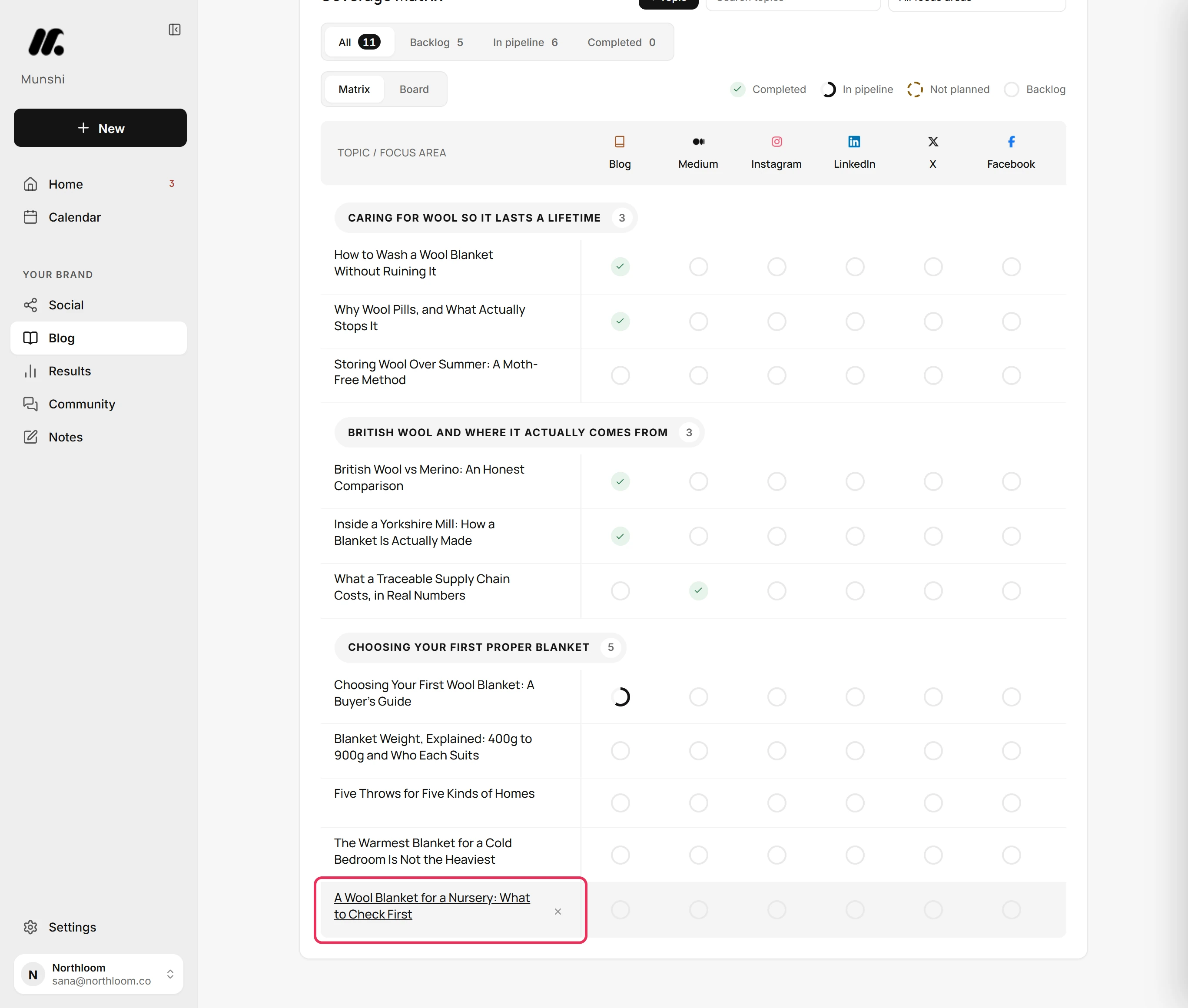
The topic is now a row under its focus area. Every channel starts as an empty circle, which the legend calls Backlog. Click its Blog cell when you are ready to write it.
-
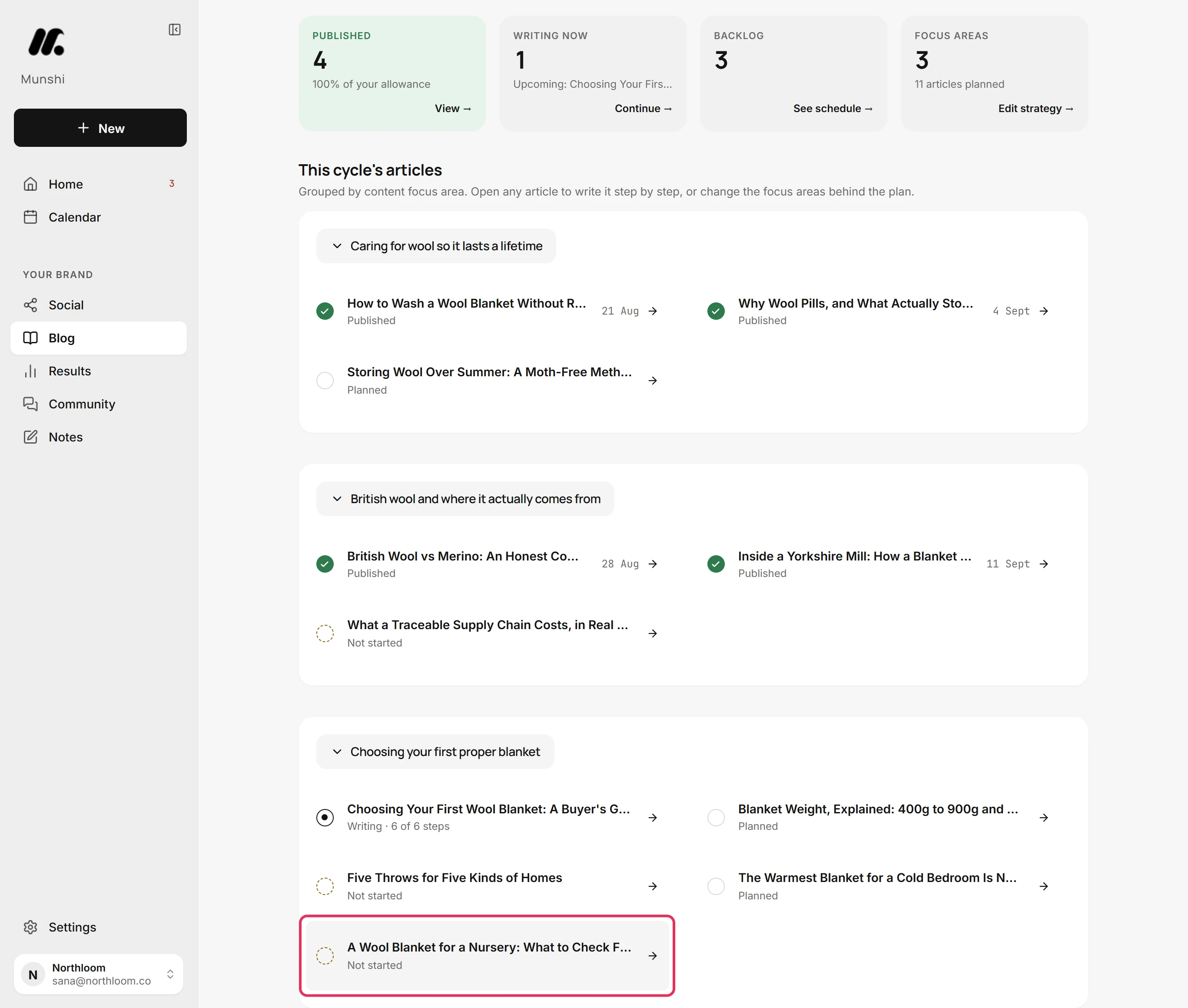
Open the Overview tab. The topic sits in the same focus area and reads Not started until work on its article begins.
Where you are now
The topic is in the plan under its focus area. It shows on the Coverage Matrix and on the Overview, and waits there until you open its Blog cell and start the article.
If something goes wrong
The Add topic button stays grey
Type a title. The button stays grey while the title box is empty. The focus area and the angle are optional.
The topic landed under Unassigned
Delete it and add it again with a focus area. It went in with No focus area. Click the cross beside its title in the matrix, then click Delete? to confirm.
“Topic and all of its pieces deleted”
This confirms you deleted a row from the matrix. The topic and every piece started for it are gone from the plan. If that was a mistake, add it again with + Topic.
Try it on your own brand this week.
Munshi Social, the AI content marketing engine for small teams, plans, writes, publishes, and tracks your blog and socials. The guide above shows the real app, not a mock-up.
Start your workspace