Blog results: queries, pages, clicks and position
The Blog tab on Results shows the clicks Google sends you, how often you appear and where you rank. It also lists top searches and pages near page one.
Before you start
- Search Console connected, with your site chosen. How to connect Search Console shows how. The traffic figures on the same tab also need Google Analytics.
-
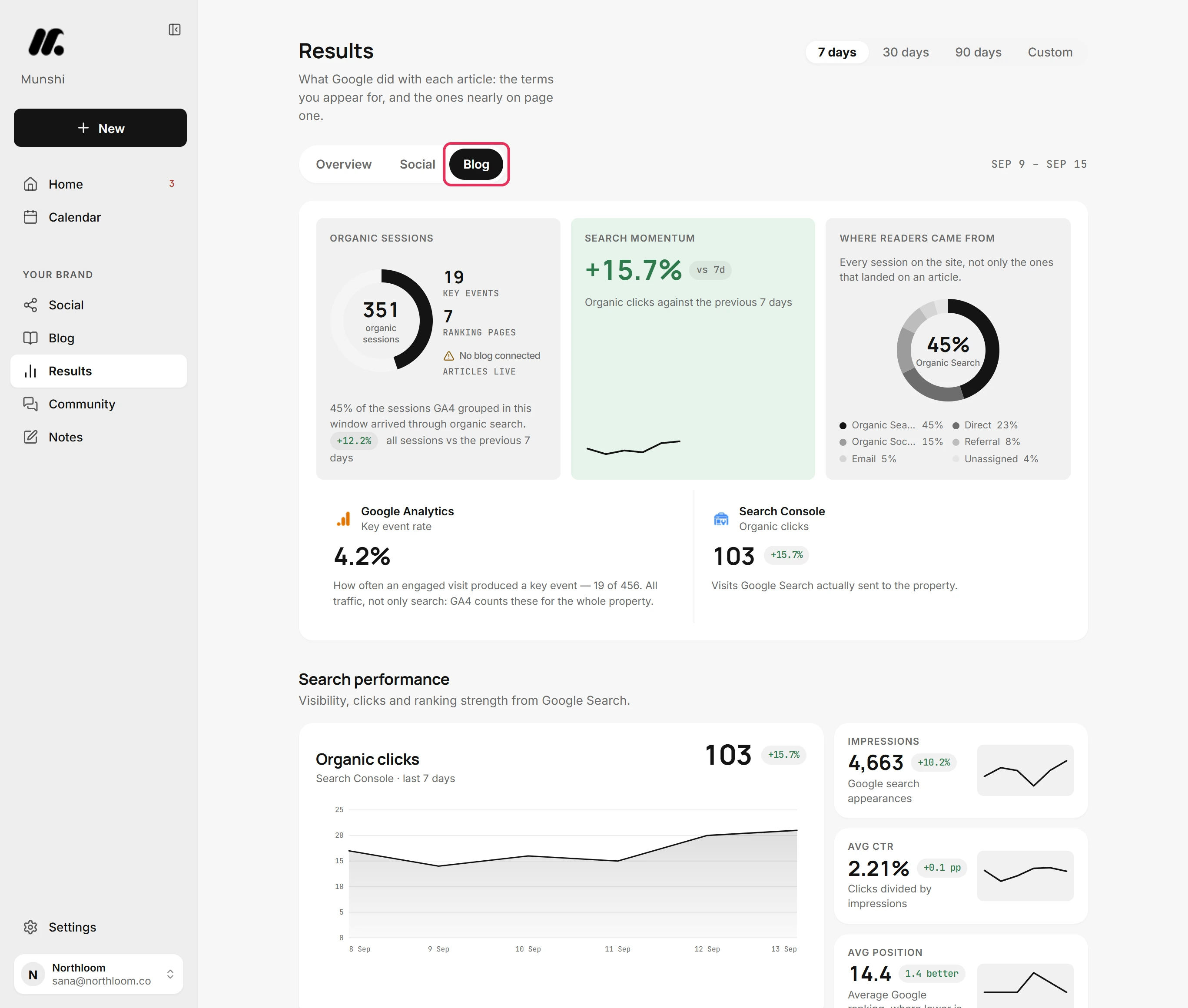
Click Results in the sidebar, then Blog. This tab shows what Google did with your pages. You see the searches you appear for and the pages nearly on page one.
-
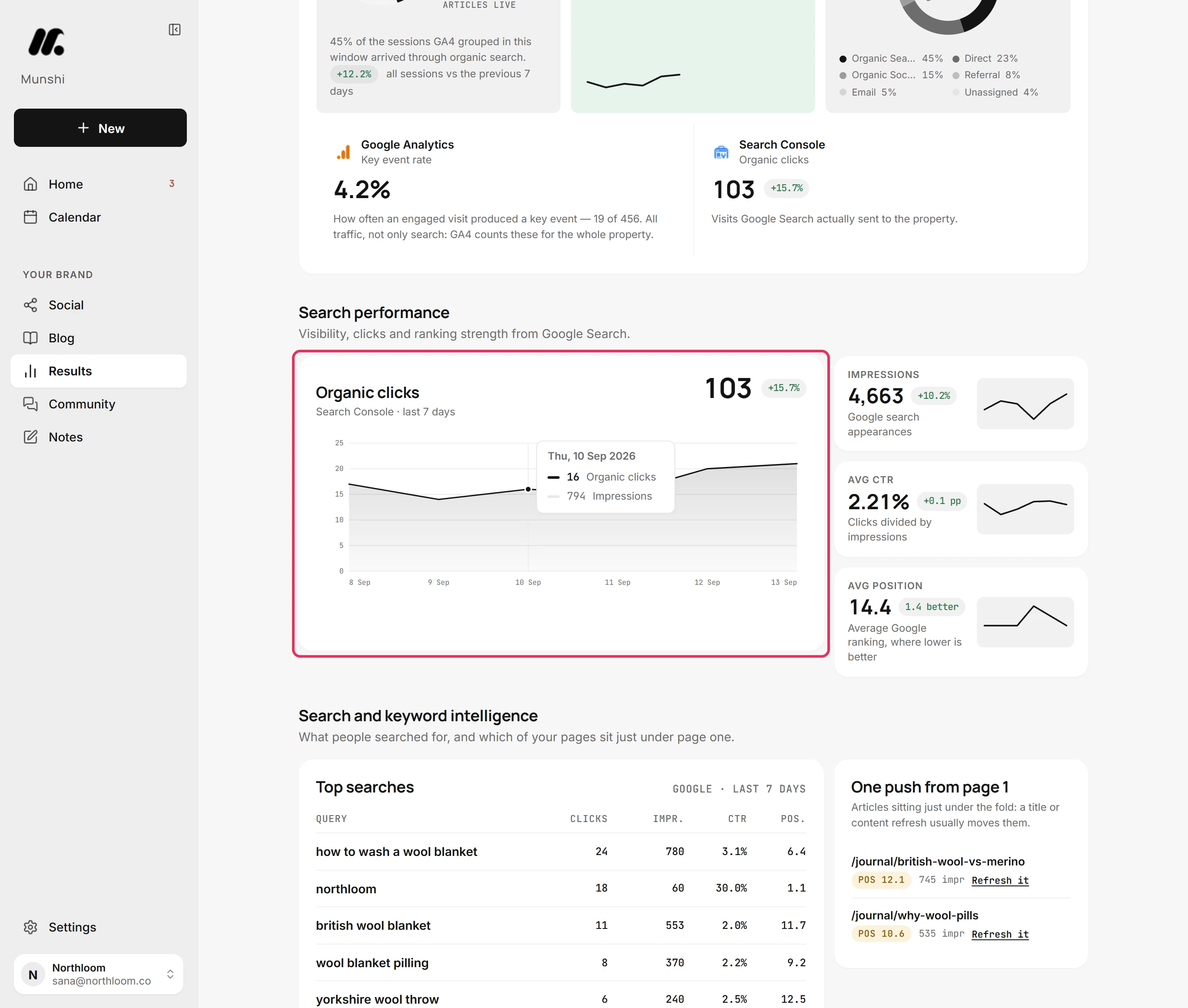
Under Search performance, Organic clicks counts the visits Google Search sent your site in the window. It shows the change against the window before, with a line for each day. Point at the line to read one day's clicks and impressions.
-
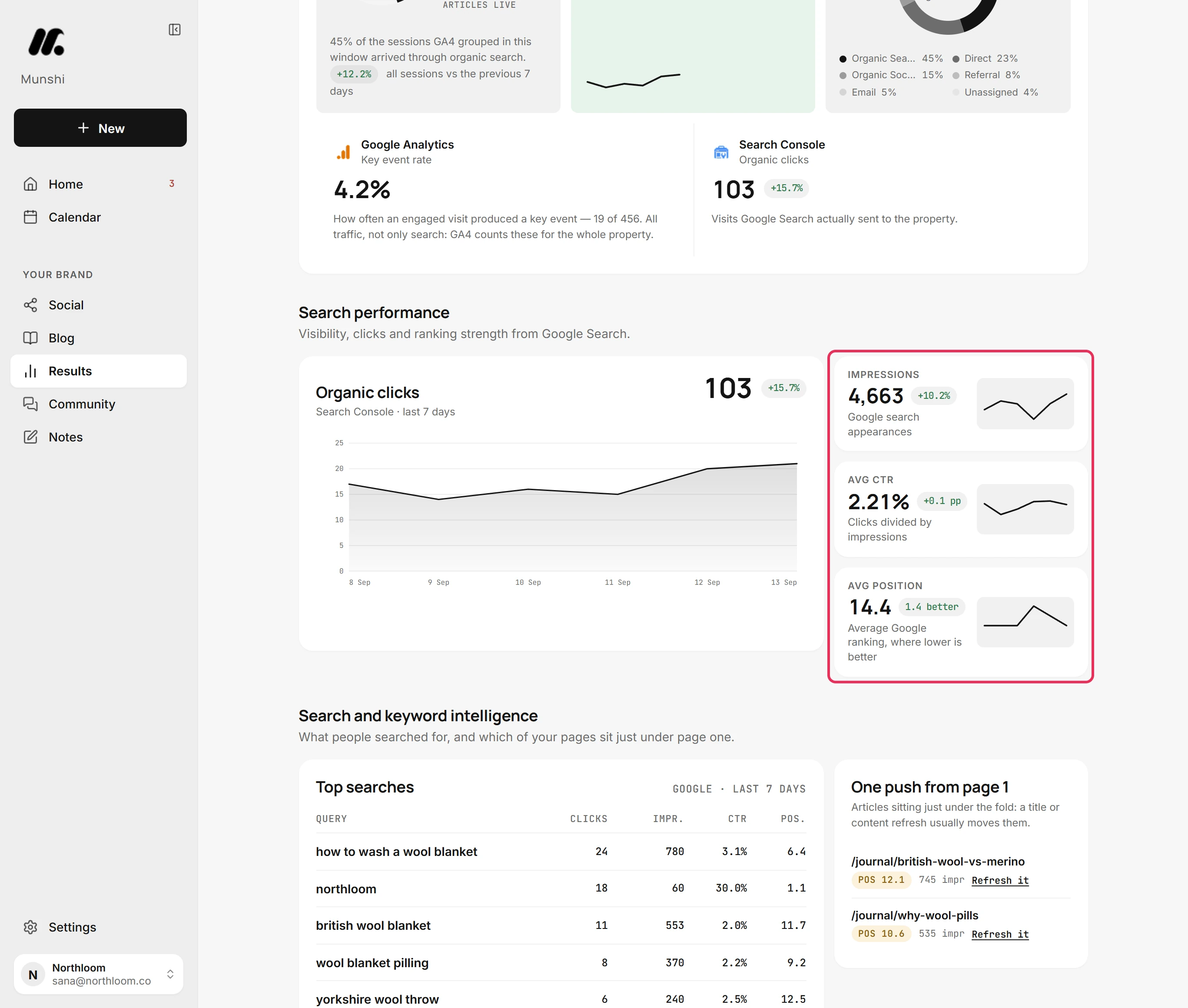
Impressions counts how often your pages appeared in Google Search results. Avg CTR is the click-through rate: clicks divided by impressions. Avg position is your average place in the results, where lower is better. Its chip says how many places better or worse it is than the window before.
-
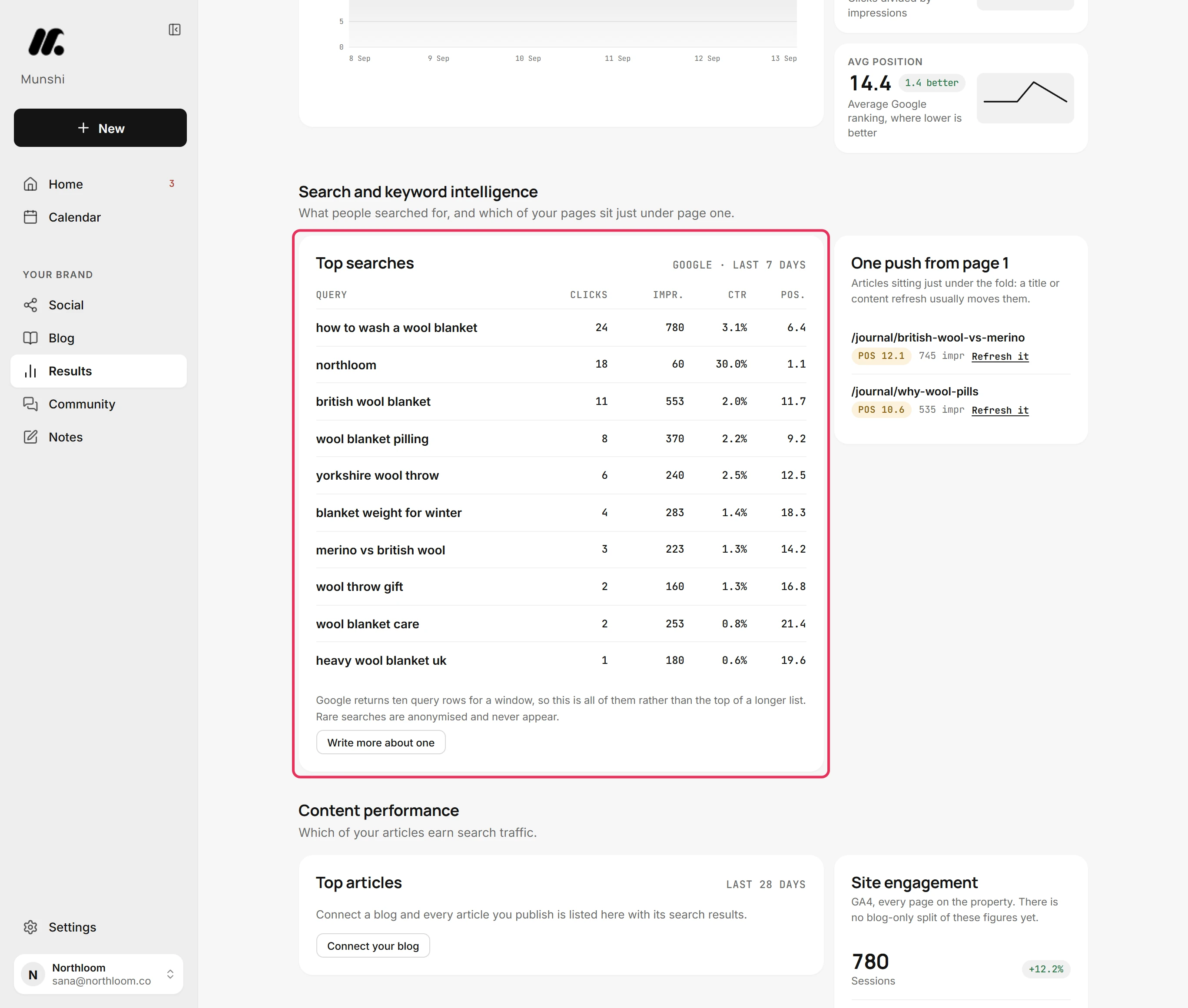
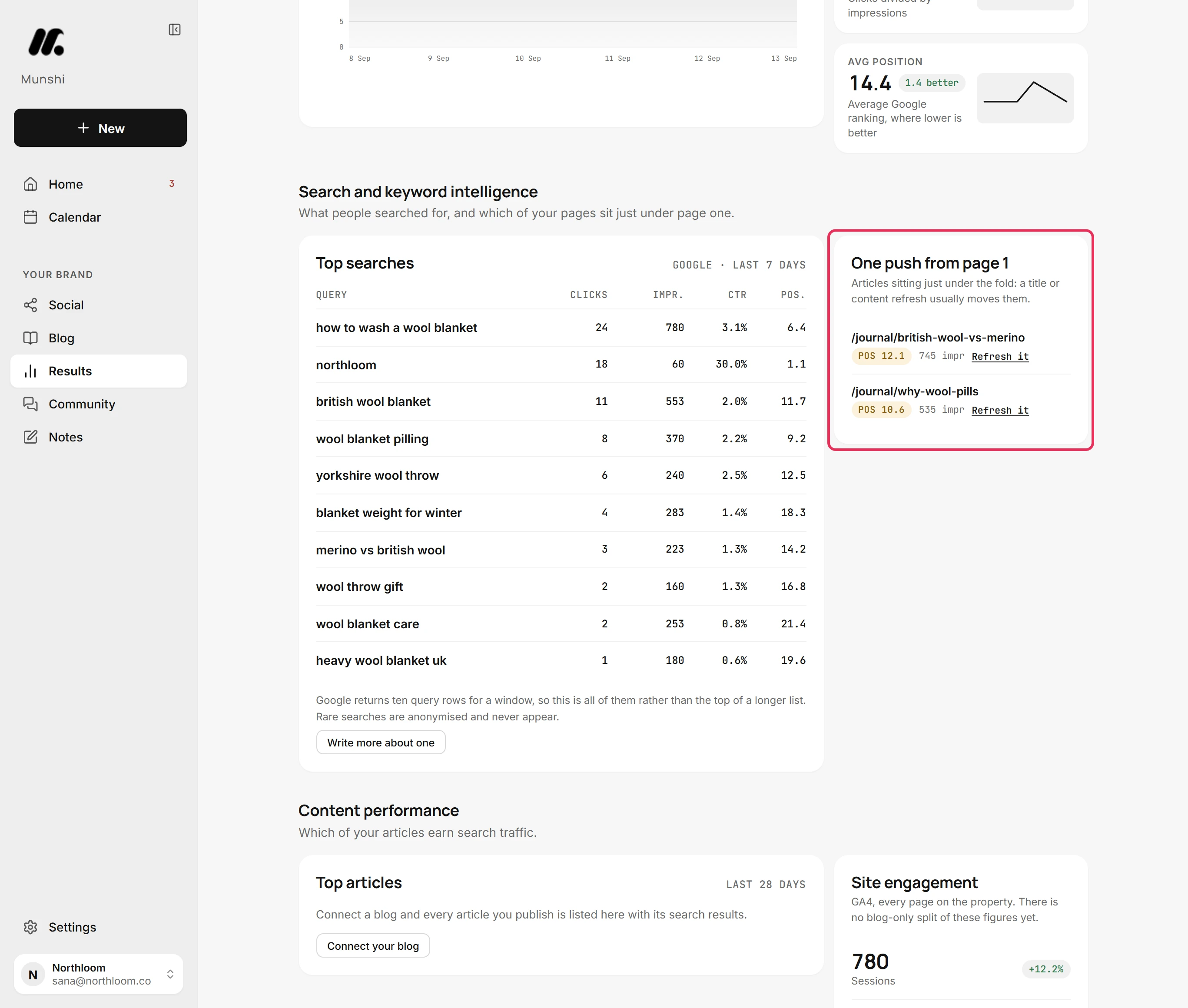
Top searches lists what people typed into Google before they found you. Each row has its Clicks, Impr., CTR and Pos. Google sends ten rows for a window, so this is the whole list. Rare searches never appear.
-
One push from page 1 lists up to five pages ranked between positions 10 and 20. For these, the card suggests a new title or a content refresh. Refresh it opens Blog, Published.
-
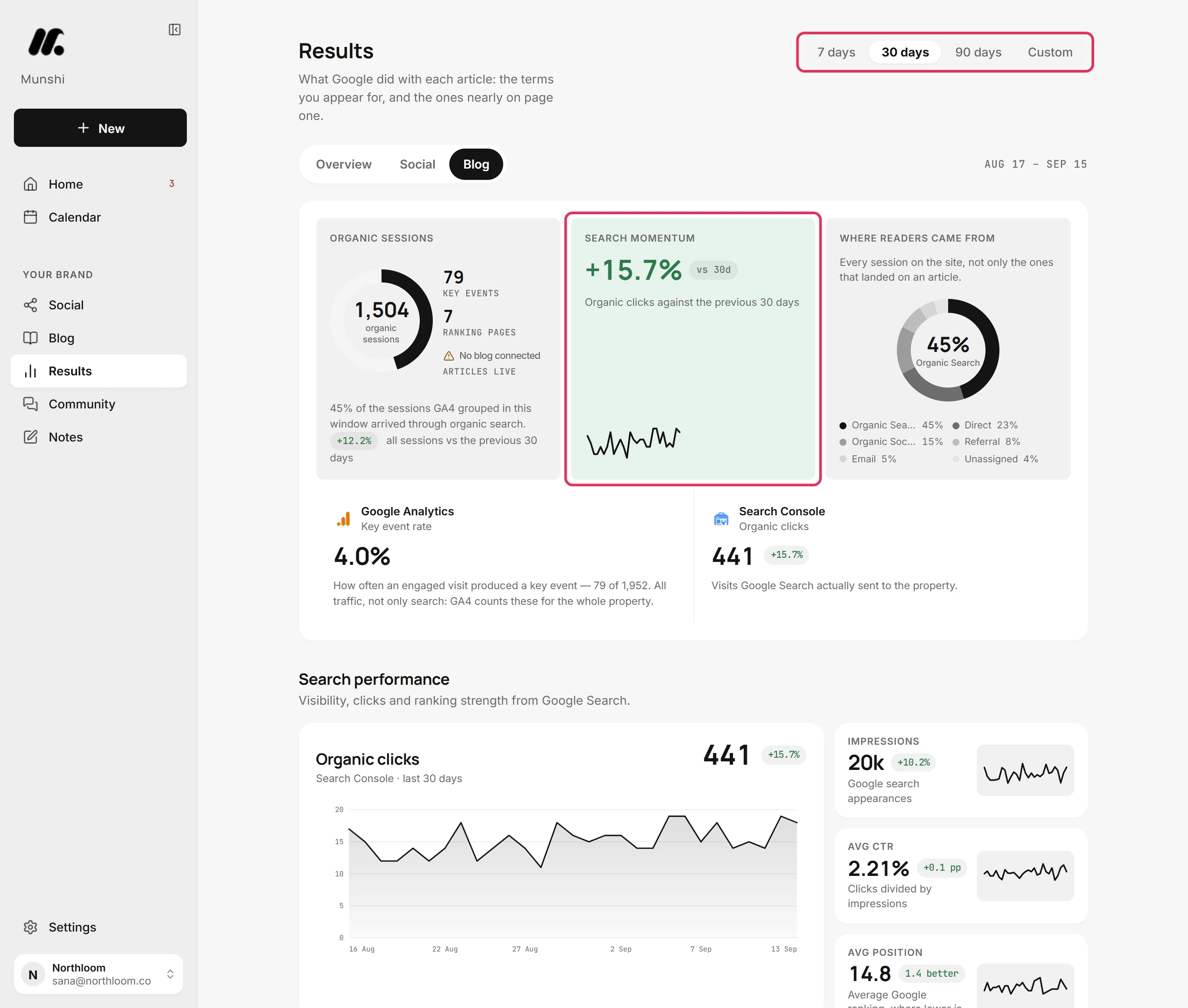
Pick 7 days, 30 days, 90 days or Custom at the top. Every figure on the tab then reads that window. Search Console reports two to three days behind, so each window really ends a couple of days before the dates shown.
-
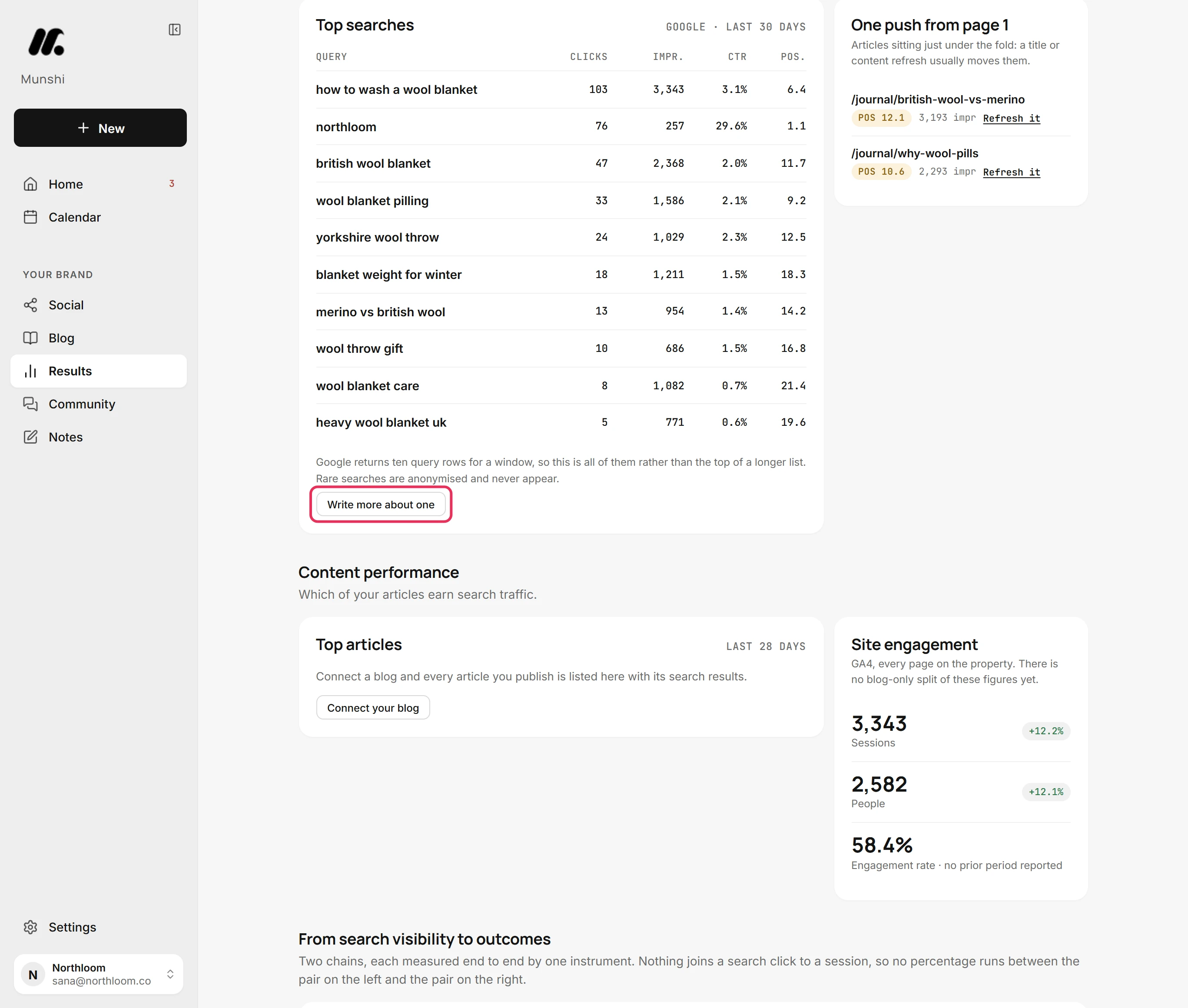
Under Top searches, click Write more about one. It opens the keyword editor in Blog, Strategy. There, a search you already appear for can become your next article.
Where you are now
You can see which searches bring people to your site and how often Google shows your pages. You also see where they rank and which pages are close to page one.
If something goes wrong
“Search Console is the only source for the words people typed before they found you.”
Click Connect Search Console. Search Console is not connected, or no site is chosen for it.
“Google hasn't reported the words people typed before they found you for the last 7 days. It publishes a couple of days behind, so a longer range usually has more.”
Pick 30 days or 90 days at the top. Google has no search rows for that window yet.
“Nothing in this reading ranks between positions 10 and 20. It covers the ten pages Google sent the most clicks to, so lower-traffic pages near the fold may not be in it yet.”
Nothing needs doing. None of your ten pages with the most clicks sits just below page one.
“Google didn't answer.”
Click Retry now. Search Console or Google Analytics did not respond. The figures shown are from the last reading that worked.
Try it on your own brand this week.
Munshi Social, the AI content marketing engine for small teams, plans, writes, publishes, and tracks your blog and socials. The guide above shows the real app, not a mock-up.
Start your workspace