Munshi vs doing it yourself
This page compares Munshi Social, the AI content marketing engine for small teams, with the setup most small businesses actually run. That is ChatGPT for the words, a scheduler for the posting, a spreadsheet for the plan, and you for everything in between.
14-day free trial · No card required · 7-day money-back
If you enjoy the writing and run two channels, keep doing it yourself. If the plan lives in your head and most weeks it does not get done, you need the tool that shows up.
ChatGPT writes well when you ask it to, but the writing was never the problem. The problem is deciding what to write, shaping it for each network, and pasting it into eight places and a CMS. Then you read eight dashboards, every week, including the weeks you are busy. Munshi does that whole cycle and stops for one approval.
What each one actually does
| Munshi | ChatGPT + scheduler + you | |
|---|---|---|
| Starting price | $15/mo founding price, locked for life (rises to $49 at launch) | A ChatGPT subscription, a scheduler and your hours. Buffer is free for 3 channels, then $6 a channel a month on its cheapest paid plan, or $5 billed yearly |
| What that buys | The whole engine: strategy, 15 SEO articles a month, 1,000 posts a month, publishing, analytics | A chat window that drafts when you ask, and a queue that posts what you paste in. A spreadsheet holds the plan, if you keep it |
| Writes your content? | Yes: plans, writes, and grades articles and posts for you | When you prompt it, one piece at a time. It does not know what you published last week or what worked |
| Blog articles to your site? | Yes: WordPress, Ghost, Webflow, Framer, or Sanity. Articles arrive as drafts you publish from your CMS, except on Sanity, which goes live | You paste each article into your CMS, format it, add the image and set the date |
| Keyword & content strategy | Included: keyword research and a weekly plan you approve | Only if you ask for one. It will be generic until you spend an evening teaching it your business |
| Social networks | 8 networks: Instagram, TikTok, LinkedIn, Facebook, Pinterest, Threads, YouTube, Bluesky | Whichever ones you paste into. Eight networks means eight pastes per idea |
| Approval workflow | One weekly approval batch. Nothing ships without your yes | You are the approval, and also the writer, the scheduler and the person who forgets |
| Analytics | Every channel in one dashboard, captured daily | Eight dashboards, one per network, plus Search Console and Analytics for the blog |
| Free trial | 14 days, full engine, no card required | ChatGPT has a free tier. Buffer's free plan covers 3 channels. The hours do not |
We read the scheduler prices off buffer.com/pricing on 17 September 2026. Three channels are free, with 10 scheduled posts on each. After that, Essentials is $6 per channel billed monthly, or $60 per channel a year, which works out at $5 a month. Eight channels is $48 a month, or $40 billed yearly. Buffer says channels past the tenth cost less each, but does not publish those rates. ChatGPT's own plan prices are on openai.com and are not quoted here. Your hours cost whatever your hour is worth.
What Tuesday evening looks like
Doing it yourself
- Open the spreadsheet. Realise it stops in June.
- Ask ChatGPT for five post ideas. Pick two. Ask again for the captions.
- Rewrite the captions so they sound like you. Shorten one for X. Add hashtags for Instagram.
- Find an image. Paste each version into the scheduler and pick times.
- The article you meant to publish is still a draft. It waits for next week.
- Check Instagram. Check LinkedIn. Do not check the other seven.
With Munshi
- Open the weekly batch: the articles and the posts for every network, already written from your keyword plan.
- Read it and approve most of it. Send two back with a note, or edit them in place.
- Close the tab. The schedule is locked and publishes whether you are online or not.
- On Sunday, read one Results page with every channel and the blog on it.
The four screens where the work lives
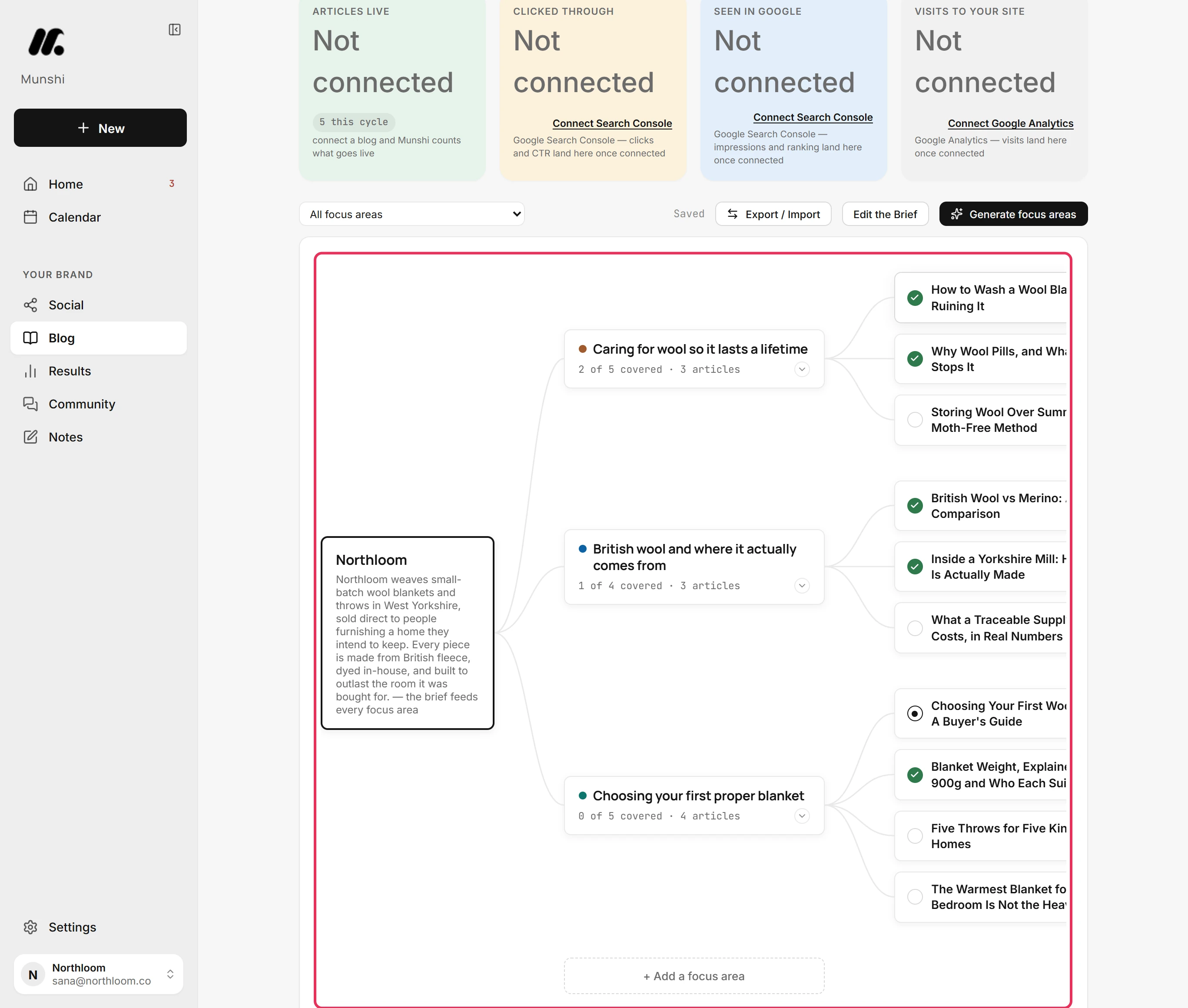
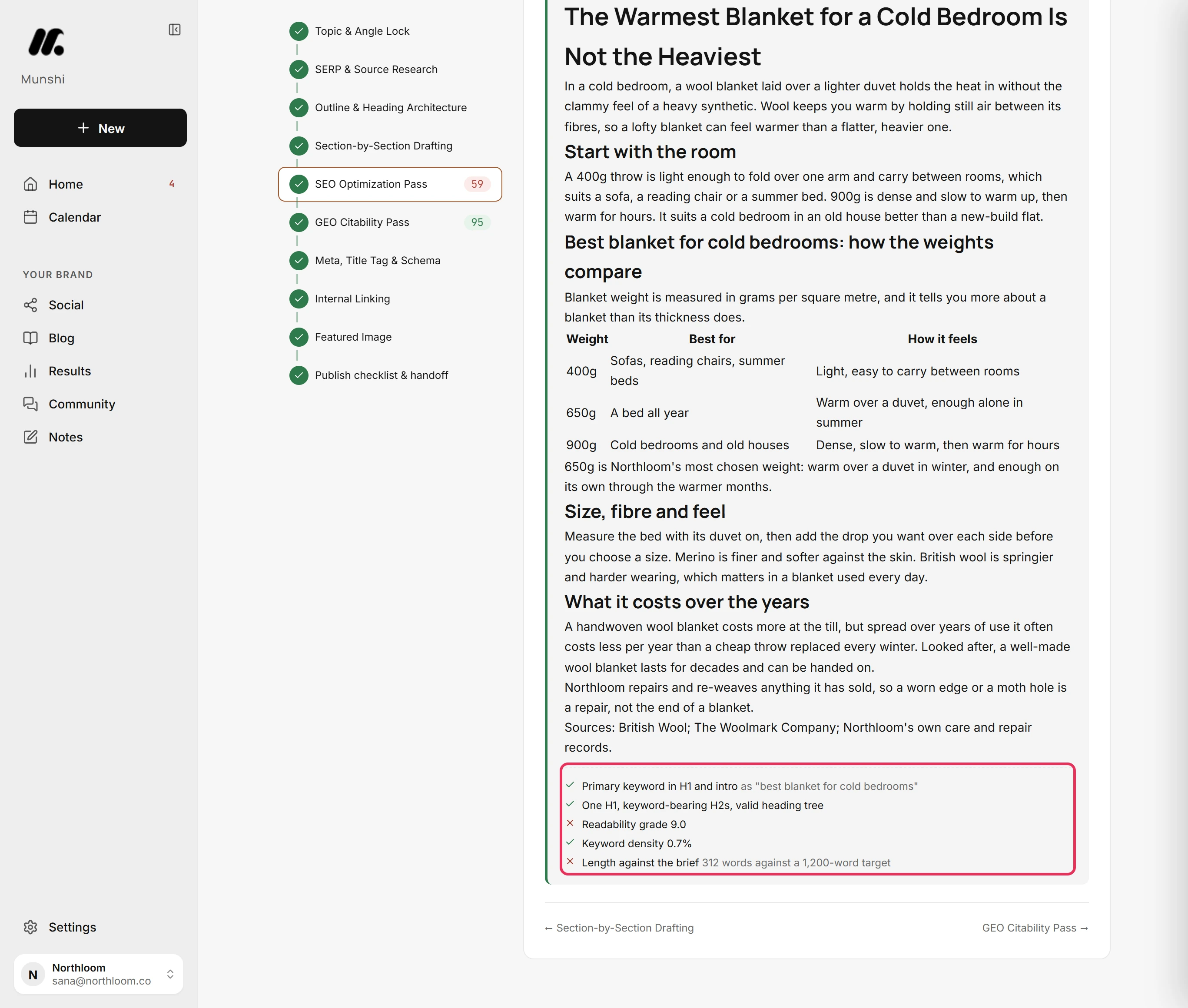
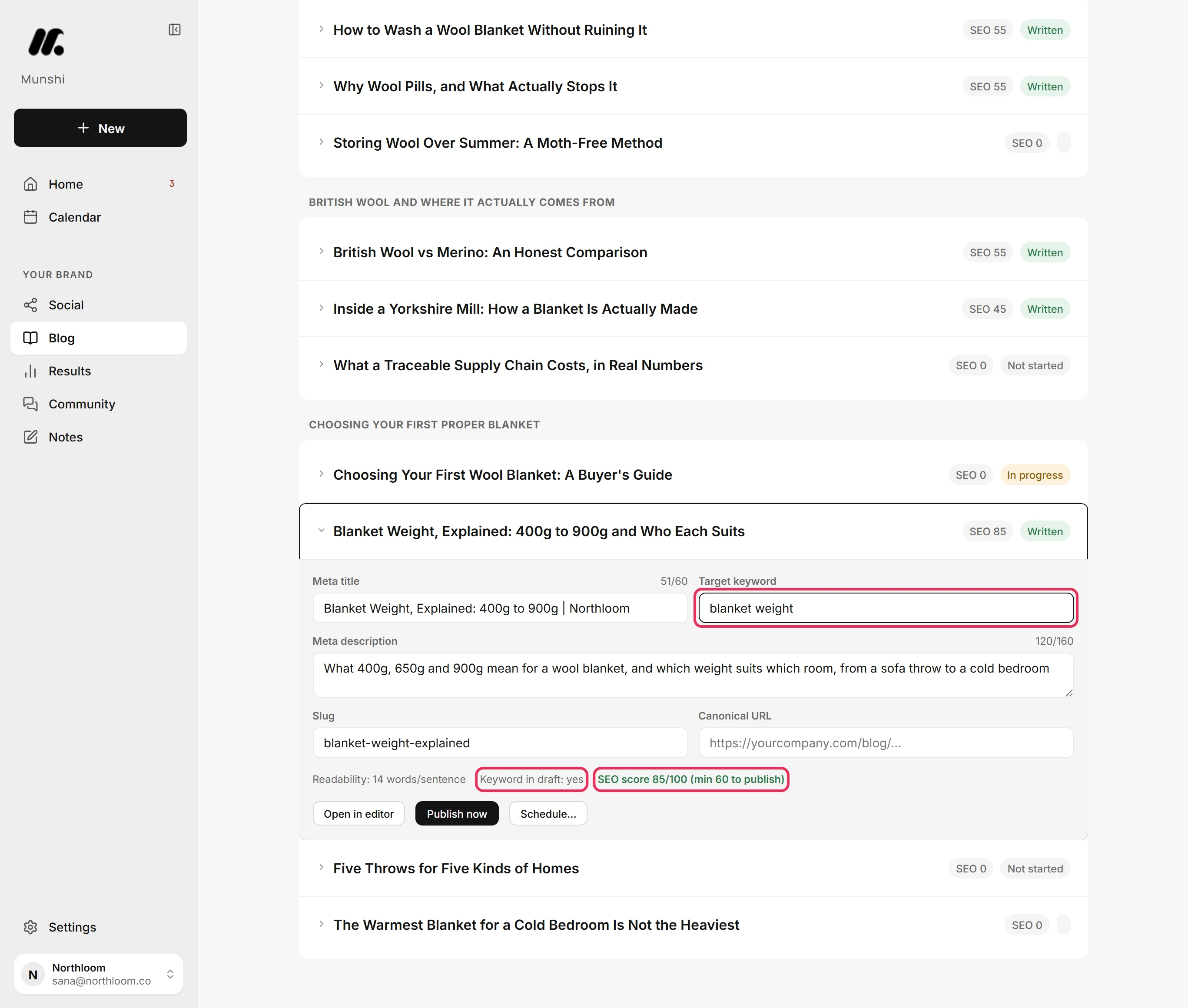
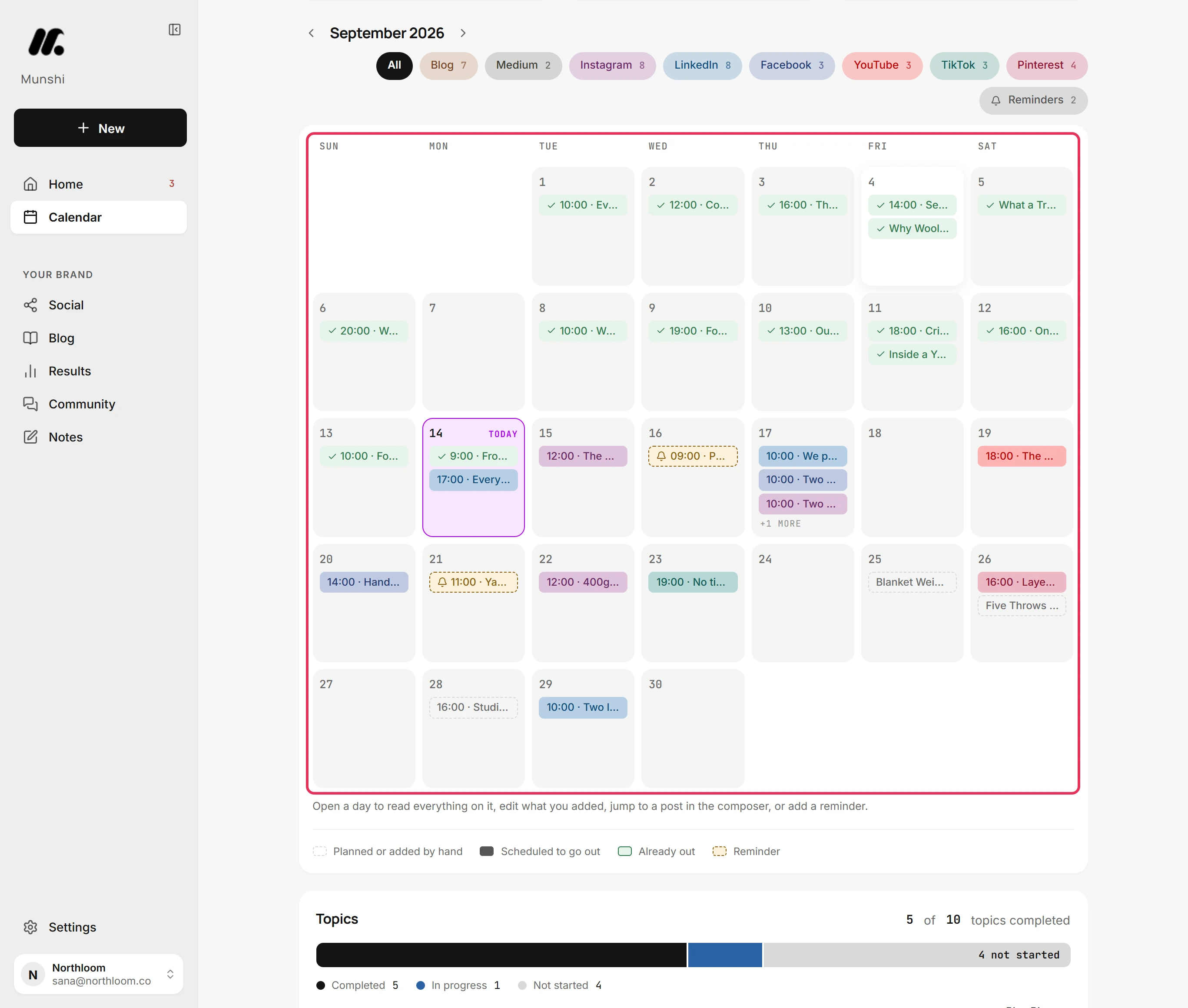
A chat gives you text and then forgets it. The work around the text needs more: a plan that survives the week and a score you can argue with. It also needs the fields an article must carry before it publishes, and a calendar that keeps going when you are busy. Here is each one in the app.
Keep doing it yourself if…
- You enjoy writing and it is the part of the business you would do anyway
- You publish to one or two channels and a few posts a week is the whole plan
- You have a marketer on staff whose job this already is, and they want a drafting assistant, not a replacement
- You have no budget at all, and an unreliable presence beats no presence
Pick Munshi if…
- The plan lives in your head, and the weeks it does not get done are most weeks
- You want blog articles ranking for you, but pasting them into WordPress with an image and a date never happens
- You run more than three channels and the copy-paste is the job you are avoiding
- You would rather spend one sitting a week approving than five evenings producing
Questions about ChatGPT, doing nothing and Munshi
Can I just use ChatGPT for my social media posts?
Yes, and many people do, because ChatGPT writes a caption when you ask it to. It will not decide what to post this week or know what you posted last week. It will not shape one idea differently for LinkedIn and Instagram, publish it, or tell you what worked. You take each of those steps by hand, and those evenings are the real cost.
Is Munshi just ChatGPT with a scheduler?
No. Munshi does use large language models to draft, but the difference is everything around it. It writes from your company profile, proposes a keyword map and a weekly plan, and grades each network's drafts for search before you see them. It then publishes to your CMS and your networks on a locked schedule and captures results daily.
Will the content sound like AI wrote it?
You decide, because nothing publishes until you approve it. It is written from your company profile and your positioning, and graded before you see it. Anything that reads wrong gets sent back or edited in the composer. The trial lets you read what Munshi plans and writes for your business before you pay.
What does doing it yourself actually cost?
Mostly time, because the tools are the cheap part. ChatGPT has a free tier and publishes its paid prices on openai.com. Buffer's free plan covers three channels. Its cheapest paid plan is $6 per channel a month, or $5 billed yearly (buffer.com/pricing, 17 September 2026). Drafting, pasting into each network, formatting articles and checking dashboards takes a few hours a week when it happens, and zero when it does not. Munshi is $15 a month on founding pricing and asks for one approval sitting a week.
Is doing nothing really the competitor?
For most small businesses, yes. The plan is to post regularly and publish an article a week, but the reality is a burst in January and silence by March. Every tool on our comparison pages assumes someone will show up to run it. The bet behind Munshi is that the missing piece is someone to run it, not another tool.
Can I keep using ChatGPT alongside Munshi?
Yes. Munshi runs the weekly cycle: plan, drafts, publishing and results. If you write a post yourself, or work an idea through ChatGPT first, paste it into the composer. It goes out on the same calendar as everything else.
Compare Munshi with other tools instead: Buffer · StoryChief · SocialBee · Hootsuite · pricing