How to report a bug, or get help
Press Ctrl+Shift+B or click the bug button to send a report with a screenshot. For questions, use the Munshi Discord or email info@munshi.social.
-
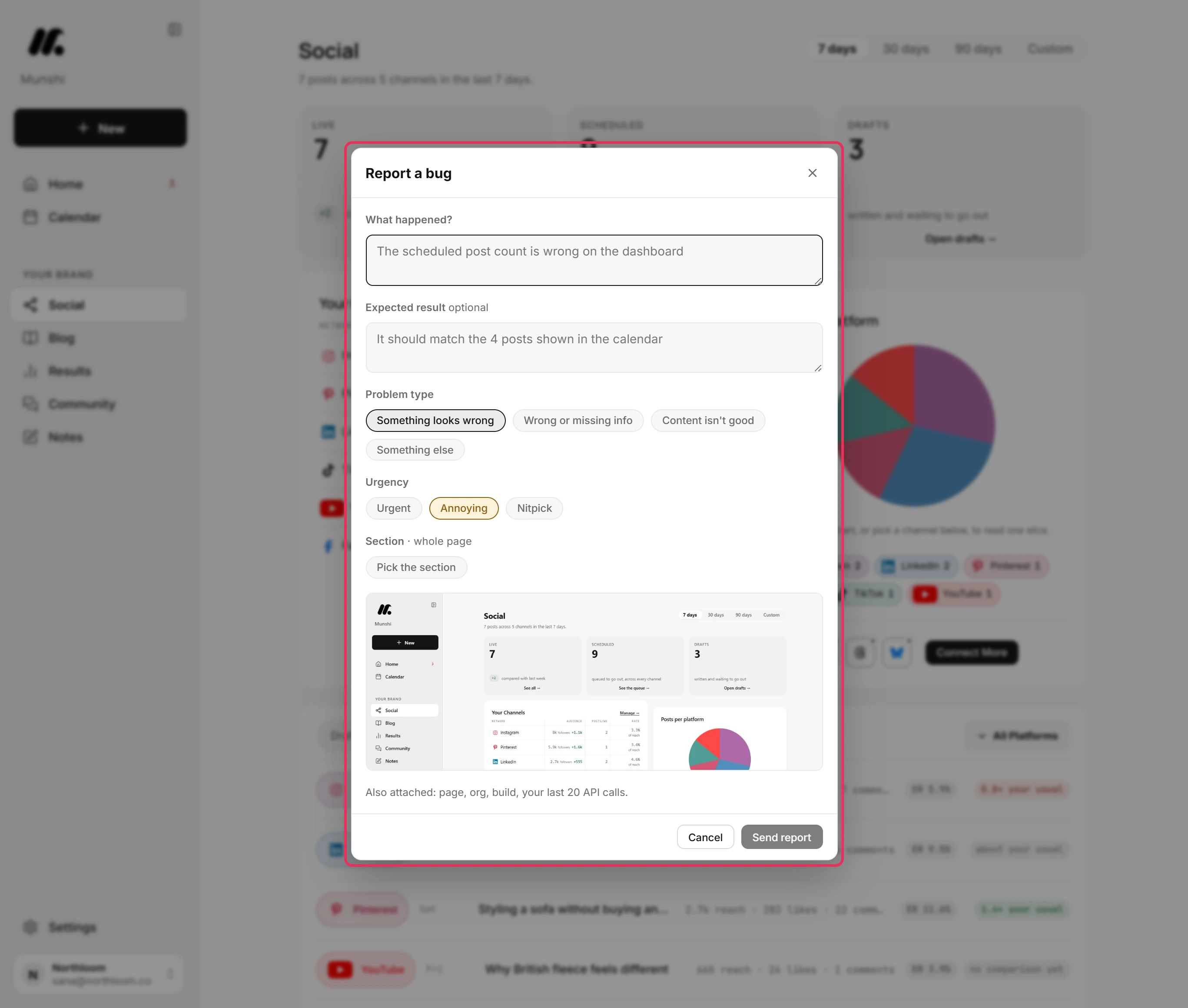
Press Ctrl+Shift+B on any screen, or click the round bug button at the bottom right. The report opens over the page you are on. It takes a screenshot of the page right away.
-
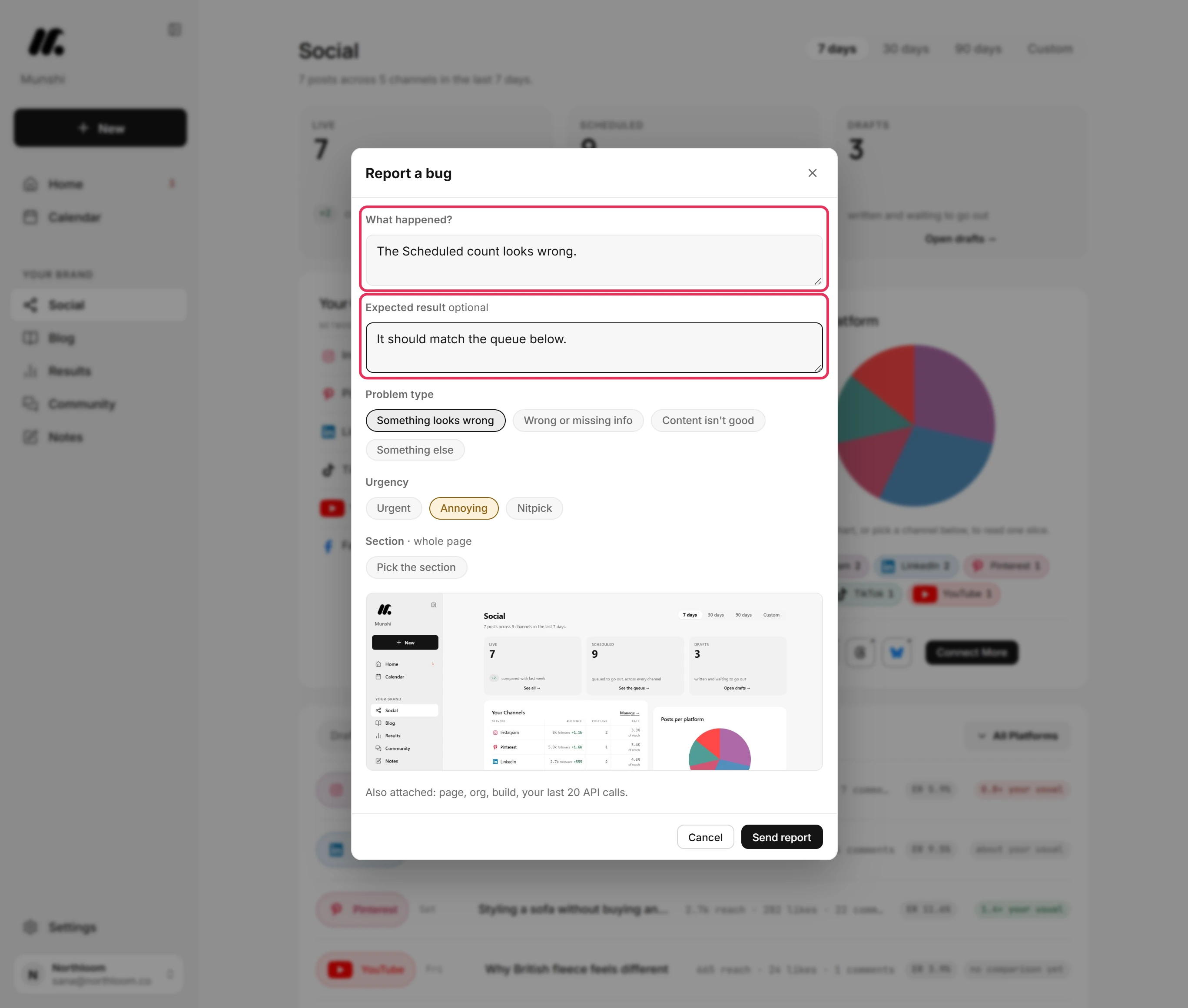
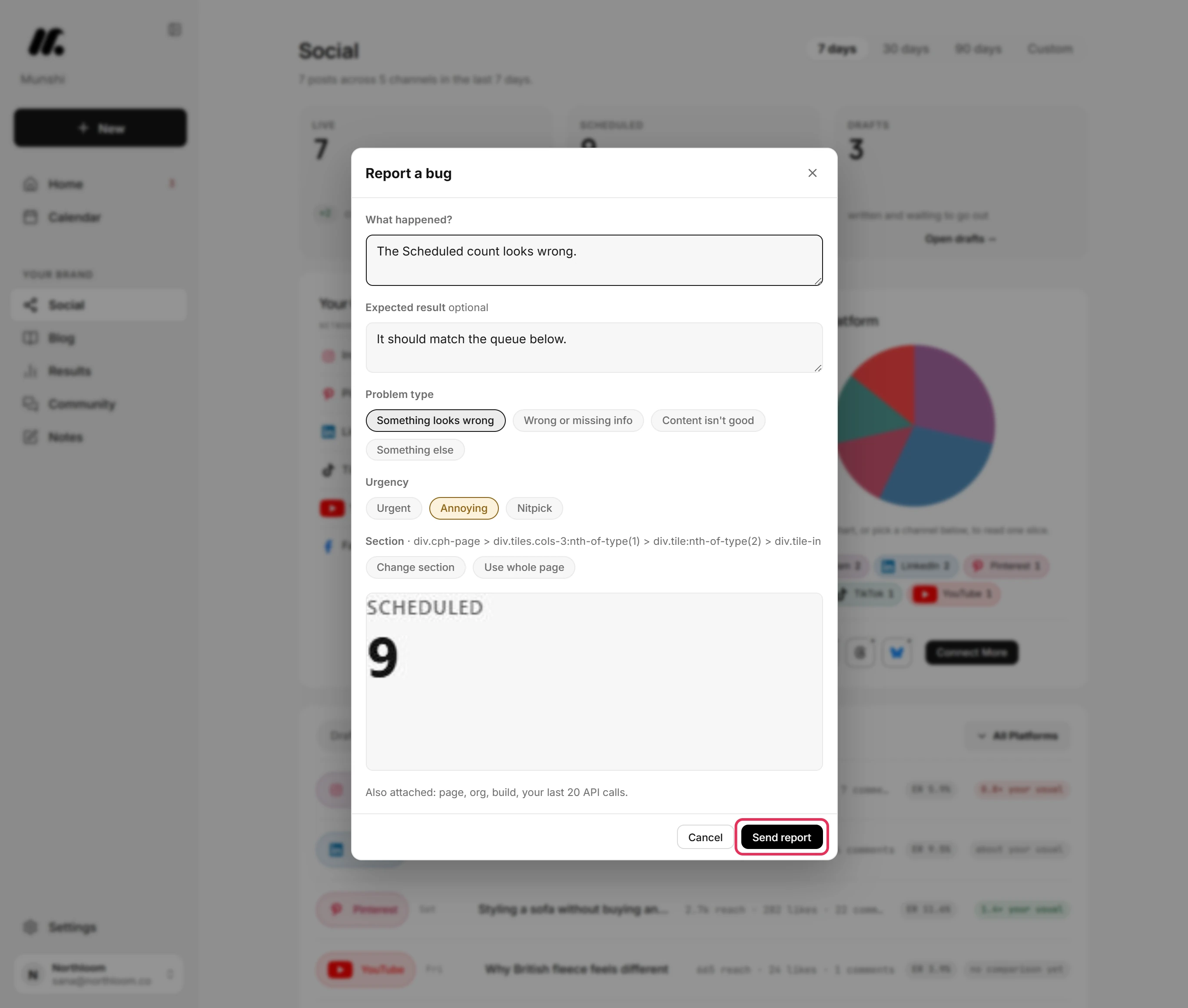
Write a sentence in What happened?. It is the only field you have to fill in. Expected result is optional. Use it to say what you thought would happen instead.
-
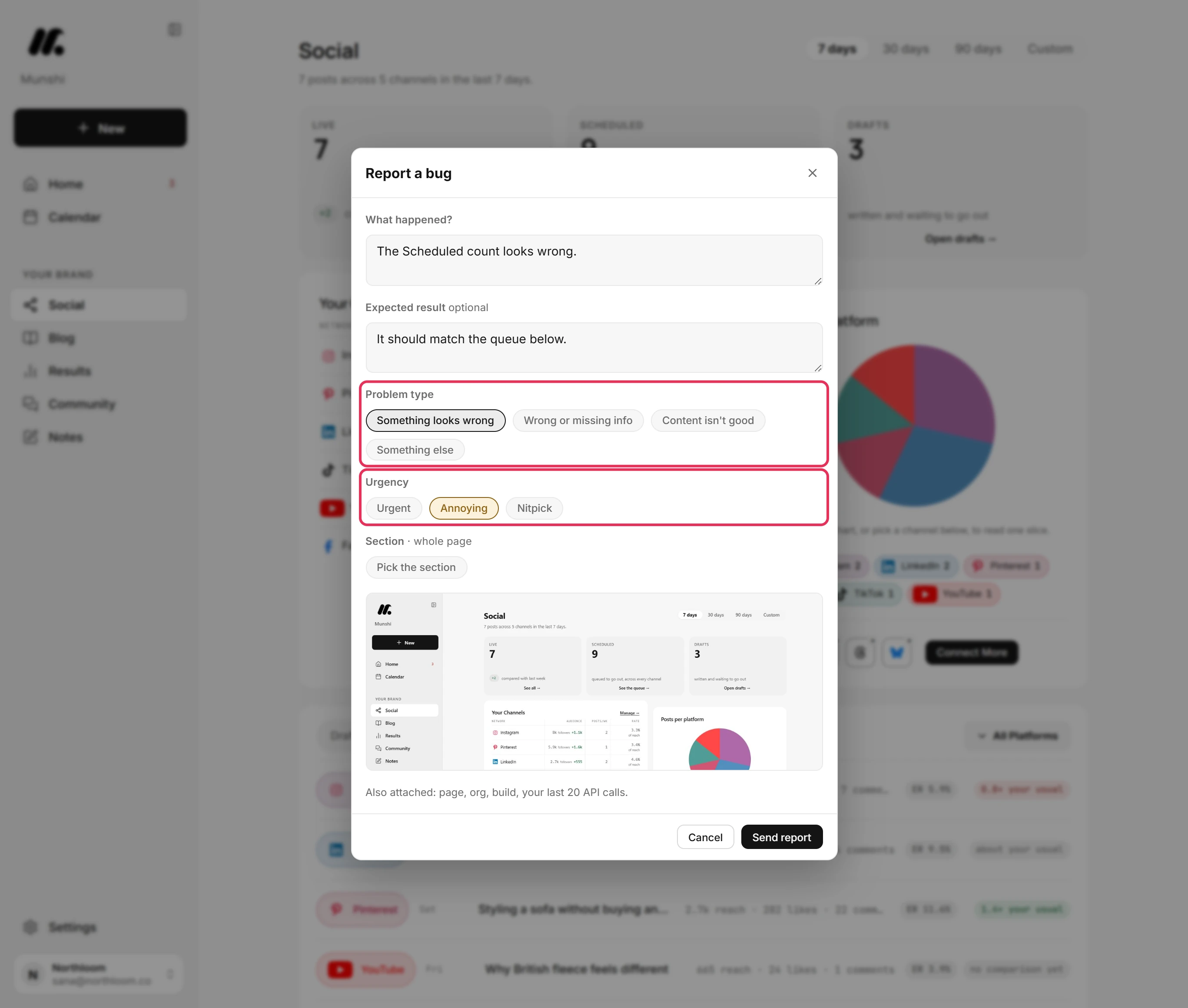
Under Problem type, pick Something looks wrong, Wrong or missing info, Content isn't good or Something else. Under Urgency, pick how much it matters. Urgent means it is blocking you. Annoying means it works but is wrong. Nitpick means it is polish.
-
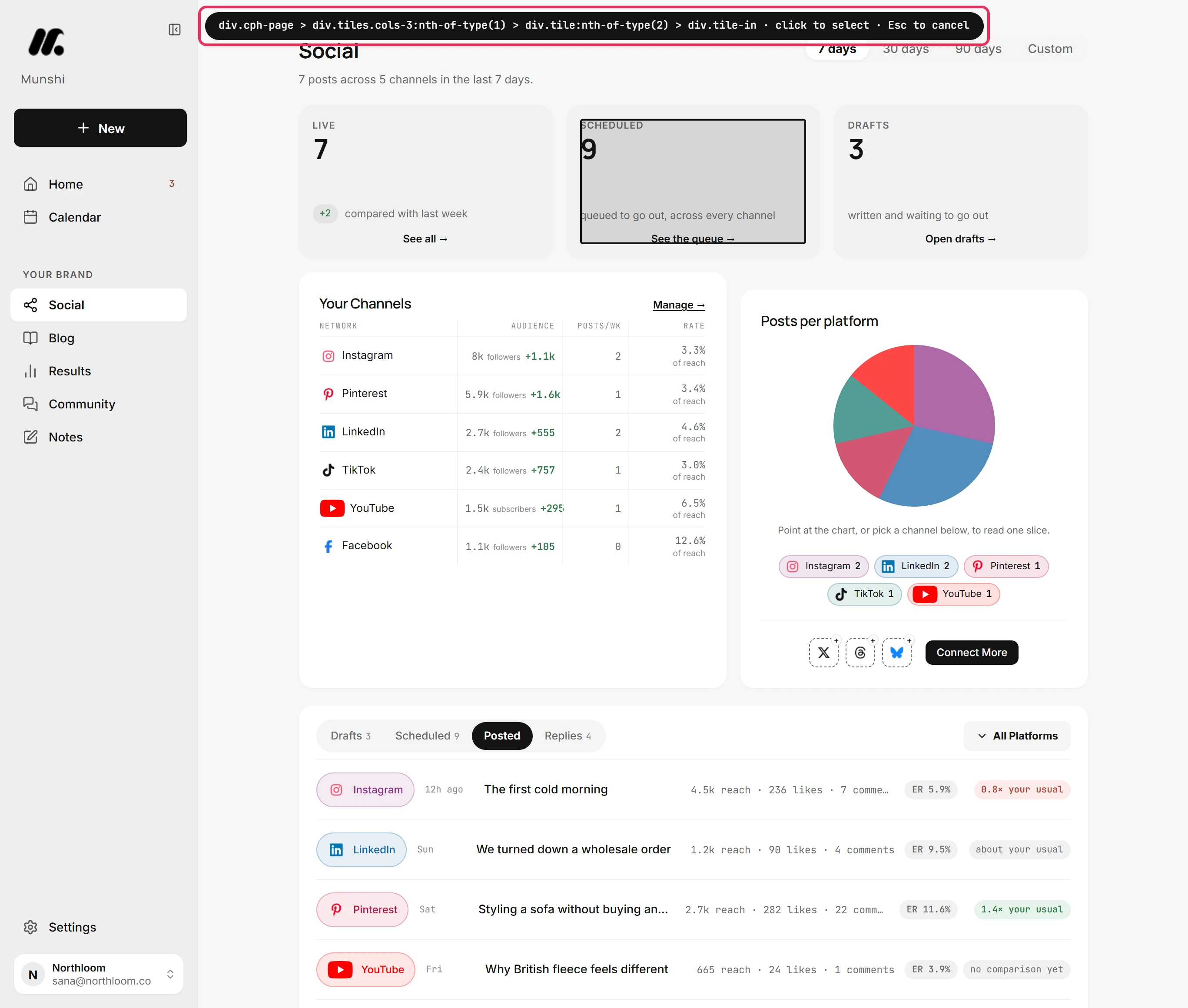
Click Pick the section. The report steps aside. Move over the page until the outline sits on the part you mean, then click it. The screenshot is cropped to that part. Use whole page goes back to the full screen.
-
Click Send report. The page, your workspace, the app build and your recent requests go with it, so you do not need to describe your setup. Munshi confirms with a reference such as MS-A7K3. If the team replies, it is by email to the address you sign in with.
-
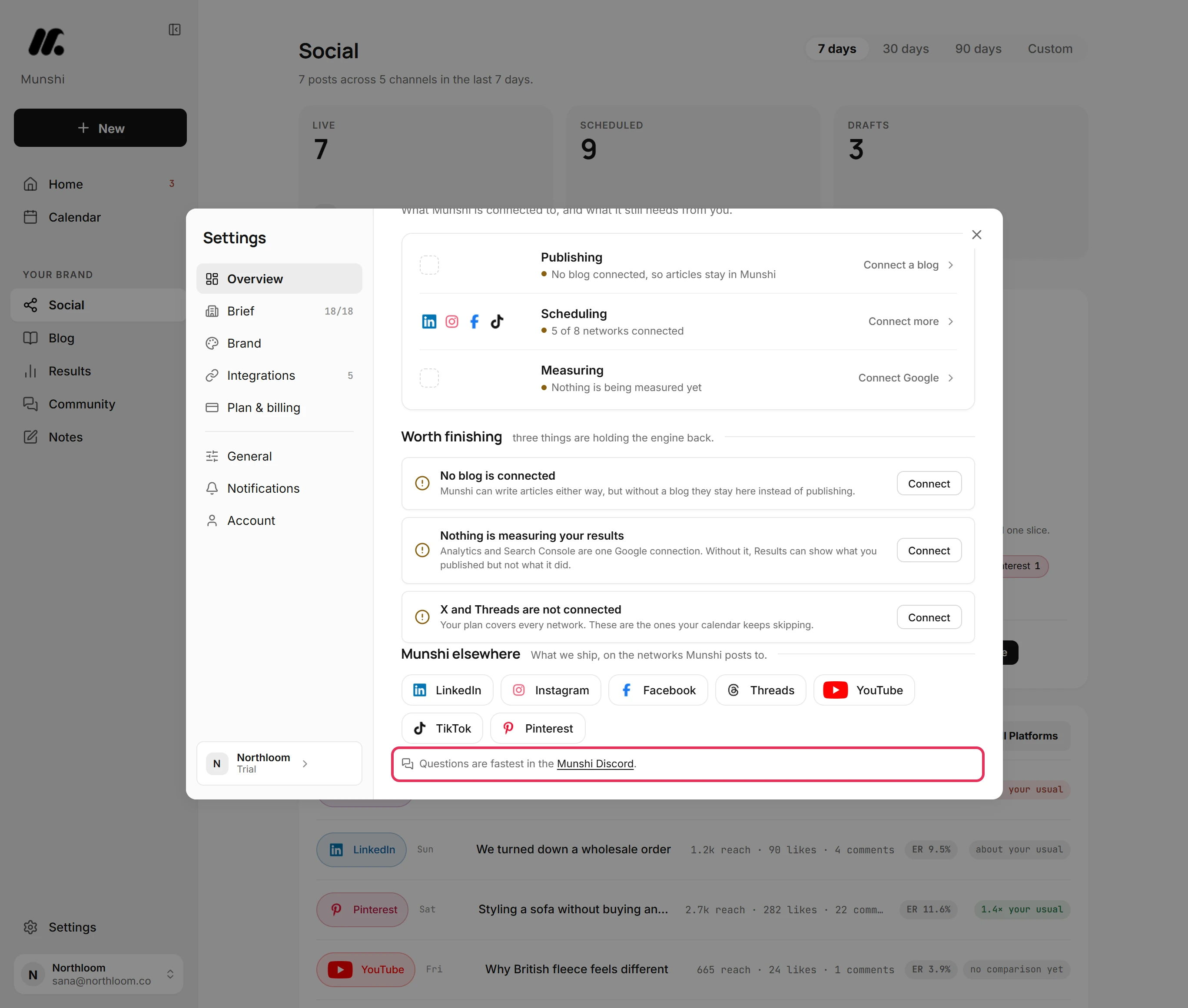
For a question, not a bug, open Settings. At the foot of Overview, the Munshi Discord link leads to the community, where questions are answered fastest. You can also email info@munshi.social.
Where you are now
The team has your report with its screenshot, the page and a reference code. Any reply reaches you by email. Questions go to the Munshi Discord or to info@munshi.social.
If something goes wrong
“Bug reports are unavailable right now. Email info@munshi.social and it reaches the same people.”
Email info@munshi.social with what happened. Reporting is switched off for the moment, and the email reaches the same people.
“That's a lot of reports in one hour. Take a breather and try again shortly.”
Wait a little and press Send report again. Each person can send 20 reports an hour. The form keeps what you typed.
“Couldn't reach the server. Your report wasn't filed.”
Check your connection and press Send report again. The connection dropped while sending. The report stays open with your words in it.
“The screenshot was too big to include.”
The report was filed without its picture. If the picture matters, email it to info@munshi.social with the reference. Next time, paste a smaller screenshot into the report.
Try it on your own brand this week.
Munshi Social, the AI content marketing engine for small teams, plans, writes, publishes, and tracks your blog and socials. The guide above shows the real app, not a mock-up.
Start your workspace