Twenty minutes a week: the routine
One sitting a week keeps Munshi running. Clear what needs your yes, check the blog, fill the social week, answer comments and read the results.
Before you start
- A workspace with at least one network connected. A connected blog and Google fill in more of the Blog and Results stops, but the routine works without them.
-
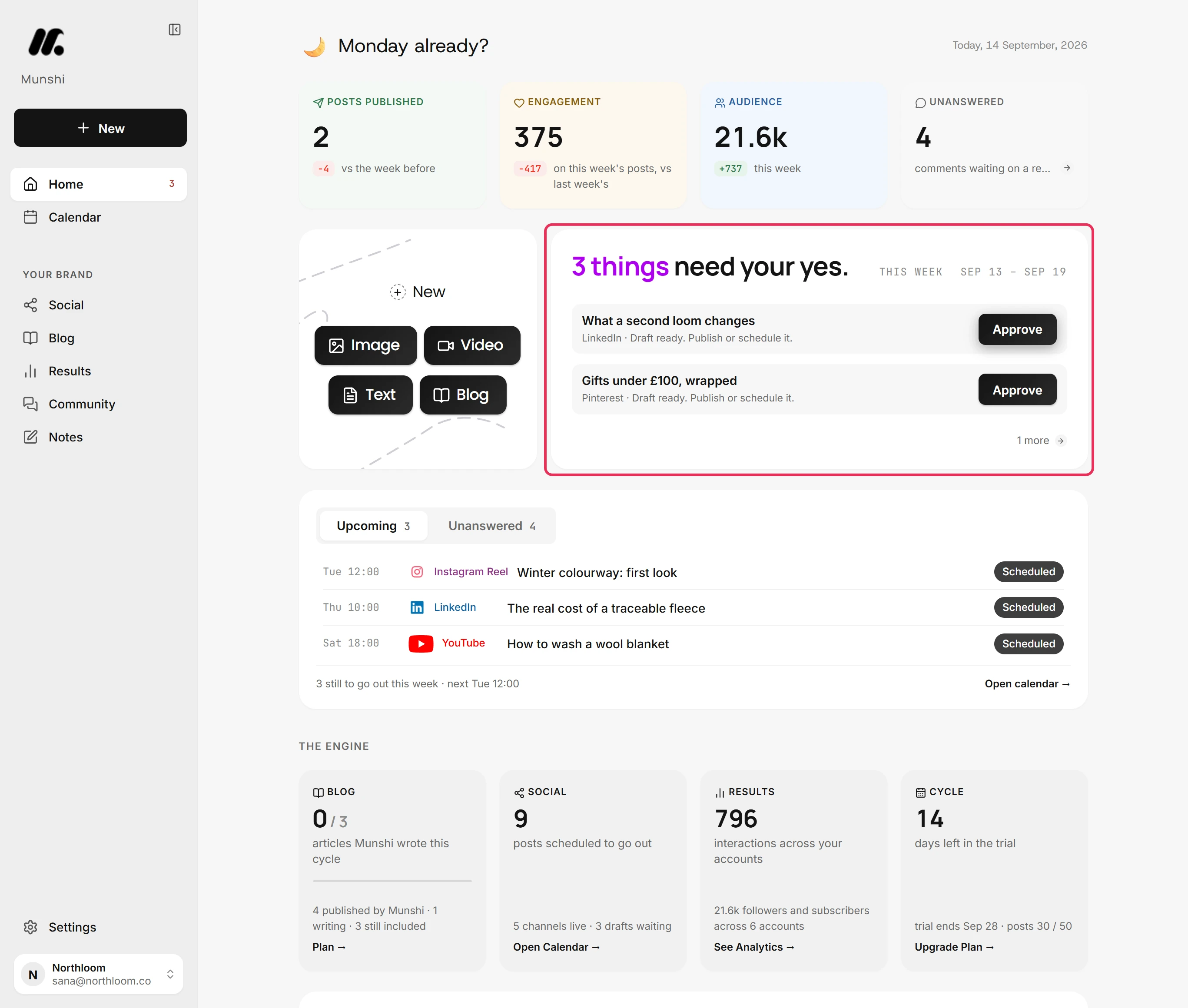
Open Home and start with the card that counts what needs your yes this week. Each row has one button that clears it: Approve, Review, Retry, Reconnect, Fix or Set up. Home: what needs your yes explains each one.
-
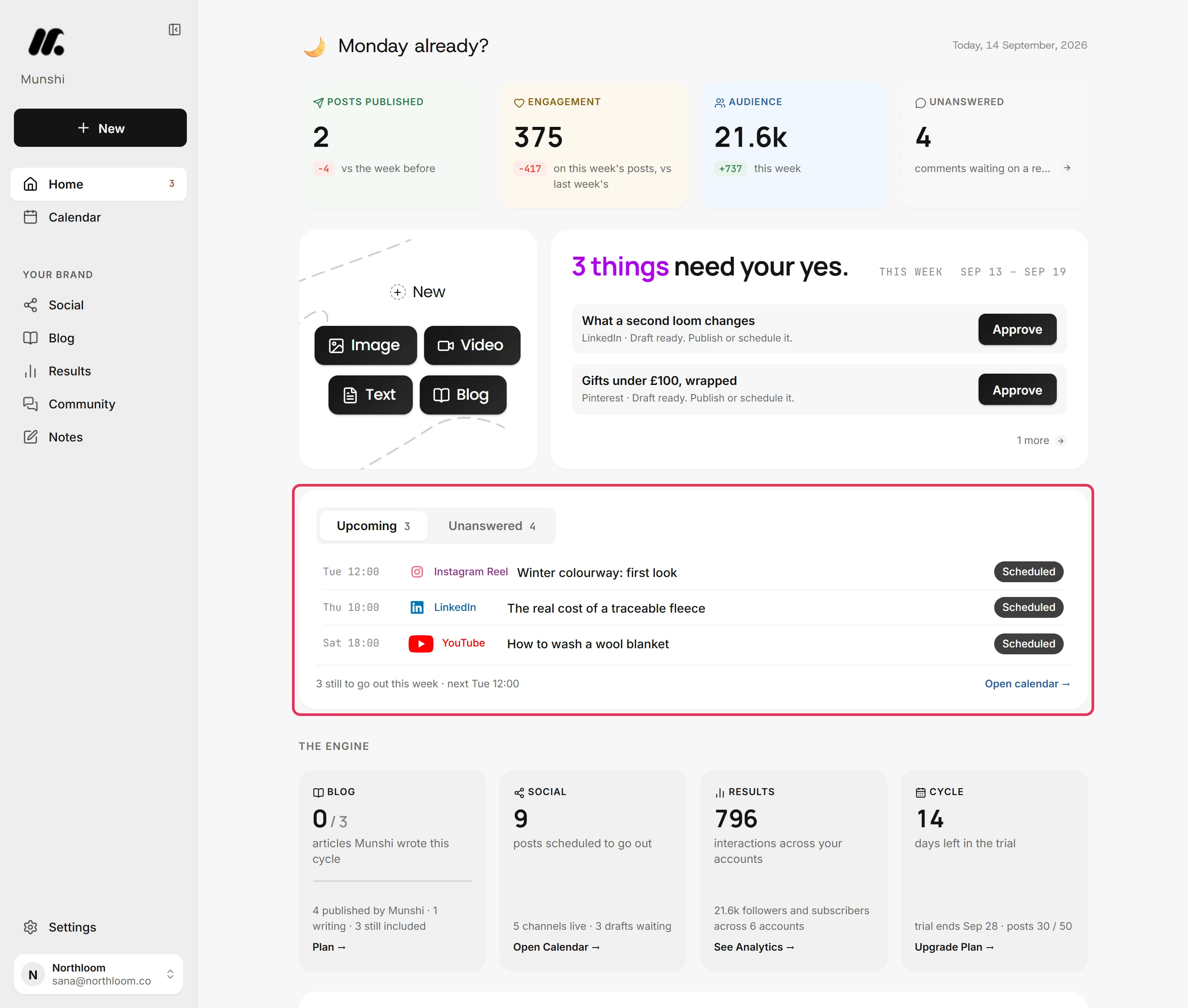
Below it, Upcoming lists what is still to go out this week. Unanswered counts the comments waiting on a reply. Open calendar shows everything after that, and How to read the calendar explains its views.
-
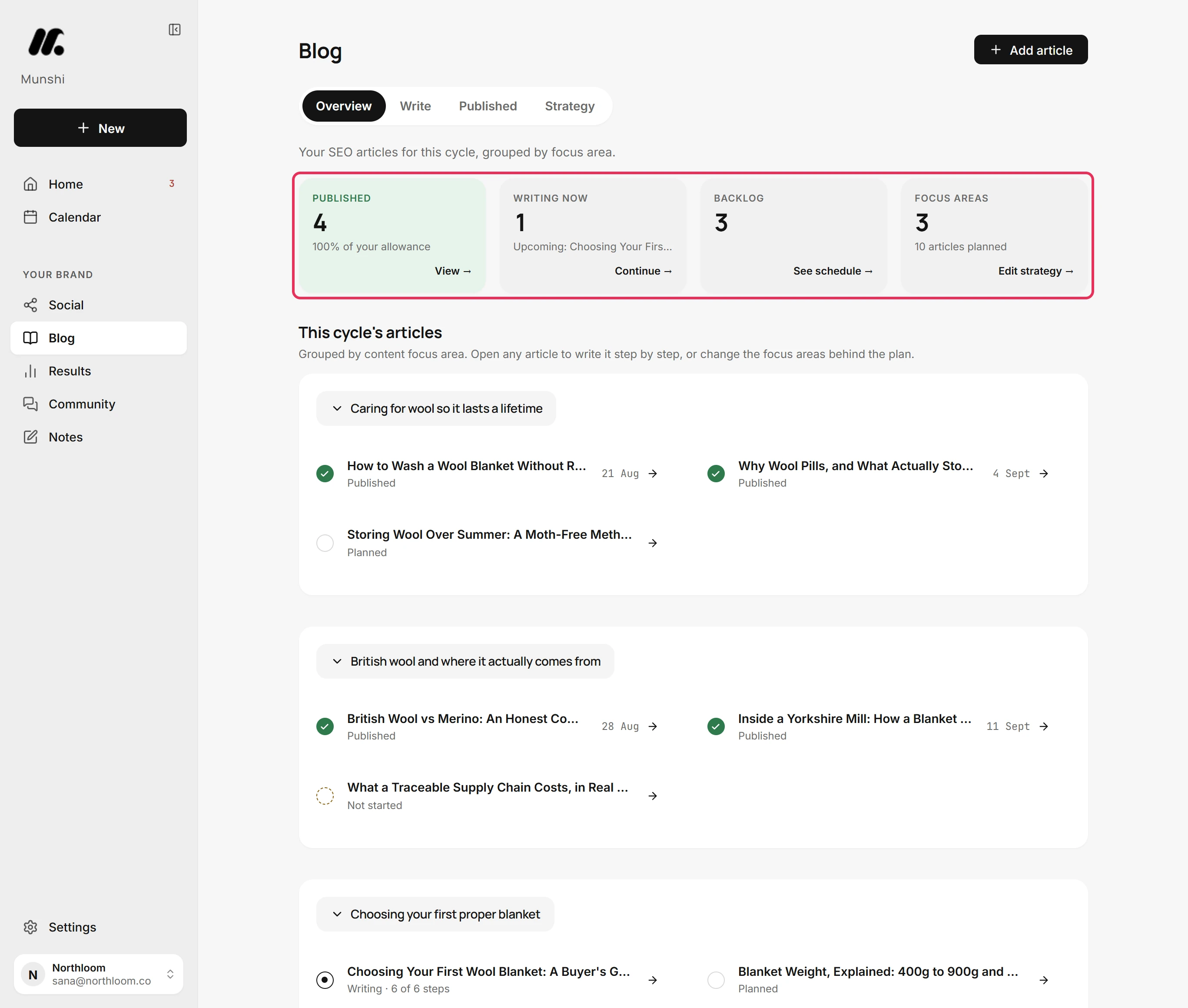
Open Blog. Four tiles show what this cycle has Published and what is Writing now. They also show what waits in the Backlog and how many Focus areas the plan covers. How to read the Blog overview explains them. Continue picks up the article in progress, and Write an article with the ten-step writer shows how.
-
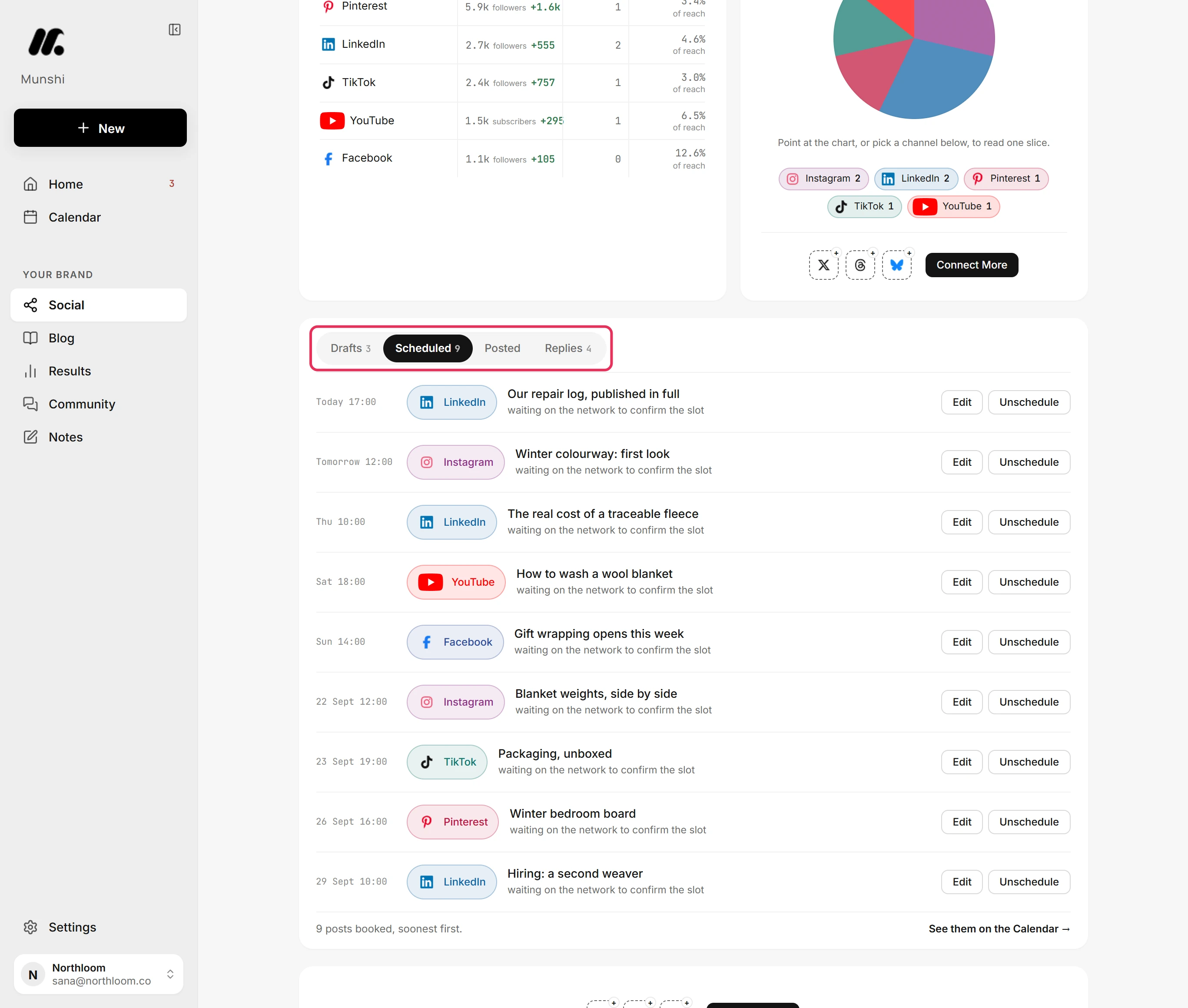
Open Social and its Scheduled tab, which lists every booked post, soonest first. Where the week has a gap, click New to start a post. How to create and schedule a post and How to post a video walk you through it.
-
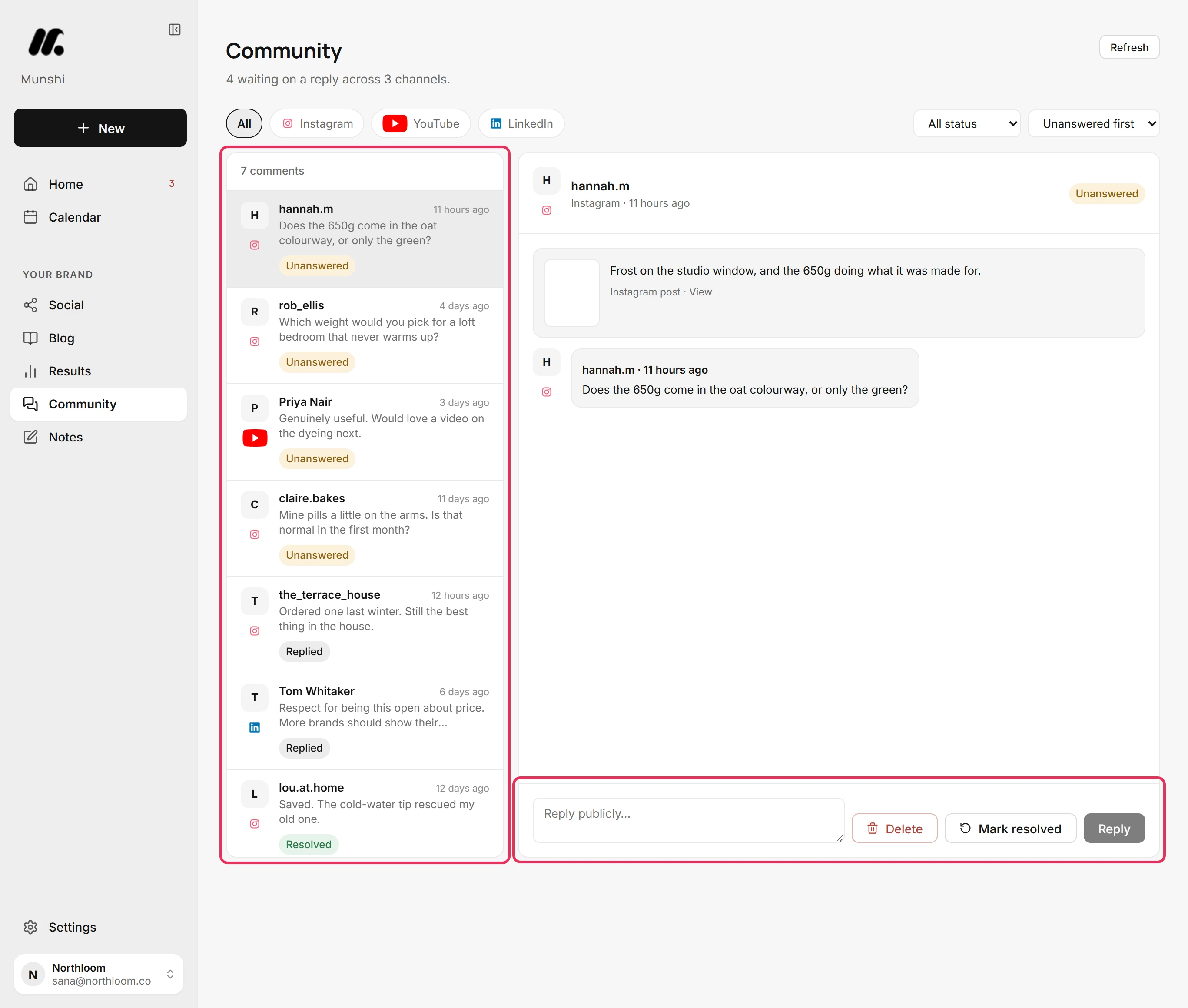
Open Community. With Unanswered first, the comments still waiting sit at the top. Pick one, write in the reply box and press Reply, or press Mark resolved when it needs no answer. Reply to comments from Munshi covers the rest.
-
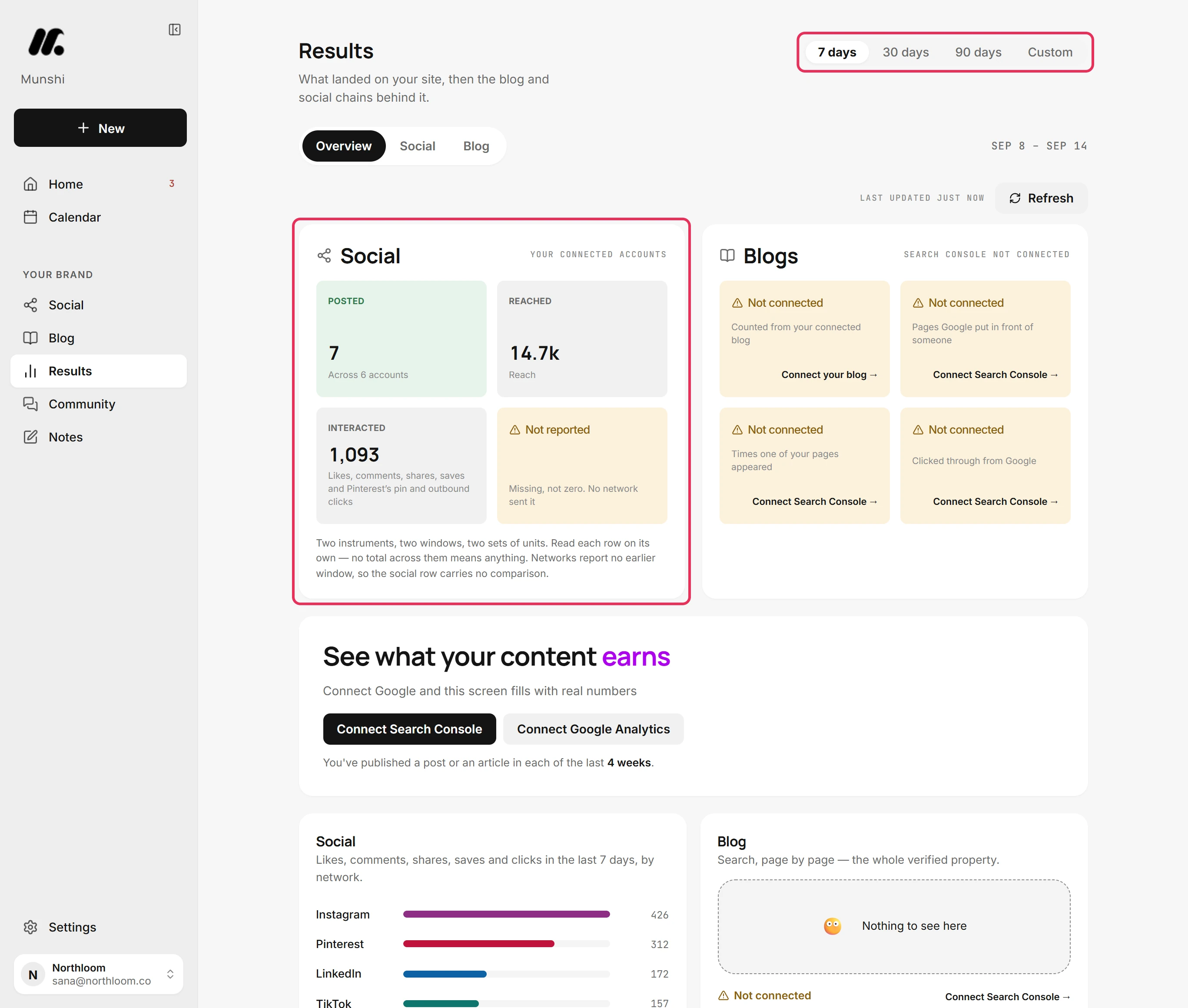
Finish on Results. Overview puts what your posts did next to what landed on your site. Pick 7 days, 30 days, 90 days or a Custom range. Results overview reads it line by line. Social results shows what worked on each channel.
Where you are now
The queue is clear, the blog and the social week are on track, the comments are answered, and you know what the week earned. Next week, do the same six stops.
If something goes wrong
Home says “Nothing needs you.”
Carry on to Blog and Social. Nothing is waiting for a decision this week, and the week runs from what is already booked.
“We couldn't check everything that needs you.”
Open Home again in a moment. One of the sources behind the count did not answer, so more may be waiting than Home shows.
Results shows “Not connected” cards
Connect Google to fill in what landed on your site. Those cards read Google Analytics and Search Console. The social numbers still show without them.
Try it on your own brand this week.
Munshi Social, the AI content marketing engine for small teams, plans, writes, publishes, and tracks your blog and socials. The guide above shows the real app, not a mock-up.
Start your workspace