How to choose where articles publish when two blogs are connected
With two blogs connected, pick the one your articles go to in Settings > Integrations. You see the choice on Blog, and you can switch at any time.
Before you start
- Two or more blogs saved in Integrations, such as WordPress and Ghost. Saved details are enough to choose between them.
-
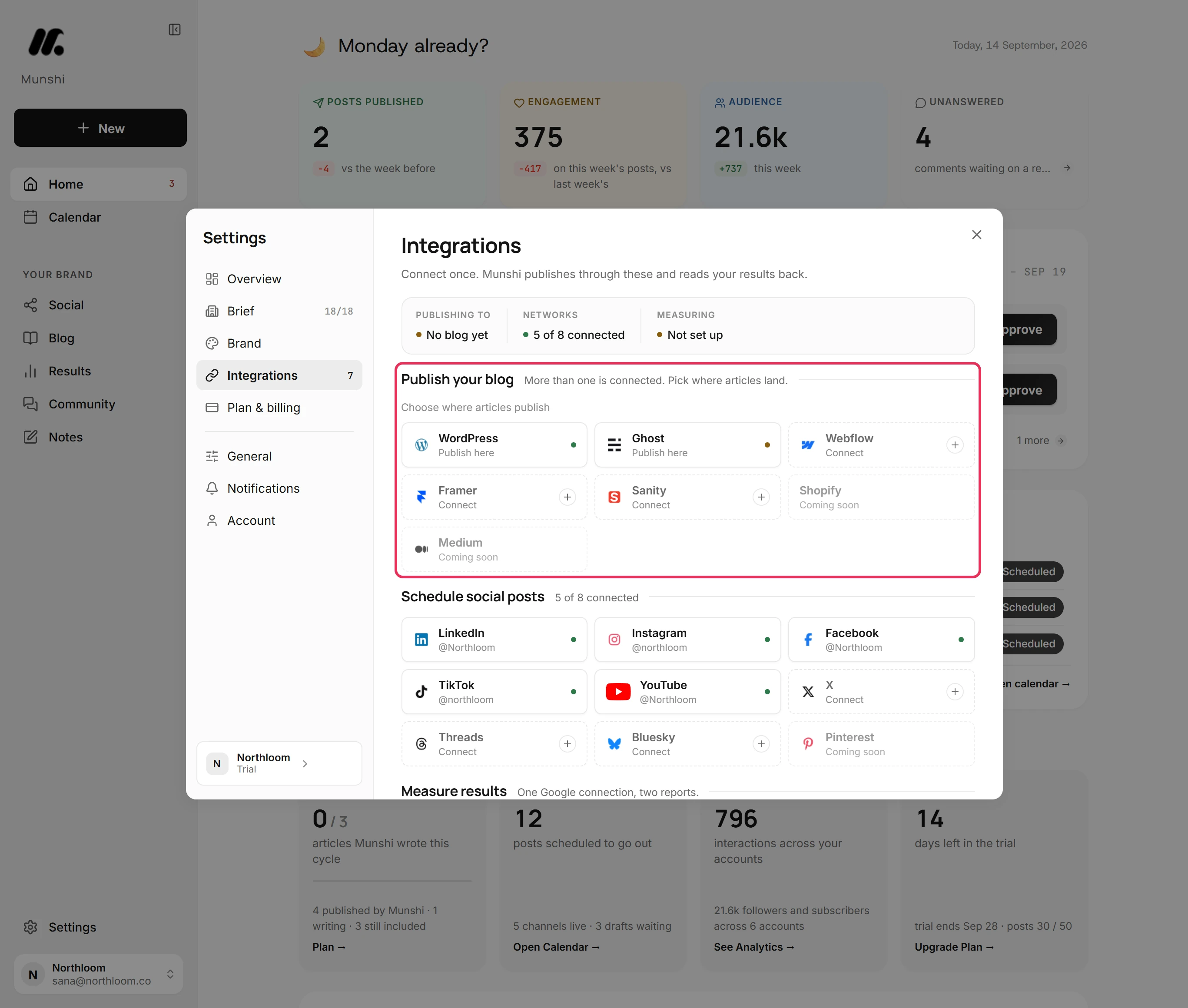
Click Settings at the bottom of the sidebar, then Integrations. If two blogs are connected and none is chosen, Publish your blog says More than one is connected. Pick where articles land.
-
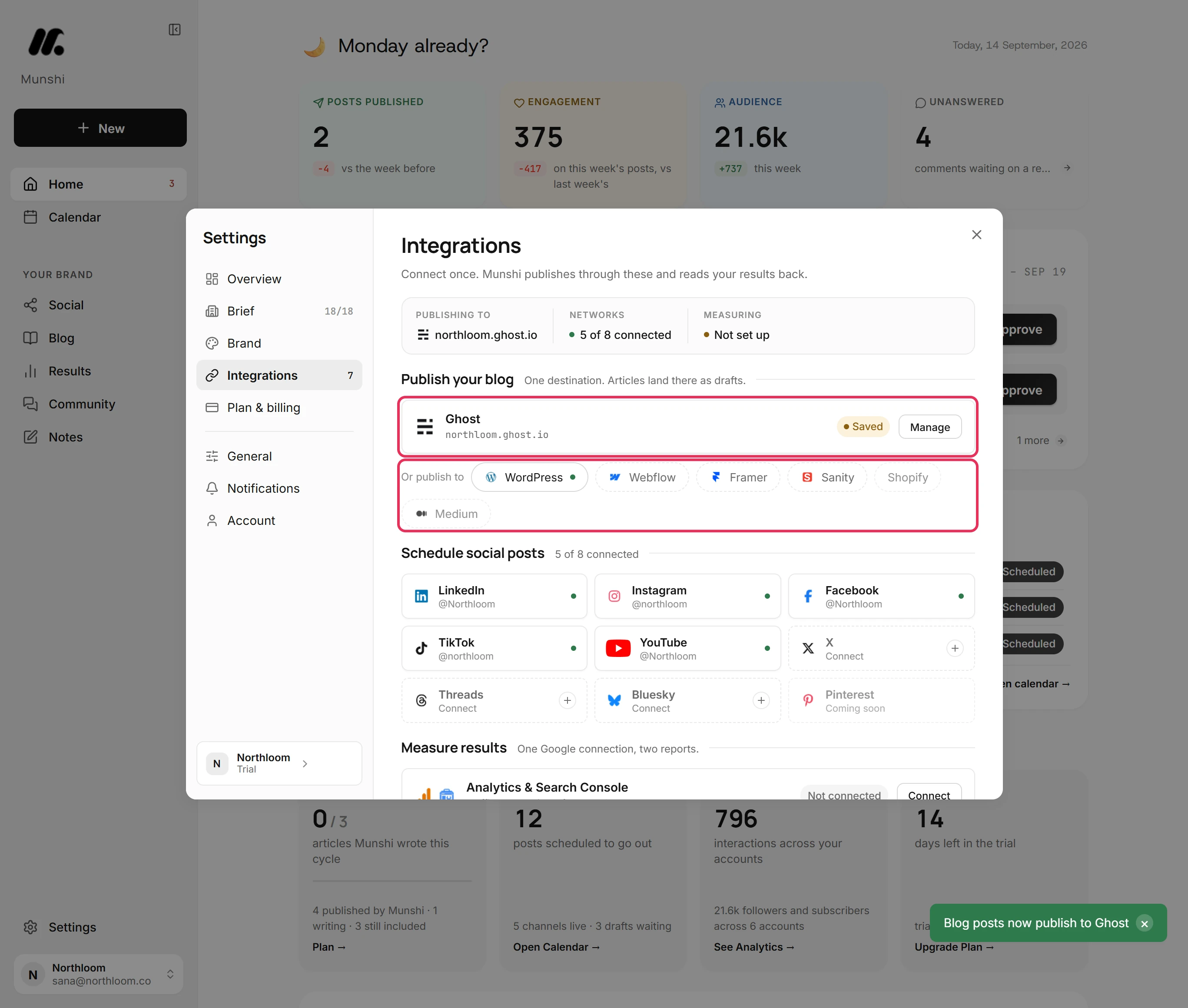
Under Choose where articles publish, every connected blog reads Publish here. A green dot means its details passed a check. An amber dot means they are saved but not checked yet.
-
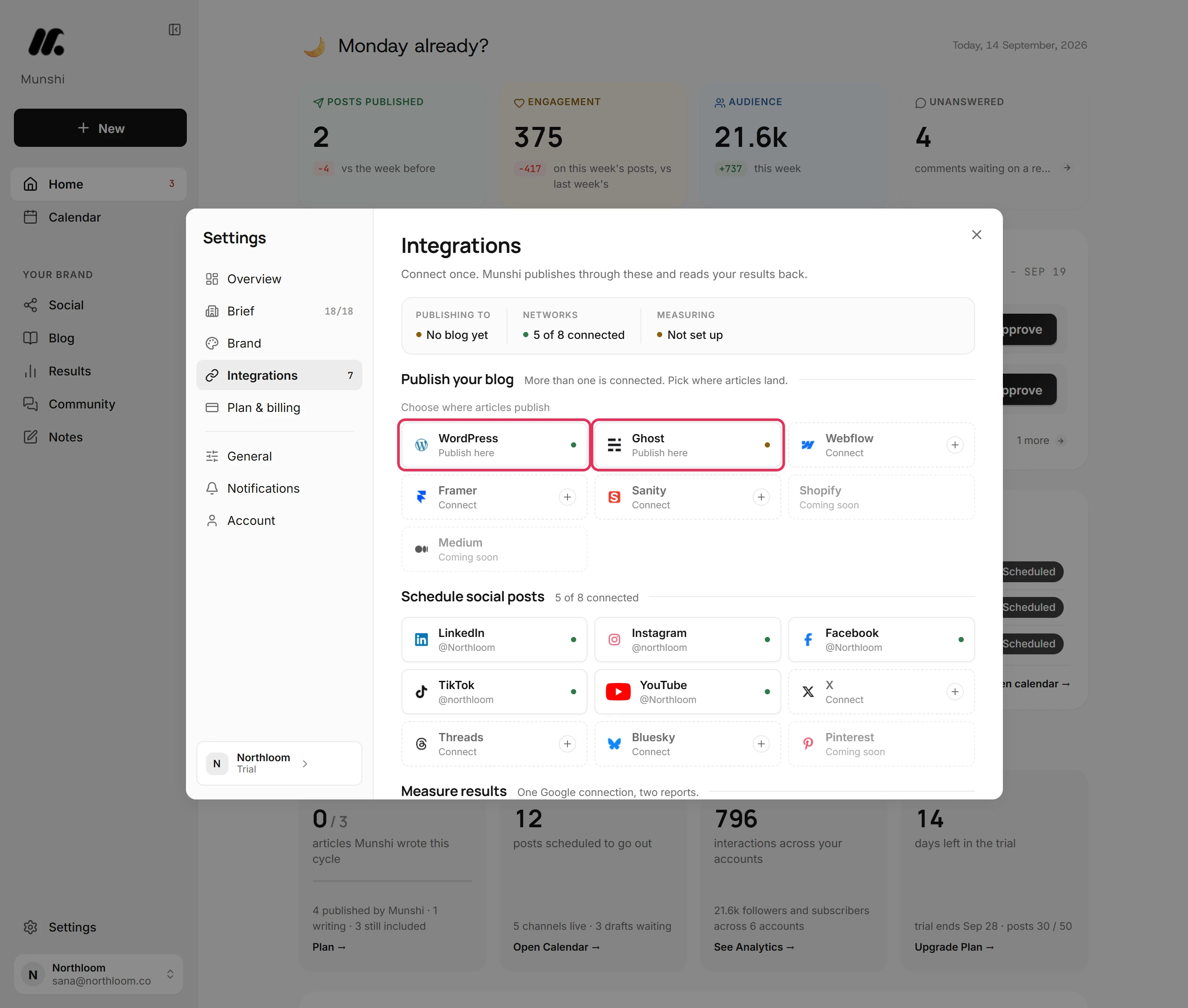
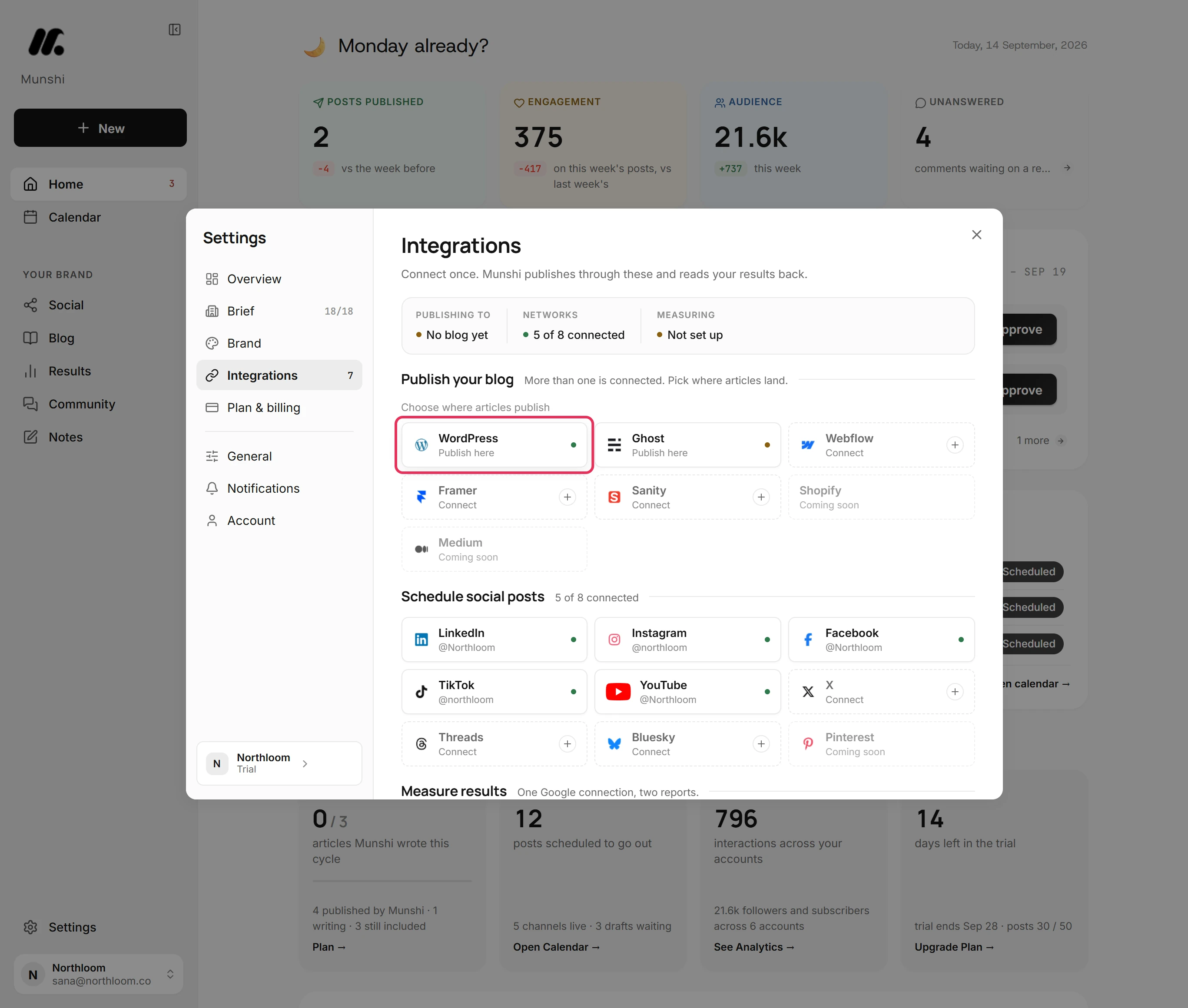
Click WordPress. Munshi confirms with Blog posts now publish to WordPress.
-
The section now shows WordPress, its site address and its badge, with Manage beside it. Publishing to, in the strip at the top, shows the same site.
-
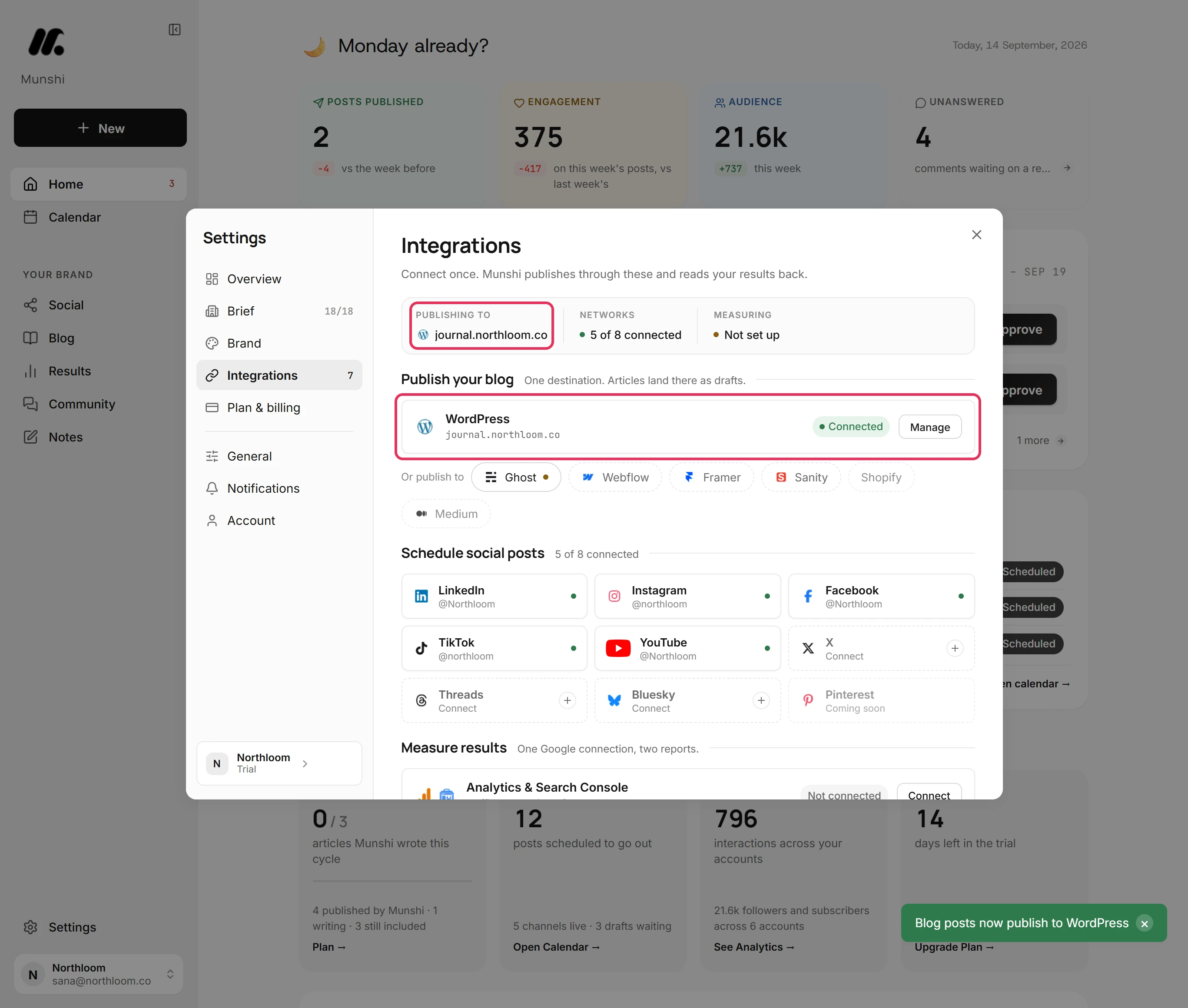
The other blogs sit under Or publish to, and connected ones carry a dot. Click Ghost to make it the destination. WordPress moves under Or publish to, and Munshi confirms with Blog posts now publish to Ghost.
-
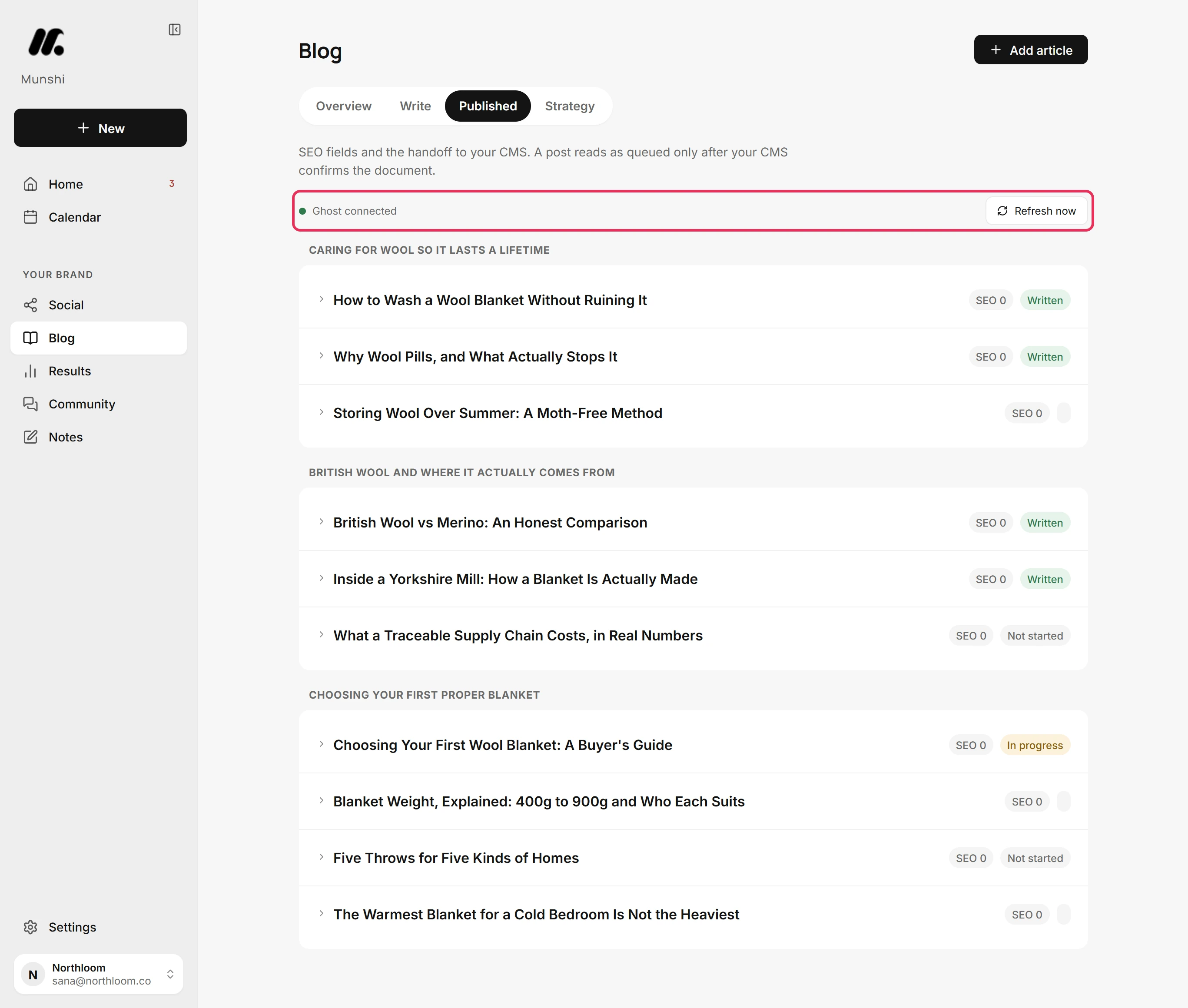
Close Settings, open Blog and choose Published. The line at the top names the destination: Ghost connected. Articles you publish from here go there.
Where you are now
Articles now publish to the blog you chose. The other blog stays connected, one click away under Or publish to.
If something goes wrong
“More than one blog is connected”
Pick a destination under Publish your blog, then publish the article again. Publishing stopped because no destination was chosen.
The blog I want reads Connect, not Publish here
Click it to open its setup and fill in the connection. Then it joins the blogs you can pick. It reads Connect because its details are not saved yet.
The destination shows Saved, not Connected
Click Manage, then Check. The badge turns to Connected when the check passes. Saved means the details are stored but have not passed a check.
Try it on your own brand this week.
Munshi Social, the AI content marketing engine for small teams, plans, writes, publishes, and tracks your blog and socials. The guide above shows the real app, not a mock-up.
Start your workspace