The workspace clock, and light or dark
Pick the clock every schedule in your workspace reads in. Switch Munshi between light and dark on the device you are using. Both are in Settings, General.
-
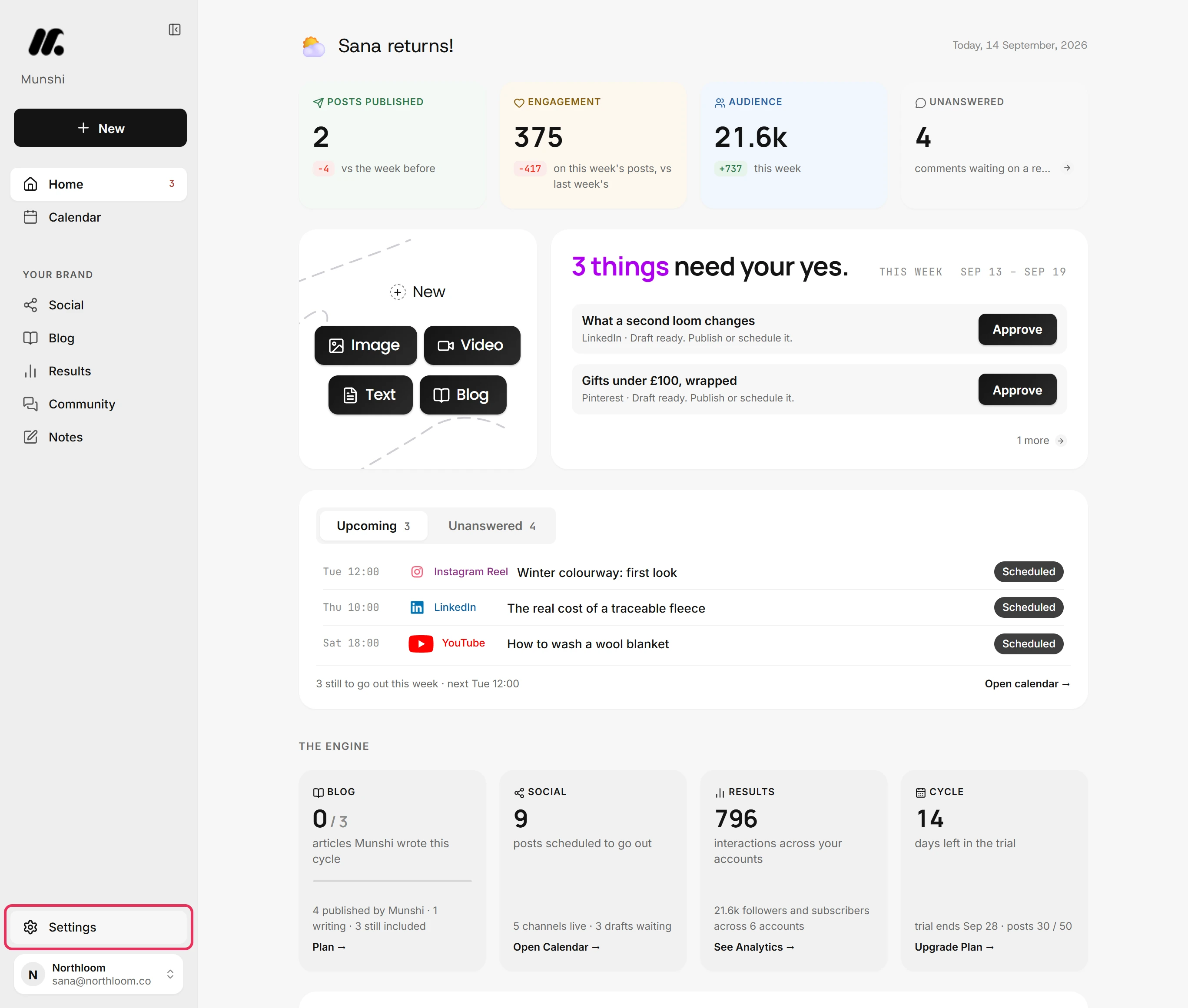
Click Settings at the bottom of the sidebar. Settings opens over the page you were on.
-
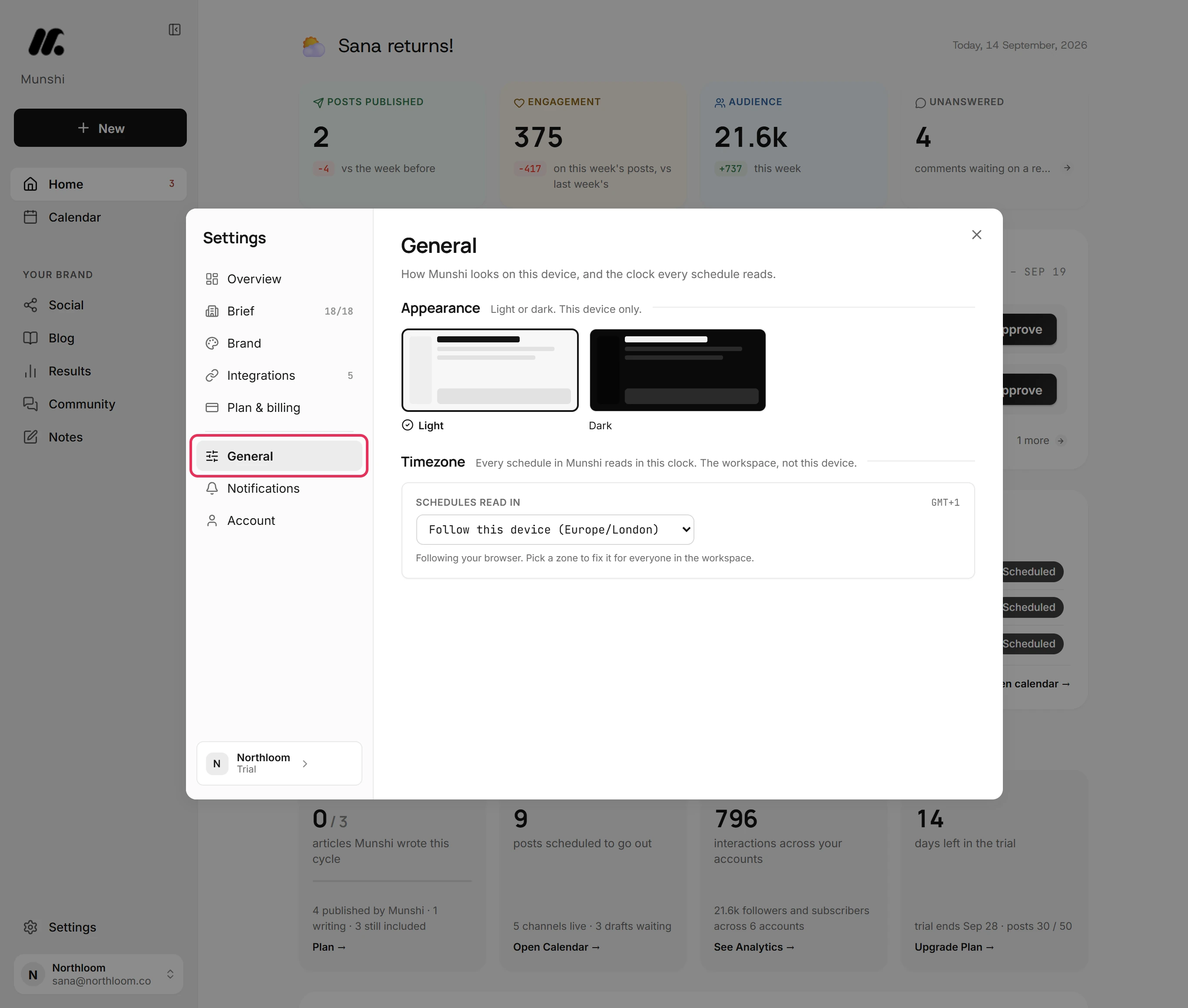
Pick General in the list on the left. It holds two settings. Appearance is how Munshi looks on this device, and Timezone is the clock the whole workspace schedules in.
-
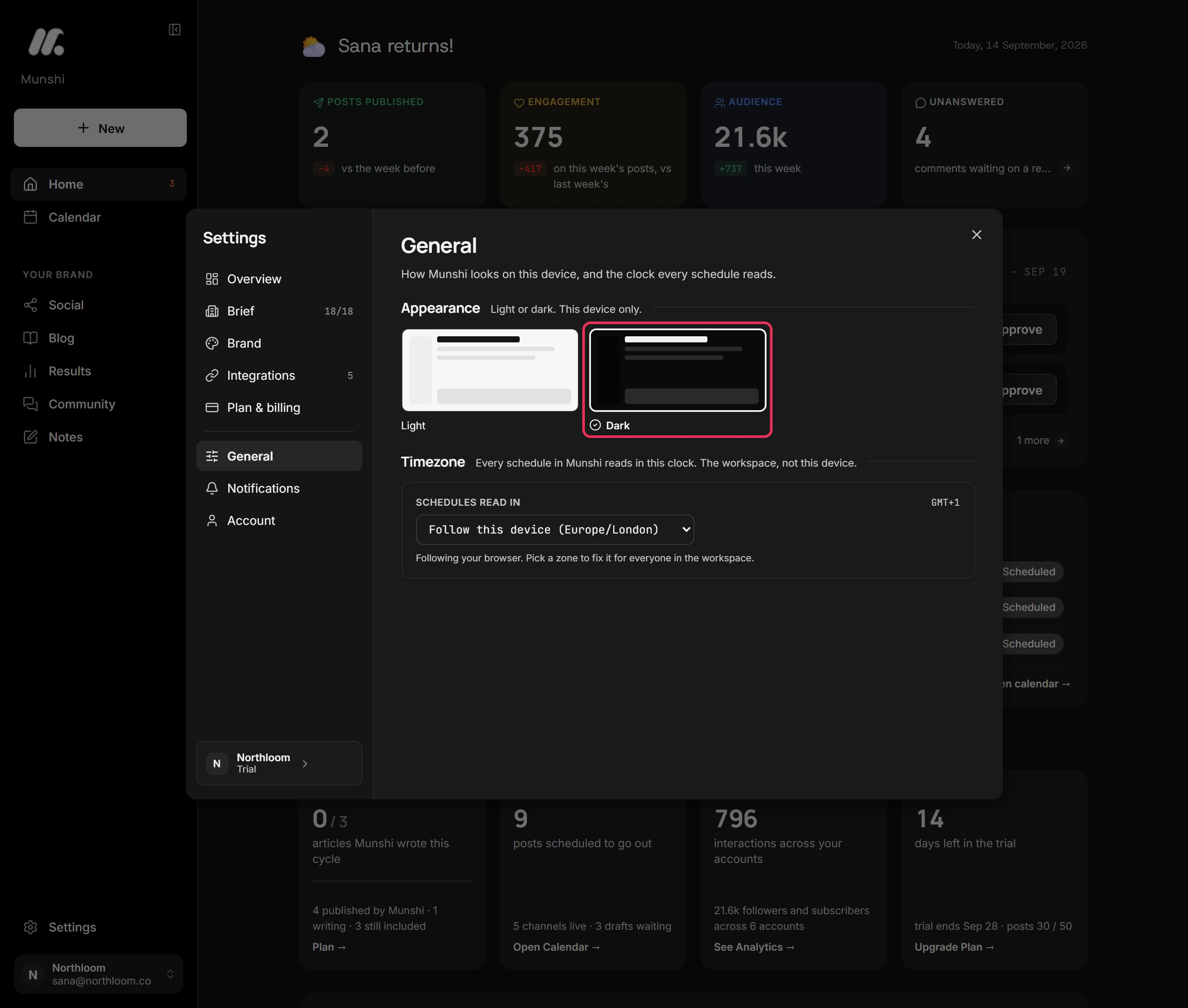
Under Appearance, click Dark. Every screen switches at once, and there is nothing to save.
-
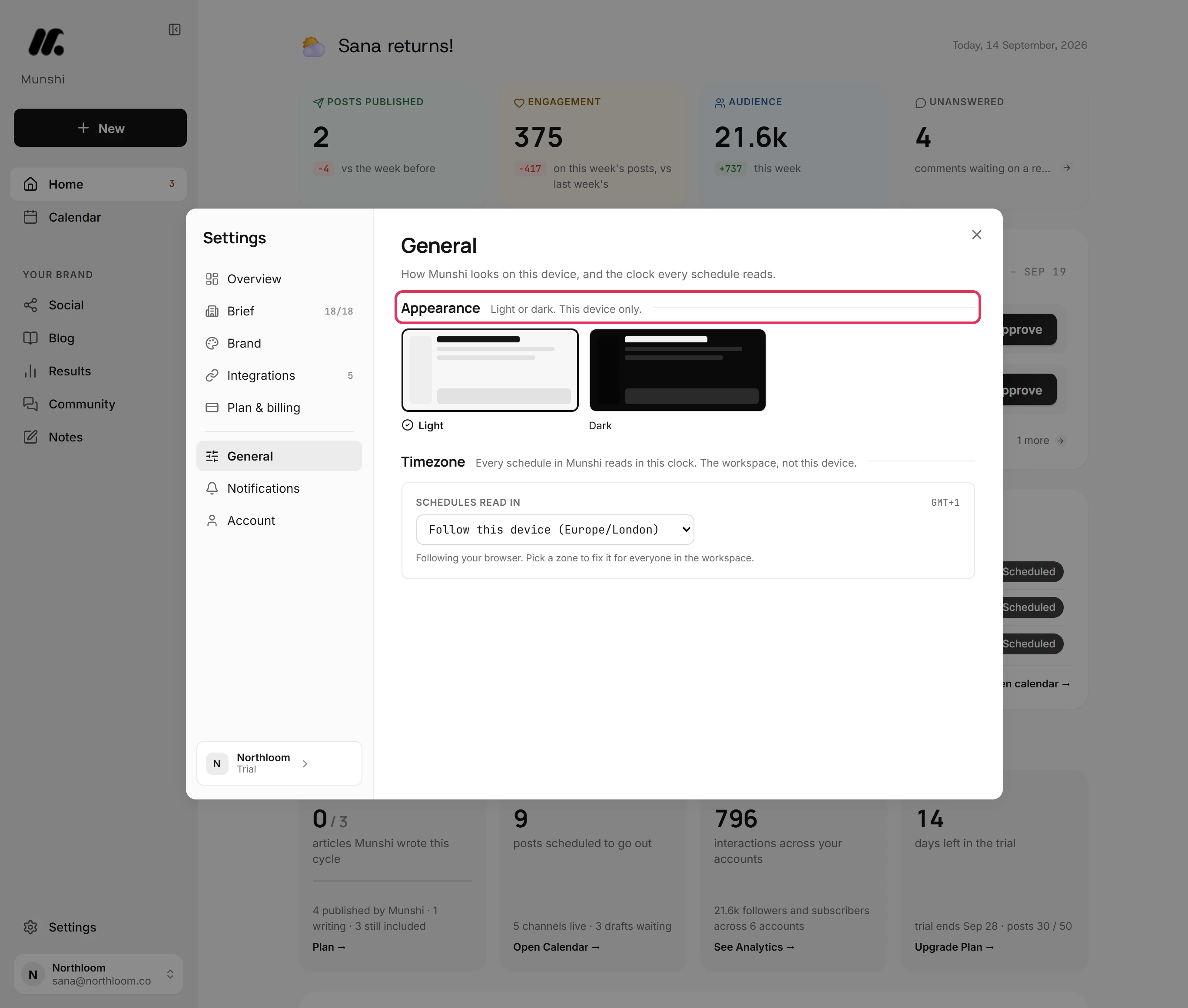
Light or dark is saved in this browser only. Every teammate and every device keeps its own. Click Light to switch back.
-
Under Timezone, choose a zone in Schedules read in. It saves the moment you pick it. Munshi confirms which clock schedules now read in.
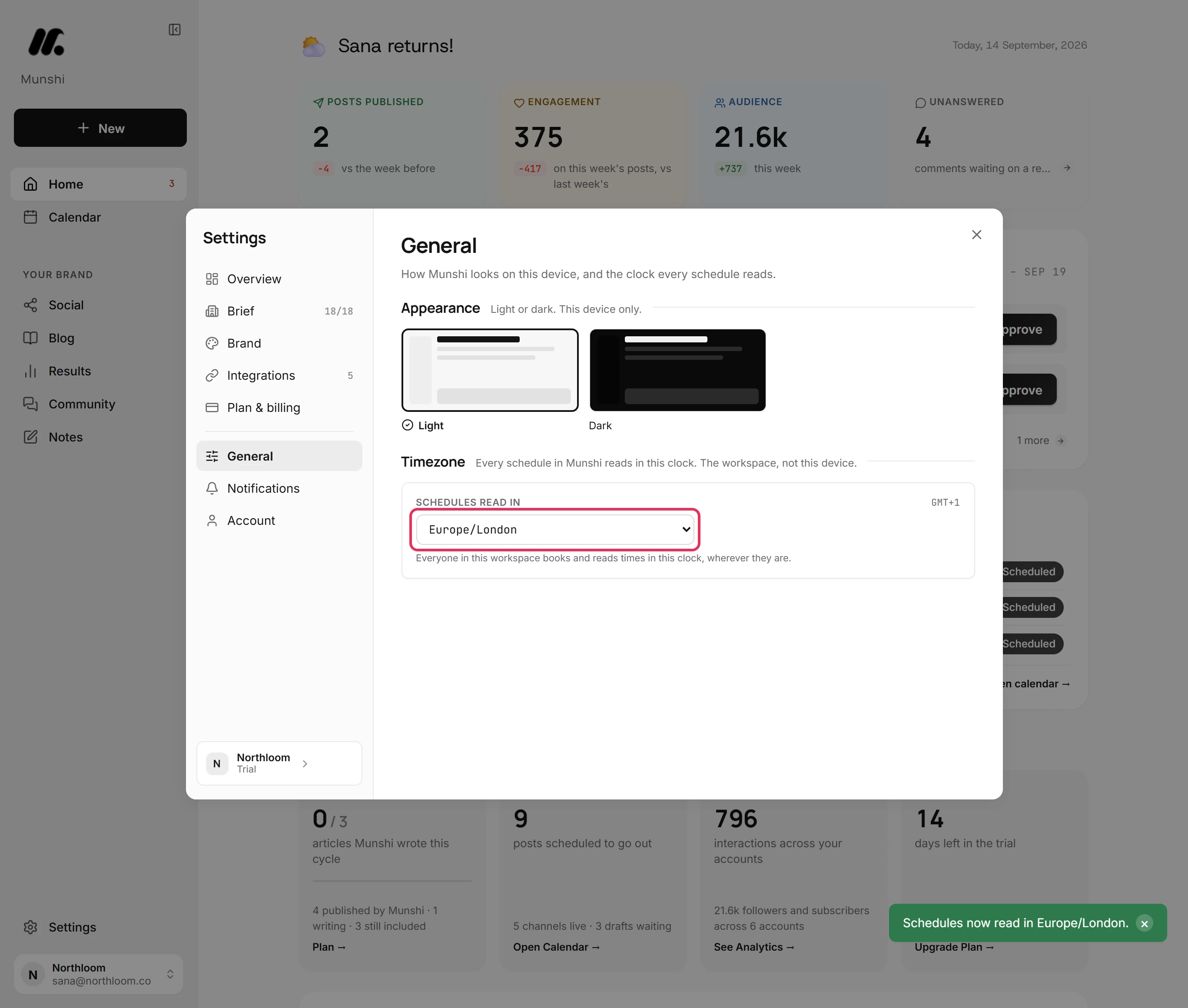
-
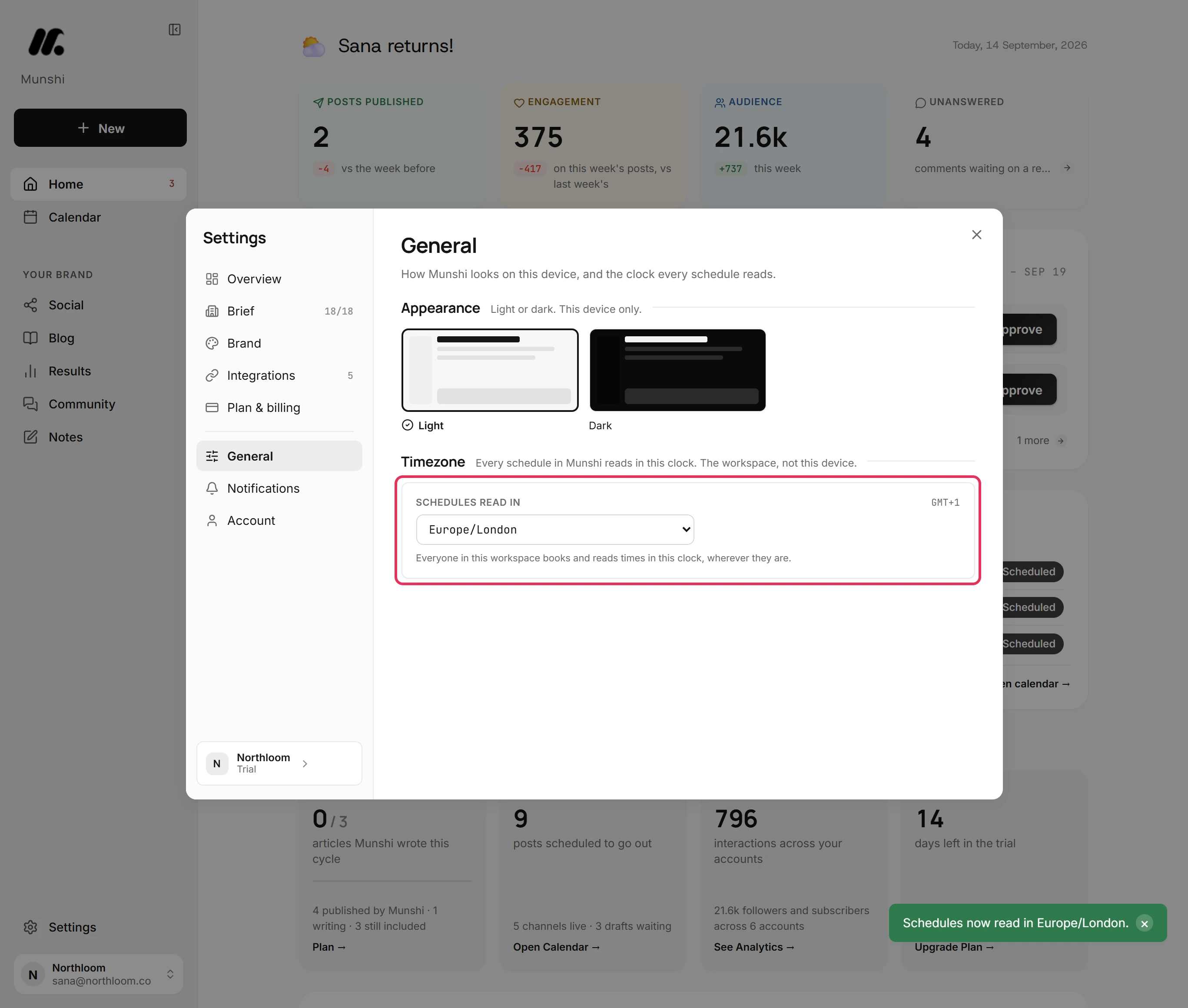
With a zone chosen, everyone in the workspace books and reads scheduled times in that clock, wherever they are. The label on the right shows how far it is from GMT today.
Where you are now
Every schedule in the workspace now reads in one clock for everyone. Munshi looks the way you chose on this device. Change either one any time from Settings, General.
If something goes wrong
“Could not save the timezone. Nothing changed.”
Check your connection, then pick the zone again. The zone did not save, so the workspace kept the clock it had.
Did changing the timezone move my scheduled posts?
No. A scheduled post keeps its moment and reads at the matching time in the new clock. A post booked for 10:00 in London shows as 05:00 once the clock is New York.
A teammate still sees Munshi in dark
Your teammate switches it in their own Settings, General. Light or dark belongs to each browser, not to the workspace.
The time on a published post is not in the workspace clock
That is expected. The workspace clock is for choosing a time and reading a scheduled one. Posts that already went out show their dates in your own device's clock. So does how long ago something happened.
Try it on your own brand this week.
Munshi Social, the AI content marketing engine for small teams, plans, writes, publishes, and tracks your blog and socials. The guide above shows the real app, not a mock-up.
Start your workspace